Gateway Revocation list is not in sync

Hello,
we had to create new certificates for the gateway. These were signed by our CA. The Devolution servers are not in the domain, so we also had to store the root certificate locally. However, there is now a problem with the gateway.
The gateway is not accessible via Administration > Dev Gateway > Diagnostics.
It is running, though. The website (https) is also working.
The gateway log on the gateway server shows the following message:
"unauthorized at devolutions-gateway\src\middleware\auth.rs:189:28 [source: failed to verify token signature using main provisioner key, because signature error: invalid signature, because invalid signature]"
Do the Provisioner.PEM and KEY files also need to be recreated?
Regards, Jürgen
All Comments (3)
Hello
Sorry to hear about the trouble, but I'm a little bit confused. How did you update the Gateway certificate? Did you do it by manually editing the gateway.json file, did you do an uninstall/reinstall, did you use the Devolutions Server Console?
You mention "Administration > Dev Gateway > Diagnostics" - is that in RDM or Devolutions Server?
When you say "The website (https) is also working" - you mean Gateway's own web interface? I think it's implied if you have both a provisioner .pem and private key, but that doesn't correlate with using Gateway with RDM and/or DVLS.
In short, can you describe the setup? Is this Devolutions Gateway running with or alongside Devolutions Server, or are you using the Gateway's own web interface? If it's the latter, it does sound like you're also using it with RDM and/or Devolutions Server, which doesn't make sense.
Please let me know if something isn't clear or you have some questions
Kind regards,
Richard Markievicz
We created a new CSR file using OpenSSL. We modified the JSON file.
We have a Devolution Server (Server1) and a Devolution Gateway (Server3). Server2 is the database.
Configuration via the Devolution Server Console (Server1) is not possible because the Gateway doesn't appear there, only the server running IIS!
For whatever reason.
"Administration > Dev Gateway > Diagnostics" is accessed via the Dev Server.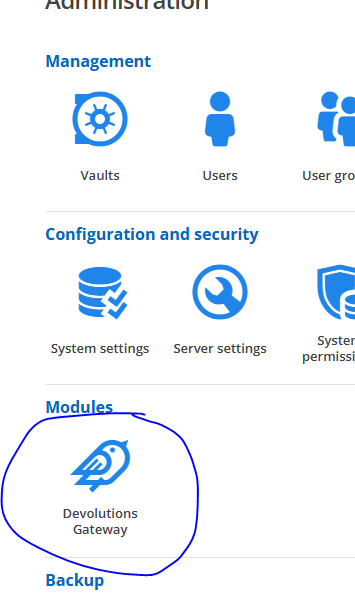

dev server.PNG
dev server gw.PNG
Hello
Thanks for that, it clears up almost everything.
You said "Do the Provisioner.PEM and KEY files also need to be recreated?" - do you have both those files on your Gateway? Because, in this configuration, it should not be the case.
Since this is related to token verification, the simplest thing may just be to double check:
- Stop the Gateway service
- Remove the provisioner .pem and .key; perhaps rename them or move them to a different place)
- Redownload the Devolutions Server public key, and make it the provisioner.pem
- Start the Gateway service
It shouldn't be needed to update these files when you're just updating your certificate, but I don't understand what happened that caused you to have a private key file on the Gateway side.
Kind regards,
Richard Markievicz