Wayland HiDPI: Respect KDE Plasma fractional scaling or provide in-app UI scaling option
Wayland HiDPI: Respect KDE Plasma fractional scaling or provide in-app UI scaling option
3 votes

Product:
Remote Desktop Manager for Linux
Version: 2025.3.2.3
Framework: .NET 9 / Avalonia 11.3.9
Desktop: KDE Plasma (Wayland)
Description:
Under KDE Plasma Wayland with fractional scaling (e.g. 160%), Remote Desktop Manager does not respect the system scaling factor. The UI renders at 100%, resulting in significantly smaller interface elements compared to native Qt and GTK applications.
There is currently no in-application scaling option available.
Expected behavior:
One of the following should be implemented:
- Proper automatic detection and application of Wayland fractional scaling (preferred solution).
- Alternatively, provide a user-configurable UI scaling option inside the application (e.g. 125%, 150%, 160%, 175%, 200%).
Many modern cross-platform applications provide internal scaling controls to ensure consistent usability across desktop environments and display servers.
Why this matters:
Wayland with fractional scaling is standard in modern Linux environments. Professional users working on high-resolution displays require predictable and consistent UI scaling without relying on environment variables or launch wrappers.
Best regards,
Christian
All Comments (10)
Hello Christian,
Thank you for reporting this issue and for detailing your expectations. I’m currently working on implementing a UI scaling option (not finished yet).
We use two different GUI frameworks (GTK and Avalonia), and each can detect a different scaling factor on your computer depending on a few factors. Since only one of them may detect the correct scaling, I’m considering adding an option to configure the scaling for both frameworks separately.
Because your setup differs from ours, it would be helpful if you could test these new settings before we release them. If you’re interested, please let us know which distro you’re using so we can send you the appropriate installation file.
Regards,
Gabriel Dubois
Hello Christian,
Thank you for reporting this issue and for detailing your expectations. I’m currently working on implementing a UI scaling option (not finished yet).
We use two different GUI frameworks (GTK and Avalonia), and each can detect a different scaling factor on your computer depending on a few factors. Since only one of them may detect the correct scaling, I’m considering adding an option to configure the scaling for both frameworks separately.
Because your setup differs from ours, it would be helpful if you could test these new settings before we release them. If you’re interested, please let us know which distro you’re using so we can send you the appropriate installation file.
Regards,
@Gabriel Dubois
Hello Gabriel,
I would be happy to test the new version.
Here are the details of my system:
Operating System: Manjaro Linux
Desktop Environment: KDE Plasma 6.5.5
KDE Frameworks: 6.22.0
Qt Version: 6.10.1
Kernel: 6.18.8-1-MANJARO (64-bit)
Graphics Platform: Wayland
CPU: AMD Ryzen 7 PRO 7840U (16 threads)
Memory: 32 GB RAM (23.1 GB usable)
GPU: AMD Radeon 780M Graphics
Manufacturer: Lenovo
Model: ThinkPad P14s Gen 4 (21K50004GE)
Best regards,
Christian
I have installed RDM 2025.3.2.3 on a notebook (ThinkPad X1 Yoga Gen 3) with Linux Mint 22.3 (Cinnamon).
- The notebook has a 14 inch display with 2560x1440 pixels
- When "Monitor scaling" in Mint is set to 150%, the ribbon is not scaled accordingly
- When "Monitor scaling" in Mint is set to 100%, the ribbon is correct
- I haven't found any setting in RDM where I could change this
Thank you for your support. Would also be happy to test.
Best regards
Ronny
Hello everyone,
RDM’s ability to detect system scaling has been fixed internally. We also added an option to override the scaling in RDM (Settings -> User Interface).
We really appreciate you agreeing to test this for us, but we finally managed to test it ourselves with KDE Plasma on Wayland and everything works well. These changes will be available in the next release (2026.1.0).
Please let us know if you run into any issues.
Regards,
Gabriel Dubois
Hello Gabriel,
thank you for the update.
I’m very much looking forward to the new release (2026.1.0). It’s great to see that the scaling issue was addressed so quickly and that a solution is already in place.
I appreciate the effort and the fast turnaround.
Best regards
Christian
Hello,
Thank you for being so patient!
I'm pleased to inform you that a new version of RDM Linux (2026.1.0.8) has been released, including the requested feature.
Please let us know if this works or if you encounter any issues.
Best regards,
Maxim Robert
Hello,
thank you for the update and for implementing the requested feature.
I installed version 2026.1.0.8 and tested the new scaling settings. Unfortunately, none of the available scaling options produce a correct result on my system. The interface scaling still does not match the system scaling.
Additionally, the scaling settings do not seem to affect the terminal component at all.
For reference, my environment is:
- Manjaro Linux
- KDE Plasma (Wayland)
If you need any additional information or logs for troubleshooting, please let me know.
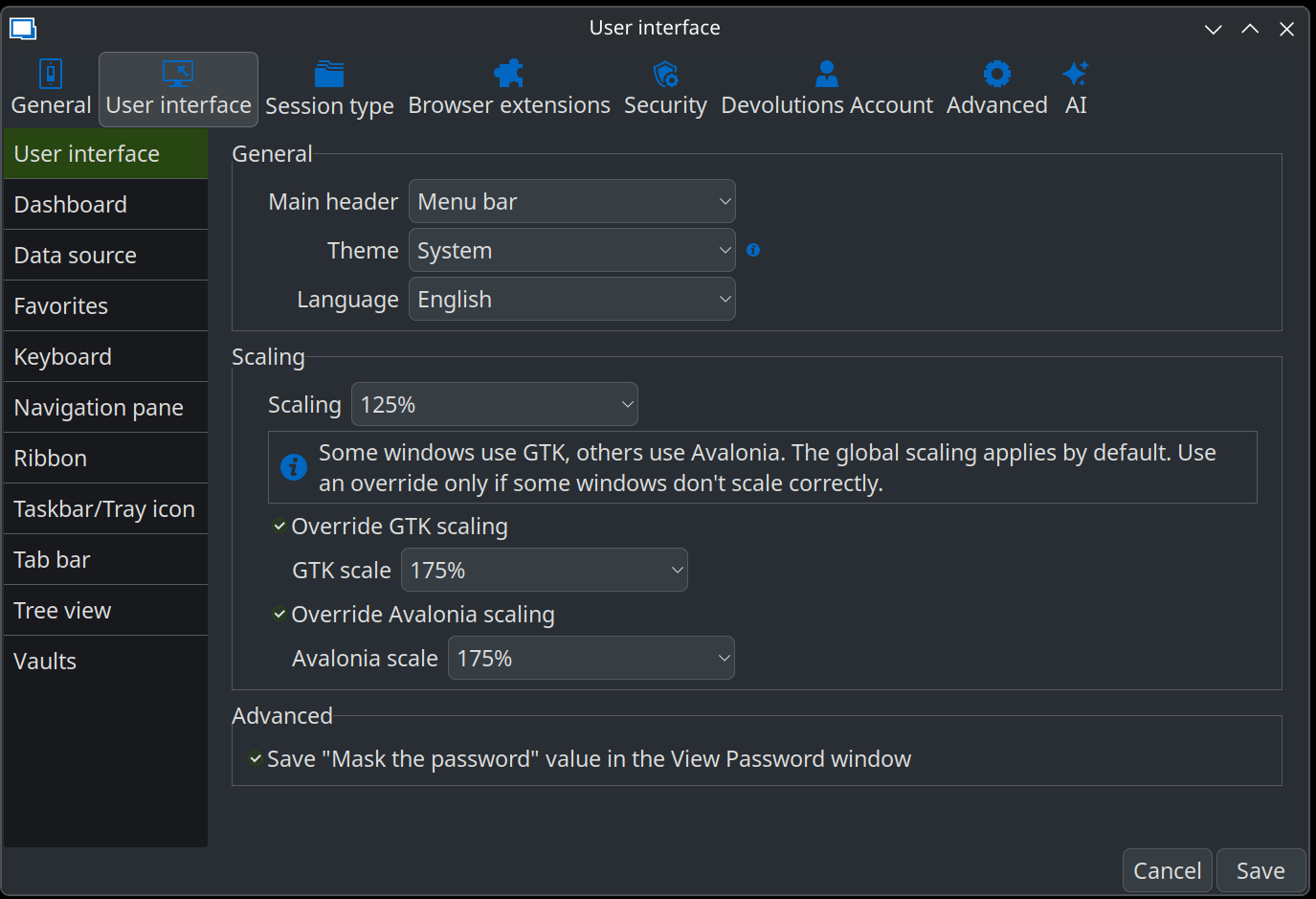
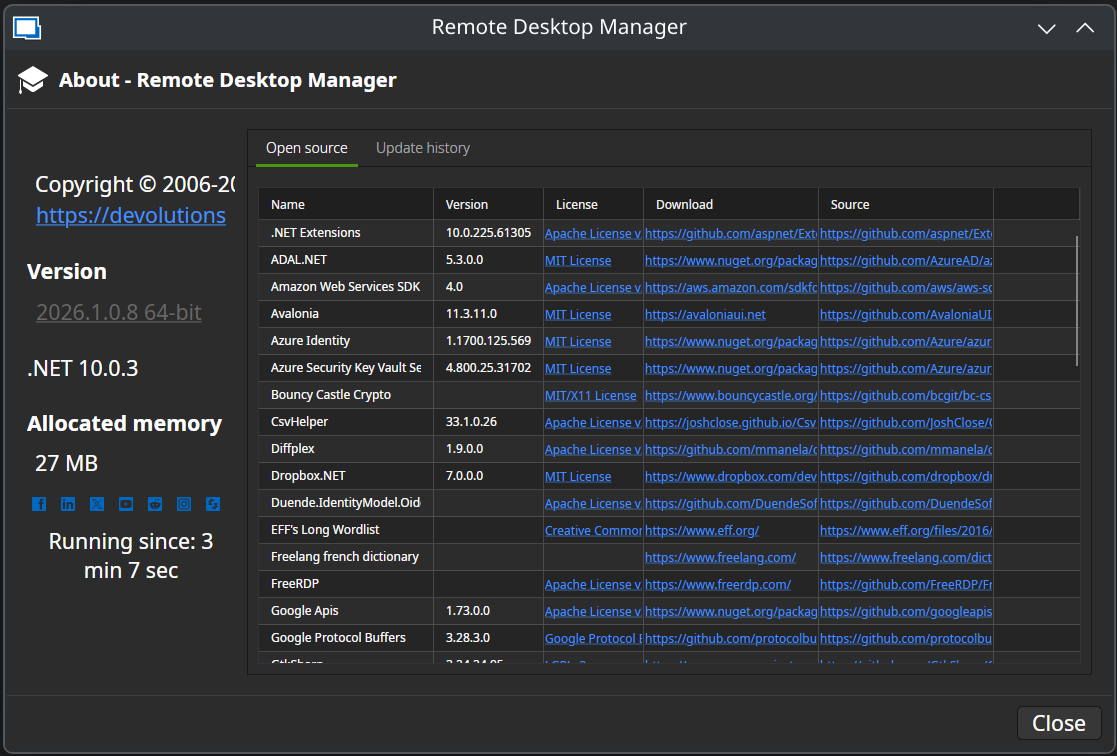
Best regards
Christian
S01_20260305.png
S02_20260305.png
S03_20260305.png
Hello,
I previously experienced a very similar scaling issue on the rolling-release version of Ubuntu. In my case, the workaround was to switch to the LTS version (Xubuntu LTS), which resolved the inconsistent scaling behavior. I understand that this likely isn’t a practical option for you thought. :)
Before I request that our IT department provision a Manjaro VM for deeper testing, could you please try resetting RDM to its default settings? If the issue is related to remnants of a previous configuration or an older installation, this might help.
You can follow these steps:
https://docs.devolutions.net/rdm/kb/how-to-articles/reset-rdm-to-default-settings/?tab=linux
Please let me know the outcome, and we’ll proceed accordingly.
Best regards,
Carl Marien
Hello
Thank you for the update to 2026.1.0.8. I have tested this on my Linux Mint machine. I have the same results as @christiandiehl .
I have reset the RDM after upgrading it.
Whatever scaling I choose, the ribbon and the terminal/main window never changes its scaling.
This is with 200% scaling for example: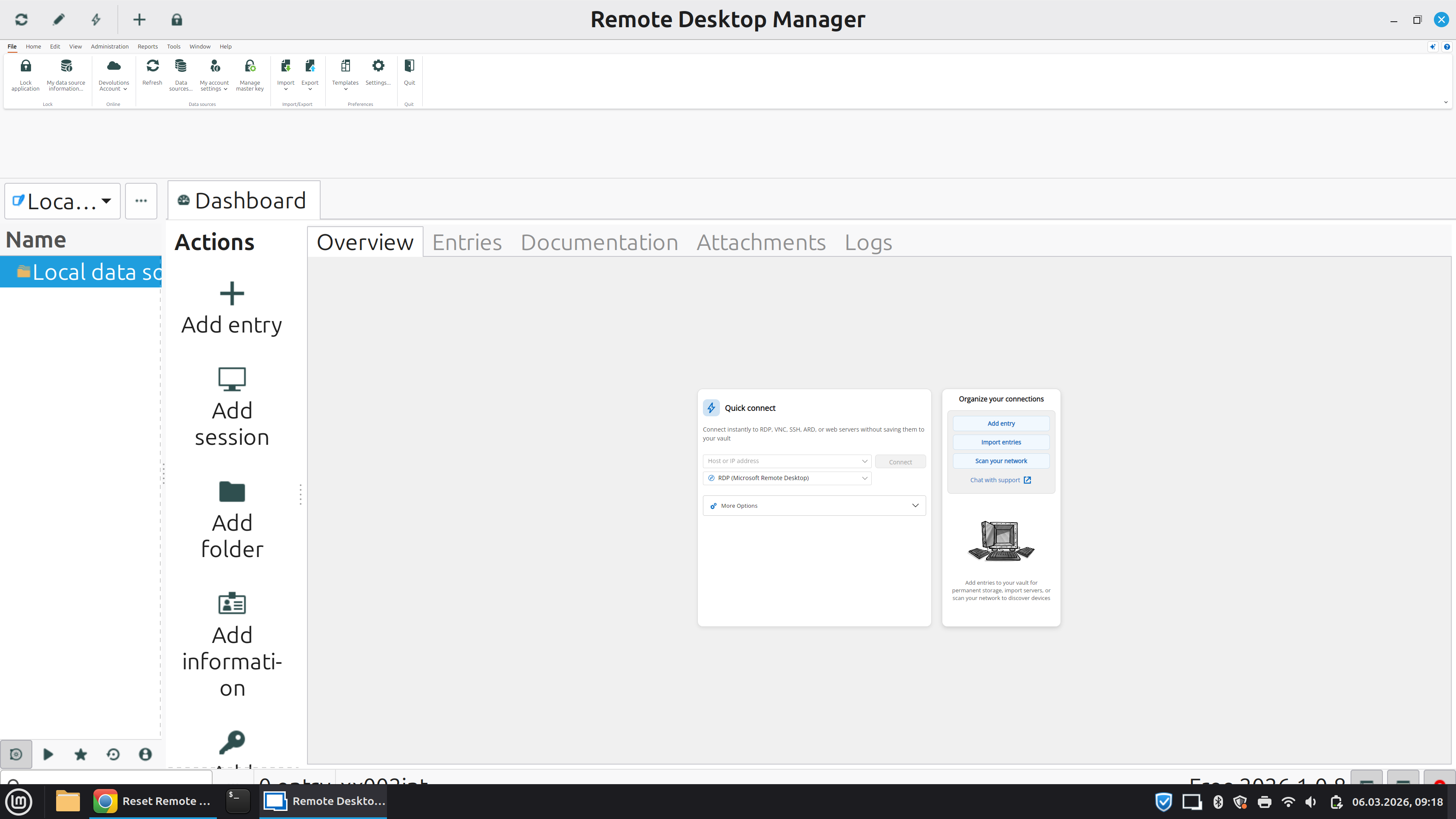
Best regards
Ronny
rdm scaling.png
Hello everyone,
We have reproduced this issue, and a ticket has been created so we can address it as soon as possible.
We also discovered another issue: the ribbon does not scale properly on 16:10 screens. We will work on that as well.
Thank you for your patience.
Regards,
Gabriel Dubois