RDM empty window on start - Fedora 43 Plasma Kde

When i start RDM in plasma environment KDE fedora 43 all i see is blank window and no application.
Does this have anything to do with new desktop environment that is using Wayland?
Is Wayland supported with Plasma?
Recommended Answer
i found out that if i switch no GPU supported graphics display it works.
So it has something to do with either broken driver in UTM or issue with RDM and GPU.
Virtio-ramfb works but not with virtio-ramfb-gpu.
All Comments (6)
Hello,
Thanks for reaching out.
I personally haven’t encountered this behavior with Remote Desktop Manager on Fedora KDE so far.
To help us investigate further, could you please:
- Send us a screenshot of the blank window you’re seeing?
- Let us know if you’re able to reproduce the issue when launching the application using an X11 session instead of Wayland?
This will help us determine whether the issue is related to the Wayland session or the Plasma environment itself.
Best regards,
Carl Marien
it works in gnome 3 session, but not kde.
I am running fedora in UTM on M1 macbook.
plasma: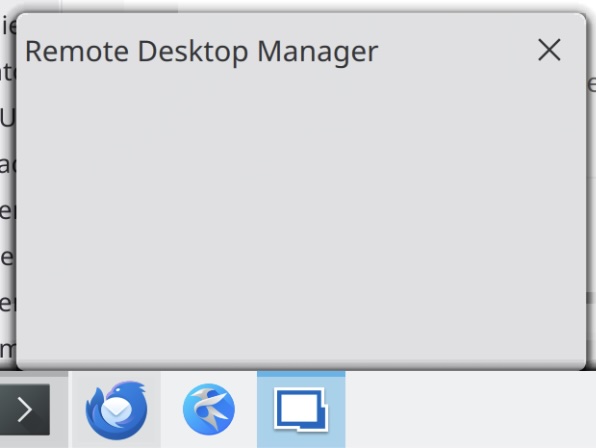
Untitled 28.jpg
After installing plasma-workspace-x11 still does not work, screen flickers and rdm is not working.
Hello,
Thank you for the additional details, that’s very helpful.
I’ll open an internal investigation on this issue and attempt to recreate the behavior on my side using a KDE-based Linux environment (I’ll be testing on my own Xubuntu/KDE plasma setup).
Given that it works under GNOME but not under Plasma (both Wayland and X11), this does point to a Plasma-specific issue rather than Fedora itself. I’ll report back as soon as I have more findings or reproducible results.
Thank you for your patience.
Best regards,
Carl Marien
i found out that if i switch no GPU supported graphics display it works.
So it has something to do with either broken driver in UTM or issue with RDM and GPU.
Virtio-ramfb works but not with virtio-ramfb-gpu.
Hello.
Thanks again for your investigation and for sharing the workaround.
Since the root cause appears to be related to GPU acceleration (virtio-ramfb-gpu) in UTM rather than RDM itself, we’ll go ahead and close this case for now.
If you run into any additional issues or notice changes with future updates, don’t hesitate to reach out again.
Best regards,
Carl Marien