Cache unavailable message since update

Yesterday we updated our Devolutions Servers, Gateways and Remote Desktop Manager to the latest versions. Since then on some entries we get the following message: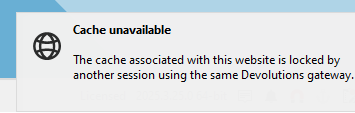
What is causing this and how can we solve this?
f8477e69-aa92-4bf2-8c91-fc8af288e678.png
All Comments (6)
Hello hjbos,
Thank you for reaching out to the Devolutions support team.
Could you close RDM, restart DVLS from the server and try again?
Best regards,
Patrick Ouimet
Hi Patrick, We restarted both DVLS servers and we still get the message.
Hello Hjbos,
Thank you for this feedback.
Could you explain which type of entry is making this error?
Could you share the configuration of it without sensitive information?
Do you have any step-by-step instructions that we can follow to reproduce this?
Best regards,
Patrick Ouimet
We see this in the website entry type. In the config we enabled Devolutions Gateway. Everything else is default.
Hello hjbos,
Unfortunately, by following your instructions, I was not able to reproduce this issue.
Could you terminate all the active sessions on this Gateway and try again?
The active session will be found under Administration -> Gateway -> Active sessions -> Terminate session.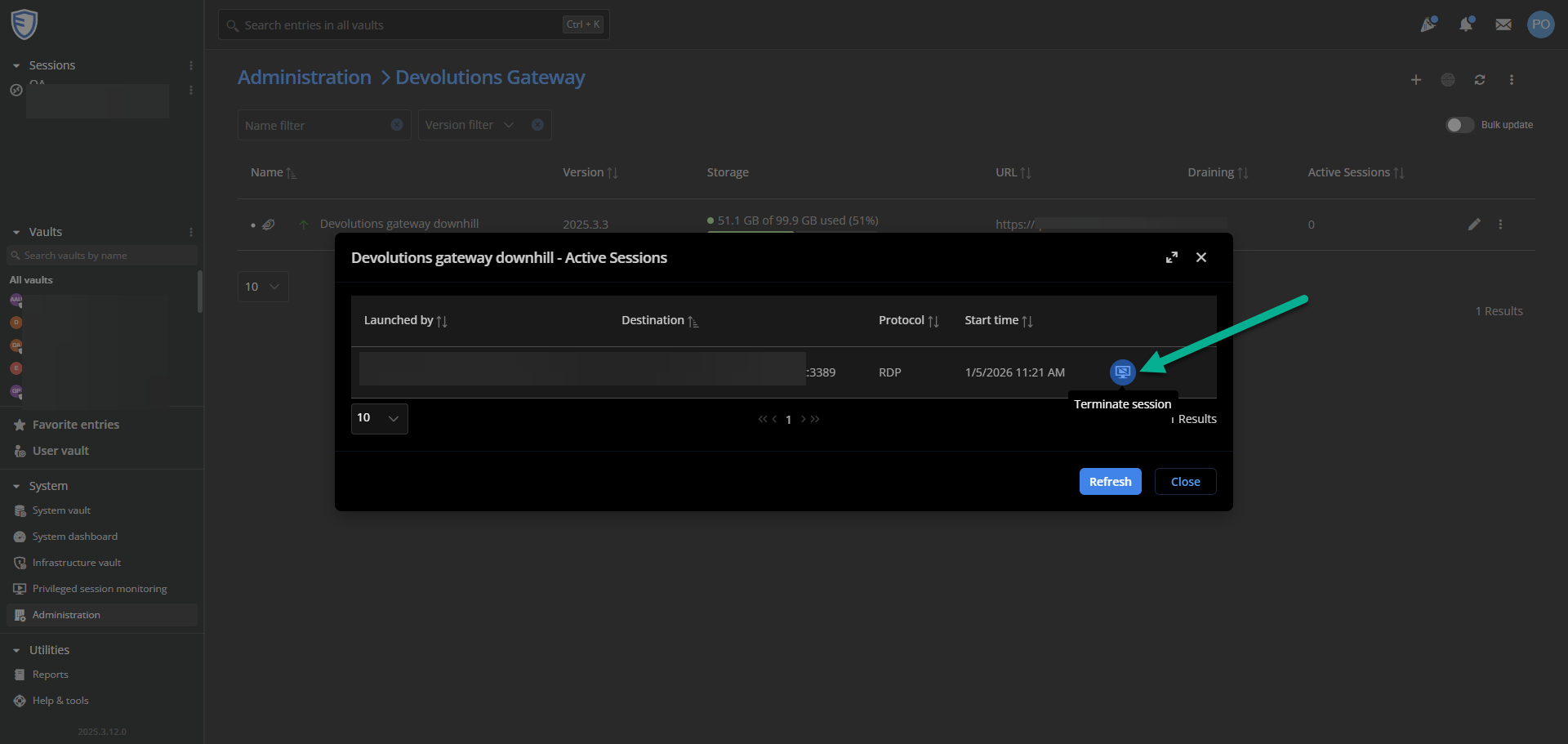
Best regards,
Patrick Ouimet
2026-01-05_11-22-16.png
Hi Patrick,
In the release notes of version 2025.3.28.0 i read: Fixed some caching issues with web entries going through a Devolutions gateway
Updating to this version seemed to solve the problem.
