API Key for admin user

Hi,
i would like to create an API Key for a local admin account to do do certain tasks via API call. I have the problem that i don't know where on the devolution server i have to create the API key for that certain user.
All Comments (6)
Hello,
Thank you for your feedback.
First, I have moved your thread to the Devolutions Server - Support section.
You will find the information on this online help page.
https://docs.devolutions.net/server/web-interface/administration/security-management/applications/
Let us know if that helps.
Best regards,
Érica Poirier
hi,
thx for the fast answer. Now i have another problem. I am using the bash example script from the API documentation. But i cant retriev the token from the devolution server. I used bash -x script.sh to take a look what happens during runtime
+ authResponse=
++ echo
++ jq -r .tokenId
+ token=
+ '[' -z '' ']'
+ echo 'Failed to login or obtain token.'
Failed to login or obtain token.
+ exit 1
do you have any idea whats wrong ?
Hi,
I thought we already had documentation on this, but I wasn’t able to locate it. Here are the steps required to use API keys with the public API:
- Enable API keys in System Settings → Users → Allow API Key.
- Enable API key usage for your specific user under Administration → Users → Modify User → Settings → Allow API Key.
- Generate your key by clicking your profile picture in the top-right corner, then navigating to Preferences → API Key → Generate New API Key.
Once this is done, you can use the API key directly as a Bearer token in the Authorization header. No login or additional tokens are required. For example:
curl -H "Authorization: Bearer $APIKEY" \
     https://dvls.example.com/endpoint
Let me know if you need anything else.
Best regards,
Jérémie Perreault
Best regards,
Jérémie Perreault
Hi,
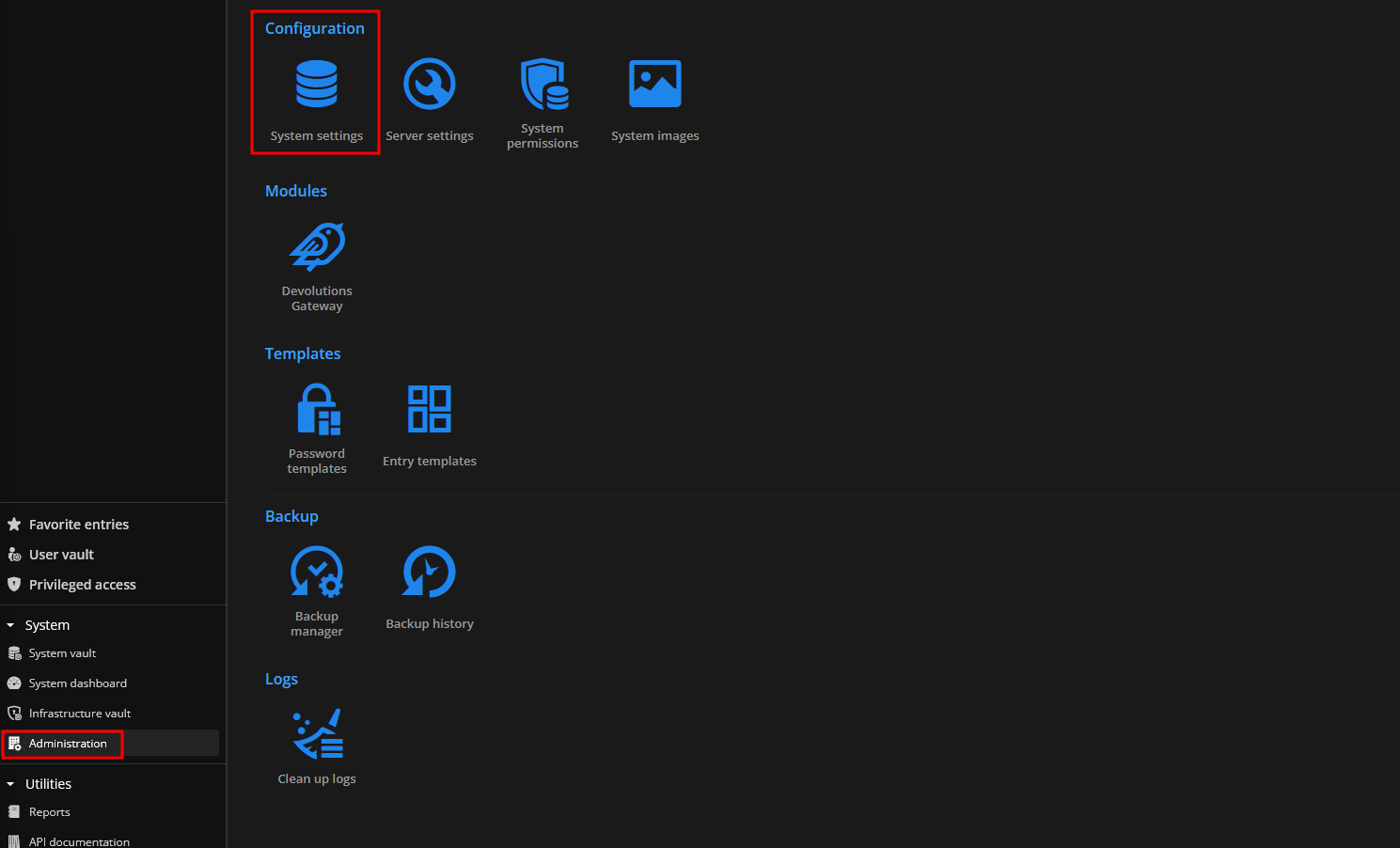
sry for the question but i only find System Settings below the Administration bulletpoint. There is no setting Users. 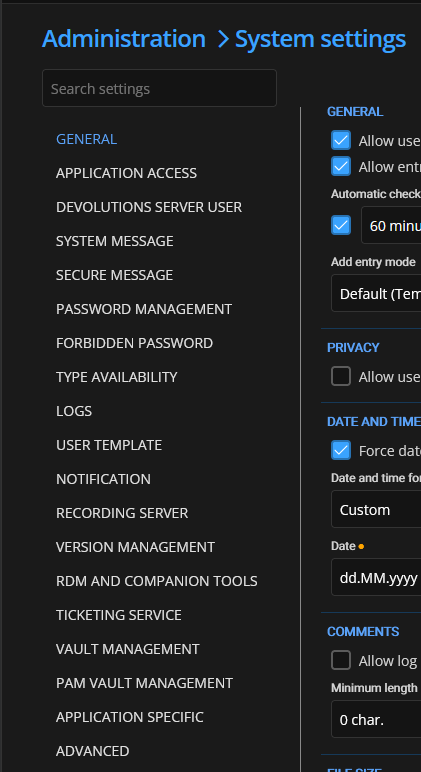
2025-11-26_07-57.png
2025-11-26_07-56.png
Hello,
Thank you for your feedback.
On your System Settings page, you should find it in the Devolutions Server User menu.
What DVLS version are you using? If you are using an older version, the Allow API Key option may not be available.
Best regards,
Érica Poirier
Hi,
As Erica mentioned, it appears that you are using an earlier version of DVLS. This feature was introduced in version 2025.3.
You can find an example of how to log in and retrieve the token in Bash at the end of the following page : https://docs.devolutions.net/server/web-interface/utilities/api-documentation/
If you upgrade to the latest version, you can follow this documentation to configure and use the API key : https://docs.devolutions.net/server/kb/how-to-articles/generate-api-keys/
Best regards,
Jérémie Perreault
Best regards,
Jérémie Perreault