Is it possible to include 'Client ID' field in search filters?
1 vote

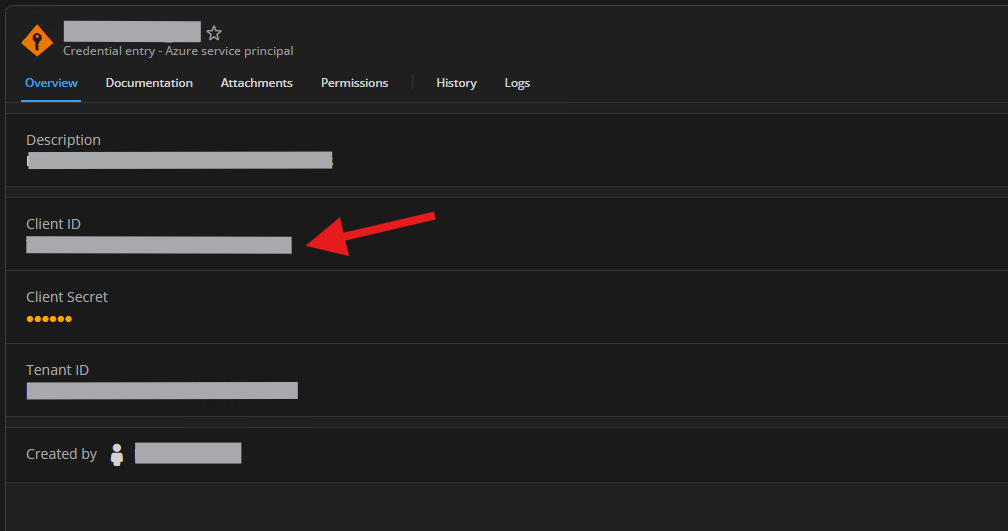
We have a lot of Azure Service Principals registered in vaults.
As these service principals are used in integrations where only the App Id and secret are noted in code, it is not always clear, under what name to find the entry in the vault.
It would seem that it is not possible to set 'Client ID' as a search filter, but maybe I just cannot find it :)
An alternative is to include the Client Id in the entry name as well as the friendly display name, but that requires changes to a lot of entries.
Is it possible to set this field as a search filter or are there any other solutions that I cannot seem to find?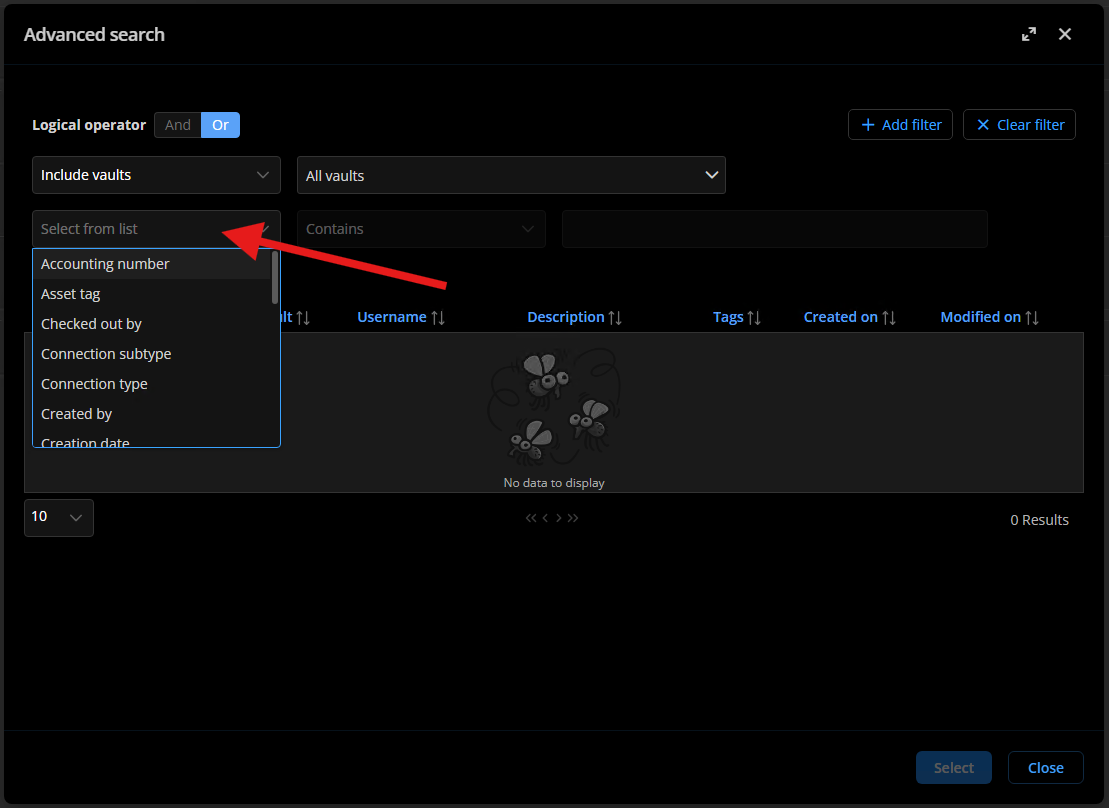
Screenshot 2025-11-13 154519.png
Screenshot 2025-11-13 154744.png
All Comments (2)
Hello,
Thank you for your feedback.
As it's not possible to search the 'Client ID' field at the moment, I have moved your thread to the DVLS Feature Request section.
In the meantime, you could try to set the 'Client ID' value in the Custom Field 1 and set the $CUSTOM_FIELDS1$ variable in the Client ID field. And then, toggle the Plain text option to Sensitive. With that method, you have the ability to do a search in the Custom Field properties from Remote Desktop Manager (RDM).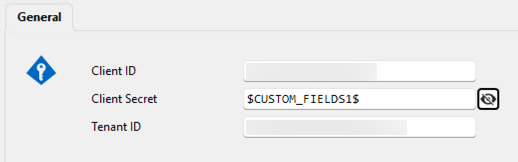
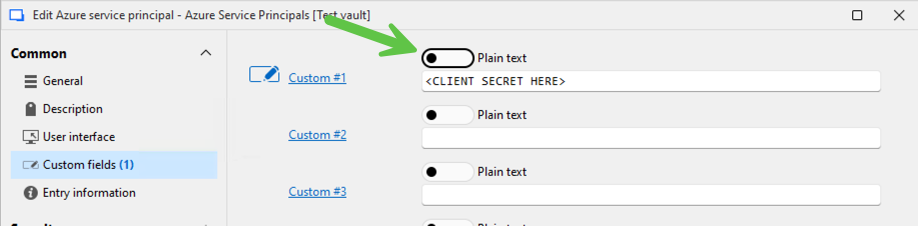

Let us know if that could be helpful.
Best regards,
Érica Poirier
57eb348b-941d-479b-826f-47f18176d3bf.png
dc7eaabb-b6c6-425b-85c2-89af4fe2e929.png
91ca7e9a-5d9b-4c7b-a964-863cd6c4e1b2.png
Hi @mnr, thank you for your suggestion.
We’ve added this feature request to our roadmap and created an internal ticket to implement it.
Best regards,
Sébastien Aubin
Product manager - Password Management