RDP Kerberos fails, NTLM successful

I've recently found that i am not using Kerberos auth to RDP hosts.
I'm not that familiar with linux & kerberos but think i've got the basics covered, as follows:
- client device is kubuntu24, domain joined
kinit USERNAMEhas been ran (both as user and admin account), kinit shows a valid token for the last run username.- RDM configured with negotiate or NTLM security; success.
- RDM configured with negotiate or Kerberos security; failure
- I'm using the flatpak version of RDM, with Flatseal to allow filesystem=host access as it appears the kerberos token is stored in /tmp.
- running freerdp negotiate & debug enabled via cmdline shows the negotiation falling back to NTLM. Based on this, it appears its not specifically RDM at fault but since thats to tool i intend to use, then raising it here for help.
I'm a bit lost on where to go next. We're using a 3rd party security tool that required kerberos for hooking MFA into RDP login process so require working RDP kerberos.
Recommended Answer
Hello
We don't link the system kerberos to our FreeRDP integration; we provide our own SSPI module for kerberos but it's not enabled by default.
Can you start by changing the "SSPI Module" to "Portable" in the "Authentication" tab of the RDP session? (Note that you can also configure a system-wide default in File > Preferences > Session Type > RDP > SSPI, and there should be no ill side-effect from doing that). You can also optionally force the authentication package to Kerberos: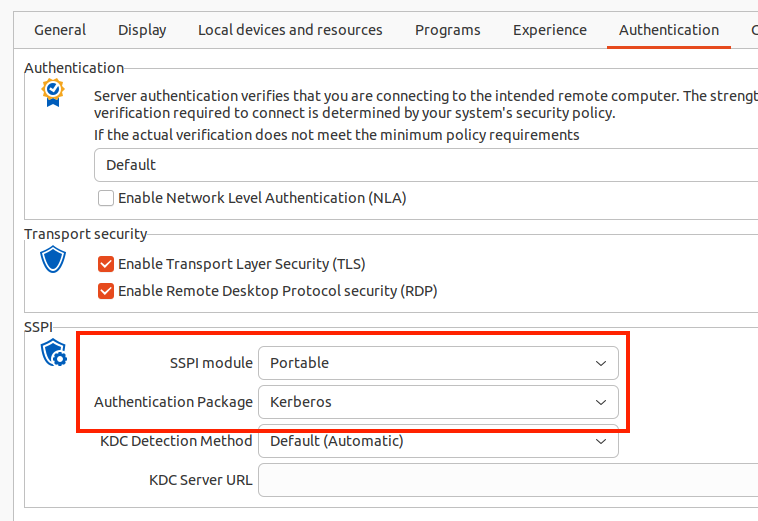
Let me know if it works - this assumes a few things, like your KDC (probably the domain controller) can be found by DNS. From your original post that does sound like the case.
Otherwise - if you still can't connect after making that change:
- Launch RDM from a terminal with the "WLOG_LEVEL" environment variable set to "DEBUG"
- I don't know about flatpack, but with a regular installed package it's as simple as
- export WLOG_LEVEL="DEBUG"
- remotedesktopmanager
- I don't know about flatpack, but with a regular installed package it's as simple as
- Try the connection again, RDM will print the FreeRPD debug log to the terminal that you can share with me
- (You could also redirect the output to a file if that's more convenient)
As always, don't hesitate if you have other questions or comments
Kind regards,
Richard Markievicz
Screenshot 2025-11-03 at 14.05.15.png
All Comments (6)
Hello,
Thank you for getting in touch with us. To better assist you, could you kindly provide us with the following information:
- Your current RDM version.
- The data source you are utilizing.
- Screenshots of any error message that you receive.
- A recording showing the steps that led to the issue. This will allow us to investigate the issue.
I sent you the information in a Direct Message on how to provide us the recording.
Once we have this information, we will be better equipped to diagnose and resolve the issue.
Best regards,
Maxim Robert
RDM version is 2025.2.1.5, flatpak version
datasource: local data source
Screenshot. this occurs immediately - not after a timeout (like 30secs for host unavailable). If i use my NTLM, or Negotiate connections then i can successfully connect. Kerberos auth works fine to the destination server from a windows machine so it's definately a linux client side problem.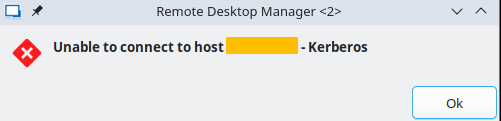
I'll look into doing a screen recording over the next day or two, but not sure this is going to show any extra info not already stated.
a907c48e-0bf7-421b-9532-6d4030740f51.png
video uploaded via the link in DM.
Hello
We don't link the system kerberos to our FreeRDP integration; we provide our own SSPI module for kerberos but it's not enabled by default.
Can you start by changing the "SSPI Module" to "Portable" in the "Authentication" tab of the RDP session? (Note that you can also configure a system-wide default in File > Preferences > Session Type > RDP > SSPI, and there should be no ill side-effect from doing that). You can also optionally force the authentication package to Kerberos:
Let me know if it works - this assumes a few things, like your KDC (probably the domain controller) can be found by DNS. From your original post that does sound like the case.
Otherwise - if you still can't connect after making that change:
- Launch RDM from a terminal with the "WLOG_LEVEL" environment variable set to "DEBUG"
- I don't know about flatpack, but with a regular installed package it's as simple as
- export WLOG_LEVEL="DEBUG"
- remotedesktopmanager
- I don't know about flatpack, but with a regular installed package it's as simple as
- Try the connection again, RDM will print the FreeRPD debug log to the terminal that you can share with me
- (You could also redirect the output to a file if that's more convenient)
As always, don't hesitate if you have other questions or comments
Kind regards,
Richard Markievicz
Screenshot 2025-11-03 at 14.05.15.png
I went with the global setting to change the SSPI settings - it appears to work on my kerberos enforced profile - Problem solved!
It did pop out a new window (any connection appears to be doing this now) rather than an embedded tab as follows. Not a major issue but i'll go through RDM settings to make sure i've not inadvertently changed another setting.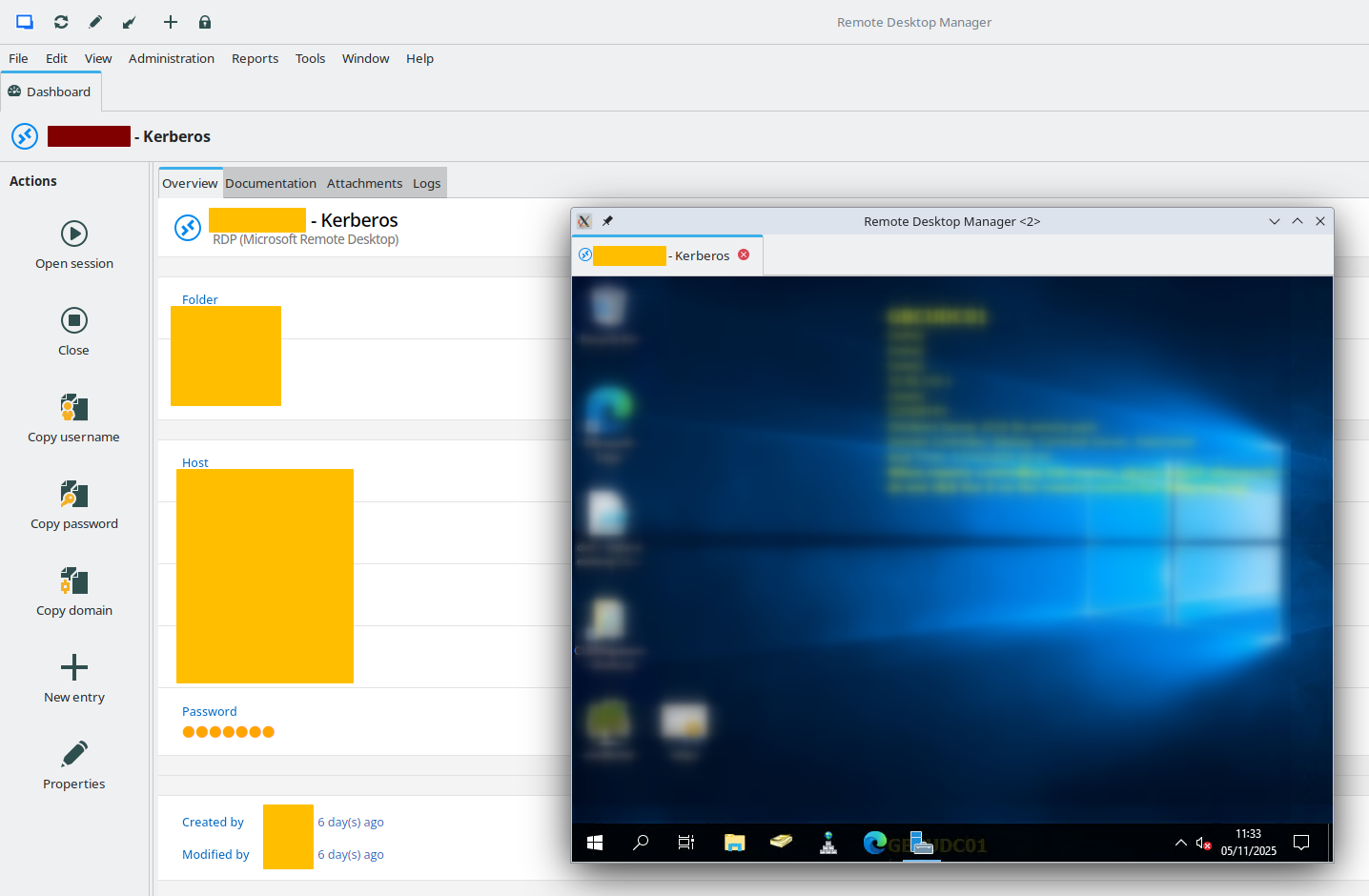
issue in screenshot was easy fix when you find it. Likely i mouse-wheel'd on the section just below the global SSPI settings; "Display" changed from 'embedded (tabbed)' to 'Undocked'.
70659a07-d037-4675-8671-f73556888dd1.png
Hello
Excellent, I'm glad this is working for you now. Please don't hesitate with further questions or problems.
Kind regards,
Richard Markievicz