having problem to retrive my password

I can't retrieve my saved passwords from RDM or even the personal hub, as all my passwords are encrypted or not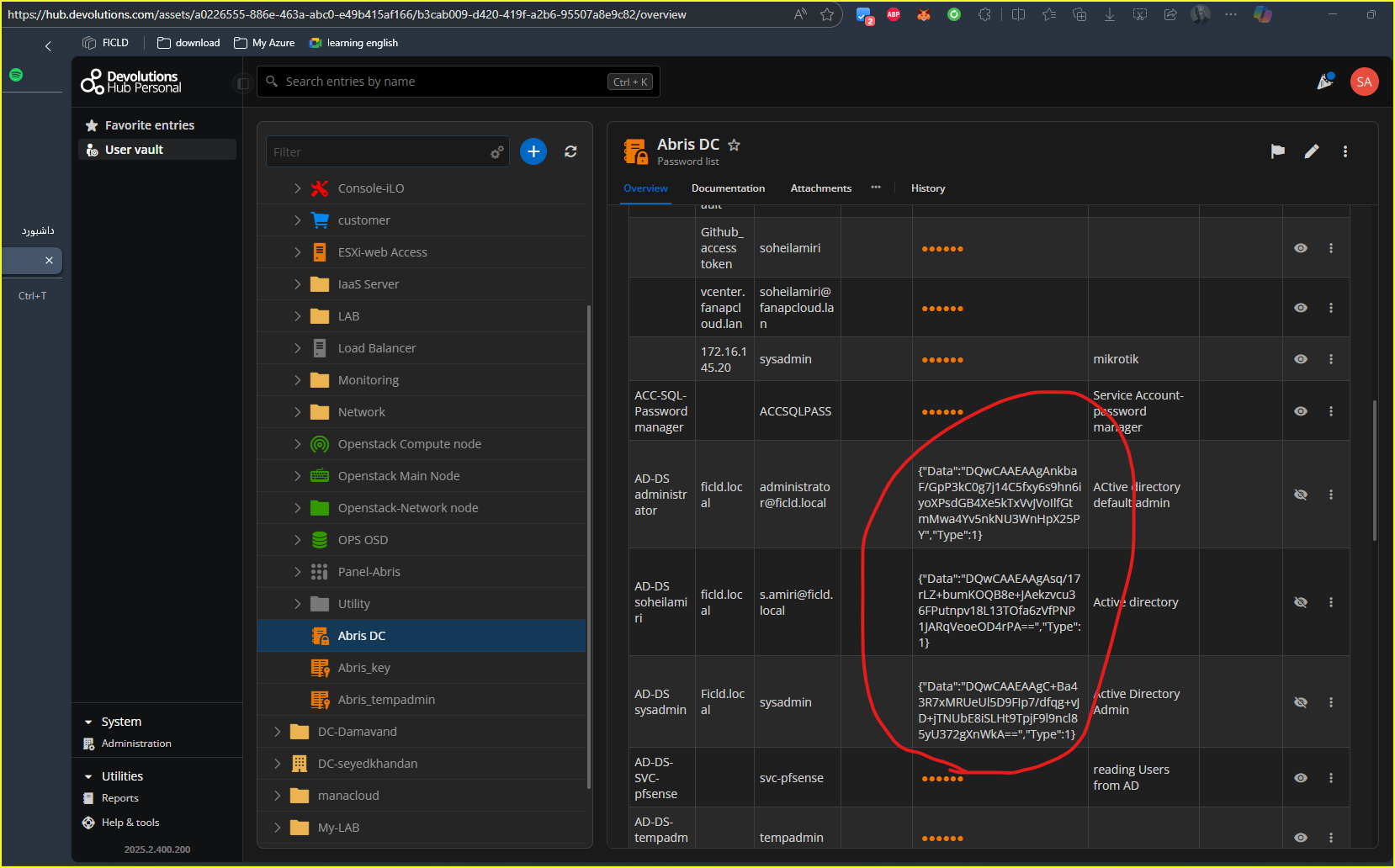
99dd2b58-7e92-4fa8-bdf4-cf4dca019b13.png
Recommended Answer
Hello,
Thank you for the confirmation. Since it is only one entry that is having the issue, I would recommend using the Entry History in RDM to restore the entry to before it broke.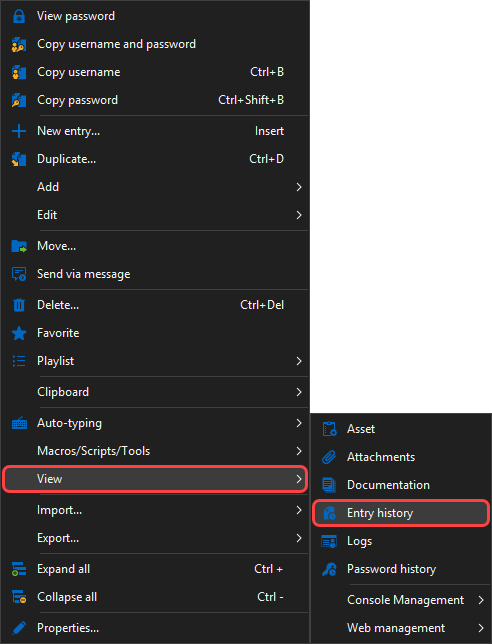
Then compare the information between the versions of the entry and select the last version that wasn't broken: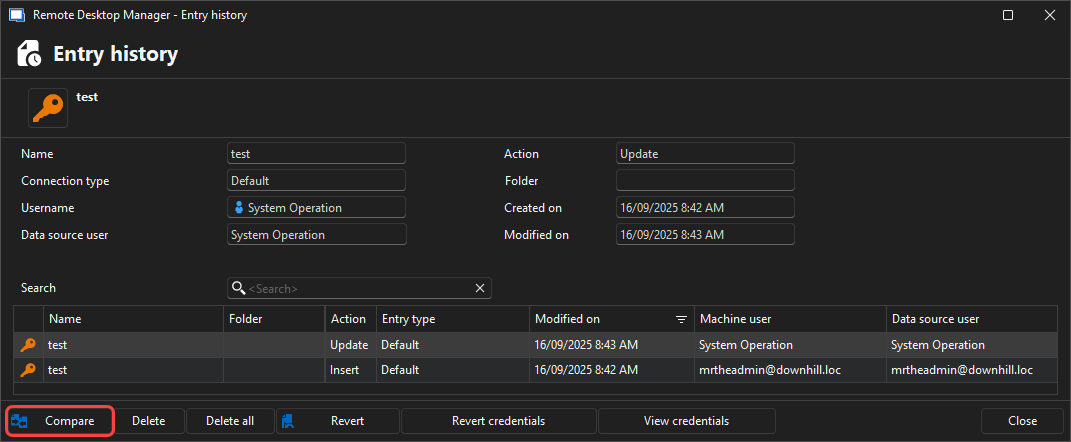
Feel free to reach out if you have any questions or need further clarification.
Best regards,
8e7792d3-7aef-41eb-9fe9-800a287842ae.png
417b58b5-94f5-4412-88c1-3b53aac7301d.png
All Comments (4)
Hello,
Thank you for reaching out!
My name is William and I'm here to assist you in any way I can.
Is this behaviour happening on all of your passwords within Hub Personal, or only this specific password list?
Did you make any modification to your Hub Personal or any action on the "broken" entries?
Best regards,
Hello @William Alphonso
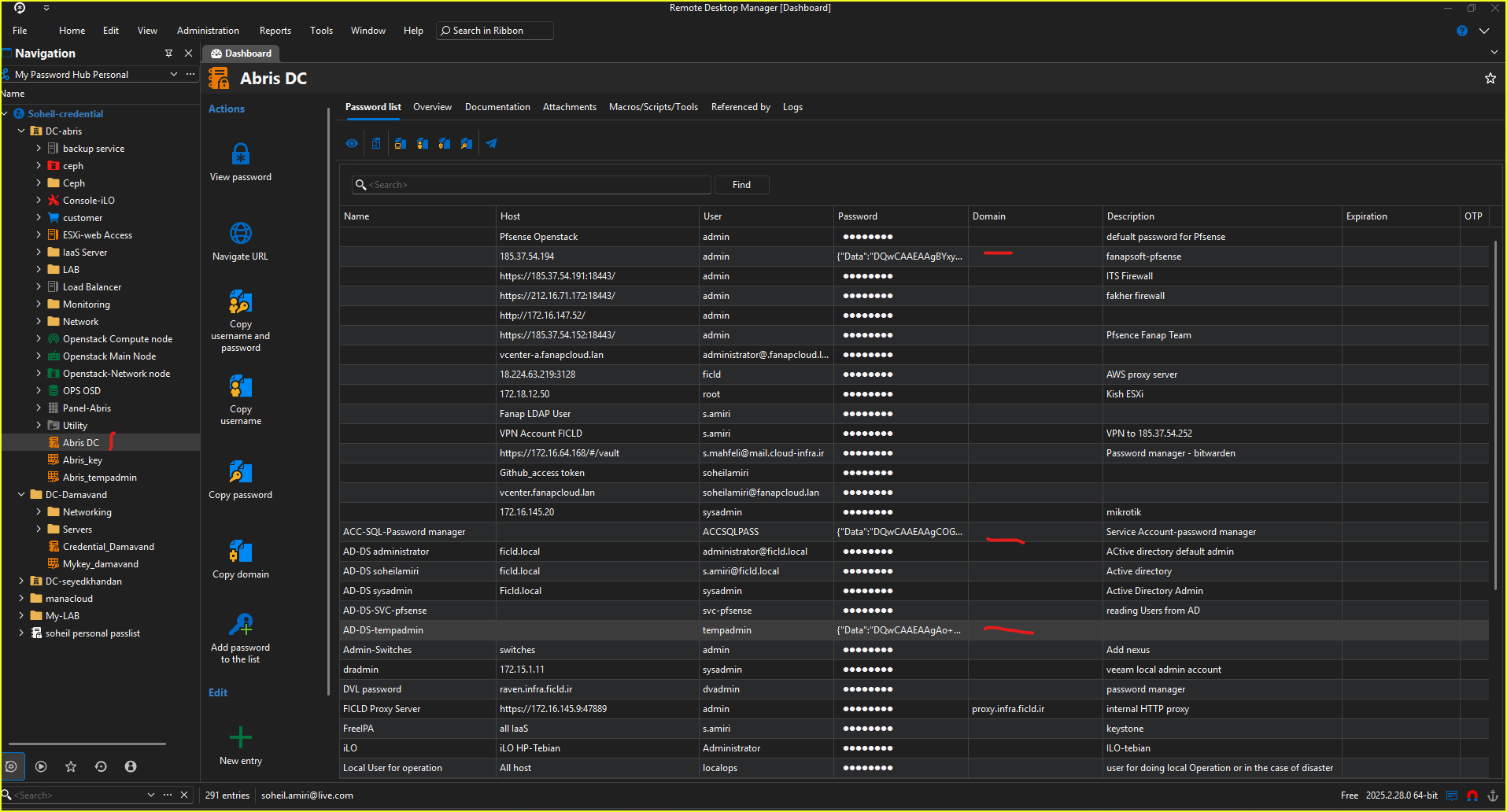
This issue is occurring with my specific password list. All passwords in this list have encountered a problem, while several other password lists are working fine. I receive a notification whenever I try to access any item in the "Abris DC" password list. This issue has appeared on both the app and the portal.
NativeError :
InvalidMac
===Original Message===
Exception of type 'Devolutions.Cryptography.DevolutionsCryptoException' was thrown.
===Original StackTrace===
at Devolutions.Cryptography.Utils.HandleError(Int64 errorCode)
at Devolutions.Cryptography.Managed.Decrypt(Byte[] data, Byte[] key, Byte[] aad, ILegacyDecryptor legacyDecryptor)
at Devolutions.Cryptography.Managed.DecryptWithKeyAsUtf8String(String b64data, Byte[] key, Byte[] aad, ILegacyDecryptor legacyDecryptor)
at Devolutions.RemoteDesktopManager.Managers.DevolutionsHubDataSourceManager.ResolvePassword(Guid dataSourceID, String password)
at Devolutions.RemoteDesktopManager.Business.DataSources.HubConnectionDataSource.ResolvePassword(String password)
8c9c54ac-ce51-45ca-b7fc-e71a44e23e06.png
Hello,
Thank you for the confirmation. Since it is only one entry that is having the issue, I would recommend using the Entry History in RDM to restore the entry to before it broke.
Then compare the information between the versions of the entry and select the last version that wasn't broken:
Feel free to reach out if you have any questions or need further clarification.
Best regards,
8e7792d3-7aef-41eb-9fe9-800a287842ae.png
417b58b5-94f5-4412-88c1-3b53aac7301d.png
thank I'm feeling alive again. Thanks for the advice—my problem is finally solved.