Error message during clean up session records

Hello,
I scheduled a clean session record on DVLS Gateway and I have this error message :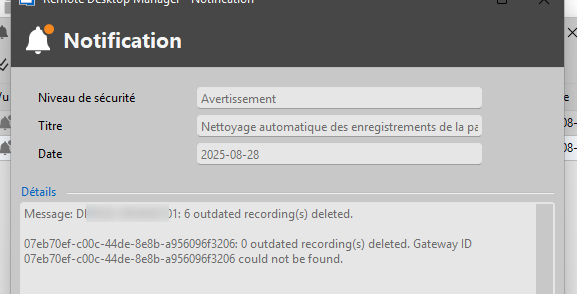
I have one gateway configured in the DVLS server :
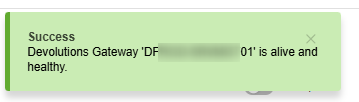 the gateway id is not the id in the error message :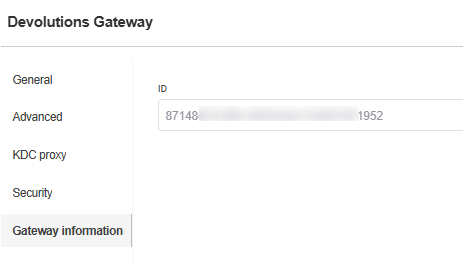
I configured few month ago another gateway and i deleted it. the "07eb.." is perhase the old gateway'Id ?
Where can I delete this entry ?
I restarted the DVLS, the gateway, I updated but i'm having this messsage.
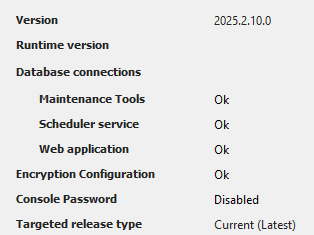
DVLS version :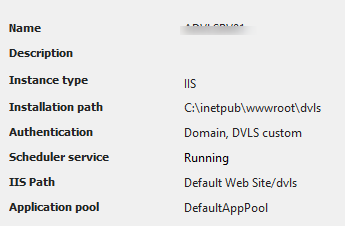
Regards
Cédric
9c16111d-3438-4f23-8a3f-d87caeeebb64.png
4bc96031-9b4f-44b9-94fa-13269e0c7ac8.png
9a9bde8f-05c8-42db-93ae-1464df721464.png
bbceb88f-789d-402a-9a67-ad3edd821703.png
785cfd46-6425-4a2c-8a49-35a65b938ad2.png
6434bfb0-7af5-4e61-836a-7ea2cf2e2708.png
All Comments (5)
Hello Cedric,
Thank you for reaching out to our forum. The next step is to go to Devolutions Server Web UI > Administration > System Settings > Recording Server, click on the bird icon at the top right, then repoint to the correct Gateway by selecting it and pressing Select to save.
After that, go back to Administration > Reset Server Cache.
From what you shared, it looks like the deletion of older recordings is working normally, but the same log message mentions that another Gateway with a different ID was not found. This could be related to a Gateway that was previously installed and later deleted.
In addition, if you have access to SSMS, please expand your database tables, select the top 1000 rows from the table DevolutionsGateway, and verify that the content matches the list of your Gateways shown in Devolutions Server Web UI > Administration > Devolutions Gateway.
Best regards,
Michel Audi
Hello,
Thanks for your answer.
I reset the server cache, I restarted the VMs
I still have the problem : 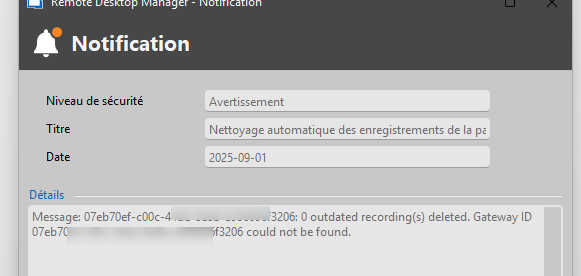
please find the sql request. I find only a gateway
Regards
ee54b826-73ab-4dee-8ceb-3a2de6a7e536.png
aa517fe1-cf0b-4237-8d92-b36a44981abb.png
Hello,
You mentioned that you reset the server cache. Did you try to repoint the Gateway before doing this, as I mentioned in my previous thread?
Best regards,
Michel Audi
Hello,
I’m following up on the issue you encountered to let you know that our development team will be deploying a fix. Once it is released, I will inform you so you can update.
Thank you for your patience.
Best regards,
Michel Audi
New DVLS version solve my problem.
Thanks for your help
Cédric