Impossible to create data source when RDM is running via powershell

Hi! I am trying to create data source via powershell. I found out that I can do it when application is not running but when app is running sqlite file or xml file doesnt create. I checked both windows and macOS.
Could you check from your side? I suppose that it is a bug.
Commands I've used:
$s = New-RDMDataSource -SQLite -Database "/usr/local/dev/rdm_test/sqlite_test" -Name "sqlite_test"
Set-RDMDatasource $s
Update-RDMUI.
P.S
I tried to attach some screen records but had error on creating post.
All Comments (4)
Hello,
Thank you for getting in touch with us. To better assist you, could you kindly provide us with the following information:
- Which version of RDM are you currently using?
- Which version of the PowerShell Module are you using?
- Do you receive any error message?
Once we have this information, we will be better equipped to diagnose and resolve the issue.
Best regards,
Maxim Robert
on macOS I use 2025.2.11.0 version,
powershell 7.5.2.
I don't have any errors.
ANd also data source displayed in powershell but after restart disappear.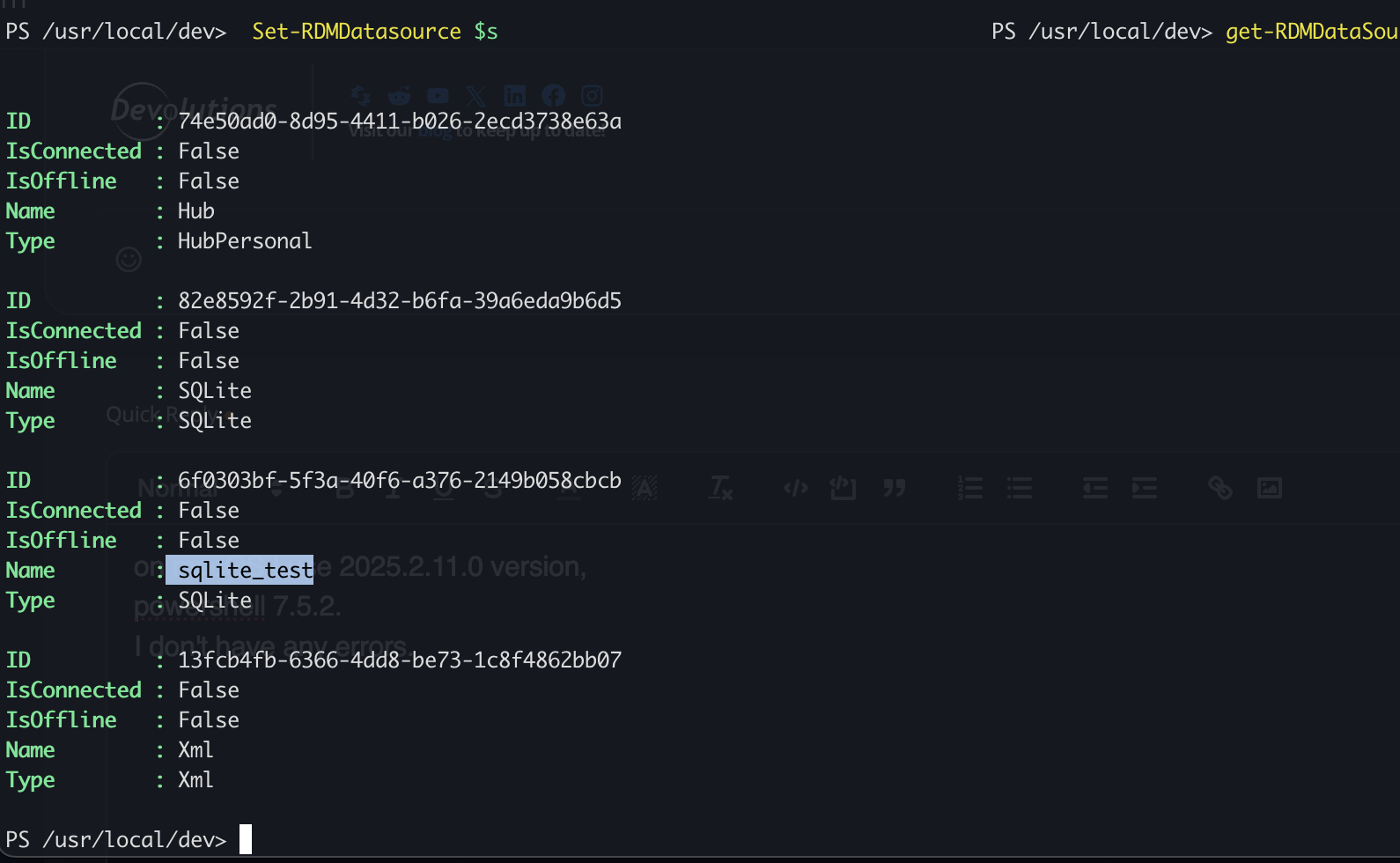
I used such commands:
$s = New-RDMDataSource -SQLite -Database "/usr/local/dev/rdm_test/sqlite_test" -Name "sqlite_test"
Set-RDMDatasource $s
Update-RDMUI.
The thing is when app is not running everything work as expected.
8992af8e-07ca-4b59-93f0-c2b453fd4afb.png
Hello,
Thank you for the information!
I was able to reproduce the issue, and I provided all the information to our teams. We will let you know with more details as soon as possible.
In the meantime, if you have any other questions, please let us know.
Best regards,
Maxim Robert
Thanks