SSH and public key

Hi,
How to configure SSH connection using public key?
The checked option uses my generated keys from ~/.ssh/ ?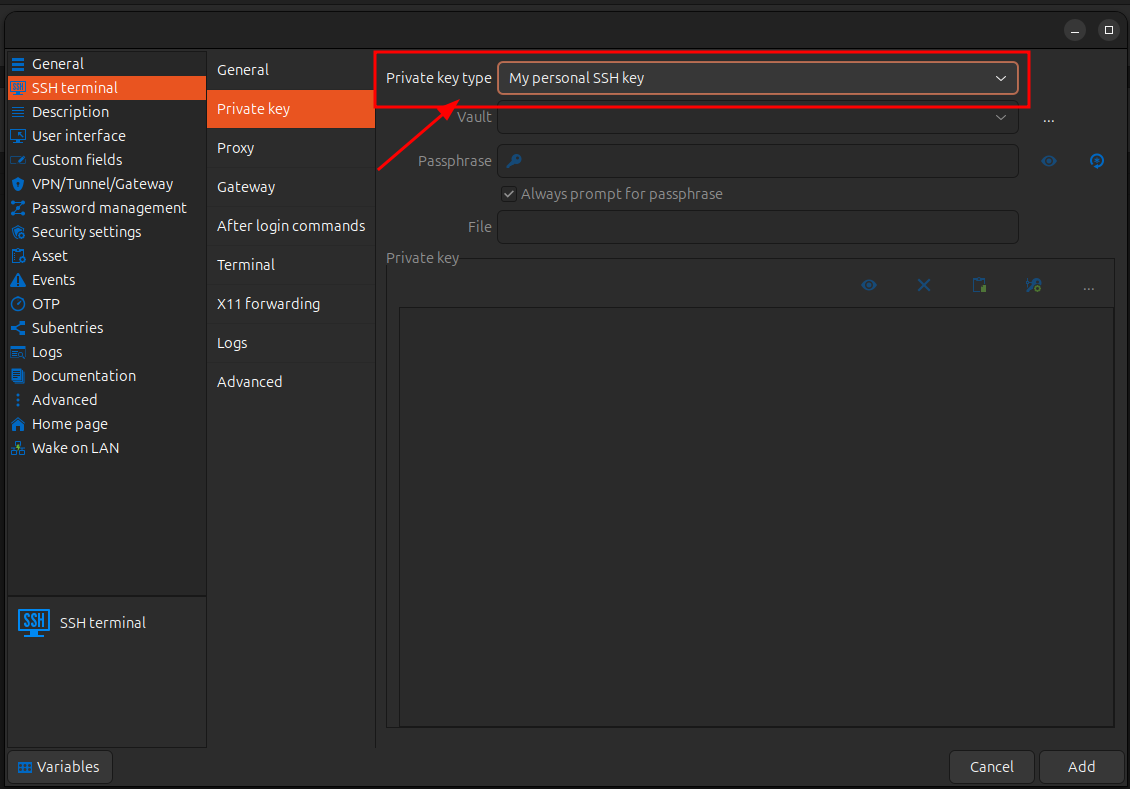
OS: Ubuntu 24
regards
Robert
43cea526-e0d2-4114-9386-903c4724842c.png
All Comments (3)
Hello,
Thank you for reaching out to Devolutions Support.
In RDM, there are two approaches when working with private keys:
1. You can use your local SSH key stored on your computer by selecting the File (Local) option in the dropdown menu then select the ssh key in ~/.ssh/.
2. Alternatively, you can store the private key directly in RDM (data source), which allows it to remain accessible even if you switch devices.
To do this, please create an SSH Key entry and paste the private key into it. You can also go to File > My Personal Credentials, select SSH Key, and enter the key there.
Once that’s set up, in your original SSH session, you can select My Personal SSH Key or use Link to Vault to choose the appropriate entry.
If you have any additional questions or need further assistance, feel free to reach out I’ll be happy to help.
Best regards,
Carl Marien
I can't select the private key file because it doesn't have an extension 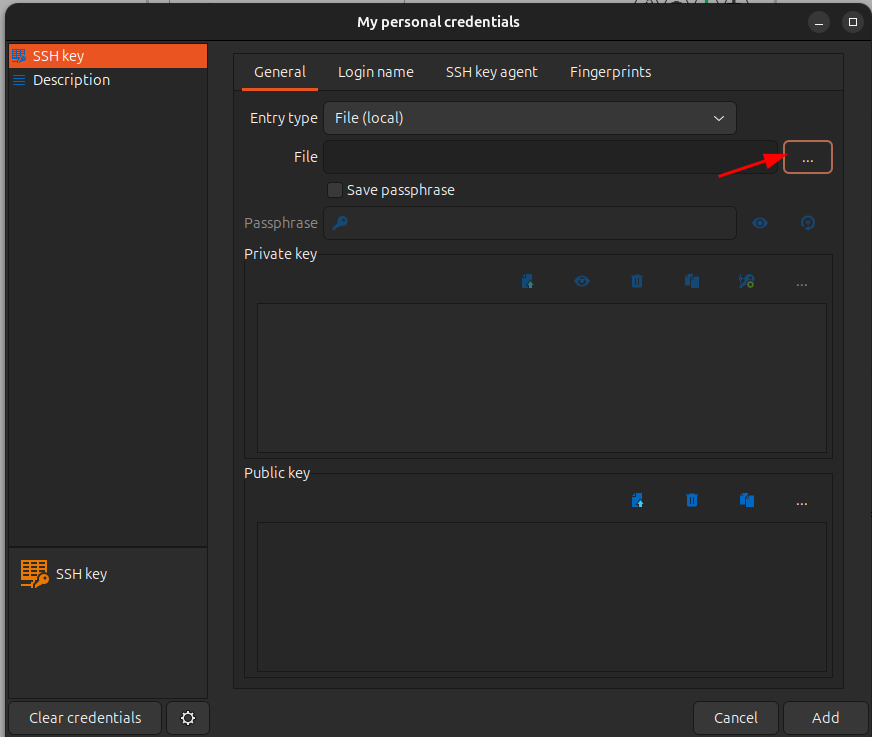
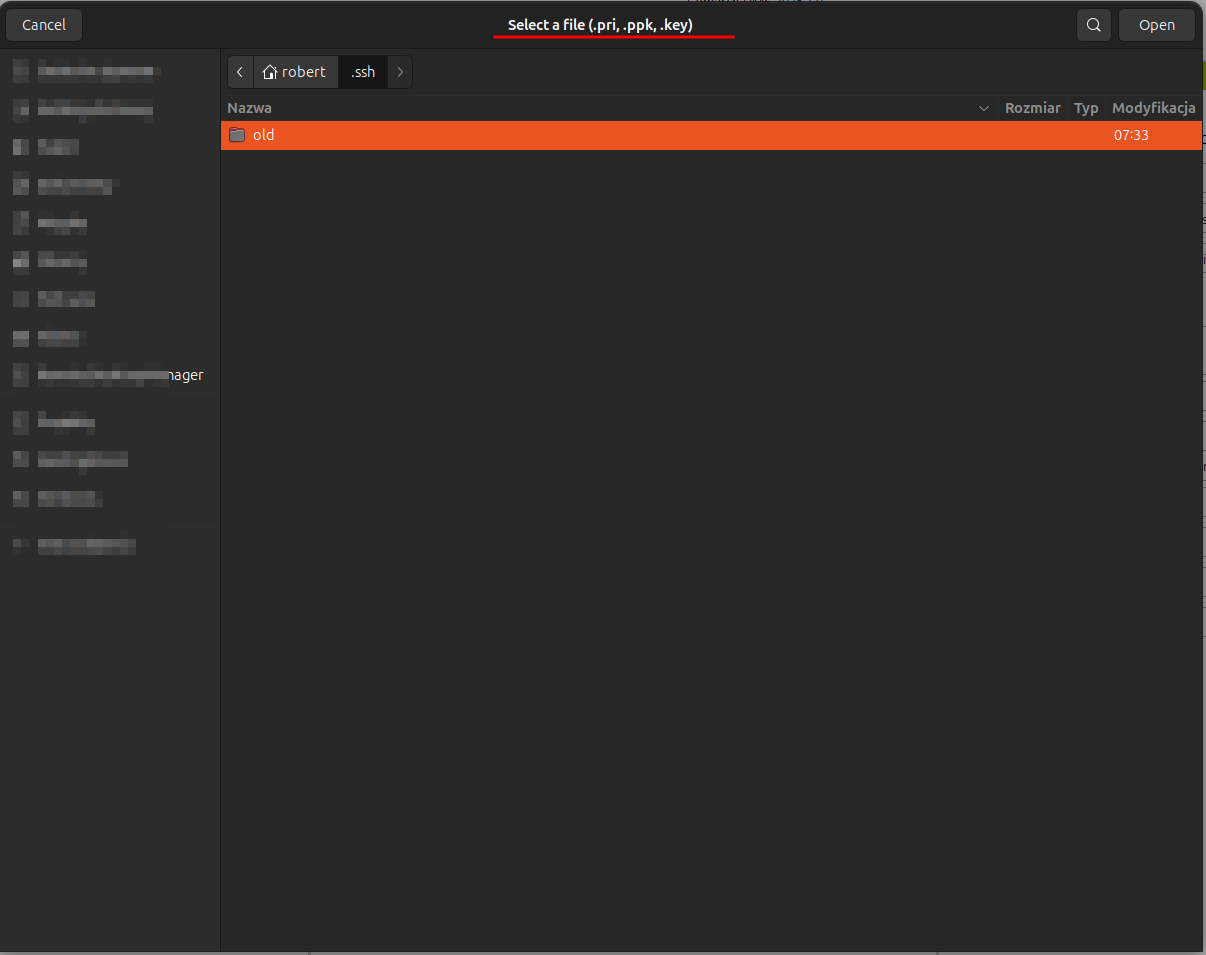
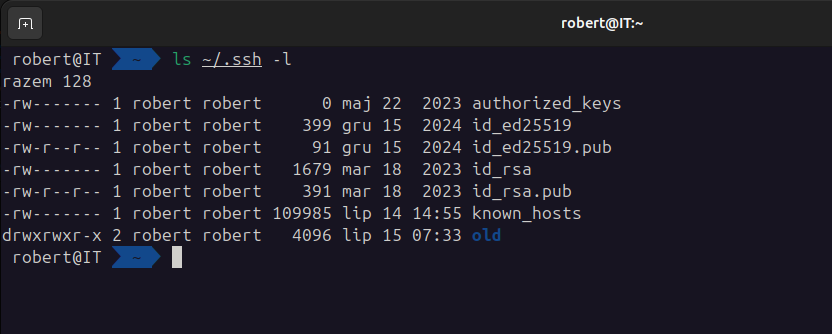
regards
Robert
ddcd2f75-9395-40c7-87d6-861db02b888c.png
3e28f5ce-6ac6-4358-8314-7a94b5b2b634.png
b7899bf8-0d67-455b-b803-2e91665d83cf.png
Hello,
If your key starts with -----BEGIN OPENSSH PRIVATE KEY-----, you can try renaming the file by adding .ppk at the end, it should work.
Best regards
Simon Duguay Létourneau