Unable to Load Devolutions Server Login Page After Installation – Blue Shield Spinner Issue
Unable to Load Devolutions Server Login Page After Installation – Blue Shield Spinner Issue

After completing the installation of Devolutions Server, I attempted to access the application via a browser. However, the page is stuck on the blue shield loading screen with the spinning circle, and the login screen never appears.
Details:
- I followed the official guide for installing Devolutions Server on a Windows Server 2022 machine without internet access:
- Installation Guide
- I installed IIS exactly as described in the documentation. Using the IIS Management Console, I verified that all required components are present and running properly.
- I also installed SQL Server Express 2019 on the same Windows machine.
- I created a SQL instance using the Management Console and selected the Advanced installation method.
- The SQL connection was tested and confirmed to work. I used the ZIP package containing version 2025.2.4.0 of Devolutions Server.
- After installation, I followed all the steps in the guide, including binding a self-signed certificate.
At the end of the setup, when accessing the server via browser, I only see the spinning blue shield and do not reach the login screen.
Request:
Please advise on how to proceed with troubleshooting this issue. Is there a known cause for this behavior?
Thank you.
All Comments (14)
Hello,
Thank you for reaching out!
My name is William and I'm here to assist you in any way I can.
Could you please send us the DPS_Main.log file? This should give us more information and an idea of what's happening.
https://docs.devolutions.net/server/kb/how-to-articles/enable-server-log4net-log/
Once the logs are enabled, please do a stop/start of the Devolutions Server from the Devolutions Server Console: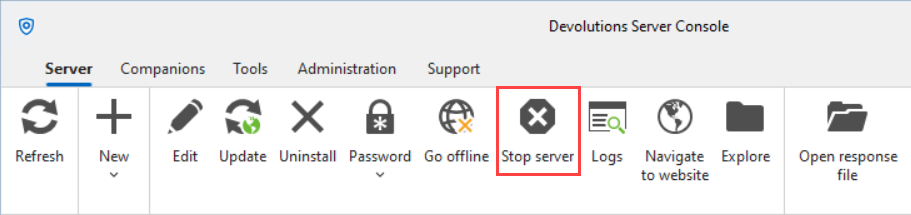
Please note the time and date of the stop/start, this will help us identify the correct logs.
You can then send the logs to service@devolutions.net
Best regards,
11b8ec7b-1bf4-4f03-b9b6-553522ca387a.png
Hi @William Alphonso ,
Thank you for your help.
I’ve attached the log file to this message.
Also, just to clarify—if I didn’t mention it earlier—I tried accessing the website from an incognito window and encountered the same issue.
DPS_Main.log
Hello,
Thank you for the confirmation.
Would it be possible to confirm if you installed the Devolutions Server under the default website or on its own website in IIS?
Best regards,
Sure.
I installed it under the default website.
Hello,
Thank you, I'm currently helping someone else with the exact same issue, and we just found that we get a 401 Unauthorized for the /api/public-instance-information from the dev panel of the browser under the networking tab.
This seems to be caused by the anonymous authentication not being enabled. You can verify this by going in IIS manager under Default website > Authentication: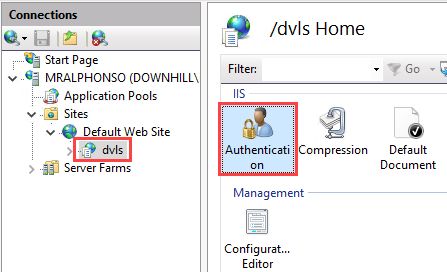
Check if you have anonymous authentication enabled there: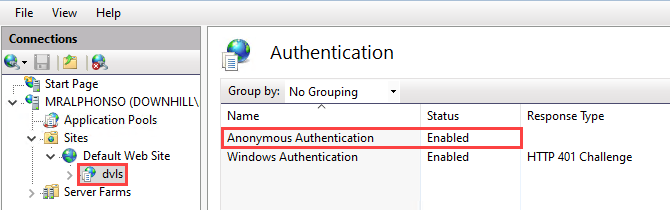
Then you can try and do a stop/start of the Devolutions Server from the Devolutions Server Console: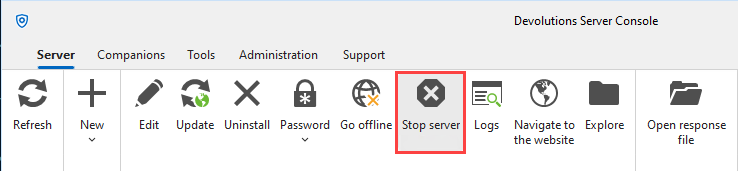
Then try to open the website again.
Feel free to reach out if you have any questions or need further clarification.
Best regards,
f162d3c8-b8b0-47c7-8a91-ee2edd65f683.png
e4d3c3cb-6a37-44a8-93c2-a5ed02e6e087.png
e31e2ba7-f5cd-4e21-8dcb-79885a50c404.png
I can validate it only on Sunday,
And i will update if that works for me.
Thanks.
Hello,
Thank you for the info, let me know if this fixed your issue.
Best regards,
Hi @William Alphonso,
Unfortunately I enable the anonymous authentication and restart the devolutions server, but I still see the spinning blue shild.
Also tried from incognito and i get the same result🙁.
Hello,
Thank you for the confirmation, could you try opening the Dev console of the browser with F12 on your keyboard? Navigate the network tab and refresh the page. Le me know if you see any error messages appearing there.
Best regards,
@William Alphonso This is my network tab in the developer tools: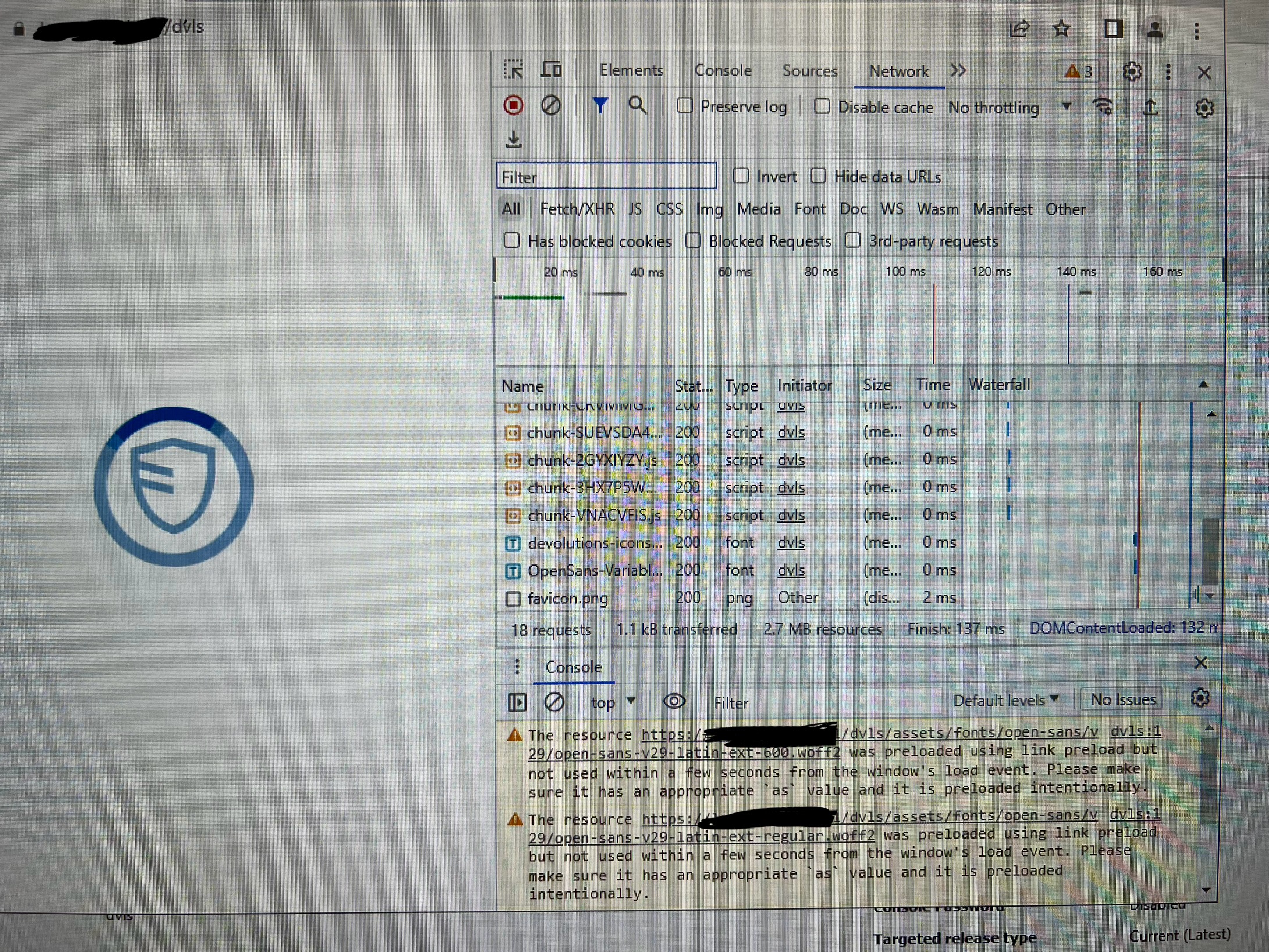
IMG_0860.jpeg
IMG_0859.jpeg
Hello,
Thank you for the picture. I will open a case so that we can troubleshoot the issue further together and take a look at the issue.
Can I use the email on your profile to contact you through the case?
We will be posting our findings here once the issue is resolved.
Best regards,
That would be great. Just a heads-up—this is a standalone server without internet access, so I’ll be providing all the necessary information manually.
Hi, i have the same issue after updateing out Devolutiosn Server. Also tried 2 prior Versions but same Problem.
Hello @sys,
I've opened a support ticket so that we can troubleshoot this issue together. You should receive an email shortly.
Best regards,