Create, view edit sessions and credentials online
0 vote
Is it possible to allow users to create view or edit sessions in RDMS when connected to it in Browser? We want to replace password manager from other vendor but we can't do it without possibility of using product features in browser...
at least we need to view/edit user and password of some sessions/credentials in browser.
All Comments (31)
+1 from me
This would be very comfortable while not on my own machine..
RDM 10.5.2.0 Enterprise
RDMS 2.2.7.0
Could this be included?
As far as I'm concerned, it could be limited to view/edit of credential type sessions only (in fact, the rest doesn't have to be displayed in the web interface at all). It would make the tool much more useful for our users that mainly want to use it for credential management.
Hello guys,
This is planned. We are working on a major update of our web browser extension. We will rename the product for Devolutions Web Login. Our unified extensions will be able to connect to RDM, PVM and before the end of the year DVLS directly.
This means that you won't have to install RDM just to access your credentials. You will also be able to add new entry from your web browser.
Regards
David Hervieux
By the way we already are in beta internally and Web Login supports:
Chrome, Firefox, Edge, Opera and Safari.
Regards
David Hervieux
How long do you think is still required for the beta? End of the year is coming up :-)
Hi,
Devolutions Web Login is now available. Unfortunately it's not possible to connect directly to DVLS but we are working on it. We did a major rewrite of the browser extension and now we are ready to move forward with the direct integration. We also did a rewrite of DVLS in Angular 2.0. This means that we will eventually be able to add an entry directly from the web site.
I will let you know as soon as we have a beta.
Regards
David Hervieux
Any update available on timeline?
Hi,
It's already working internally. This will be available in the next major update. I'm eager to release this but we have to complete the security before.
Regards
David Hervieux
How is the status on this? 2 months is a long time :-)
Hi,
Yes 2 months is a long time but not in software development. Honestly it's going very well and I can post some print screen if you want. We are in the process of finishing the little details. We hope to release it in beta soon. Would you be interested to give it a try?
Regards
David Hervieux
It was not meant in a bad way!
Anyway, sure I'd be interested. Let me know how to set it up
Don't worry, I know that it was not meant in a bad way. I will let you know as soon as we have a beta available.
Regards
David Hervieux
Btw, if you have some screenshots to share...sure :cool:
Here we go:
Navigation tree
Add entry
Edit entry
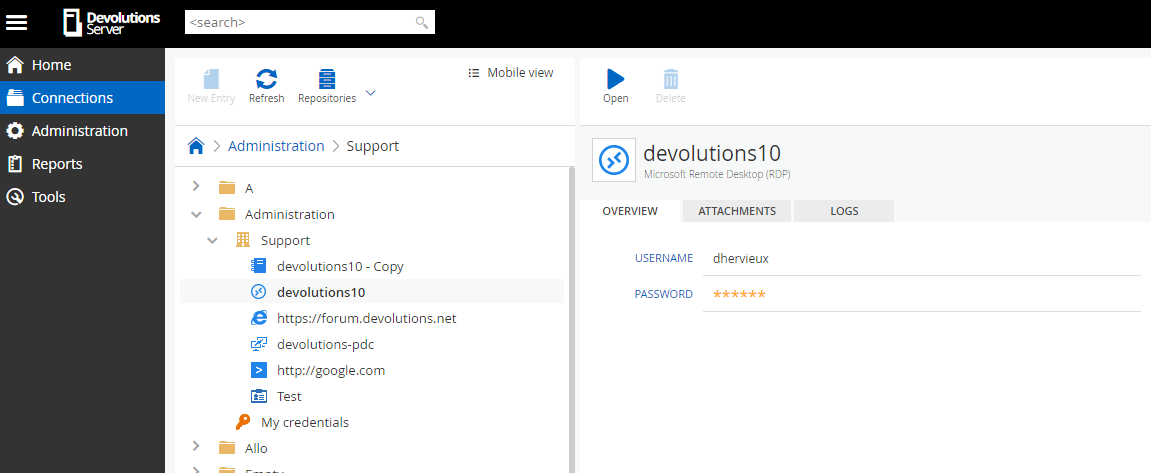
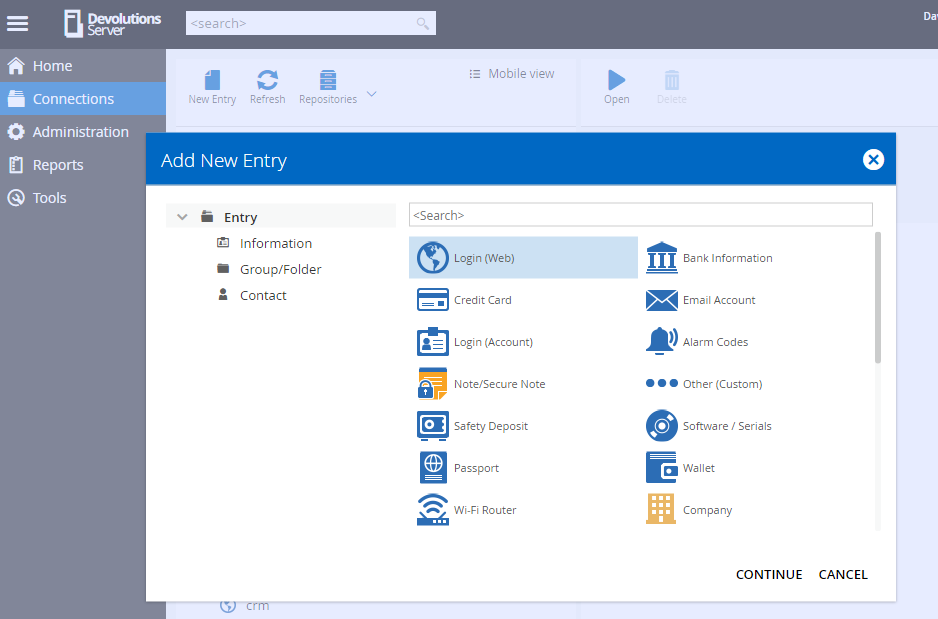
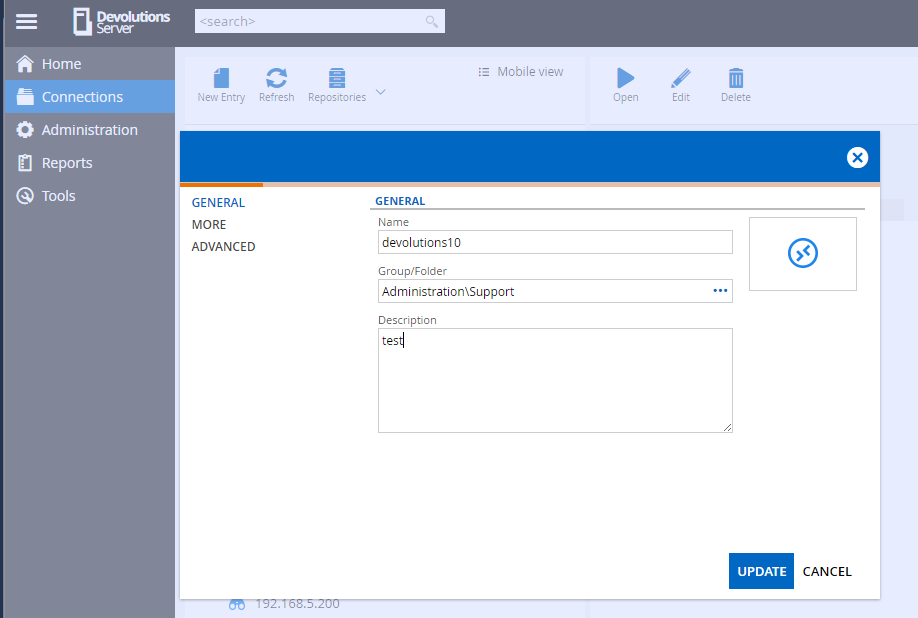
David Hervieux
DVLS3.png
DVLS2.png
DVLS1.png
So, am I correct in assuming this was released?
Yes it's in DVLS 4.5
Regards
David Hervieux
Very exciting!
Can't get it to work yet though :-( I'm using 4.5.0.0 server and 12.5.4.0 rdm. When I want to view password in browser I get:
The password IS visible from RDM, as are the username and domain.
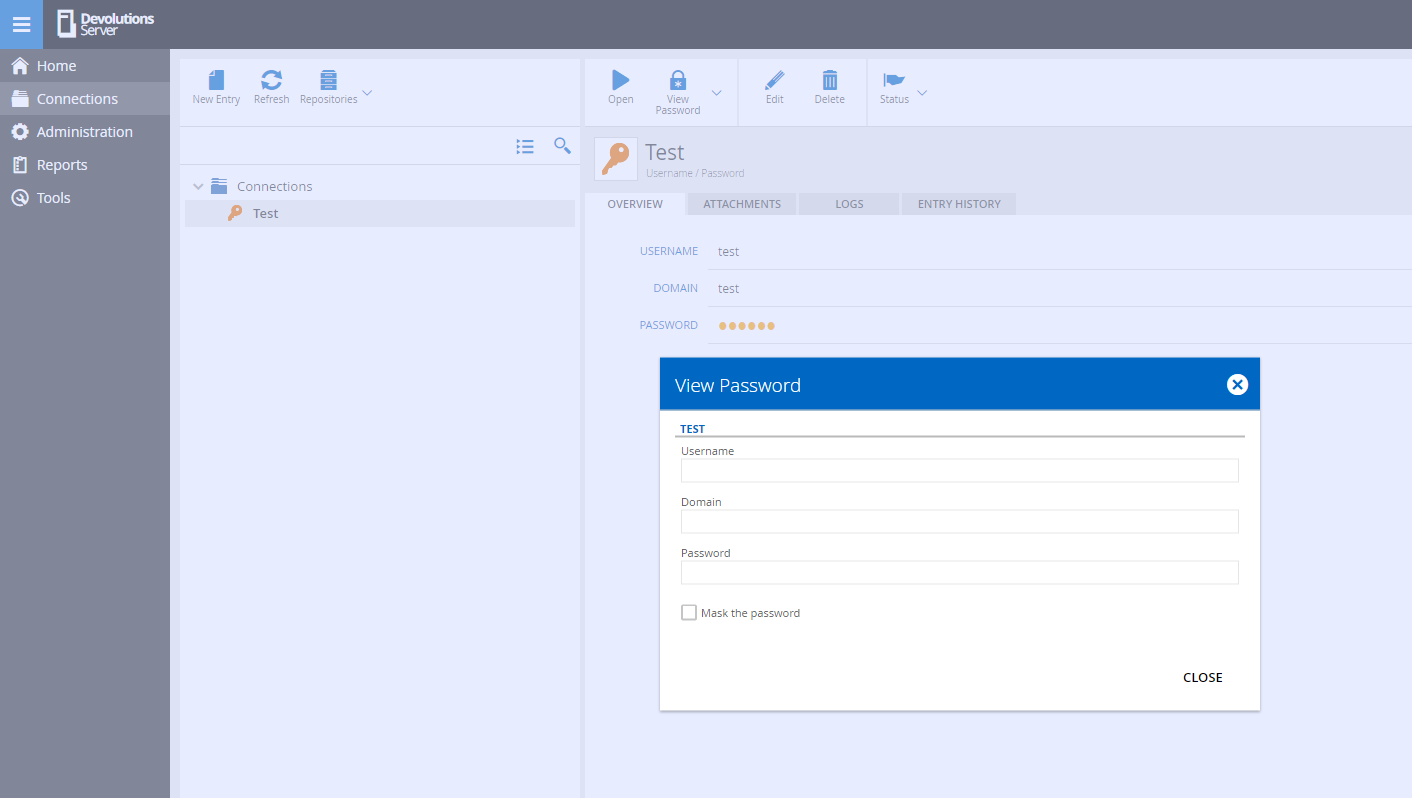
password not visible.PNG
View password is not supported for the Credential Entry for now. It's for all the PVM related entry like Login (Web) and Login (Account). This is coming soon for the other entries.
Regards
David Hervieux
I have assigned a dev for this specific scenario.
Regards
David Hervieux
Hi David,
@Edit; might have spoke to soon. The login (Account) is not a credential type entry. It probably won't do what I want. Do you think it will be a big change to add it for credential entries?
Still looks great though, good work.
Cheers, Stan
Great! By the way this is just the beginning. We have a lot of new feature coming soon.
Regards
PS: Have you tried Devolutions Web Login connected to DVLS? You no longer need RDM to get access to the password and the autofill feature.
David Hervieux
I guess you didnt see my edit :-)
Unfortunately, the Login (Account) type doesn't help me. I really need the Username/Password type entry. We don't use RDM only for website credentials, but for all credentials (i.e., servers, special accounts, service accounts, etc.). We need all to be at least viewable in the browser and preferable also create/edit/delete.
Regards, Stan
Indeed I missed it.
Good news this is already implemented internally and it will be in the next update. It should be available next week.
Regards
David Hervieux
Any update?
What DVLS version do you use? DVLS 4.5 has this feature. We plan another update soon with many improvements.
Regards
David Hervieux
Hi David,
I'm on DVLS 4.5, however, it is not in there :-)
It is not possible to view credential entries in the browser.
Hello,
Does the Allow edit entries from the web option is enabled in the Features tab of the Server Settings of your DVLS instance?
Best regards,
Érica Poirier
Hi Erica,
Yes, it's enabled. The issue is the same as David explained before: "View password is not supported for the Credential Entry for now. It's for all the PVM related entry like Login (Web) and Login (Account). This is coming soon for the other entries." I'm waiting for the coming soon part and would like to know when it will be released :-)
Hello,
Are you interested to test our latest internal build of DVLS that includes the view password feature in the web interface?
If so, please send us an email at support@devolutions.net and we will send you the link to download this version.
I want to advise you that this version must not be tested in production but in a staging environment because it was not fully tested internally.
Best regards,
Érica Poirier
Hi,
I'm getting requests from users to be able to copy passwords from the browser. Is that on the roadmap?
I know it is possible to view the password, unmask it and then copy by hand, but obviously that is not very convenient :-)
It would be nice if the copy password button from the client would also join the web interface.

Hi,
This feature is currently in development. It will be available very soon.
Thank you
Sébastien Crête