Backup filename is not valid

Linux distro: Debian 12.11
Remote Desktop Manager version: 2025.1.1.5 (installed as deb package)
Problem: Any backup filename isn't accepted in Backup configuration.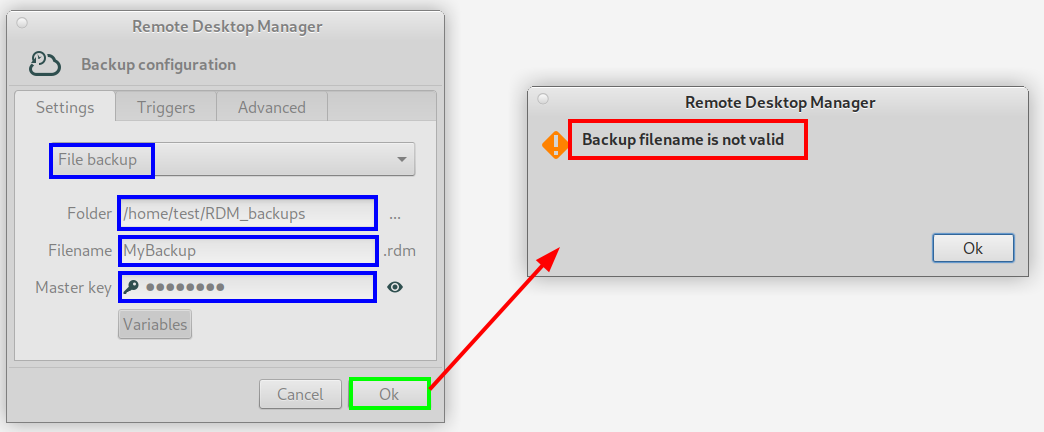
2025-05-22_15-55.png
All Comments (1)
Hi stanislavmotycka,
I can reproduce the same issue (and some similar ones) with the Backup window.
It appears that when you enter information in the Backup window and press OK, no validation is performed, so it accepts whatever you type (for example, an empty filename). However, if you reopen the window and try to change the fields, it ignores those edits and instead validates the values you originally entered. As a result, it keeps reporting that the filename is incorrect.
As a workaround, create a new SQLite data source, point it to the same .db file, then make your changes in the Backup window from that new data source. Make sure the Filename field is not empty and the Folder path already exists before clicking OK.
I created a ticket so we can fix all of it.
Let me know if there’s anything else.
Regards,
Gabriel Dubois