DLVS Console Instance Installer detecting SQL installation that is not there
DLVS Console Instance Installer detecting SQL installation that is not there

Sup,
So today I was trying to install an instance on DLVS console, but noticed that it detected an SQL server installation I wasn't aware of. After checking "Add or remove" programs I saw there was a SQL installation which was seemingly unused, however even after uninstalling it, it still detects a SQL installation somehow despite there being none. Is anyone aware of this issue and how to fix it?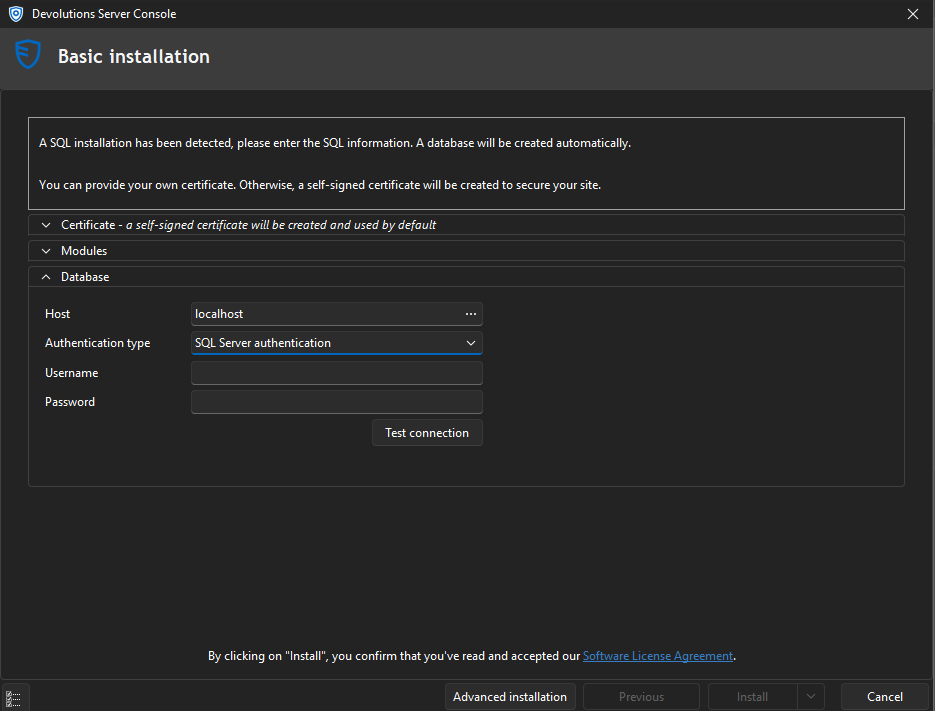
As you can see here, there is no SQL server installed anymore, so I really don't know where and how it is finding it, considering it isnt even running nor is there any active services running for it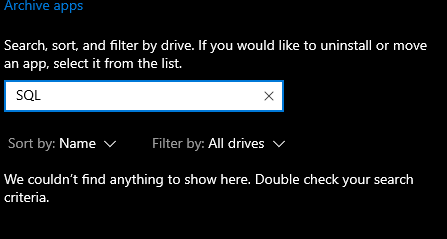
Any help would be greatly appreciated.
03594479-cfc9-4944-a6a7-ff5fefe11745.png
37c701d4-bbb5-4a51-9794-20caa1291385.png
All Comments (14)
Hello Max,
I'm Ben from the dev team. I suspect the SQL Server uninstallation may not have cleaned up everything properly. When we check whether SQL Server is installed, we essentially look at two things:
- Whether there's a registry key at HKLM\SOFTWARE\Microsoft\Microsoft SQL Server
- Whether there's a service whose name contains "MSSQL"
You can check for such a service using this PowerShell command:
sc query type= service | Select-String "SERVICE_NAME: MSSQL"
Let me know what you find!
Benoît Sansregret
Hello Max,
I'm Ben from the dev team. I suspect the SQL Server uninstallation may not have cleaned up everything properly. When we check whether SQL Server is installed, we essentially look at two things:
- Whether there's a registry key at HKLM\SOFTWARE\Microsoft\Microsoft SQL Server
- Whether there's a service whose name contains "MSSQL"
You can check for such a service using this PowerShell command:
sc query type= service | Select-String "SERVICE_NAME: MSSQL"Let me know what you find!
The registry key was still there, which I now deleted, there also is a service named "MSSQL$MICROSOFT##WID", which seems to belong to the Windows Internals Database and is located at C:\Windows\WID. I am not exactly sure how to get rid of this though. It does not appear to be an installed app since it does not appear in "Add or remove programs". Should I just delete the folder? One thing I have noticed is that the service only shows up in the Task Manager Services tab, but not in the Services app itself.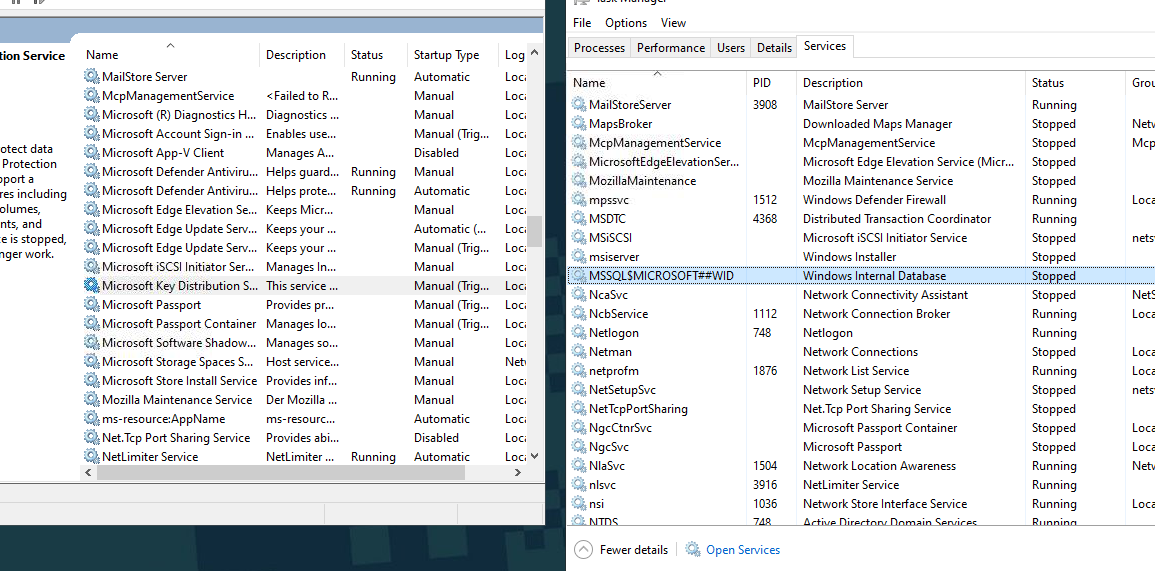
35b95875-15c4-4250-8deb-4914ca07a9ff.png
Hello Max,
Getting the registry key should be enough. The console should not detect an SQL Server installation. I will see what we can do to improve the SQL Server service detection.
Let me know if the console doesn't work correctly for you now.
Benoît Sansregret
Hello Max,
Getting the registry key should be enough. The console should not detect an SQL Server installation. I will see what we can do to improve the SQL Server service detection.
Let me know if the console doesn't work correctly for you now.
The console itself works properly, its just the instance creation thats giving me headaches. However, WID does not appear to be the issue since that seems to run windows services. Either way, the console instance creation still prompts me for creds of a SQL server i dont have the creds for. In that case, the WID database.
Hello Max,
Sorry to hear that. Let me look into WID and see if I can find a workaround for you.
Benoît Sansregret
Alright, lemme know if you find anything.
Hello Max,
I have reproduced the issue and will work on a fix. In the meantime, your best solution would be to install SQL Server Express on your own. You can download the SQL Server installer from Microsoft here https://www.microsoft.com/en-ca/sql-server/sql-server-downloads (Select SQL Express edition).
We also have a documentation article on how to configure your new server https://docs.devolutions.net/server/kb/knowledge-base/sql-server-express-configuration/
Best regards
Benoît Sansregret
Hello Max,
I have reproduced the issue and will work on a fix. In the meantime, your best solution would be to install SQL Server Express on your own. You can download the SQL Server installer from Microsoft here https://www.microsoft.com/en-ca/sql-server/sql-server-downloads (Select SQL Express edition).
We also have a documentation article on how to configure your new server https://docs.devolutions.net/server/kb/knowledge-base/sql-server-express-configuration/
Best regards
Hi Ben,
Thank you so much! Will do.
So the issues really are never stopping. I have gotten SQL server to run, but it does not want to log in despite valid credentials and it having access to the DB, any solutions? I have also follow the steps from the documentation link you provided.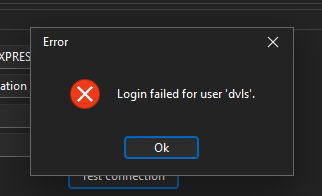
94d5ccf0-3e6e-4cea-afa8-78364ab10176.png
Hello,
Thank you for your feedback.
Can you connect to SQL Server Express with the dvls account using SSMS or the following method with a universal data link (.udl) file?
https://docs.devolutions.net/rdm/kb/troubleshooting-articles/sql-server-connectivity-troubleshooting/#test-the-connection-with-a-universal-data-link-udl-file
Best regards,
Érica Poirier
Hello,
Thank you for your feedback.
Can you connect to SQL Server Express with the dvls account using SSMS or the following method with a universal data link (.udl) file?
https://docs.devolutions.net/rdm/kb/troubleshooting-articles/sql-server-connectivity-troubleshooting/#test-the-connection-with-a-universal-data-link-udl-file
Best regards,
When attempting to log in to the dvls account using SSMS I get a certificate error.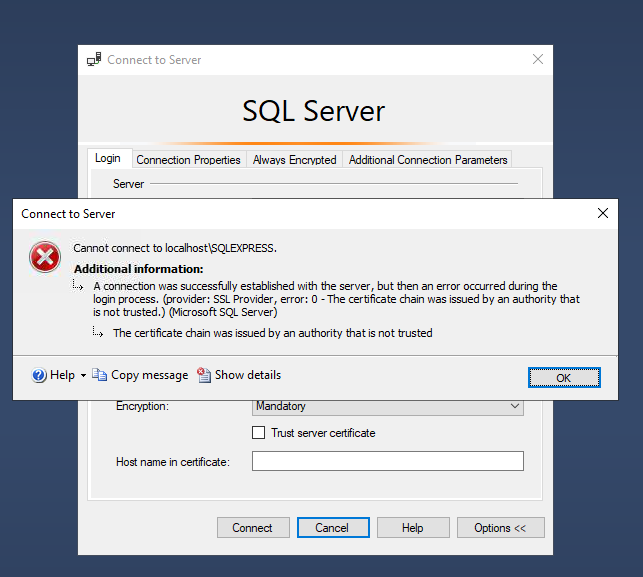
8587e2b9-9808-4e2a-8c4d-6cdfa3e60ee3.png
Hello Max,
This issue is related to the "Trust Server Certificate" setting once you enable trust for the certificate, you should be able to log in to your SQL Server.
If the problem persists, it’s possible there are restrictions on the SQL Server side, so it would be a good idea to check with your DBA. It's best to resolve this before proceeding with the Devolutions Server installation.
Keep in mind that the user managing Devolutions Server will need to be granted db_owner permissions on the SQL Server.
Best regards,
Michel Audi
So I was finally able to resolve the login error. But now I'm getting an entirely different error. It is unable to create ANY databases despite it having all necessary permission to do so and manually creating the database will result in it trying to make the "dvls1" database, I really do not know what it's issue is atp
Hi Max,
As mentioned in the previous response, your issue is most likely related to insufficient permissions on your SQL Server.
Please follow the instructions in the link below to ensure the appropriate account rights are assigned on your SQL database server:
Pre-deployment account survey - Devolutions Documentation
Best regards,
Michel Audi