Error login to Devolutions Account - Please verify your internet connection
Error login to Devolutions Account - Please verify your internet connection

Hi,
I just installed the DEB package fro RDM in an Ubuntu desktop. I have a Devolutions Hub Personal account where I create my sessions and related stuff.
When I try to login to my Devolutions account -> Sign in I always receive the following error instantly: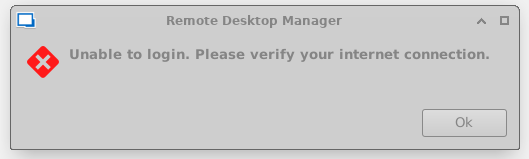 I can login to the account from either Chrome or Firefox installed in the desktop.
If I click Devolutions account -> Use application password and write down my credentials nothing happens except that I can see my username in the box: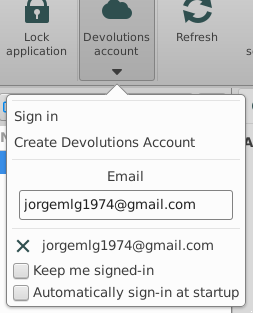
but I cannot access my vault.
Version is 2025.1.0.15
Can you help with this please?
Regards and thanks in advance.
8e5b5691-35d5-4fc6-9359-2d4827c69738.png
df5de2bc-1b53-4785-9ac8-673362bef3bf.png
All Comments (7)
Hello,
To access your Hub Personal vault, you can manually add a new data source in RDM.
Choose Devolutions Hub Personal.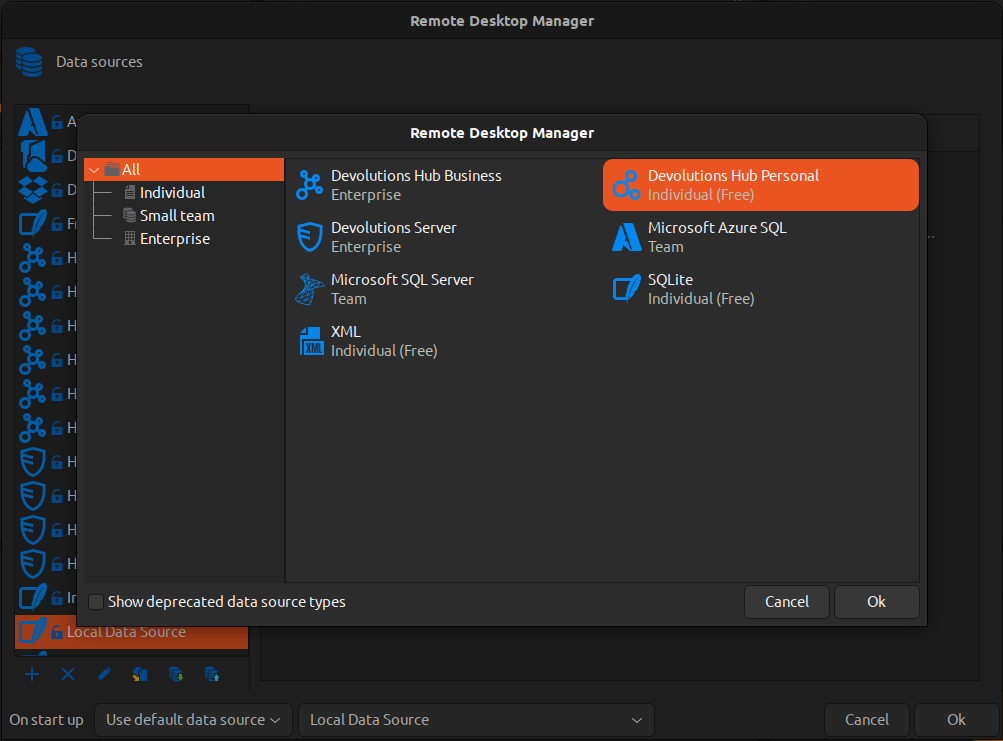
Let me know if that helps.
As for the error you’re getting when connecting to your Devolutions Account, I’ve created a ticket so we can try to reproduce it.
Regards,
Gabriel Dubois
9fddeb39-38fd-4597-8727-1664a844c05f.png
Hi Gabriel,
I have followed the steps to create a new Datasource with Devolutions Hub Personal. I've been asked for a Name and the Email address. 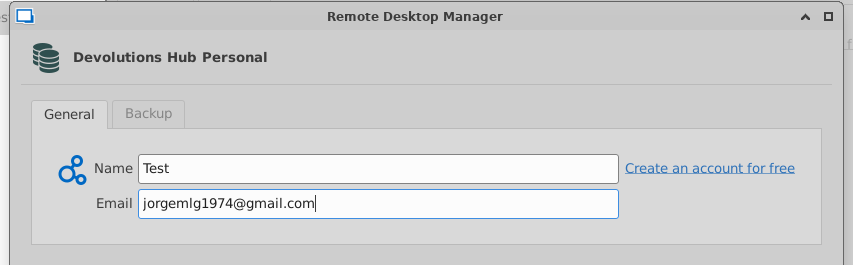
I haven't been asked for the password, but this is the result in the navigation pane: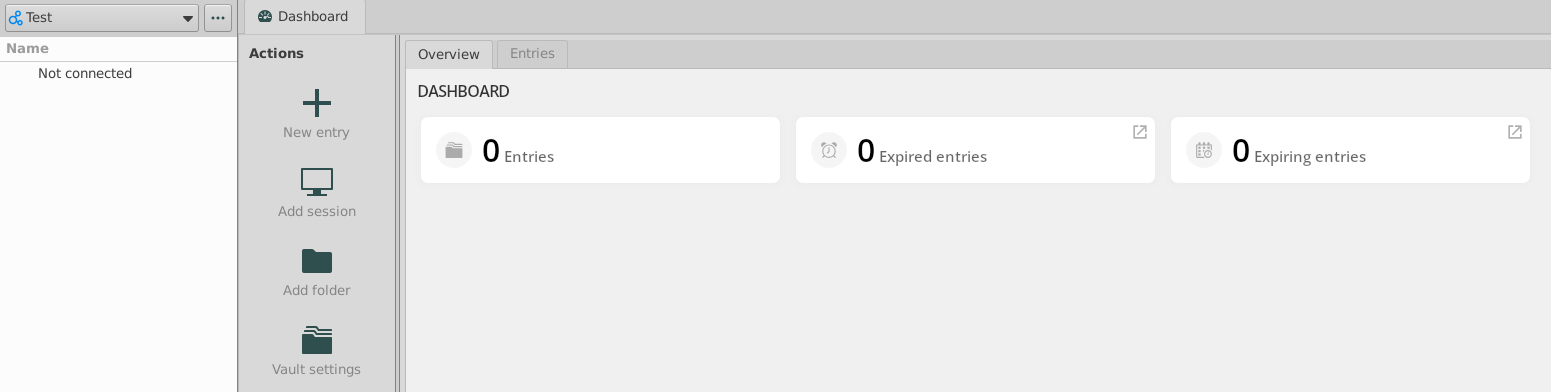
Thanks,
df771f03-23a4-4bf2-aba6-ad413b078c42.png
497539d9-a6b9-4c9c-8f20-a0e9aa713e43.png
Hello,
Could you please send me the diagnostic report available under Help → Diagnostic...?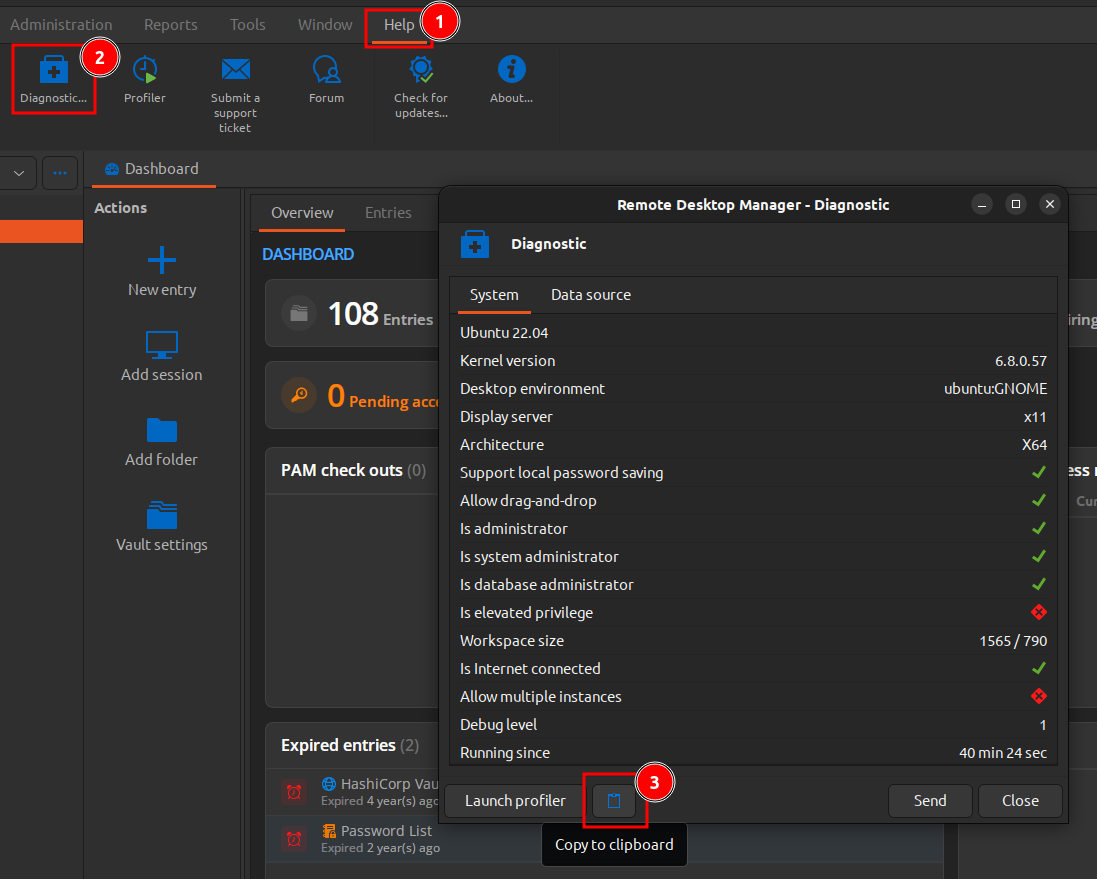
Also, can you confirm whether you're able to access your Hub Personal vault either in your browser or through the Devolutions Workspace app?
Regards,
Gabriel Dubois
c94e6dfa-6309-4a8c-823d-9137b9c125d8.png
Hi GAbriel, sorry for the late reply, I've been very busy these days.
One curious thing, this is the screenshot I have in Diagnostics: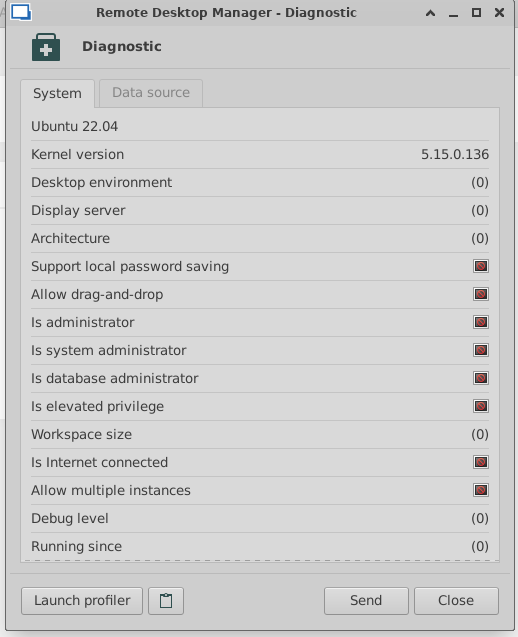
as you can see many of the options are in "not available" state.
If I click on the clipboard i receive this message: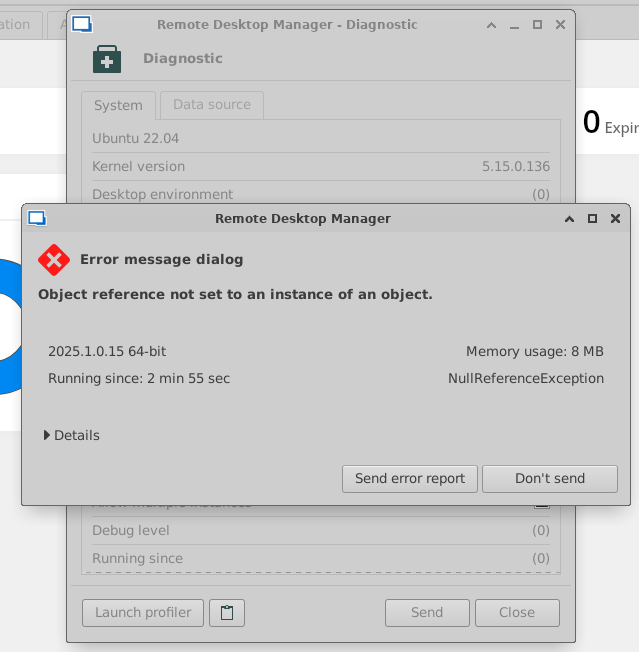
with the following details:Devolutions.RemoteDesktopManager.Services.SystemHelper.get_DesktopEnvironment() at Devolutions.RemoteDesktopManager.Managers.DiagnosticManager.AppendPlatformSpecificDiagnostic(StringBuilder diagnostic) at Devolutions.RemoteDesktopManager.Managers.DiagnosticManager.CreateDiagnosticReport(ConnectionEngine engine) at Client.Windows.DiagnosticWindow.OnCopyToClipboard(Object sender, EventArgs args) at InvokeStub_EventHandler.Invoke(Object, Span`1) at System.Reflection.MethodBaseInvoker.InvokeWithFewArgs(Object obj, BindingFlags invokeAttr, Binder binder, Object[] parameters, CultureInfo culture)
da3989f0-67bf-42e8-ac4d-6e91c6b3d838.png
42acf0b8-8a8c-4ad6-b24f-49704dbc61aa.png
Hi again,
I have to say the this desktop is a VM deployed inside a VMware Workstation 17.6.3 on Windows 11 host, if that helps.
REgards,
Hi Gabriel,
I realized that connecting to the VM through xRDP I have problems with RDM, but if I connect to it through the VMware native console RDM is working perfectly. It seems there's something in the xRDP connection that's preventing the app to work properly.
It's strange because RDM is the only app that is not working fine inside the VM. I'll try to investigate a little more about this behavior.
Thanks for the support.
Hello,
From what I understand, an xRDP session starts a second Xorg instance that uses different drivers and security layers. It’s hard to pinpoint the exact cause, but it seems RDM can’t establish an internet connection in that scenario.
Please let us know if there’s anything else we can help you with.
Regards,
Gabriel Dubois