Gateway inheritance not working in Devolutions Server web version

We use Devolutions Gateway and have set this on the root of our vault so every asset is connecting through the gateway because inheritance is configured.
This is working in Remote Desktop Manager, but when we want to connect to an asset in Devolutions Server the Open in Web Client icon is grayed out. When we manually configure the gateway settings on the asset the icon becomes active and we can connect.
Is this a known issue and can this be fixed?
All Comments (9)
Sorry for the inconvenience.
Could I know which version you're using?
To help me confirm, could you send me a screenshot of the entry inheriting from root so I can see the configuration, please?
Marc-Andre Bouchard
We are also seeing this issue on 2025.1.5.0
We use version 2024.3.11.0 but is also exist in a later version as jbird posted.
Here are the settings we set on the folder all our assets are in: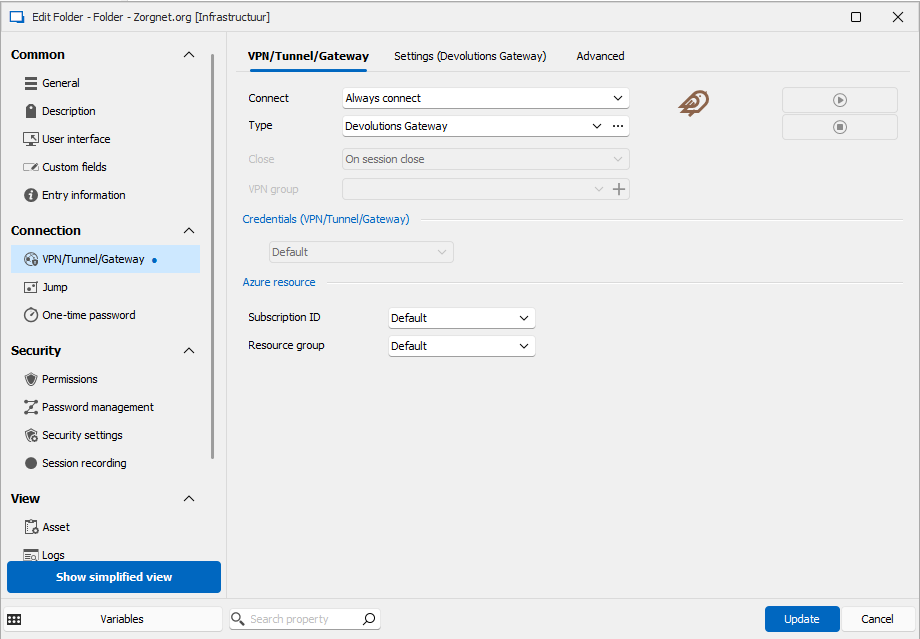
And here are the settings of one of the assets: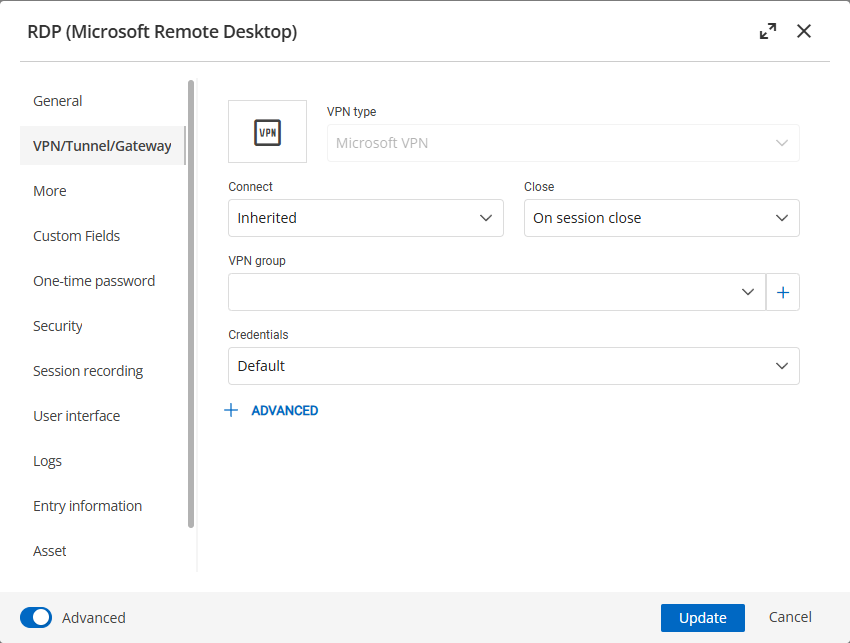
8ad3b94f-bfca-479c-9c5e-a2e427d8e961.png
18eac896-00fa-4cda-86c8-9ff2e7cbd09e.png
Hi, thanks for the quick response.
Could you try setting the VPN type to inherited as well and confirm if it works?
Thank you.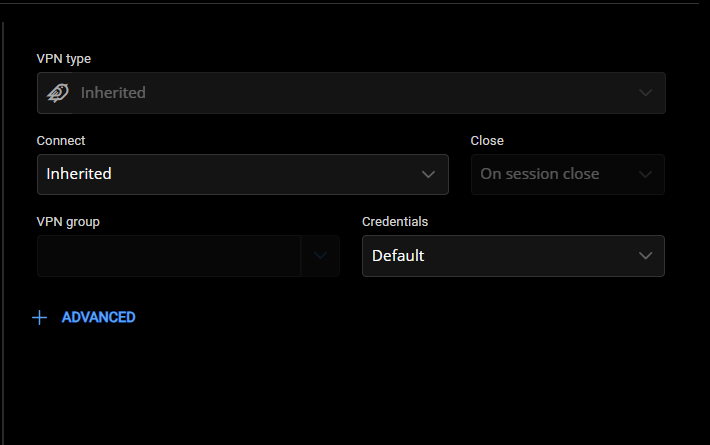
Marc-Andre Bouchard
4f4739af-1848-441a-abab-5ee13dadfaac.png
That's not possible because it's grayed out: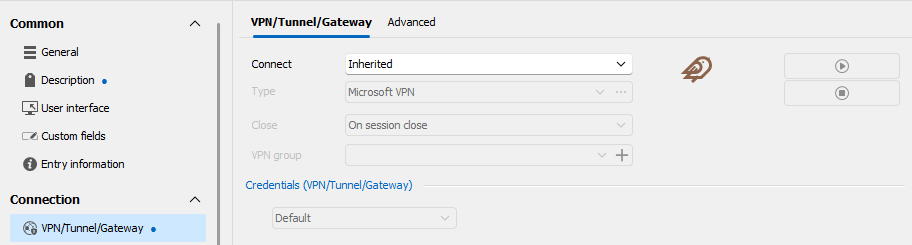
ed1dda94-de70-4b9f-93d6-7c1a029ee1a2.png
Hi
You need to change the value in Connect to be able to change it later.
I know it's inconvenient, but I want to know if it will work for you.
Thank you again.
Marc-Andre Bouchard
I don't understand wat you ask me to do now and I don't know why you ask me to do this. This is a bug, also mentioned by another person. You can see this in your own deployment.
I would like to have this bug fixed in a next release.
You're right, this is indeed a bug.
We’ll be working on a fix to resolve the issue.
Sorry for the inconvenience. What I suggested earlier was just a temporary workaround in case you wanted to use the feature before the fix is available.
I’ll update this thread as soon as it’s resolved.
Thanks again for your feedback
Marc-Andre Bouchard
Hello,
Sorry for the delay. This issue has been fixed and is now available in our 2025.2.4.0 or higher.
Thank you for your patience.
Best regards,
Marc-Andre Bouchard