SSO not working

Hi,
today I've tested the Domain Single Sign-On button on the DVLS logon Page.
Unfortunately when I click on the SSO button, I get a prompt where I have to enter my username and password.
I've already checked the following documentation https://docs.devolutions.net/server/kb/how-to-articles/configure-windows-authentication/ and everything seems to be well configured.
BR,
Thomas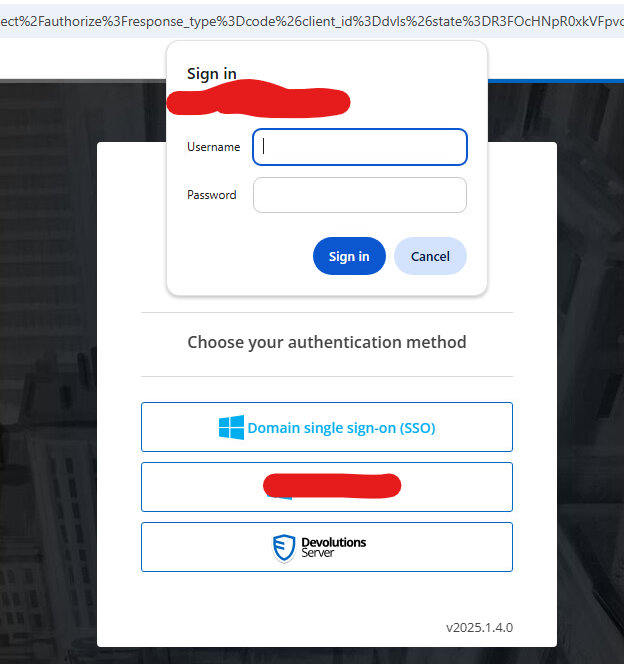
dvls_screenshot.png
All Comments (1)
Hello Thomas,
Please add the URL of your Devolutions Server to the Local Intranet zone in your client's Internet Options.
(Control Panel => Internet Options => Tab Security => Local Intranet)
Regards,
Min