SSH agent does not start

Hi!
When I try to launch an SSH-key agent, I get an error message that it is not possible to launch an agent, since perhaps another agent has been launched.
Other agents are not launched.
Relaunch of the program does not help.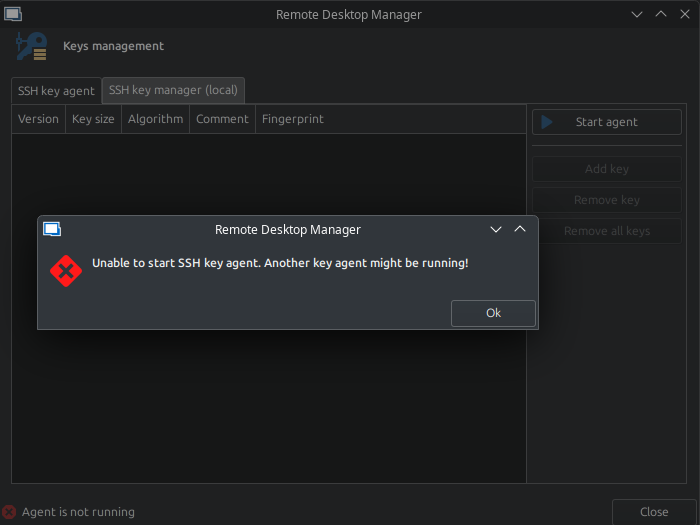
RDM version: 2025.1.0.15
OS information:
Distributor ID: Neon
Description:    KDE neon 6.3
Release:        24.04
Codename:       noble
94f749c9-1fac-4d0c-85da-452be86ddb16.png
изображение.png
Recommended Answer
Do you have kwallet installed on your machine ? We found that the issue isn't related to KDE, but rather to the KWallet secrets service providers. We were able to get it working by following the steps outlined in this blog.
Please give it a try and let us know if it resolves the issue for you.
Thanks, that pointed me in the right direction
My issue wasn't with KWallet specifically, but it effectively was the same problem. I just assumed that RDM's internal ssh agent would set the SSH_AUTH_SOCK. I’m using gnome-keyring as my secrets provider instead of KWallet and many on Arch + Hyprland + SDDM, getting gnome-keyring to work properly at login is tricky, so I had kind of been putting off addressing it.
Anyway, I got it working now. I used the startup script from the blog you linked, adapted into my own startup.sh script, which I have Hyprland run on session startup. That takes care of launching the keyring daemon with SSH support.
In addition, I added this line to my .bashrc to make sure the SSH_AUTH_SOCK variable is set in terminal sessions:SSH_AUTH_SOCK=$(gpgconf --list-dirs agent-ssh-socket 2>/dev/null || echo "$XDG_RUNTIME_DIR/keyring/ssh")
Now SSH_AUTH_SOCK is properly set, and RDM is able to use the agent as expected. I’ll probably refine my setup later, but this fix is working well for now. Appreciate the help.
All Comments (18)
Hello,
Thank you for contacting us on that matter.
Do you have relevant error messages in Help - Application Logs in RDM?
Could you verify if any other built-in SSH-Key agent isn't running on your system? From what I found online it's the ssh-agent on KDE neon.
Best regards,
Érica Poirier
I have no entries in "Application Logs".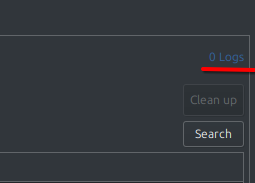 If this is important, the program is installed from the Deb package.
No other agents are used.
изображение.png
Hello,
This is quite unusual.
Could you please let us know the base distribution you are using, whether any modifications have been made, and if the issue reoccurs immediately after a reboot?
If it does, kindly launch RDM via the command line (`remotedesktopmanager`), reproduce the issue, and send us the generated logs.
Best regards,
Carl Marien
Hello,
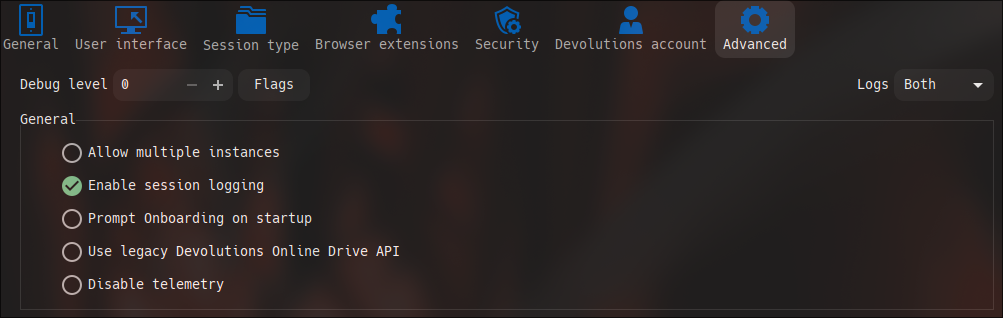
Would it be possible for you to go to Preferences → Advanced → Logs (top right), and set it to "Both"? You should be able to see the logs after that.
Best regards,
Carl Marien
Was there ever a resolution here? I am experiencing the same issue. No logs are avail. I have included screenshots below. I suspect it's something on a system level.
OS: Arch Linux x86_64
Kernel: 6.14.4-zen1-2-zen
Uptime: 33 mins
Packages: 1567 (pacman)
Shell: bash 5.2.37
Resolution: 2560x1440
DE: Hyprland
Theme: Breeze-Dark [GTK2/3]
Icons: kora-pgrey [GTK2/3]
Terminal: tmux
CPU: Intel i5-6600K (4) @ 4.300GHz
GPU: AMD ATI Radeon RX 6600/6600 XT/6600M
Memory: 6188MiB / 15799MiB

Remote Desktop Manager: 2025.1.1.3
Maybe this is a Wayland issue, as I am pretty confident that OP's distro defaults to wayland.
here is the attempted starting of ssh agent.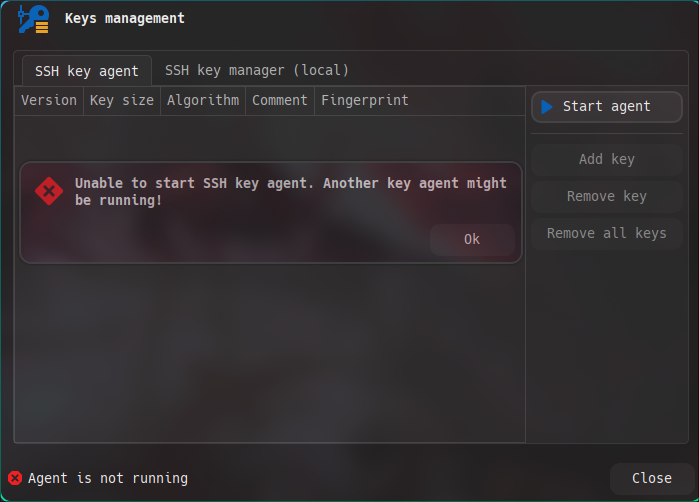
Here is the output that I have from terminal. (I ran RDM from terminal, to see if I can get logs, and tried to launch ssh agent from there)
Here is logs page, and preferences set for logs.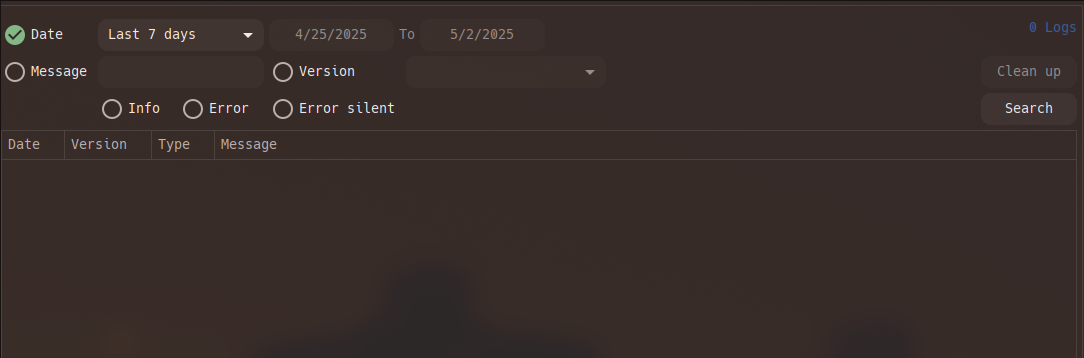
Got this after opening the logs tab, in RDM-- in the terminal.
O and here. To show no agent is running.
9968cbb3-8b32-4f0e-bea3-ff1a9608a77e.png
e89c3ebe-30e9-41b0-99d1-0ce980ad90b2.png
794a4797-f9c7-4e24-8699-9c89574827c4.png
f529019a-7765-4b5f-b1b9-ff534a86d31c.png
20250502_12h53m11s_grim.png
20250502_12h51m40s_grim.png
Hello,
Thank you for reaching out to Devolutions Support.
I’ve contacted the developer regarding this issue, and they will be creating a version of RDM for Linux that includes a VerboseLevel setting for the SSH Key Agent.
This will allow us to generate more detailed logs to better understand the issue. I’ll keep you updated on any developments.
Best regards,
Carl Marien
Hello,
Just a quick update: the next version of RDM Linux is expected to have verbose logging for the SSH key agent.
Once the new version is released, please update and attempt to generate verbose logs, and send them to us for review.
Best regards,
Carl Marien
ok thank you. i'll keep an eye out.
Hello,
Thank you for your patience. The version with the SSH Key Agent logs has just been released.
Could you please install the new version and try to generate some logs and send them to us?
Best regards,
Carl Marien
ok I have updated. bad news.
RDM = 2025.1.1.5
I set the SSH Agent to verbose level 0, 1, and 2, same error. No log output, in terminal, nor in help>application logs. completely empty.
side note, I did try disabling my gnome keyring, to no avail.
Hello,
You can find the SSH agent logs at: ~/.rdm/RemoteDesktopManager.debug
Simon Duguay Létourneau
Hello,
You can find the SSH agent logs at: ~/.rdm/RemoteDesktopManager.debug
that file does not exist. I did find something interesting though, but its from 5/8.
Here is the file structure for the .rdm in home dir.
.rdm 00000000-0000-0000-0000-00000dc11114 B69E1FF0-E56F-4011-B208-AB6B7C076DF4 │ PlayList │ SessionLogs │ │ │ a7ded21a-fdda-4a92-ba90-ab3ceaf0bc79.log │ │ └ e746c485-c421-4364-ab06-98fa00fa7588.log │ │ Favorites.xml │ └ Mru.xml Templates │ ApplicationTray.ico │ Connections.db │ Connections.log │ RemoteDesktopManager.bak │ RemoteDesktopManager.cfg │ RemoteDesktopManager.enb │ RemoteDesktopManager.enc │ RemoteDesktopManager.exb │ RemoteDesktopManager.ext │ RemoteDesktopManager.log │ RemoteDesktopManager.log.db │ RemoteDesktopManager.lyt │ RemoteDesktopManager.stb └ RemoteDesktopManager.stv
I found this log in SessionLogs->e746c485.... (this might be referring to an agent user, as I have a lot of that in my config, referencing agents that have been deleted after the system was setup, etc.)
[5/8/2025 3:15:58 PM] Devolutions Protocols version: 2025.4.9.1 Linux
[5/8/2025 3:15:58 PM] Failed to connect agent, system error: %d
[(2) No such file or directory]
[5/8/2025 3:15:58 PM] Bytes sent: 1268, Bytes received: 1629
[5/8/2025 3:15:58 PM] Packets sent: 4, Packets received: 5
[5/8/2025 3:15:58 PM] Kex completed: 1
Its old. But interesting the only thing mentioning the agent in those files. I might try uninstalling and re-installing without using the AUR.
I forgot to mention that you need to set the Debug Level to 1 in your preferences for the ~/.rdm/RemoteDesktopManager.debug file to be generated.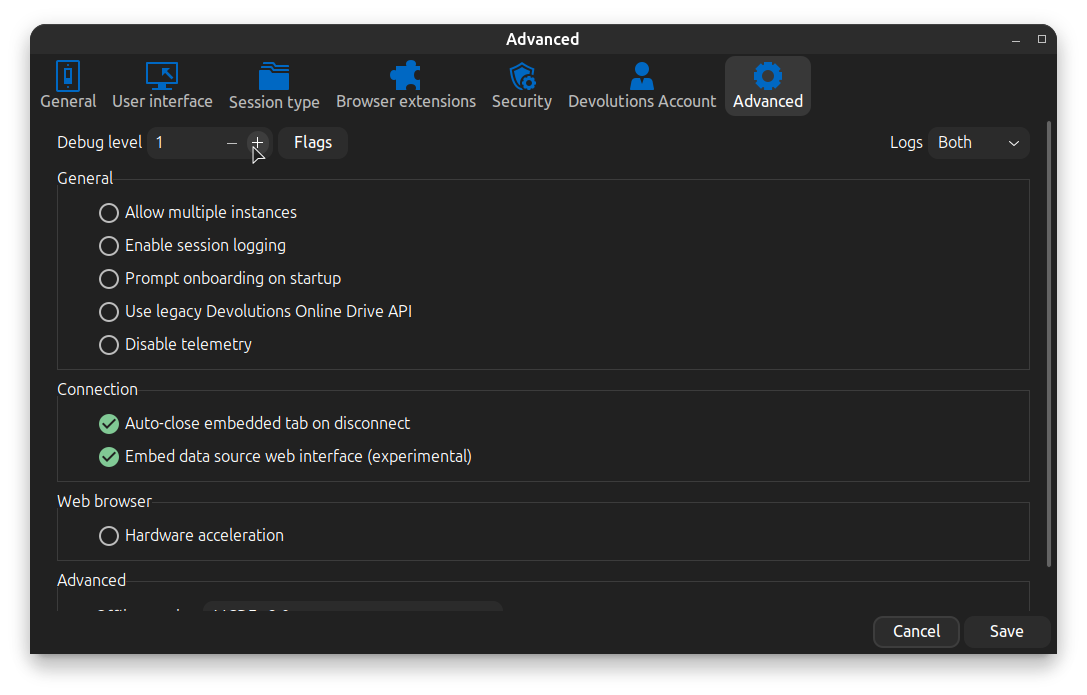
Simon Duguay Létourneau
407f1135-378e-4a74-8033-6538d5dd77f9.png
I forgot to mention that you need to set the Debug Level to 1 in your preferences for the ~/.rdm/RemoteDesktopManager.debug file to be generated.
ah ok, that makes sense. Here is the log.
[5/16/2025 11:32:51 AM]DEBUG SecurityDataSource.IsSupported is False, exiting Devolutions.RemoteDesktopManager.Business.DataSources.SQLiteSecuritySubDataSource
[5/16/2025 11:32:51 AM]DEBUG Migrating data - up to date
[5/16/2025 11:32:57 AM]DEBUG KeyAgentLog LOG_TYPE_VERBOSE: Devolutions Protocols version: 2025.4.9.1 Linux

[5/16/2025 11:32:57 AM]DEBUG KeyAgentLog LOG_TYPE_MESSAGE: No agent socket available
It seems that KDE doesn't start the SSH agent automatically at boot. Since the SSH_AUTH_SOCK environment variable isn't set in the KDE session, the system can't connect to the agent.
One of our team members was able to reproduce the issue, and we may have identified a potential fix. I’ll let you know once we’ve confirmed a solution.
Simon Duguay Létourneau
It seems that KDE doesn't start the SSH agent automatically at boot. Since the SSH_AUTH_SOCK environment variable isn't set in the KDE session, the system can't connect to the agent.
One of our team members was able to reproduce the issue, and we may have identified a potential fix. I’ll let you know once we’ve confirmed a solution.
ok. Just a heads up, I am running Arch with Hyprland, no KDE on my specific system. So I am likely getting the same thing. But just wanted to clarify that my system is different from OP's KDE Neon distro.
Do you have kwallet installed on your machine ? We found that the issue isn't related to KDE, but rather to the KWallet secrets service providers. We were able to get it working by following the steps outlined in this blog.
Please give it a try and let us know if it resolves the issue for you.
Simon Duguay Létourneau
Do you have kwallet installed on your machine ? We found that the issue isn't related to KDE, but rather to the KWallet secrets service providers. We were able to get it working by following the steps outlined in this blog.
Please give it a try and let us know if it resolves the issue for you.
Thanks, that pointed me in the right direction
My issue wasn't with KWallet specifically, but it effectively was the same problem. I just assumed that RDM's internal ssh agent would set the SSH_AUTH_SOCK. I’m using gnome-keyring as my secrets provider instead of KWallet and many on Arch + Hyprland + SDDM, getting gnome-keyring to work properly at login is tricky, so I had kind of been putting off addressing it.
Anyway, I got it working now. I used the startup script from the blog you linked, adapted into my own startup.sh script, which I have Hyprland run on session startup. That takes care of launching the keyring daemon with SSH support.
In addition, I added this line to my .bashrc to make sure the SSH_AUTH_SOCK variable is set in terminal sessions:SSH_AUTH_SOCK=$(gpgconf --list-dirs agent-ssh-socket 2>/dev/null || echo "$XDG_RUNTIME_DIR/keyring/ssh")
Now SSH_AUTH_SOCK is properly set, and RDM is able to use the agent as expected. I’ll probably refine my setup later, but this fix is working well for now. Appreciate the help.