Backup errors

Hello,
I'd appreciate some assistance regarding the Backup feature of Devolutions server.
I set it up a while ago and it seemed to work fine, but in the last few days I've been getting some errors which don't seem to actually matter since the backup is later completed succesfully...
Here's what it looks like in my Data source logs:
Backup failure, Backup Type: "Database", Failure Message: "size was 0, but 538538496 was expected", Error: "size was 0, but 538538496 was expected"
Backup success, Backup Type: "Database"
Backup failure, Backup Type: "WebSite", Failure Message: "The process cannot access the file 'C:\Windows\ServiceProfiles\LocalService\AppData\Local\Temp\dvls_11032025_020007.zip' because it is being used by another process.", Error: "The process cannot access the file 'C:\Windows\ServiceProfiles\LocalService\AppData\Local\Temp\dvls_11032025_020007.zip' because it is being used by another process."
Database backup folder content: (listing all my backup .zip files)
Website backup folder content: (listing all my backup .zip files)
Backup success, Backup Type: "WebSite"
I'm also attaching a screenshot for that same information, in case it helps.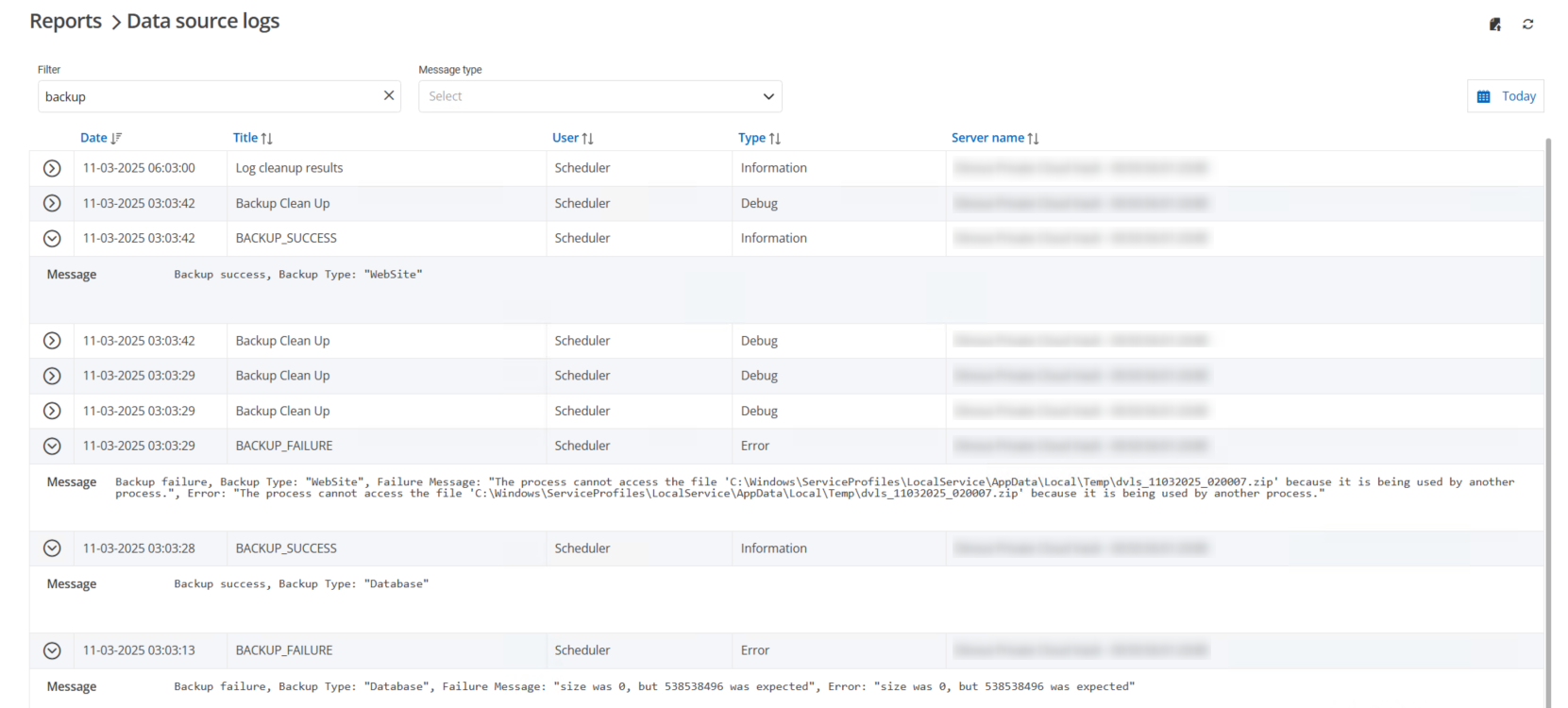
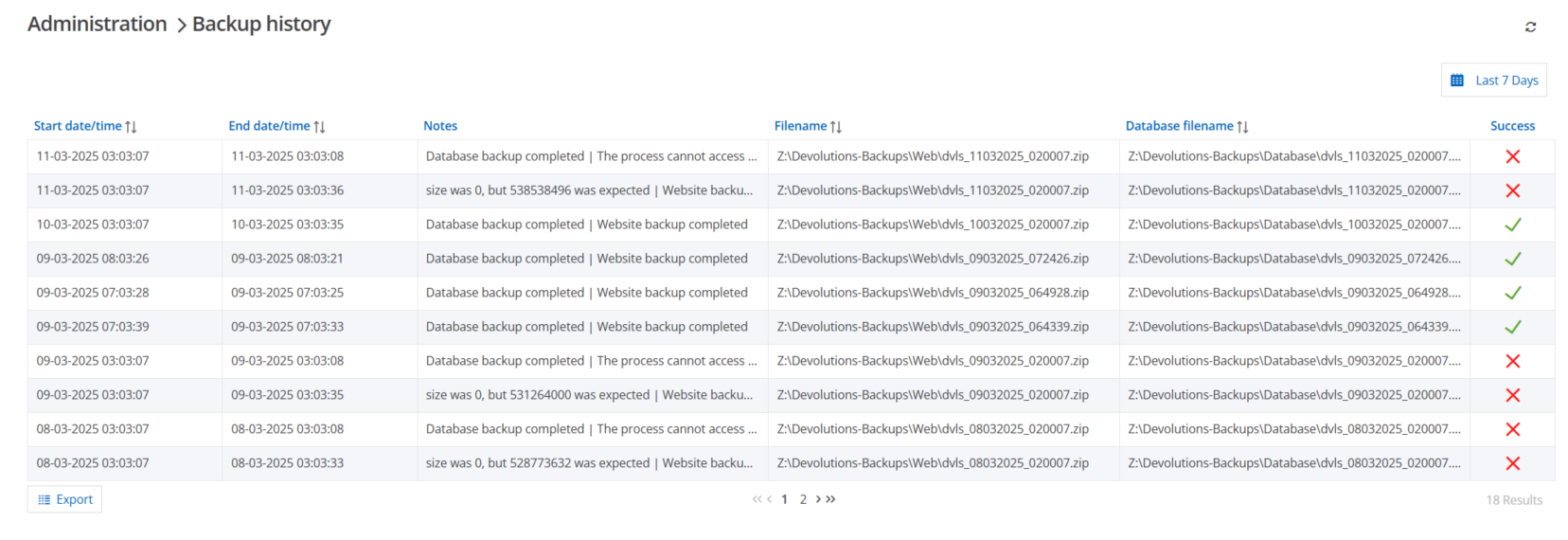
My current backup settings make the backups start at 03:00 AM with "repeat every 1 day" selected.
As a side note, if I manually execute a backup I get no errors whatsoever.
Any help would be appreciated, thank you.
Backup_Log2.png
Backup_Log.png
Recommended Answer
Hello,
Thank you for your patience.
The issue you were experiencing has been resolved in the latest DVLS update.
Could you please update your instance to version 2025.1.4.0 and test it out?
Let me know if the issue is fully resolved.
Best regards,
Jacob Lafrenière
All Comments (3)
Hello,
Thank you for reaching out regarding this matter.
We already have an internal case for this issue and are actively working on a fix.
Unfortunately, the fix is not planned for the next update.
I will keep you informed about its release.
Best regards,
Jacob Lafrenière
Thank you kindly, it's good to know the issue is already being worked on.
I'll be checking out the release notes for the next updates.
Hello,
Thank you for your patience.
The issue you were experiencing has been resolved in the latest DVLS update.
Could you please update your instance to version 2025.1.4.0 and test it out?
Let me know if the issue is fully resolved.
Best regards,
Jacob Lafrenière