Error while connecting to Devolutions Server through RDM / Working only with Admin Accounts
Error while connecting to Devolutions Server through RDM / Working only with Admin Accounts

Hello,
we installed and rolled out our new Devolutions server last week. Initially, everything looked fine, and the login via Entra ID on the web interface worked perfectly. However, when connecting the RDM, all users (around 80) keep encountering a timeout. The connection works initially, but when accessing the vaults, the timeout error occurs. When the users are switched to admins, access works fine. Currently, the role-based access control is set up with user groups that are allowed to access the vault. Users are then added to these groups.
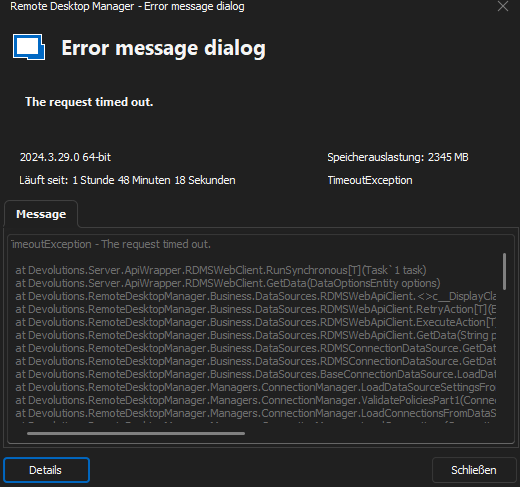
The follwing Error occours, when the User want to enter the Vaults:
TimeoutException - The request timed out.
at Devolutions.Server.ApiWrapper.RDMSWebClient.RunSynchronous[T](Task`1 task)
at Devolutions.Server.ApiWrapper.RDMSWebClient.GetData(DataOptionsEntity options)
at Devolutions.RemoteDesktopManager.Business.DataSources.RDMSWebApiClient.<>c__DisplayClass103_0.<GetData>b__0()
at Devolutions.RemoteDesktopManager.Business.DataSources.RDMSWebApiClient.RetryAction[T](ExecuteActionDelegate`1 action, String label)
at Devolutions.RemoteDesktopManager.Business.DataSources.RDMSWebApiClient.ExecuteAction[T](ExecuteActionDelegate`1 action, ExecuteActionLogMode logMode)
at Devolutions.RemoteDesktopManager.Business.DataSources.RDMSWebApiClient.GetData(String proxyConnectionCacheID, Byte[] version, String repositoryID)
at Devolutions.RemoteDesktopManager.Business.DataSources.RDMSConnectionDataSource.GetDataSourceSettings(String repositoryID)
at Devolutions.RemoteDesktopManager.Business.DataSources.RDMSConnectionDataSource.GetDataSourceSettings()
at Devolutions.RemoteDesktopManager.Business.DataSources.BaseConnectionDataSource.LoadDataSourceSettings()
at Devolutions.RemoteDesktopManager.Managers.ConnectionManager.LoadDataSourceSettingsFromDataSource(ConnectionEngine engine)
at Devolutions.RemoteDesktopManager.Managers.ConnectionManager.ValidatePoliciesPart1(ConnectionEngine engine, Boolean hasChanged)
at Devolutions.RemoteDesktopManager.Managers.ConnectionManager.LoadConnectionsFromDataSource(ConnectionEngine& engine, Boolean hasChanged)
at Devolutions.RemoteDesktopManager.Managers.ConnectionManager.LoadConnections(ConnectionEngine& engine)
at Devolutions.RemoteDesktopManager.Managers.ConnectionManager.LoadConnections(BaseConnectionDataSource dataSource, ConnectionEngine& engine)
at Devolutions.RemoteDesktopManager.Managers.ConnectionManager.RefreshConnections(ConnectionEngine engine)
at Devolutions.RemoteDesktopManager.Forms.FrmMainDocumentManager.RefreshAllConnectionView(Boolean saveState, Boolean checkOnline, Boolean force)
at Devolutions.RemoteDesktopManager.Managers.MainFormManager.DoFirstLoad(IMainForm mainform)
at Devolutions.RemoteDesktopManager.Forms.FrmMainDocumentManager.DoFirstLoad()
at Devolutions.RemoteDesktopManager.Forms.FrmMainDocumentManager.TmFirstLoad_Tick(Object sender, EventArgs e)
at System.Windows.Forms.Timer.TimerNativeWindow.WndProc(Message& m)
at System.Windows.Forms.NativeWindow.Callback(HWND hWnd, MessageId msg, WPARAM wparam, LPARAM lparam)
------------------------ extended stack ------------------------
at Devolutions.RemoteDesktopManager.Forms.FrmErrorMessage.ShowErrorMessage(Exception exception, String message, String title)
at Devolutions.RemoteDesktopManager.Forms.FrmErrorMessage.ShowErrorMessage(Exception exception, String title)
at Devolutions.RemoteDesktopManager.Managers.LogManager.OnThreadException(Object sender, ThreadExceptionEventArgs t)
at System.Windows.Forms.Application.ThreadContext.OnThreadException(Exception ex)
at System.Windows.Forms.NativeWindow.Callback(HWND hWnd, MessageId msg, WPARAM wparam, LPARAM lparam)
at Windows.Win32.PInvoke.DispatchMessage(MSG* lpMsg)
at System.Windows.Forms.Application.ComponentManager.Microsoft.Office.IMsoComponentManager.FPushMessageLoop(UIntPtr dwComponentID, msoloop uReason, Void* pvLoopData)
at System.Windows.Forms.Application.ThreadContext.RunMessageLoopInner(msoloop reason, ApplicationContext context)
at System.Windows.Forms.Application.ThreadContext.RunMessageLoop(msoloop reason, ApplicationContext context)
at Devolutions.RemoteDesktopManager.Program.Main(String[] args)
Thank you for your Help
All Comments (8)
Hello,
Does the Enable cache feature option disabled in the EntraID configuration? There is no need to enable this option anymore as DVLS can gather user group membership quite efficiently without having to cache this information in the database.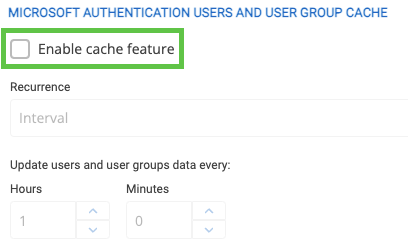
Do you have relevant error messages in the DVLS logs?
https://docs.devolutions.net/server/kb/how-to-articles/view-server-datasource-logs/
Best regards,
Érica Poirier
abb846c5-90fb-4ca8-b089-9f03de39785f.png
Hello,
the Cache Feature is already disabled. The Logs only contents the follwoing entries: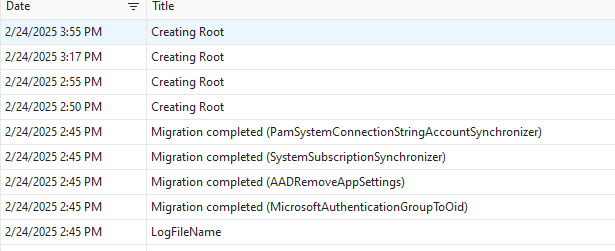
a284e725-4020-4216-a1ed-22d77b4893ad.png
grafik.png
Short Update: The Default Vault is working properly. When I switch to another Vault, the following Error occours: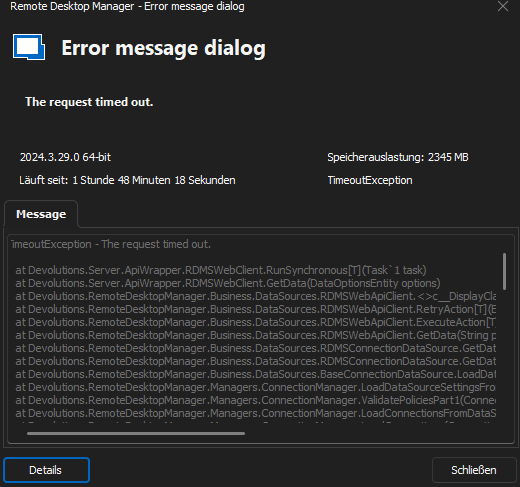
7ca49808-1776-47a3-8717-5077100d603e.png
grafik.png
Hello philippbrutzer,
Could you please provide your Devolutions Server version along with your RDM version?
Next, please review your datasource logs by navigating to the Devolutions Server web UI, then Reports > Datasource Logs, and check for any relevant errors.
For testing, test 1: try accessing the Devolutions Server via the web UI on a user PC instead of using RDM, and observe the behavior.
test 2 : I suggest opening RDM, going to File > Datasources, editing the Devolutions Server datasource, and under Advanced, adjusting the connection timeout to at least 60 seconds before testing again.
I also have a couple of quick questions: when you enabled Entra authentication in Devolutions Server, did you follow all the steps in our documentation? Have you made any changes to the configuration in your Azure portal? And are you hosting your Devolutions Server in the cloud?
Best regards,
Michel Audi
I was able to narrow down the issue further. There seem to be corrupt files or attachments in the vault datasets. I can create new vaults and log in to them without any issues. However, when I access the old one, I immediately get a timeout error. Everything works fine with an admin user. Is there a way to check the permission structure in the vault and possibly reset it to default? It would be preferable to use PowerShell, as there are many entries. By the way, it doesn’t make any difference whether it’s an M365 user or a local user.
That's great! Here are the key areas to check regarding vault permissions:
- Vault-Level Permissions
- Navigate to Administration > Vaults.
- Edit the desired vault and review the Users/Groups assigned permissions.
- Entry-Level Permissions
- On the main Devolutions Server page, go to All Vaults and select the desired vault.
- On the right side, click the Permissions tab to inspect which users and groups have access and what permissions they have.
- To modify these permissions, click the pen icon > Security > Permissions > Grant Access.
- Default Permission Sets
- Navigate to Administration > System Settings > Vault Management to review the default permission sets applied across vaults.
If you're looking for a PowerShell-based solution, you can refer to this guide:
Devolutions PowerShell Documentation.
Let me know if you need further clarification!
Michel Audi
I have now manually moved all the data to a new vault and found some corrupted records in the process. The issue has been resolved for now. Would it still be possible to set all the vaults to Standard security level? We have 430 vaults, and I don't want to change them all manually. Thank you for your help
Unfortunately, if you need to change the security level for all 430 vaults in bulk, the only options are using PowerShell or updating them manually one by one.
Michel Audi