DVLS with EntraID App Proxy experiencing OAuth token endpoint error

Hello,
Using DVLS 2024.3.11, and have configured an Azure App Proxy as per https://docs.devolutions.net/rdm/kb/how-to-articles/azure-pre-authentication-dvls-rdm/, and attempting to access DVLS UI with a web browser (not RDM).
At the time of implementation (over 6 months ago) it was working, but when re-testing recently it seems to have broken. Users pre-authenticate successfully to Azure, and then are connected to the DVLS login page where they again choose Microsoft for the reauthentication. After this second step the browser shows error message:
{"errorMessage":"Unexpected exception. Please see server logs for details.","result":0}
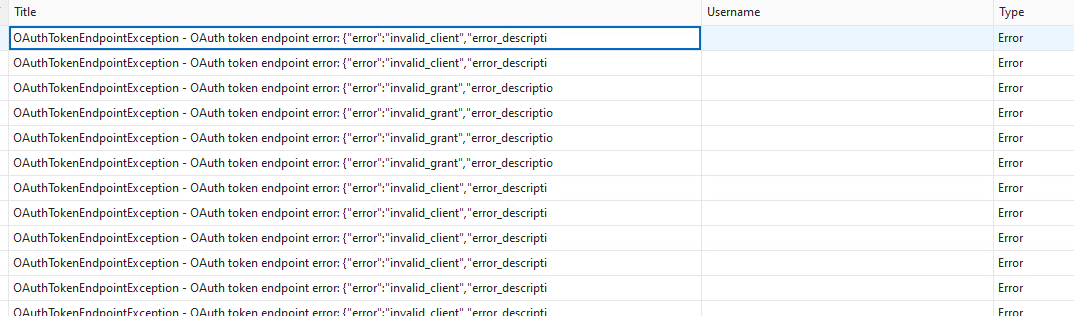
And DVLS logs show:
OAuthTokenEndpointException - OAuth token endpoint error: {"error":"invalid_client","error_description":"AADSTS700025: Client is public so neither 'client_assertion' nor 'client_secret' should be presented. }
Are you able to provide any suggestions to troubleshoot further please? I've rechecked the settings in the Azure app, and they all seem to align with the How To article.
Thanks
Joe
2793cd19-0385-4d97-b197-fca50580f4f0.png
a669c918-4145-4961-8853-9c648deb3126.png
All Comments (3)
Hello Jm2,
Thank you for reaching out to our forum. I'd be happy to assist you in troubleshooting this issue.
- Check the Devolutions application secret in your Azure portal to ensure it has not expired.
- Verify the configuration in Devolutions Server by navigating to:
- Web UI > Administration > Server Settings > Authentication > Microsoft
- If the "Use specific client ID for users and user groups cache" option has a value set, remove it and disable this feature.
- Reinsert the secret value, save the changes, and test again.
This should resolve the issue. Let me know if this helps or if you need further assistance.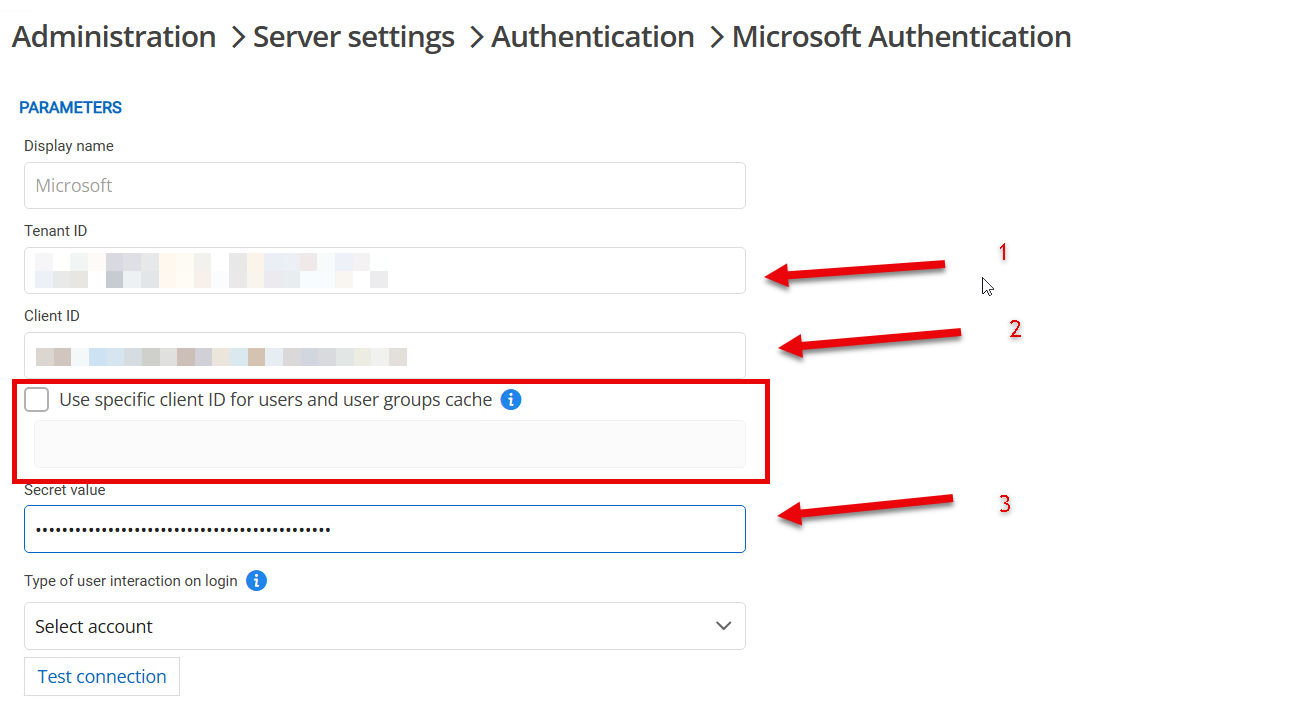
Michel Audi
2.png
Hi Michel,
Thanks for the suggestion. Unfortunately it did not resolve the issue. Also Microsoft EntraID authentication is working fine when DVLS is accessed internally, just not externally when going via the Azure App proxy.
Please let me know if you would like any additional info.
Joe
Hello JM2,
Thank you for your feedback. A ticket has been opened for your case so we can assist you more effectively.
Ref:82860
Michel Audi