Password actions not logged in DVLS

We test the Devolution Workspace Edge plugin to open my personal and department Vault on DVLS. When I copy a password I copy the password in Devolutuin Workspace but this is not logged in DVLS for auditing purpose.
However, when I copy a password using the RDM client, a log entry is created indicating that a user has copied the password, as expected.
All Comments (3)
Hi,
What is your Devolutions Server version?
Does this issue occur with all entry types (e.g., website, credentials like username/password, etc.)?
Does the issue happen when using the “Copy Password” option from the list (as shown in this screenshot): 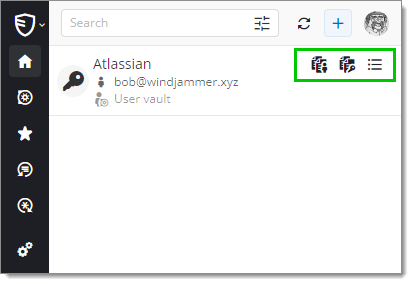
Or/and when using the “Copy Password” option from the overview (as shown in this screenshot below):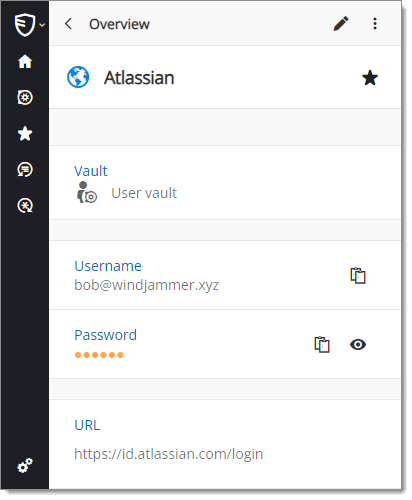
Best regards,
Olivier Désalliers
d4f8b05e-8d05-4440-9f6d-48d53b11f091.png
a43817a3-9b6a-438e-b55c-b2a877cbe141.png
Overview.png
MatchingView.png
Hello,
- version DVLS:
2024.3.11.0
- websites are logged good, only password entries are not logged.
Good:
Wrong:
86f7c879-563a-499a-bca5-3d7ac39c4a88.png
wrong.png
good.png
Hi,
We have been able to reproduce the issue. A fix should available in the next Devolutions Workspace Edge extension version.
Best regards,
Olivier Désalliers