double click issue

Hi,
I’m using iPad mini7(a17 latest one, iOS 18.2) and a Bluetooth mouse to connect to a Windows 10 PC through RDP.
When double-clicking with the left mouse button, words are typically selected individually, but currently, the entire sentence gets selected instead. Even while writing this text, double-clicking to edit a word results in the entire sentence being selected. You can reproduce this issue by connecting via RDP, opening the current page in Chrome, and checking the behavior in the topic editor window.
All Comments (5)
Hello,
Thank you for reporting this issue. We were able to reproduce it and are currently investigating the cause. We will get back to you with an update.
Best regards,
Frederick Simard
I suspect that there might be a conflict with the touch gesture functionality because changing the touch-related settings also alters the behavior of double-clicking. In any case, selecting by word is not working. Let me know if you manage to fix the issue, and I can provide testing.
and is it not possible to remove the bottom area shown in the image? Other RDP applications provide a full-screen experience. I understand that the iPad itself has a handle in that position, which allows switching between apps, but the iPad also provides an option to hide this handle. So instead of reserving space for it, a full-screen mode would improve usability.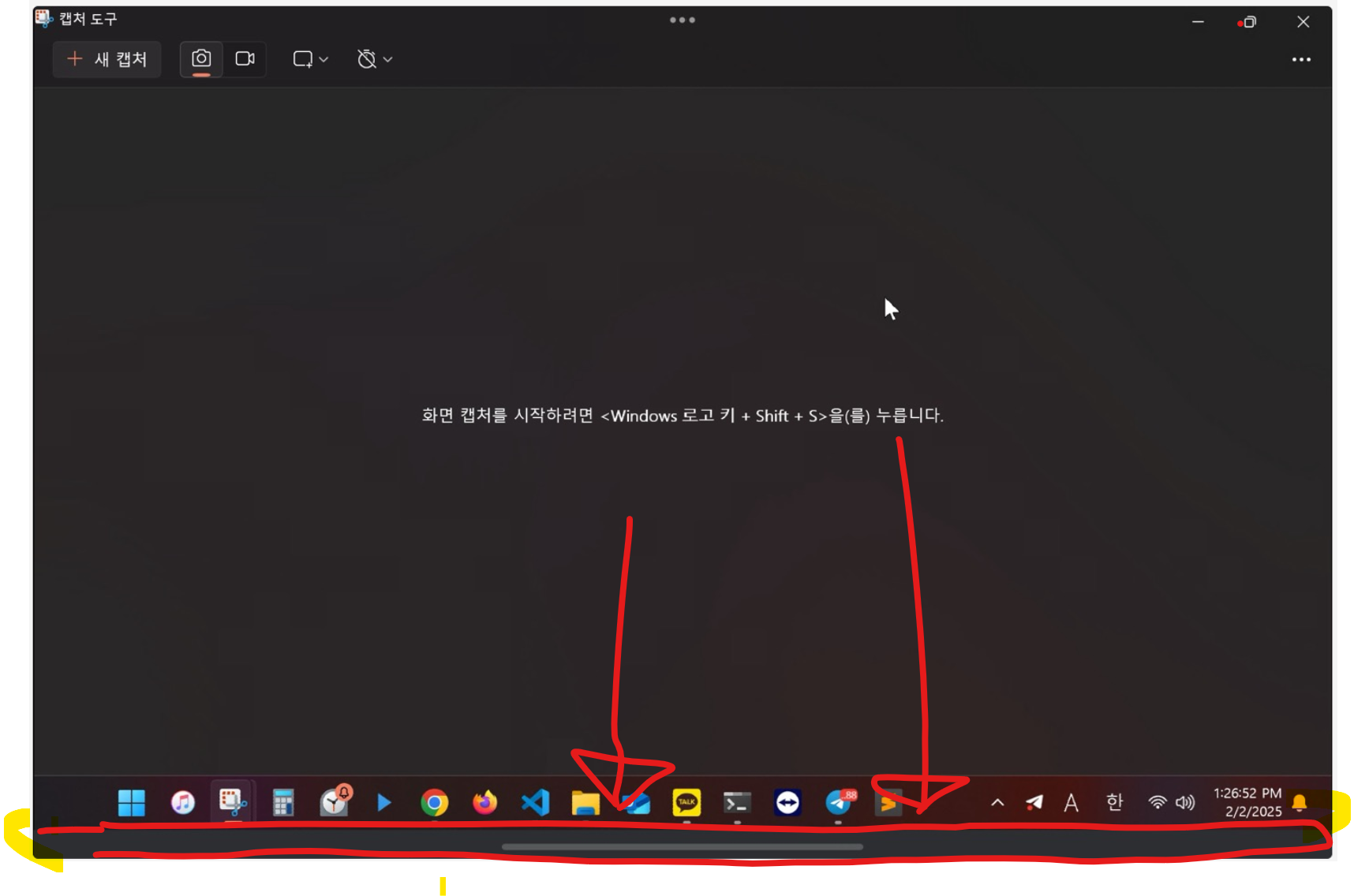
화면 캡처 2025-02-02 132938.png
Hi,
Thank you for your suggestion regarding the full-screen mode. We will investigate and let you know if there are any updates, although we can't provide a timeframe at the moment.
As for the mouse clicks issue, a fix should be available in the next update later this month.
Best regards,
Nicholas Lachapelle
Hello,
We wanted to inform you that improvements have been made to the fullscreen mode. The gray area has been removed, and fullscreen mode will now occupy the entire screen when the device is in landscape orientation.
Thank you for your suggestion. Please let us know if you encounter any issues.
Best regards,
Nicholas Lachapelle