SSO don't work any more !

Hello,
We have a version 2024.3.10.0 and we don't sure that the SSO logon don't work from the latest version, or it was a problem before that, but i doesn't work.
Also, if we click on the SSO button the windows logon a window appears, and we can enter username and password, then the circle keeps spinning and throws out again the window for enter logon data.
As i said the SSO have worked maybe a month ago also, this setup is also configured on the server:
https://docs.devolutions.net/server/kb/how-to-articles/configure-windows-authentication/
Just for the info we have 2 different Instance in, or Enterprise server and the problem is present od both of that.
Please for some help.
Tehnika Lancom
All Comments (10)
Hello,
Thank you for reaching out!
My name is William and I'm here to assist you in any way I can.
Would it be possible to confirm if you are trying to use the Domain SSO in the web interface of the Devolutions Server or from RDM?
If you are logging in from RDM using SSO you should not be redirected to the web interface. From the RDM Data Source under File > Data Sources > Edit, you will find a "Use Domain SSO" checkbox.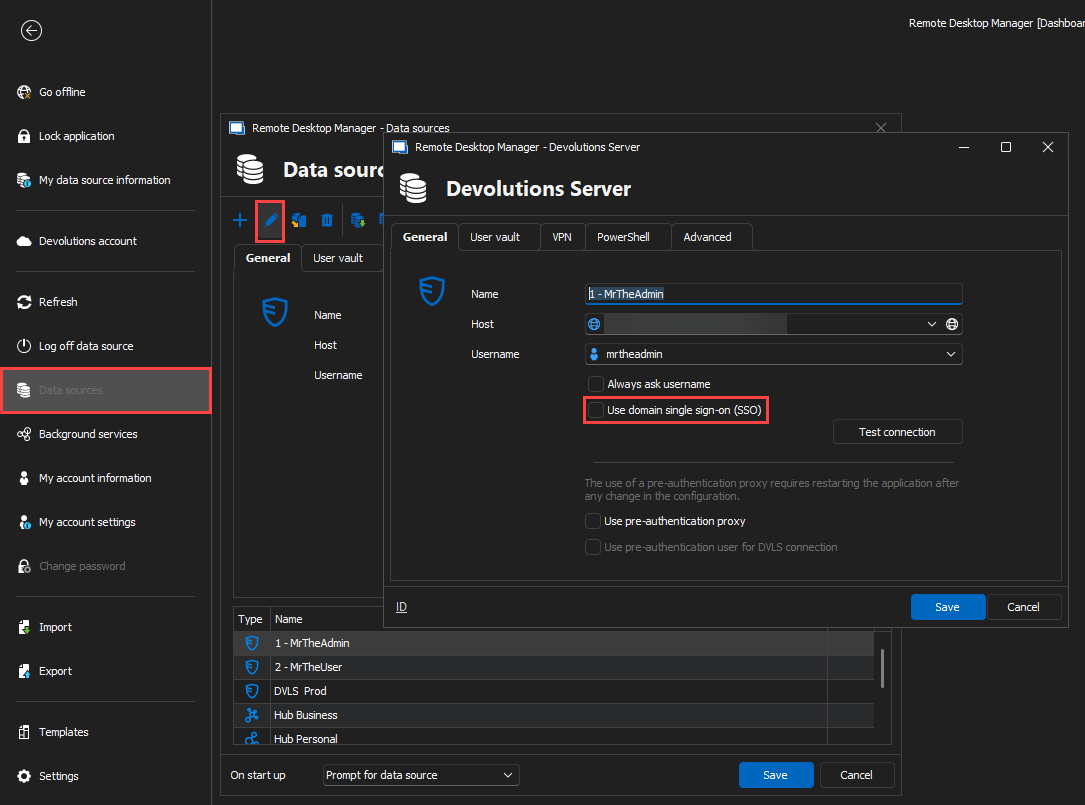
If you are trying to access the web interface of the Devolutions Server from your browser then the Domain SSO is probably prompting you to manually enter your credential like so: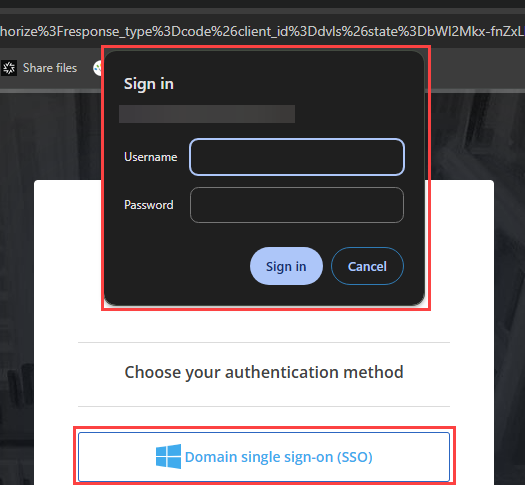
If this is the case, you can open the Internet Options (Properties) from the Windows menu and head under Security > Custom Level... > User Authentication and change the setting to Automatic log-on with current username and password.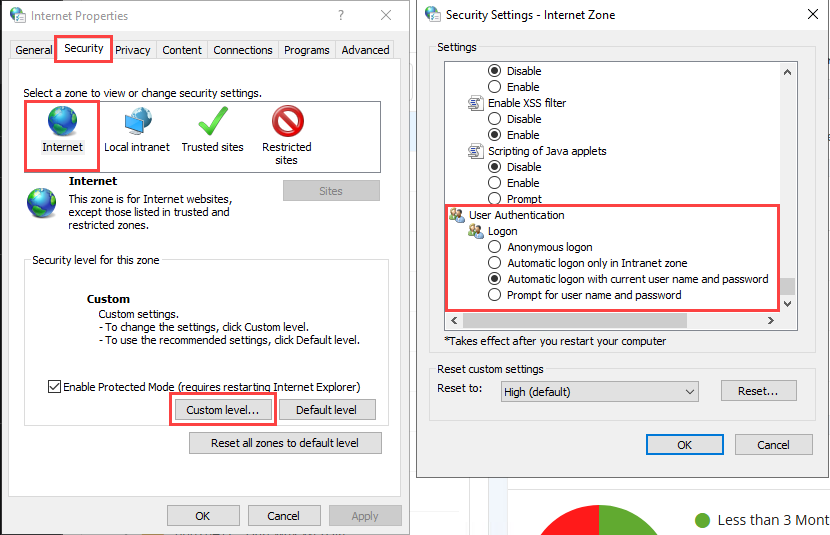
Feel free to reach out if you have any questions or need further clarification.
Best regards,
641dcc55-ddde-4a46-9db3-59ca9cbb819d.png
5fd63d16-9c64-4174-865c-36a3dd6d82c1.png
680fb791-0db8-4170-87a6-947096dca271.png
Hello,
We are talking about the second option a login to web interface of the Devolutions Server.
And the problem is the login doesn’t work, you can see the status of the login screen in the picture below, after that the login screen come back: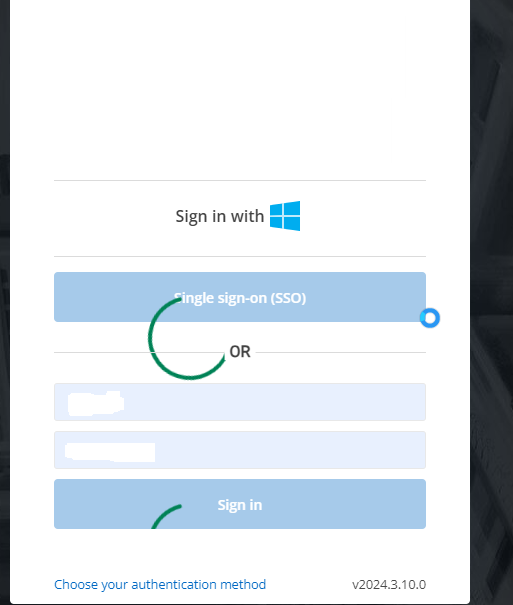
As i alredy said the SSO, it worked before without problems.
Best regards,
Tehnika Lancom
652cca38-59fe-4659-9885-b45928324f98.png
Hello,
Thank you for the feedback. Would it be possible to verify under these reports and see if you are seeing any error messages after attempting to log in from the web interface using Domain SSO:
- Reports > Login attempts
- Reports > Data Source Logs
If you do not find any information there, we would need to take a look at the DPS_Main.log file in the website folder of the Devolutions Server (C:\inetpub\wwwroot\dvls\App_Data by default). Please do not send these files on the forum as they may contain sensitive information.
Here is our online help on enabling these log files: https://docs.devolutions.net/server/kb/how-to-articles/enable-server-log4net-log/#enable-log-files
- Please verify if the log files are present or enable them beforehand.
- Once the files are there, replicate the issue and note the time and date of the test.
- Retrieve the file corresponding to the timeframe of your test.
- Email us at service@devolutions.net containing the log file, the time and date of your test and a link to this forum thread so that it is assigned to me.
Feel free to reach out if you have any questions or need further clarification.
Best regards,
I also encountered this problem on WinServer 2025 as a server and Win11 as RDM client.
This is what helped me (all screenshots were auto translated into English):
The first thing you should to do is disable kernel-mode authentication (IIS Manager > DVLS > Sites > DVLS > Authentication, then click on "Windows authentication" and "Additional" on the right panel)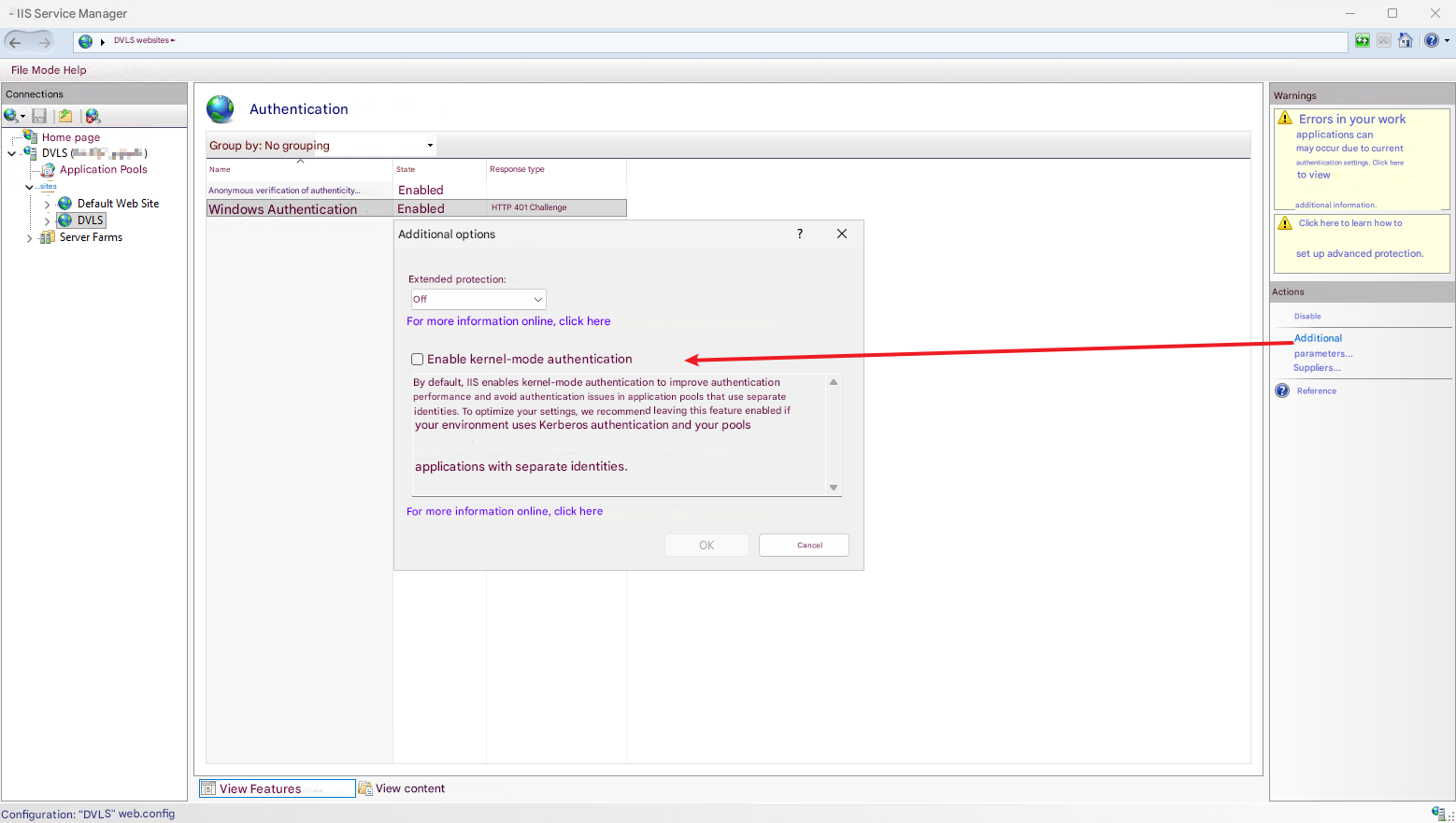
Then click on "Suppliers" on the right panel. There sould be Negotiate:Kerberos and Negotiate (right in exactly that order)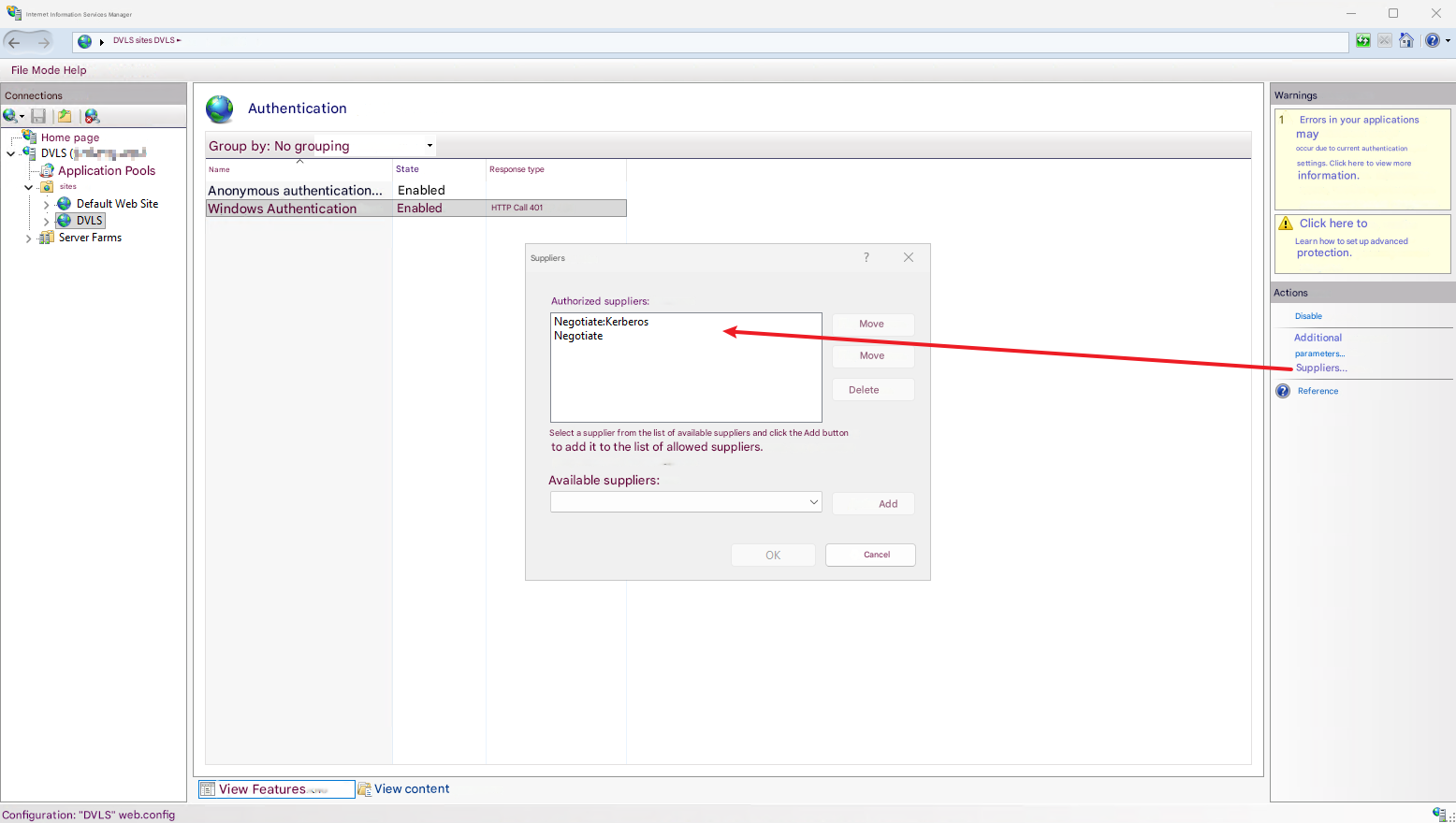
Other things, what i've done (not sure this is necessary):
In "app pools" i switched Identity to LDAP user for DVLS
(badly translated screenshot, the field name is "Identity" in English version)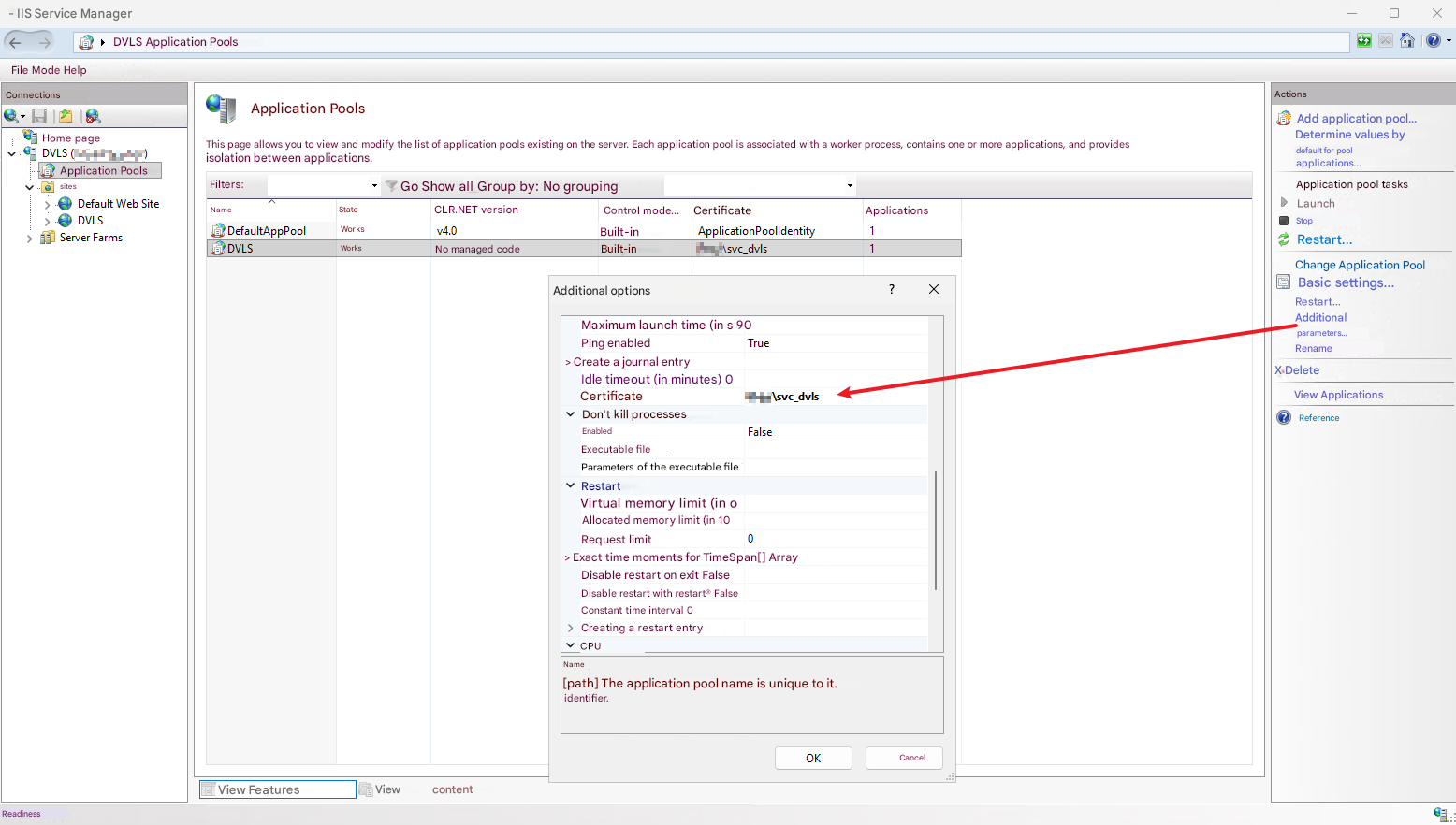
Then I go DVLS > Authentication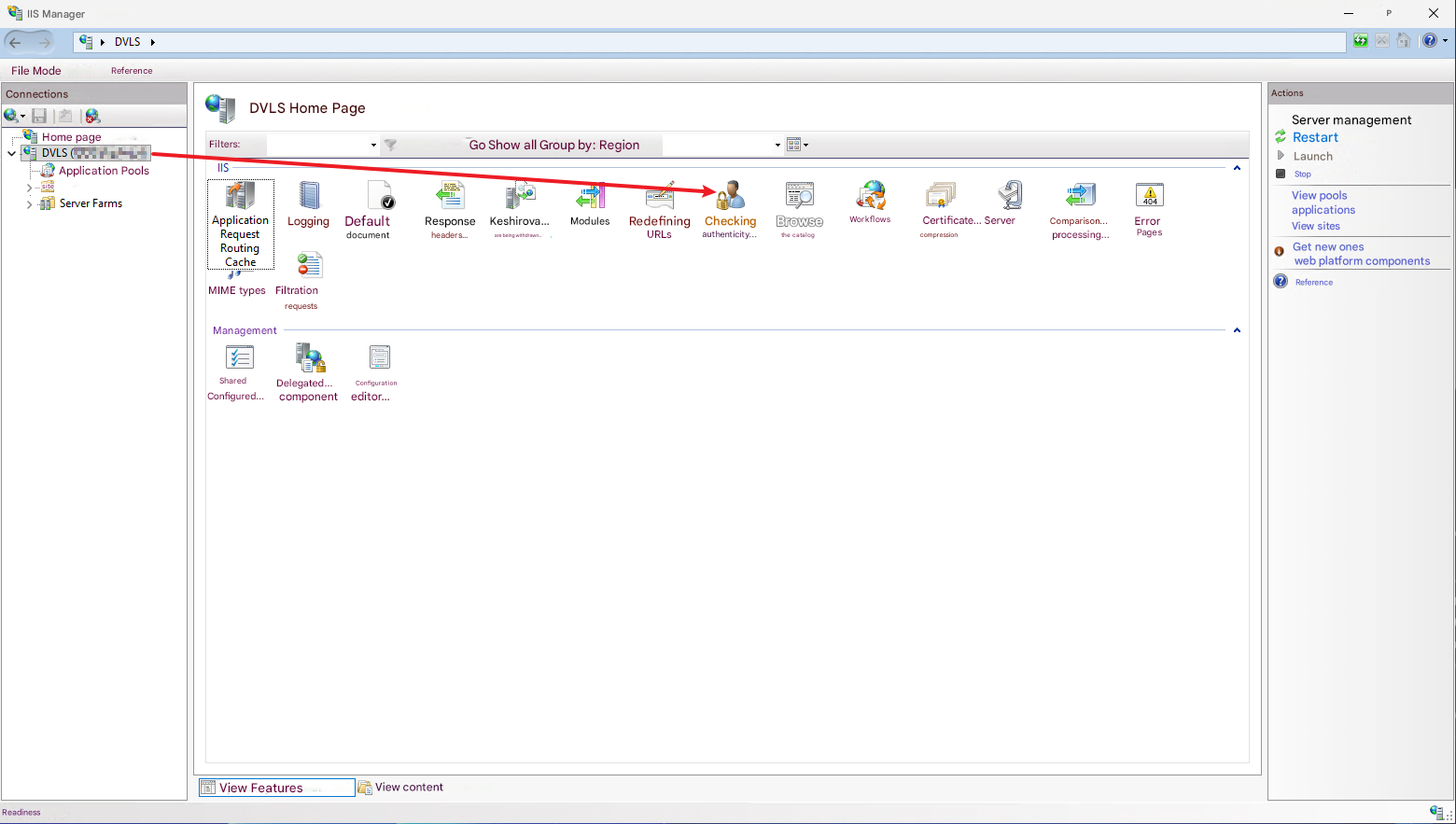
And turned on "Windows Authentication"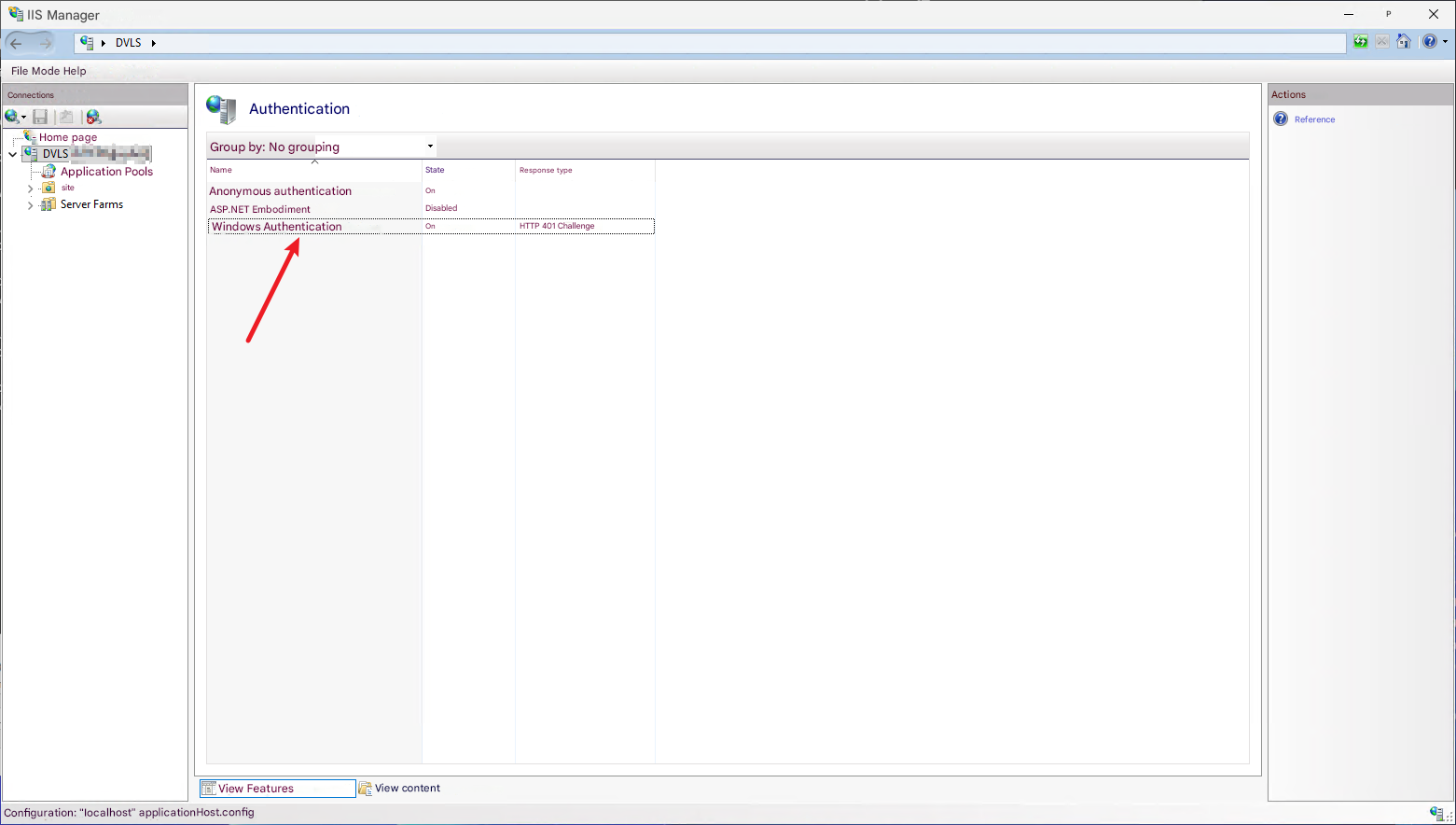
At the end I added SPN at domain controller with my DVLS FQDN.
Also, don't forget to allow browsers (Edge for "Embedded", and for example Chrome (if default browser) for "External" authentication browser mode) to provide your Kerberos token trough ADMX policies (you can find more info in Google, or ChatGPT)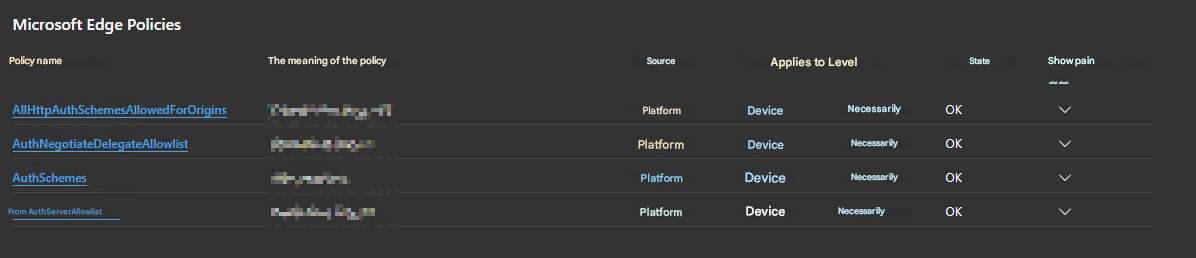
Hope it will help someone, who faced the same problem
cde4d0cc-d6e8-4395-96c2-1d6492419639.png
1e9a5aaa-e968-43fd-bb5f-ad0d62e04cfe.png
ce19562d-7c7a-41a7-bc2c-97962e2e2a64.png
87a8394c-74e9-4299-848f-9cde208d12ce.png
7255c44c-46ae-4ad7-a873-fd62a80cbc6f.png
f462060e-0a02-4e90-ae5d-86ca15390b2c.png
I have this EXACT same problem. Just hit upgrade to 2025.3.3.0, and boom, entire department locked out. I've been trying to punch around the SQL to enable a local account, but we've been locked out 3 work days so far. I'm trying your solution, and I'm just getting the green, yellow, red, blue spinning. Made changes, turned off kernel, etc, etc, and still no dice, we are locked out. I see you updated 11 hours ago, so curious if this is a wide spread problem now. We use domain and sso, but mostly just user/pass to domain without the SSO option.
I can't say anything about the upgrade. I have just done clean install (the DVLS configuring IIS automaticly), then I made a few changes, which discribed in previous message, and it works fine now.
Are you sure, that you have right policies in your browser? You should allow Kerberos auth (first of all - install ADMX for Edge).
Check SPN for service account at your domain controller (svc_dvls - is my LDAP service account for DVLS) There sould be your DVLS fqdn ex. devolutions.mycompany.org
Same domain should be in your 4 Edge ADMX policies:
- Configure list of allowed authentication servers
- Supported authentication schemes
- List of origins that allow all HTTP authentication
- Specifies a list of servers that Microsoft Edge can delegate user credentials to
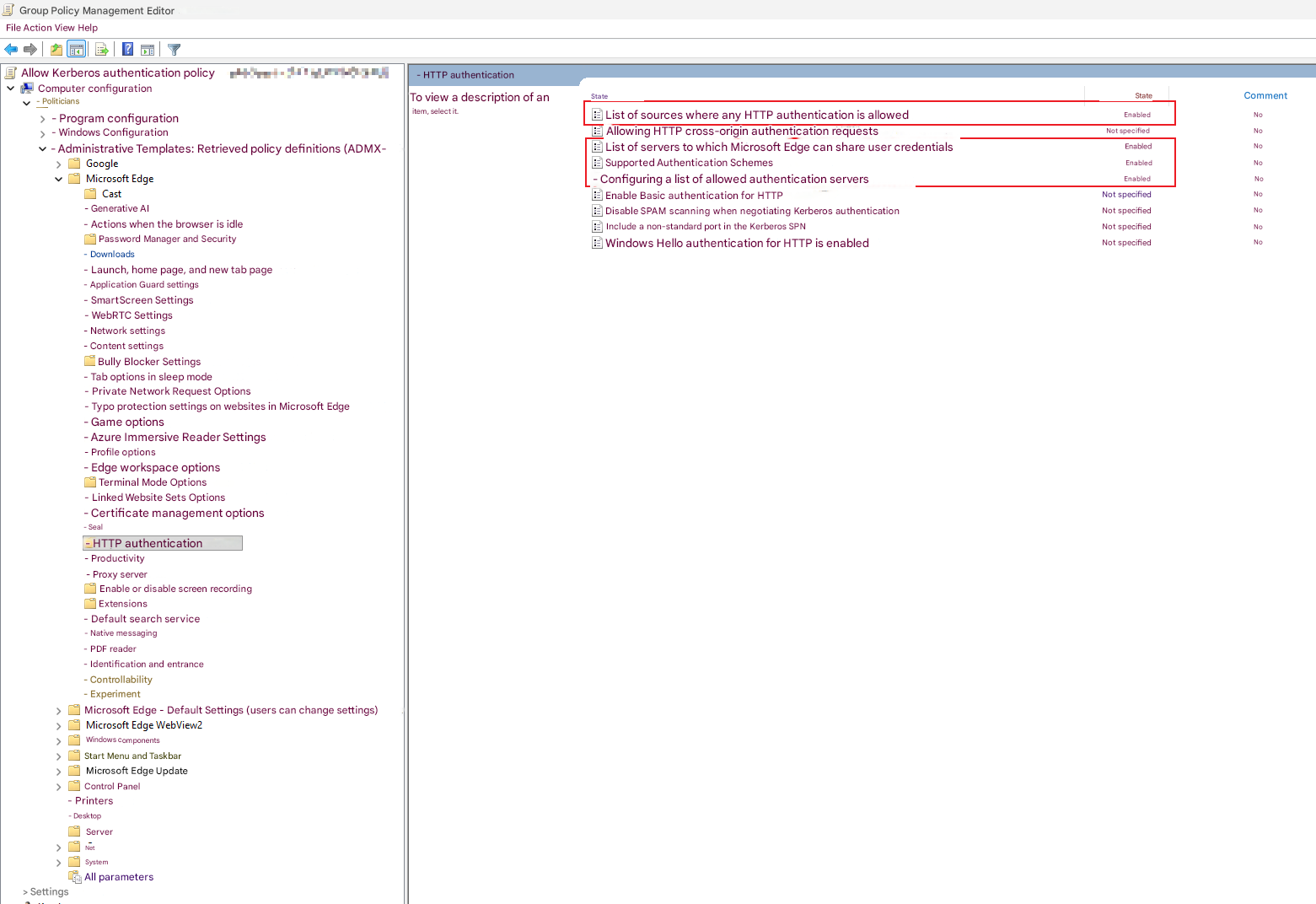
But the real thing, whitch helped me is disable kernel-mode auth, then add Negotiate:Kerberos to suppliers (NTLM removed)
P.S. also don't forget to restart IIS to ensure changes done
aee755b1-f5e5-47ca-9a3a-b6461a6a8115.png
f992367b-2bdf-4a28-afbf-8fe29a0a1424.png
Hello @DL,
Are you only having issues with using SSO in the web browser or also from RDM?
From what you are saying, it seems that you are simply locked out of your Devolutions Server entirely. If this is the case, could you write an email to service@devolutions.net with EMERGENCY in the subject?
We will be sending you an emergency link to help you get back into your Devolutions Server.
Best regards,
Hello @DL,
I was just made aware that you already have a session planned with one of my colleagues. I really don't think your issue is related to the one described here.
It is important to keep at least one Devolutions Server custom user in case the Domain authentication stops working (especially when doing an upgrade).
Best regards,
I appreciate everyones' help! I have a ticket in, and if I learn helpful info for the fix that wouldn't require support, I'll be sure to post back here!
Hello,
The issue with @DL was resolved and was not related to the issue from this thread.
Best regards,