The quality of the recorded sessions is poor.

For audit purphose we record all the sessions through the gateway. The problem is that the quality is poor and when we are viewing the recording it's almost impossible to see what's done on the screen. Especially when someone is doing a lot of actions you will miss things because the image build-up seems slow/not sharp.
Is there somewhere a option to make a better recording?
See attachment for a example.
test.webm
All Comments (7)
Hi Freddy,
You can change the number of frames per second and the quality in the settings of RDM: Settings → Application → Session recording.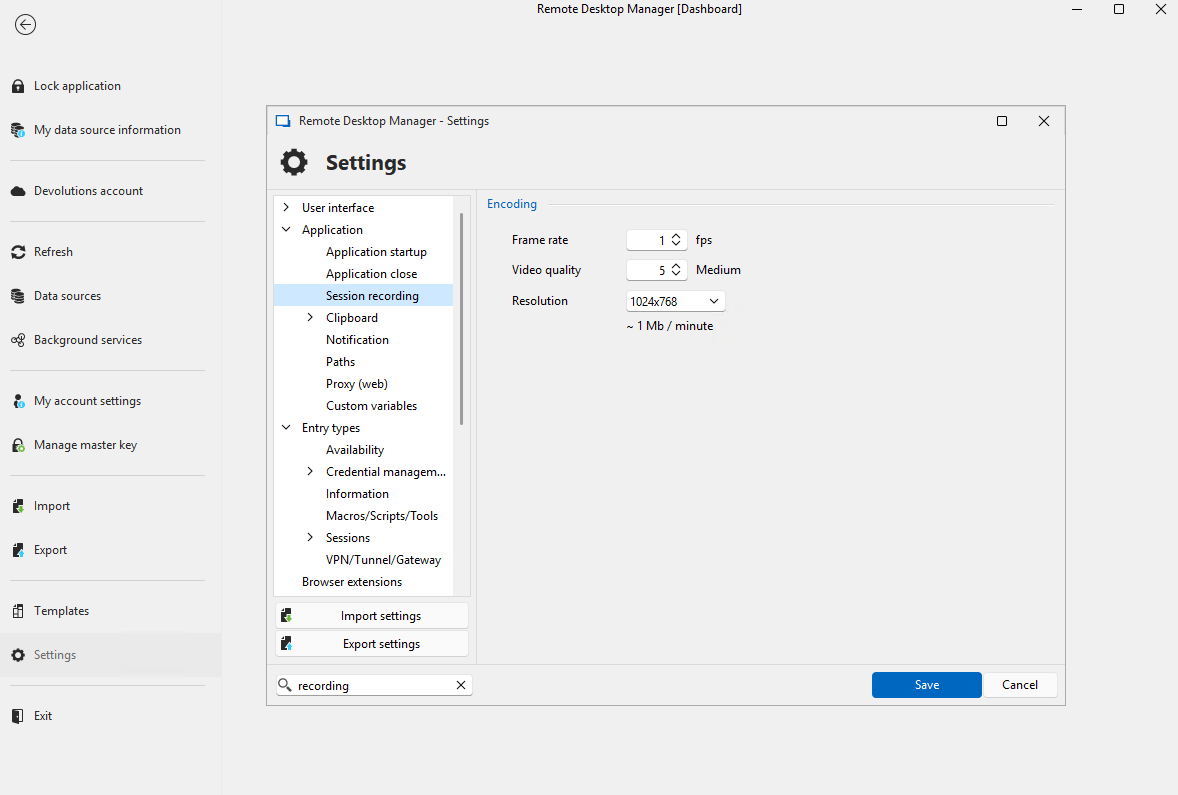
Try to increase these parameters to your liking!
Best regards,
Benoit Cortier
b96a4d0c-affc-47cf-a079-b922a5a76371.png
Thanks for the quick reply, after changing the FPS the recording is better te see.
For compliance reasons we must record all the sessions with good settings. Is it possible to set the FPS and resolution on a central locatie with:
- At the DVLS/Gateway (prefered way). We have created a incident to centrally set recordings for all of the jumps. See https://forum.devolutions.net/topics/42463/vpntunnelgateway-rights Actually, you also want the FPS and resultion to be set here. So that you can manage all your recording settings in one place
- GPO
I investigated what we had about this internally, and this is a feature that we are already considering. I can’t tell you when it will be ready exactly, but I would expect it to be included in one of the iterations of 2025.1, or 2025.2 if not.
May I ask you what the entry types you want to record are, for informational purposes?
Benoit Cortier
At minimum we want to record rdp, telnet / ssh, web-interfaces (http/https) and vnc.
Thanks for the possibility to centrally set recordings in the next version (or 2025.2). I think it is a good addition to become a full pam solution.
At minimum we want to record rdp, telnet / ssh, web-interfaces (http/https) and vnc.
Thank you, I added this information to our internal ticket. May help with prioritization.
Benoit Cortier
Hi Freddy,
Just keeping you updated about this: a DVLS-level option to override the frame rate configuration was added, and will be part of 2025.1 release.
Other improvements such as video quality and resolution settings are going to be added as follow ups.
Benoit Cortier
Hello Benoit,
Thanks for the update! We are looking forward to the release of 2025.1 :-).