Devolutions Server - Issues with manual & automatic user creation

Dear Team,
we are facing issues when attemping to onboard a new agent.
The issue being: When the users attempts to log in via AAD, he sees following error message: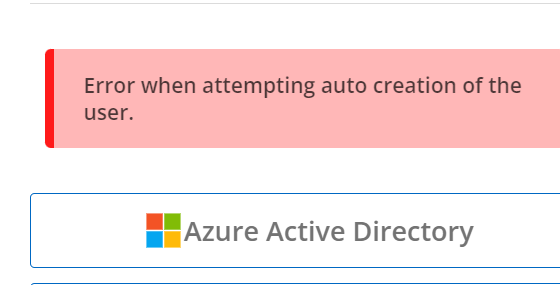
We are also unable to create the user manually, as the "create user button" is not accessible - Verified with a full administator account.
Diagnostics steps:
Checked log, nothing is logged upon the failed user login
Updated to latest Devolutions Server version
Server reboot
Attempted login directly via browser instead of via RDM
Noticed license error in license overview (WebUi)
Verified license is still valid, downloaded from Portal, uploaded, license OK again
Rebuild indexes
Verified Azure-AD connection is still working
Cleared Server cache
Attempted Update of Devolutions Gateway - ERROR: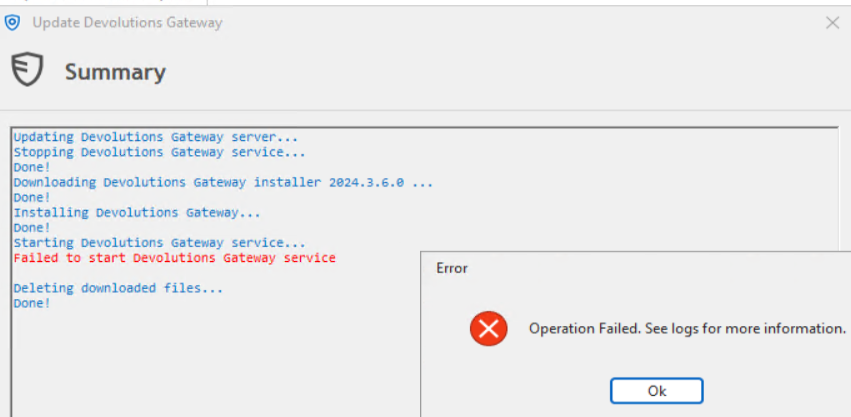 Application logs show the following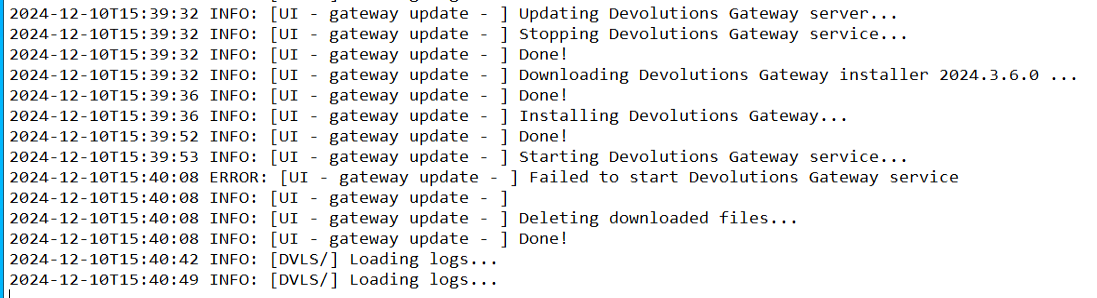
Your assistance would be appreciated.
Thank you,
mg
4318dcac-01d2-4b6c-bb12-fae2d1f2b298.png
b696a4d9-e57f-46ce-917c-af0f60877c00.png
fa5eb72a-2e58-4e4c-b97d-f026807c6e33.png
de969242-9936-4cf4-934f-136a7c40715a.png
Recommended Answer
Hello,
Thank you for contacting us on that matter!
We cannot usually create a user (automatically or manually), it's because the DVLS instance has reached the user limit. Could you compare the number of created users in Administration - Users (the number is located in the lower right corner) with your DVLS license user limit in Administration - Licenses?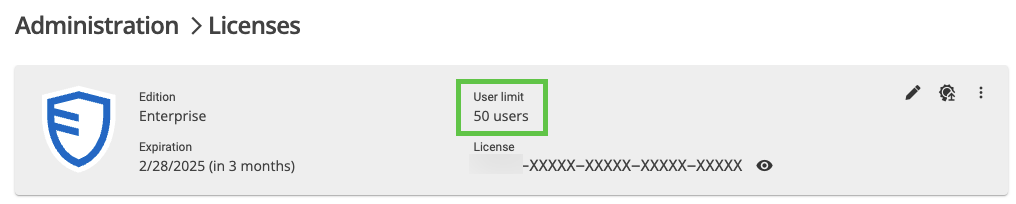
For the Gateway issue, you can try launching it from PowerShell 7 using the DevolutionsGateway.exe application located in C:\Program Files\Devolutions\Gateway to get a more accurate error message.
Best regards,
Érica Poirier
080bb666-6aa4-40e8-b537-ab9d8b56b866.png
All Comments (7)
Hello,
Thank you for contacting us on that matter!
We cannot usually create a user (automatically or manually), it's because the DVLS instance has reached the user limit. Could you compare the number of created users in Administration - Users (the number is located in the lower right corner) with your DVLS license user limit in Administration - Licenses?
For the Gateway issue, you can try launching it from PowerShell 7 using the DevolutionsGateway.exe application located in C:\Program Files\Devolutions\Gateway to get a more accurate error message.
Best regards,
Érica Poirier
080bb666-6aa4-40e8-b537-ab9d8b56b866.png
Hi, I just ran against the same problem. Are disabled users counted towards the user limit?
edit: I just checked: disabled users are also counted towards the user limit. I couldn't add another user after disabling the last one. That's ridiculous... If that's by design, at least give us the possibility to auto-delete users when they are disabled in the identity provider (Entra ID in our case) on a scheduled sync.
Hello,
Yes, disabled users are indeed counted towards the user limit in Devolutions Server. I understand your frustration with this limitation. Currently, there is no automatic deletion of users when they are disabled in the identity provider, such as Entra ID, during a scheduled sync.
I recommend submitting a feature request on our forum to express your need for an auto-deletion feature. This feedback is valuable and can help us improve our products.
If you have any further questions or need additional assistance, please feel free to reach out.
Best regards,
Hello,
Would it be possible to confirm the version of your Devolutions Server?
I've just tested it with a free Devolutions Server on version 2024.3.10.0 which allows for 10 users and I'm able to add a new user once I disable a user after reaching the limit.
Best regards,
I was able to create 218 users (I think) before I couldn't add any more, despite having a 215 user license. Then I disabled a user and tried adding another. That failed.
Hello,
After disabling the user, have you tried refreshing the web page? When I tested the + and the import button were grayed out before the refresh.
Make sure to refresh the browser and not the user list:
Best regards,
f9c872fa-6333-41a7-ba96-0a1838391fd1.png
Hi William,
That did the trick, thanks!
Best regards,
Thomas