Login loop - "Unable to get user information"

I have used RDM for months without issue but suddenly it stopped working...
I am running 2024.3.1.4 installed as flatpack on SteamOS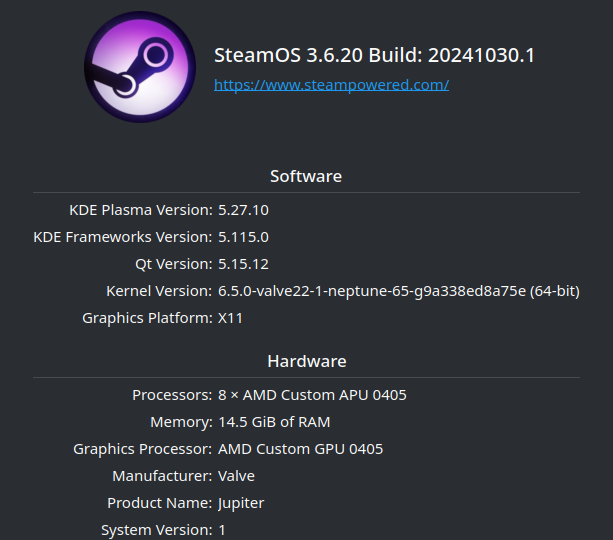
After application start I am redirected to Microsoft Edge for Login, get a new page that says I need to Authorize RDM: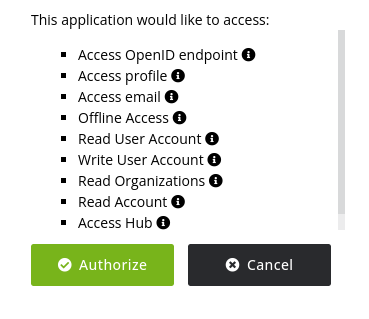
After that it says success! and then I get this:
After I press Ok an additional instance of RDM is started and everything repeats.
8df0ccaf-e416-4fa4-9420-94a51fdc09f8.png
0b7f69a0-6f6d-4181-97a4-6e49c5e70868.png
2dcd7d27-0d36-462e-b9e3-c1d2e963fff8.png
All Comments (4)
It could be related to kwallet, since I changed password on both user and kwallet around the time it stopped working. My vscode reported an issue with that, and this article had a solution:
https://code.visualstudio.com/docs/editor/settings-sync#_other-linux-desktop-environments
running this solved it for vscode: "flatpak override --user --talk-name=org.kde.kwalletd5 --talk-name=org.freedesktop.secrets com.visualstudio.code"
Tried running the same for RDM: "flatpak override --user --talk-name=org.kde.kwalletd5 --talk-name=org.freedesktop.secrets net.devolutions.RDM"
But it didn't make any difference.
Hi johan,
We don't utilize any keyring service for the data source login process, which is why the command you mentioned doesn't resolve the issue with RDM.
Before we investigate further, could you clarify the following:
- What was the last version of RDM that worked for you before 2024.3.1.4?
- What type of data source are you trying to use?
Simon Duguay Létourneau
Tried to find which version I had before but it's not in the update logs. Probably the version just before as I do regular updates.
Data source is hub personal.
Hello,
This issue has been resolved, and the fix is available in the latest release of RDM (2025.3.0.8).
Please note that a database upgrade is required if you use SQL Server as your datasource.
Please consult this article prior to perform the upgrade
https://docs.devolutions.net/rdm/windows/installation/database-upgrade/
Please let us know if you are still encountering any issues or if this works as expected.
Best regards,
Maxim Robert