Microsoft Authentication

Hi, another problem with the new server.
Authentication is set up via Microsoft Authentication, which is working.
But i want to limit the users who can log on to the server.
I think this would be the way :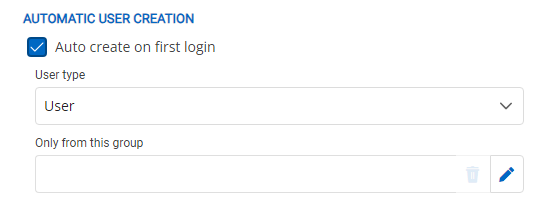
The search dialog does not work correctly.
When i start to type no entry is listed, when i paste the complete name of the group the entry is not displayed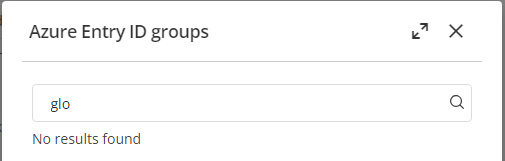
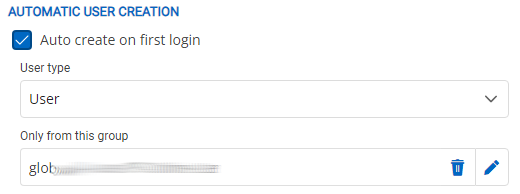
when i clear the search box and scroll down in the list i can select a group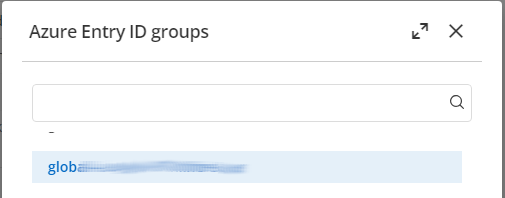
bae6d81c-bbaf-4429-aa5c-33bd90117d4f.png
7a1808d2-a72e-4c8b-b8bc-5801e96a30cb.png
1ef52281-8a19-4173-8b72-66501b1430c7.png
4e8c2e30-077d-42f8-a3af-3400895e9f35.png
All Comments (2)
Hello,
Thank you for reaching out!
My name is William and I'm here to assist you in any way I can.
You are correct, this option allows you to limit the automatic creation of users based on an existing group of your Azure. You will still be able to manually add users that are not part of that group, but if they try to log in without being added manually by an admin they will receive an error message.
Also, I can confirm that I have the same issue with our test environment. I will reach out to our development team to take a look at the issue and I will get back to you as soon as I have more information.
Best regards,
Hello,
We already had an internal case opened for this issue.
I just linked your thread to our internal case and I will let you know as soon as I have more information.
Best regards,