SQL Datasource - "Set-RDMSession: Your connection is not ready"

I have updated RDM to the latest version, and I'm running pwsh 7.4.5. My datasource is created through RDM on my SQL Server 2022 VM.
I can pretty much execute any powershell commands pertaining to RDM, but for some reason, whenever I attempt to use Set-RDMSession to create entries in the datasource, I receive the error, "Set-RDMSession: Your connection is not ready".
I have recreated the datasource, ensured the accounts I am using have full control over the datasource DB, but there's not change. Where can I go from here?
All Comments (24)
Hello,
What do you get with Get-RDMCurrentDataSource?
What RDM and Devolutions.PowerShell module versions are you using?
Could you ensure that the RDM major and minor versions match the one of the PowerShell module?
If you use RDM 2024.3.x, then you must use the PowerShell module 2024.3.x.
Best regards,
Érica Poirier
Get-RDMCurrentDataSource

ID          : e39e749b-8831-4844-98f3-ced4873ea777
IsConnected : True
IsOffline   : False
Name        : VII-SQL01
Type        : SQLServer
Get-Module -Name "Devolutions.PowerShell"

ModuleType Version    PreRelease Name                                ExportedCommands
---------- -------    ---------- ----                                ----------------
Binary     2024.3.0              Devolutions.PowerShell
RDM version: 2024.3.12.0
Powershell version: 7.4.5
Hello,
Thank you for your feedback.
If the account you use in the SQL data source has enough permissions to create or update entries, it should work.
Could you please send your piece of code so I can test it? Ensure removing sensitive data it may contain.
Best regards,
Érica Poirier
The account used has full permissions to the datasource.
You can see below, that even quite simple commands fail with "Set-RDMSession: Your connection is not ready". I have also tried with templates, resulting in the same failure.
PS C:\> $session = New-RDMSession -Host "VII-DC01.viilab.net" -Name "VII-DC01" -Type RDPConfigured
PS C:\> Set-RDMSession -Session $session -Refresh -Verbose
VERBOSE: [Set-RDMSession] Start
Set-RDMSession: Your connection is not ready
VERBOSE: [Set-RDMSession] Finish
PS C:\> New-RDMSession -Host "VII-DC01.viilab.net" -Name "VII-DC01" -Type RDPConfigured -SetSession -Verbose
VERBOSE: [New-RDMSession] Start
Set-RDMSession: Your connection is not ready
DocumentData :
HostResolved : VII-DC01.viilab.net
PsPlaylistLocal :
SubConnections : {}
UserSpecficSettings :
ConfluenceDocumentationUrl :
DocumentationExternalType : Default
DocumentationTitle :
DocumentationType : Markdown
DocumentationVariables : Default
ShowDocumentationTab : Inherited
AlternateShell :
AlwaysAskForResources : False
ApplicationIntegrationMode : Default
AuthentificationLevel : Default
AutoReconnection : True
CommandLine :
CommandLineWaitForApplicationToExit : False
CommandLineWorkingDirectory :
Console : False
DesktopComposition : False
DisableBitmapCache : False
DisableCursorSetting : False
DisableFullWindowDrag : False
DisableMenuAnims : False
DisableThemes : False
DisableWallpaper : False
DisplayConnectionBar : True
FontSmoothing : False
RDPFileName :
ScreenColor : C32Bits
ScreenSize : Default
ShellWorkingDirectory :
SoundHook : Default
Span : False
Url : VII-DC01.viilab.net
UsesClipboard : True
UsesDevices : False
UsesHardDrives : True
UsesPrinters : False
UsesSerialPorts : False
UsesSmartDevices : False
WebBrowserApplication : Default
WebBrowserUrl :
AllowPasswordVariable : False
AlternalteHostVPNBefore : False
AlternateHostAllowCustomHost : False
AlternateHostMode : Default
AlternateHosts :
AutomaticallyClose : False
AutomaticallyCloseInterval : 0
ClearTextPassword :
ClearTextPrivateKeyData :
Color :
ColorMode : Custom
ConnectionStringConnectionID :
ConnectionStringMode : Default
ConnectionSubType :
ConnectionType : RDPConfigured
ConnectUsingDashboardOnDoubleClick : Default
ContentType : Default
CreatedBy :
CreationDateTime :
CreationSource :
CredentialConnectionGroup :
CredentialConnectionID :
CredentialConnectionSavedPath :
CredentialDynamicDescription :
CredentialDynamicValue :
CredentialInheritedMode : Default
CredentialPrivateVaultSearchString :
CustomDnsServer :
CustomImageID :
CustomPort :
CustomStatus :
Data :
DataFileName :
Description :
DescriptionMode : Text
DescriptionRtf :
DescriptionUrl :
DisplayMonitor : Default
DisplayVirtualDesktop : Current
DocumentAllowExport : True
DocumentDataMode : Link
DocumentLinkConnectionID :
DocumentSize : 0
DomainHostOverride : False
DomainOverrideType : Default
Encrypt : False
ExcludeFromNotifications : False
ExludeFromOpenedSession : False
FavoritePath :
ForeColor :
ForeColorStyle : Status
GoOfflineOnConnect : False
Group :
GroupCredentialPrompt :
GroupMain :
GroupTab :
HasAttachedDocument : False
Host : VII-DC01.viilab.net
HostConnectionID :
HostConnectionSavedPath :
HostDomain :
HostFull : VII-DC01.viilab.net
HostNetworkInterfaceMac : en0
HostPort : 3389
HostSourceMode : SessionSpecific
HostUserName :
HostWithPort : VII-DC01.viilab.net
ID : 4e45e3c8-0f0a-4064-878b-380a5cbdb05b
Image :
ImageMD5 :
ImageName :
IncludeInFavorite : False
IntelligentCacheAction : AddUpdate
IsFavorite : False
KeyboardHook : Default
Name : VII-DC01
OpenEmbedded : True
PamCredentialID :
PamCredentialName :
PamCredentialVaultID :
ParentID :
PasswordResolved : True
PersonalConnectionID :
PinEmbeddedMode : Default
PingConnectionMethod : Default
PingConnectionMode : Default
PingConnectionScanPort : 0
PrivateKeyConnectionID :
PrivateKeySearchString :
PromptCredentials : False
ReconnectMode : Default
RepositoryID : 00000000-0000-0000-0000-000000000000
RiskyEvents : Default
SealState : None
SensitiveResolved : True
SharedTemplate : False
ShowInTrayIcon : True
SortPriority : 0
Status :
StatusLockedBy :
StatusMessage :
SubMode : 0
SwitchDataSourceID :
SwitchDataSourceName :
SwitchRepositoryFolder :
SwitchRepositoryID :
SwitchRepositoryName :
SyncedDestination :
SynchronizedItemID :
TabGroupMode : Custom
TabTitle :
TemplateGroupData :
TemplateName :
TemplateSearchPath :
TemplateSearchPathMode : None
TemplateSourceID : a569b61a-57e9-457e-aeba-440d785a0a5e
Undocked : False
UndockMaximized : Default
UpdateDateTime :
UpdatedBy :
UserNameFormat : Default
UserVaultMigrationID : 00000000-0000-0000-0000-000000000000
Visibility : Default
WakeOnLANBroadcastIPAddress :
WakeOnLANPort : 0
ActiveDirectoryConsole : RemoteDesktopManager.PowerShellModule.PSOutputObject.PSActiveDirectoryConsoleConnection
AddOn : RemoteDesktopManager.PowerShellModule.PSOutputObject.PSAddOnConnection
Agent : RemoteDesktopManager.PowerShellModule.PSOutputObject.PSAgentConnection
AI : RemoteDesktopManager.PowerShellModule.PSOutputObject.PSAIConnection
AppleRemoteManagement : RemoteDesktopManager.PowerShellModule.PSOutputObject.PSAppleRemoteManagementConnection
Autofill : RemoteDesktopManager.PowerShellModule.PSOutputObject.PSAutofillConnection
Aws : RemoteDesktopManager.PowerShellModule.PSOutputObject.PSAwsConnection
AzureBastion : RemoteDesktopManager.PowerShellModule.PSOutputObject.PSAzureBastionConnection
AzurePIM : RemoteDesktopManager.PowerShellModule.PSOutputObject.PSAzurePIMConnection
AzureStorage : RemoteDesktopManager.PowerShellModule.PSOutputObject.PSAzureStorageConnection
BeyondTrustPasswordSafeConsole : RemoteDesktopManager.PowerShellModule.PSOutputObject.PSBeyondTrustPasswordSafeConsoleConnection
BoxNet : RemoteDesktopManager.PowerShellModule.PSOutputObject.PSBoxNetConnection
ChromeRemoteDesktop : RemoteDesktopManager.PowerShellModule.PSOutputObject.PSChromeRemoteDesktopConnection
Citrix : RemoteDesktopManager.PowerShellModule.PSOutputObject.PSCitrixConnection
CloudBerryRemoteAssistant : RemoteDesktopManager.PowerShellModule.PSOutputObject.PSCloudBerryRemoteAssistantConnection
Cmd : RemoteDesktopManager.PowerShellModule.PSOutputObject.PSCmdConnection
ControlUp : RemoteDesktopManager.PowerShellModule.PSOutputObject.PSControlUpConnection
Credentials : RemoteDesktopManager.PowerShellModule.PSOutputObject.PSCredentialsConnection
Customer : RemoteDesktopManager.PowerShellModule.PSOutputObject.PSCustomerConnection
CustomImage : RemoteDesktopManager.PowerShellModule.PSOutputObject.PSCustomImageConnection
CyberArkAccount : RemoteDesktopManager.PowerShellModule.PSOutputObject.PSCyberArkAccountConnection
CyberArkDashboard : RemoteDesktopManager.PowerShellModule.PSOutputObject.PSCyberArkDashboardConnection
CyberArkPSM : RemoteDesktopManager.PowerShellModule.PSOutputObject.PSCyberArkPSMConnection
Dameware : RemoteDesktopManager.PowerShellModule.PSOutputObject.PSDamewareConnection
DataEntry : RemoteDesktopManager.PowerShellModule.PSOutputObject.PSDataEntryConnection
DataReport : RemoteDesktopManager.PowerShellModule.PSOutputObject.PSDataReportConnection
DCV : RemoteDesktopManager.PowerShellModule.PSOutputObject.PSDCVConnection
DelineaSecretServerProxy : RemoteDesktopManager.PowerShellModule.PSOutputObject.PSDelineaSecretServerProxyConnection
DellRemoteAccessController : RemoteDesktopManager.PowerShellModule.PSOutputObject.PSDellRemoteAccessControllerConnection
DeskRoll : RemoteDesktopManager.PowerShellModule.PSOutputObject.PSDeskRollConnection
DevolutionsGateway : RemoteDesktopManager.PowerShellModule.PSOutputObject.PSDevolutionsGatewayConnection
DevolutionsGatewayTunnel : RemoteDesktopManager.PowerShellModule.PSOutputObject.PSDevolutionsGatewayTunnelConnection
Document : RemoteDesktopManager.PowerShellModule.PSOutputObject.PSDocumentConnection
DropBox : RemoteDesktopManager.PowerShellModule.PSOutputObject.PSDropBoxConnection
DvlsPamDashboard : RemoteDesktopManager.PowerShellModule.PSOutputObject.PSDVLSPamDashboardConnection
EntraIDConsole : RemoteDesktopManager.PowerShellModule.PSOutputObject.PSEntraIDConsoleConnection
Events : RemoteDesktopManager.PowerShellModule.PSOutputObject.PSConnectionEvents
FileExplorer : RemoteDesktopManager.PowerShellModule.PSOutputObject.PSFileExplorerConnection
Ftp : RemoteDesktopManager.PowerShellModule.PSOutputObject.PSFtpConnection
GoogleCloud : RemoteDesktopManager.PowerShellModule.PSOutputObject.PSGoogleCloudConnection
GoogleDrive : RemoteDesktopManager.PowerShellModule.PSOutputObject.PSGoogleDriveConnection
GotoAssist : RemoteDesktopManager.PowerShellModule.PSOutputObject.PSGoToAssistConnection
GroupDetails : RemoteDesktopManager.PowerShellModule.PSOutputObject.PSGroupConnection
HostDetails : RemoteDesktopManager.PowerShellModule.PSOutputObject.PSHostConnection
HPIntegratedLightsOut : RemoteDesktopManager.PowerShellModule.PSOutputObject.PSHPIntegratedLightsOutConnection
Hub : RemoteDesktopManager.PowerShellModule.PSOutputObject.PSHubConnection
HyperV : RemoteDesktopManager.PowerShellModule.PSOutputObject.PSHyperVConnection
IDrac : RemoteDesktopManager.PowerShellModule.PSOutputObject.PSIDracConnection
ILO : RemoteDesktopManager.PowerShellModule.PSOutputObject.PSILOConnection
Intel : RemoteDesktopManager.PowerShellModule.PSOutputObject.PSIntelConnection
InventoryReport : RemoteDesktopManager.PowerShellModule.PSOutputObject.PSInventoryReportConnection
ITerm : RemoteDesktopManager.PowerShellModule.PSOutputObject.PSITermConnection
Jump : RemoteDesktopManager.PowerShellModule.PSOutputObject.PSJumpConnection
JumpCommand : RemoteDesktopManager.PowerShellModule.PSOutputObject.PSJumpCommand
JumpDesktop : RemoteDesktopManager.PowerShellModule.PSOutputObject.PSJumpDesktopConnection
LogMeIn : RemoteDesktopManager.PowerShellModule.PSOutputObject.PSLogMeInConnection
MetaInformation : RemoteDesktopManager.PowerShellModule.PSOutputObject.PSConnectionMetaInformation
OTP : RemoteDesktopManager.PowerShellModule.PSOutputObject.PSConnectionOTP
PAM : RemoteDesktopManager.PowerShellModule.PSOutputObject.PSPamConnection
PAMProvider : RemoteDesktopManager.PowerShellModule.PSOutputObject.PSPamProviderConnection
PlayList : RemoteDesktopManager.PowerShellModule.PSOutputObject.PSPlayListConnection
PowerShell : RemoteDesktopManager.PowerShellModule.PSOutputObject.PSPowerShellConnection
ProxyTunnel : RemoteDesktopManager.PowerShellModule.PSOutputObject.PSProxyTunnelConnection
ProxyTunnelMac : RemoteDesktopManager.PowerShellModule.PSOutputObject.PSProxyTunnelConnectionMac
Putty : RemoteDesktopManager.PowerShellModule.PSOutputObject.PSPuttyConnection
Radmin : RemoteDesktopManager.PowerShellModule.PSOutputObject.PSRadminConnection
RDCommander : RemoteDesktopManager.PowerShellModule.PSOutputObject.PSRDCommanderConnection
RDGateway : RemoteDesktopManager.PowerShellModule.PSOutputObject.PSRDGatewayConnection
RDP : RemoteDesktopManager.PowerShellModule.PSOutputObject.PSRDPConnection
Recording : RemoteDesktopManager.PowerShellModule.PSOutputObject.PSRecordingConnection
ReportTool : RemoteDesktopManager.PowerShellModule.PSOutputObject.PSReportToolConnection
Root : RemoteDesktopManager.PowerShellModule.PSOutputObject.PSRootConnection
RunAsConnection : RemoteDesktopManager.PowerShellModule.PSOutputObject.PSRunAsConnection
S3 : RemoteDesktopManager.PowerShellModule.PSOutputObject.PSS3Connection
Scp : RemoteDesktopManager.PowerShellModule.PSOutputObject.PSScpConnection
Script : RemoteDesktopManager.PowerShellModule.PSOutputObject.PSScriptConnection
ScriptDashboard : RemoteDesktopManager.PowerShellModule.PSOutputObject.PSScriptDashboardConnection
Security : RemoteDesktopManager.PowerShellModule.PSOutputObject.PSSecurityConnection
Shortcut : RemoteDesktopManager.PowerShellModule.PSOutputObject.PSShortcutConnection
SkyDrive : RemoteDesktopManager.PowerShellModule.PSOutputObject.PSSkyDriveConnection
SmartFolder : RemoteDesktopManager.PowerShellModule.PSOutputObject.PSSmartFolderConnection
SMB : RemoteDesktopManager.PowerShellModule.PSOutputObject.PSSMBConnection
SNMPReport : RemoteDesktopManager.PowerShellModule.PSOutputObject.PSSNMPReportConnection
Spiceworks : RemoteDesktopManager.PowerShellModule.PSOutputObject.PSSpiceworksConnection
SplashtopDashboard : RemoteDesktopManager.PowerShellModule.PSOutputObject.PSSplashtopDashboardConnection
Splunk : RemoteDesktopManager.PowerShellModule.PSOutputObject.PSSplunkConnection
Stats : RemoteDesktopManager.PowerShellModule.PSOutputObject.PSStatsConnection
Sync : RemoteDesktopManager.PowerShellModule.PSOutputObject.PSSyncConnection
TeamViewer : RemoteDesktopManager.PowerShellModule.PSOutputObject.PSTeamViewerConnection
TeamViewerConsole : RemoteDesktopManager.PowerShellModule.PSOutputObject.PSTeamViewerConsoleConnection
Template : RemoteDesktopManager.PowerShellModule.PSOutputObject.PSTemplateConnection
Terminal : RemoteDesktopManager.PowerShellModule.PSOutputObject.PSTerminalConnection
TerminalConsole : RemoteDesktopManager.PowerShellModule.PSOutputObject.PSTerminalServerConnection
TerminalMac : RemoteDesktopManager.PowerShellModule.PSOutputObject.PSTerminalConnectionMac
Ticketing : RemoteDesktopManager.PowerShellModule.PSOutputObject.PSTicketingConnection
Tools : RemoteDesktopManager.PowerShellModule.PSOutputObject.PSToolConnection
VirtualBox : RemoteDesktopManager.PowerShellModule.PSOutputObject.PSVirtualBoxConnection
VMRC : RemoteDesktopManager.PowerShellModule.PSOutputObject.PSVMRCConnection
VMWare : RemoteDesktopManager.PowerShellModule.PSOutputObject.PSVMWareConnection
VNC : RemoteDesktopManager.PowerShellModule.PSOutputObject.PSVNCConnection
VPN : RemoteDesktopManager.PowerShellModule.PSOutputObject.PSVPNConnection
VPNMac : RemoteDesktopManager.PowerShellModule.PSOutputObject.PSVPNConnectionMac
Web : RemoteDesktopManager.PowerShellModule.PSOutputObject.PSWebConnection
WebDav : RemoteDesktopManager.PowerShellModule.PSOutputObject.PSWebDavConnection
WindowsAdminCenter : RemoteDesktopManager.PowerShellModule.PSOutputObject.PSWindowsAdminCenterConnection
WindowsTerminal : RemoteDesktopManager.PowerShellModule.PSOutputObject.PSWindowsTerminalConnection
XenServer : RemoteDesktopManager.PowerShellModule.PSOutputObject.PSXenServerConnection
XWindow : RemoteDesktopManager.PowerShellModule.PSOutputObject.PSXWindowConnection
UseVPN : False
VNCOptions :
VNCUrl :
VPNDomain :
VPNName :
VPNSafePassword :
VPNUserName :
VERBOSE: [New-RDMSession] FinishHello,
I cannot reproduce this issue on my SQL data source. This is a really strange problem.
What authentication method are you using with the SQL data source?
What do you get with these 2 cmdlets? Please hide sensitive data before posting it on the forum!
Get-RDMInstance
Get-RDMDiagnostic
Here is what I get using these cmdlets.
PS C:\> Get-RDMInstance
ApplicationVersion OptionFilename
------------------ --------------
2024.3.0.0         C:\Users\myuser\AppData\Roaming\Devolutions\RemoteDesktopManager\RemoteDesktopMan…
PS C:\> Get-RDMDiagnostic
Serial                        LicenseType IsLicenseValid IsLicenseExpired
------                        ----------- -------------- ----------------
XXXXX-XXXXX-XXXXX-XXXXX-XXXXX None                  True            False
Best regards,
Érica Poirier
Good morning,
I'm using Windows authentication with the SQL data source, but I have also tried SQL authentication with the same symptoms.
PS C:\> Get-RDMInstance

ApplicationVersion OptionFilename
------------------ --------------
2024.3.0.0         C:\Users\xxxxxxxx\AppData\Local\Devolutions\RemoteDesktopManager\RemoteDesktopManager.cfg
PS C:\> Get-RDMDiagnostic

Serial                        LicenseType IsLicenseValid IsLicenseExpired
------                        ----------- -------------- ----------------
XXXXX-XXXXX-XXXXX-XXXXX-XXXXX Enterprise            True            False
FYI - I have built a brand new environment to test and isolate the SQL server and workstation I've been attempting this on, and continue to get the same error.
Hello,
Thank you for your feedback.
We are trying to reproduce this issue to find a solution.
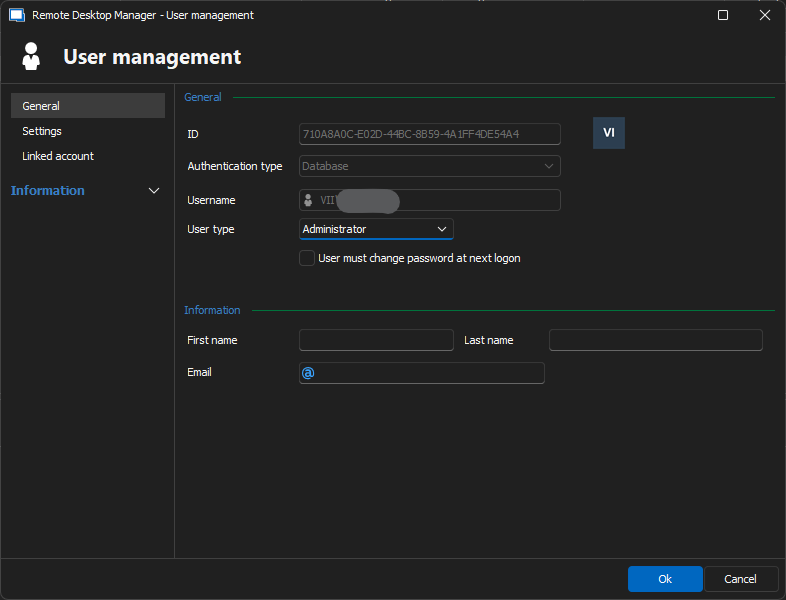
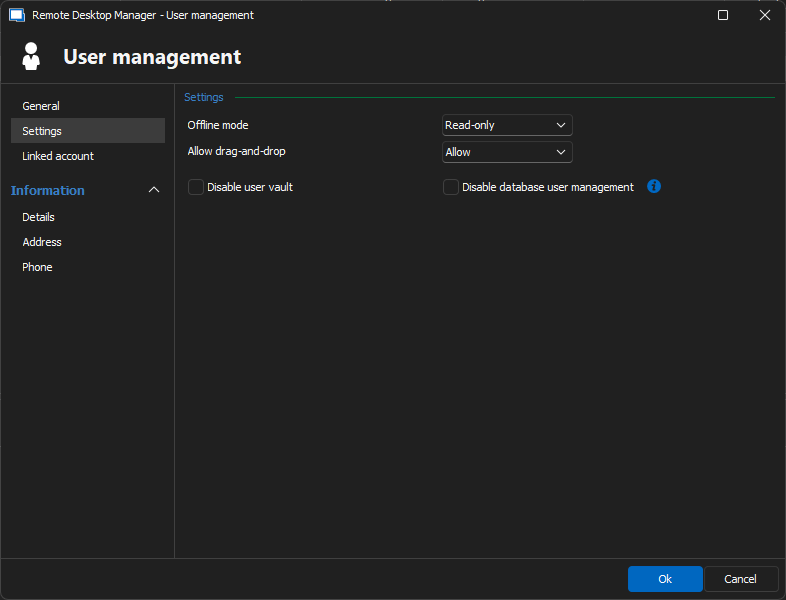
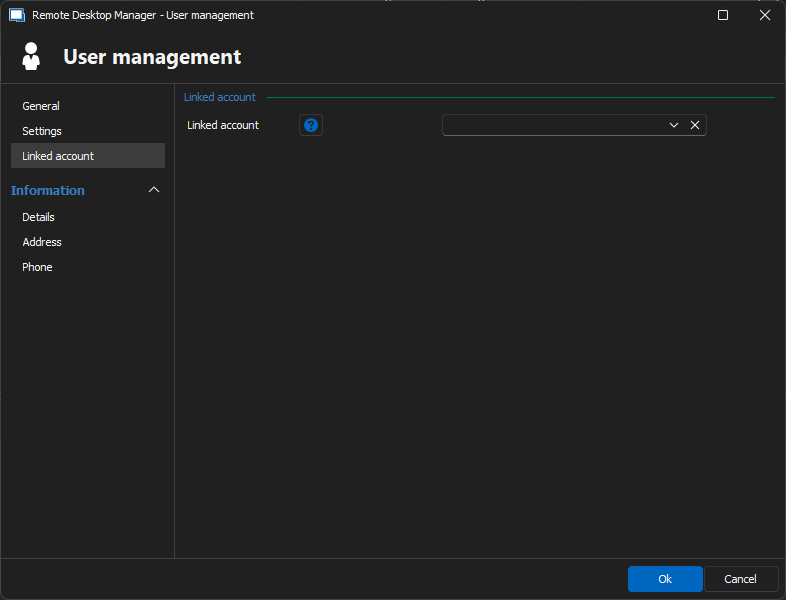
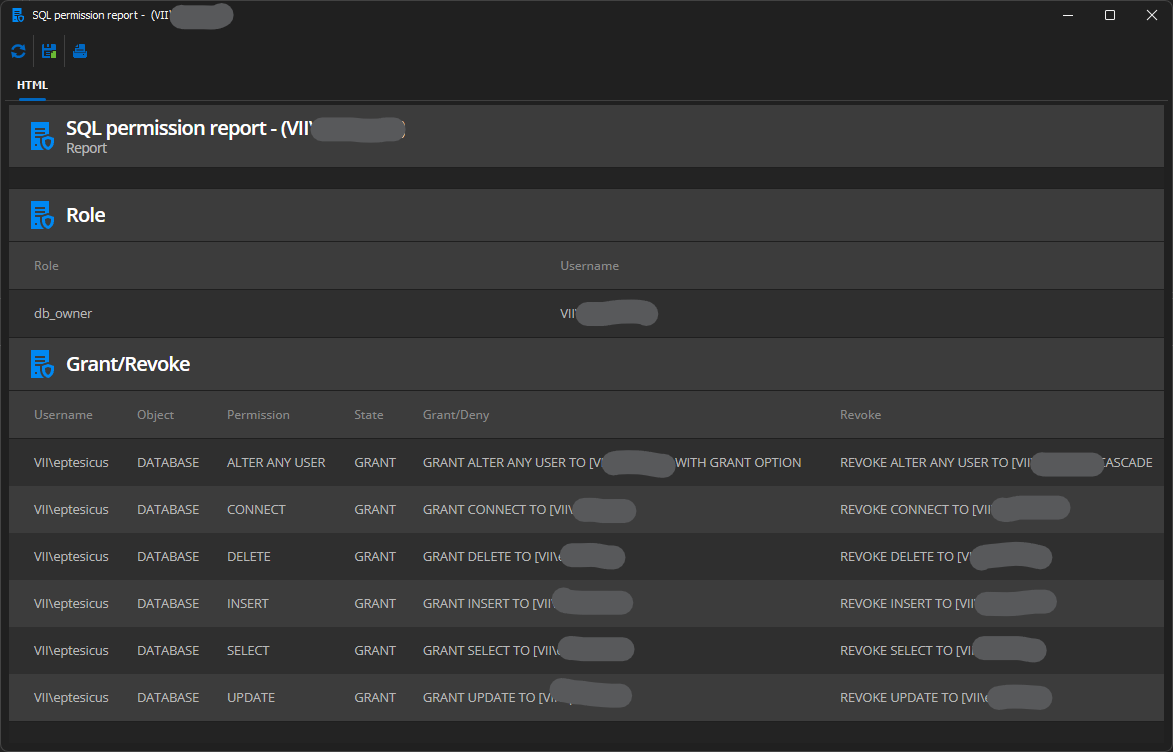
Could you send screenshots of your RDM SQL data source configuration and user account properties? Please make sure you hide sensitive information before posting the screenshots.
Best regards,
Érica Poirier
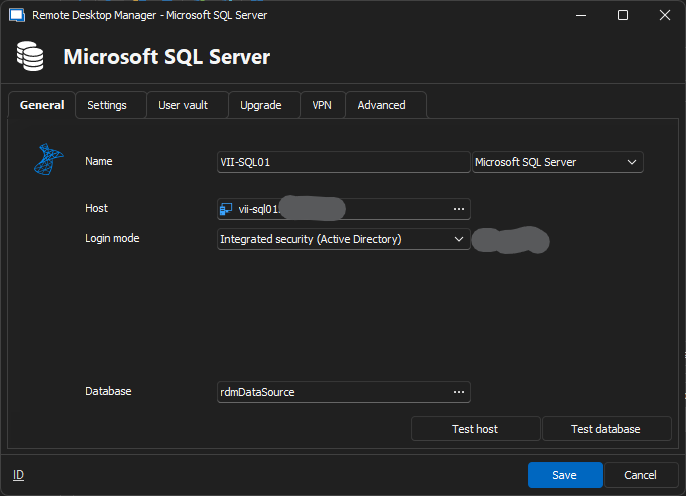
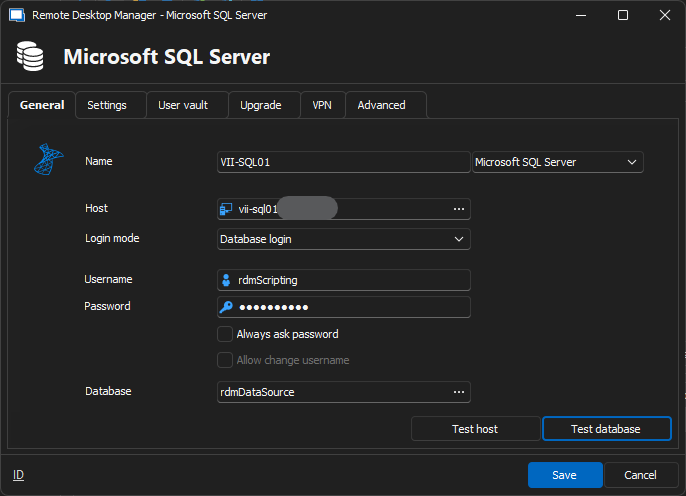
Both login modes produce successful connections below.
Test Host: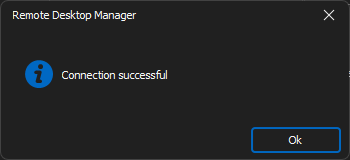
Test Database: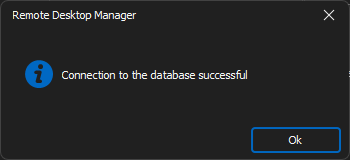
Thank you for your help! Please let me know if any further information could be helpful to you and your team. If I don't receive a response by the end of the day, then I hope you have a great weekend and look forward to resolving this with you next week.
8dd8c578-e111-4542-8841-ab65a4163021.png
952a6434-d300-4a8c-b50c-724422926155.png
7ca8dea3-1244-4bca-8c5c-3397b03628c8.png
b87a1ef5-97ec-48c5-bb08-44f6c5c80e8f.png
8aca9059-b4f7-45c4-98c5-3713043facb8.png
53e1aa41-1441-433b-82f0-348ac065a1c9.png
73507746-c6f2-4fc3-8c7f-f9cca68d1ba2.png
a0452e72-93da-4209-bd1c-6d7da44cef57.png
fafcd83a-7a0b-4528-90e2-4fbab7751369.png
Hello,
Thank you for your feedback.
I did have a great weekend. I hope you enjoyed your weekend.
Could you please try to fix the SQL Login using the Hammer button in Administration - Users? This should also grant proper permissions on the database for the user account.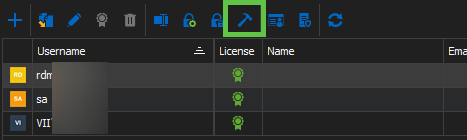
Best regards,
Érica Poirier
5a414dfb-1c0b-4fe1-804e-46f13ccf44cf.png
Hi, Erica. I have done that, but the issue unfortunately persists.
Hello,
Thank you for your feedback.
Please open a case at service@devolutions.net with a reference to this forum's thread, and I will send you a link to book a support session.
Best regards,
Érica Poirier
I have the same issue, was a solution found?
I have the same issue, was a solution found?
I wish, but no.
PS C:\Users\user> $Entry = Get-RDMEntry -ID e8903fec-edcc-4860-8972-d09b140711c7
PS C:\Users\user> $Entry.Name
ANVSKT01
PS C:\Users\user> Set-RDMEntry -InputObject $Entry
Set-RDMEntry: Uw verbinding is niet klaar
This is the simplest use of Set-RDMEntry (~= Set-RDMSession) I can imagine but doesn't work
I'm on Powershell 7.4.6 with version 2024.3.10 of Devolutions.Powershell on RDM 2024.3.22
The weird thing is that it did work at one time but for some reason it stopped
Hello,
As we cannot reproduce your issue on our test environment, could you email us at service@devolutions.net to open a ticket so we can send you a link to book a support session?
We want to investigate what configuration you use to try to reproduce this on our end.
Thank you for your collaboration.
Best regards,
Érica Poirier
PS C:\Users\user> $Entry = Get-RDMEntry -ID e8903fec-edcc-4860-8972-d09b140711c7
PS C:\Users\user> $Entry.Name
ANVSKT01
PS C:\Users\user> Set-RDMEntry -InputObject $Entry
Set-RDMEntry: Uw verbinding is niet klaar
This is the simplest use of Set-RDMEntry (~= Set-RDMSession) I can imagine but doesn't work
I'm on Powershell 7.4.6 with version 2024.3.10 of Devolutions.Powershell on RDM 2024.3.22
The weird thing is that it did work at one time but for some reason it stopped
I no longer have support for RDM, but if you open a support case, I'd really love to know the outcome.
Hello,
@audioeptesicus if you still use RDM connected to a SQL data source, please open a ticket even if you don't have a support plan.
Best regards,
Érica Poirier
Hello Thomas,
Can you try using Update-RDMEntries before calling Set-RDMSession? This should eliminate cache-related issues and help us determine if caching is the problem.
Best regards,
Maxime
Hello Thomas,
Can you try using Update-RDMEntries before calling Set-RDMSession? This should eliminate cache-related issues and help us determine if caching is the problem.
Best regards,
Maxime
Winner winner, chicken dinner!
Thanks for your help!
Hello Thomas,
Can you try using Update-RDMEntries before calling Set-RDMSession? This should eliminate cache-related issues and help us determine if caching is the problem.
Best regards,
Maxime
Winner winner, chicken dinner!
Thanks for your help!
Have same issue of "your connection is not ready"; stopped working after 1st week of march, 2025.
Update-RDMEntries before calling Set-RDMSession does resolve the issue
Devolutions.PowerShell module ver: 2024..3.11
OS running PS commands: windows 11
Get-RDMDiagnostic
Get-RDMInstance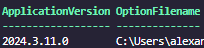
4374c45c-6e3a-460f-a8db-2cb59f0173c7.png
724fb7b1-b071-41b8-bf27-8bb1444673b4.png
Hello,
Could you let us know which data source you are using?
Additionally, after the error occurs, please run the following command and share the output:
$Error[0].TargetObject
This will help us reproduce and troubleshoot the issue more effectively.
Best regards,
Maxime
Hello,
Could you let us know which data source you are using?
Additionally, after the error occurs, please run the following command and share the output:
$Error[0].TargetObject
This will help us reproduce and troubleshoot the issue more effectively.
Best regards,
Maxime
hello -
the issue seems to come and go for no apparent rhyme or reason. There are no changes to environment between failed incidents and successful one. Case in point - scripted changes were successful about 24 hours after i posted the initial query
Hello,
I will continue investigating. As mentioned in my previous post, if you can share the output of $Error[0].TargetObject when the error occurs, it will help pinpoint the cause.
I suspect the issue resides with the license. Can you confirm that the user is assigned a license and that it is still valid? I will also investigate what could cause the serial to disappear in the powershell context, as your Get-RDMDiagnostic response seems to indicate.
Best regards,
Maxime