Devo Academy first impression

Hi, so I got invited to the beta and only opened the page so here are the first few thoughts:
1) FAQ shouldn't go into continue learning (see image below)
2) Side scrolling is always bad, most computer mice don't have that option, in my opinion 2 columns with normal scrolling should be more convinient.
3) The community forum banner on top should have the little icon that tells you it will open a new tab on another site. Although it may be more convinient to embbed it in the academy.
4) In the view all section there should be filters to better find what you need even when you don't know what to search for, at the moment it's just an endless list with 3 pages (which will go up). Add filetring by difficulty, subject maybe even add a suggested "flow" for courses that go together in a specific order.
That's all for now, once I'll have time I'll view some of the courses and add more thoughts.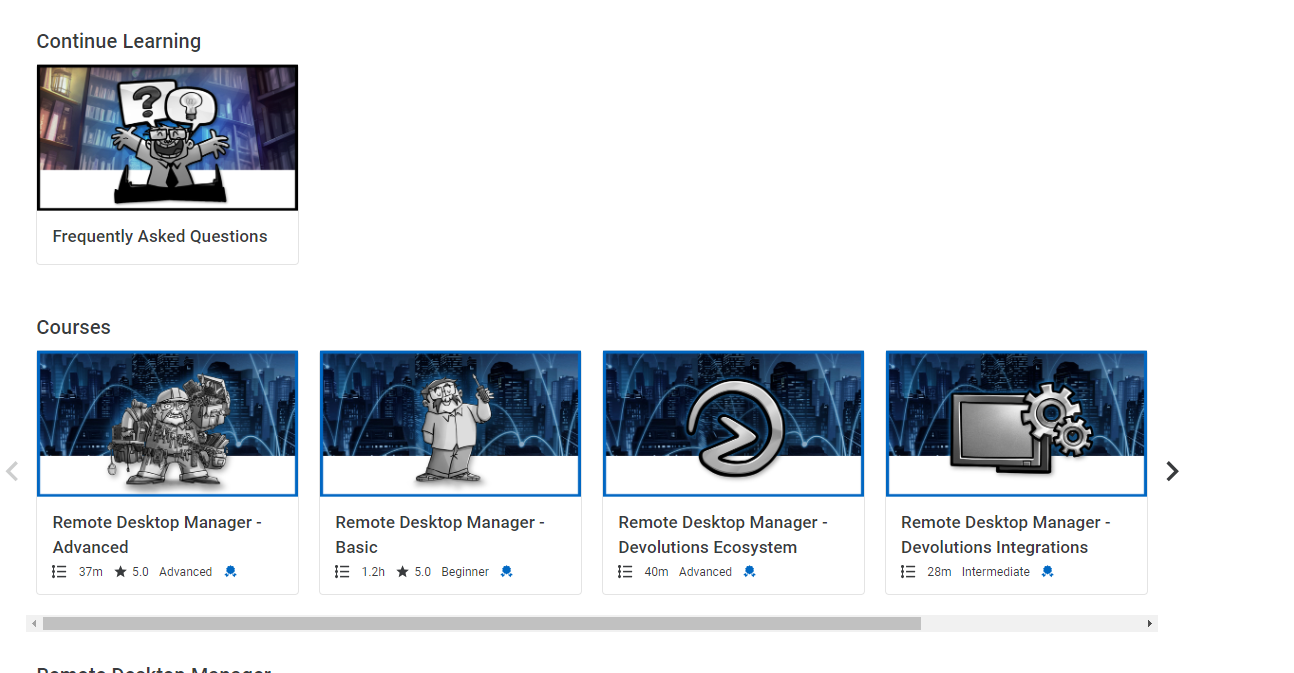
Ben
cd6a2c9a-9428-458e-9c47-216eaa006f07.png
All Comments (8)
Continuing:
5) Videos should have better resolution, it's no sharp and because of it a bit unpleasnt to watch.
6) In each course add in the side bar the suggested related courses. For example "Managing Entry Permissions" should link to course about devolutions permissions sets.
7) Add the ability to create a list of courses the user wants to do so they can choose them ahead and can find them without having to look through everything again.
First of all, many thanks for inviting me to be a beta tester for the new Devolutions Academy.
I didn't have much time to check out the Academy thoroughly, but here are a couple of things I noticed immediately when opening the site.
- Good to see the Academy is in the same style as all the rest of Devolutions products
- Do not start with "Home" (which is the landing page), as is shows courses in random order and level. I would suggest making the "Courses" page the landing page.
As there the courses are in chronological order, based on level (beginner, intermediate, advanced). Maybe even remove the "Home" page, as it serves not a real purpose.
Or make a page called "Progress" where everyone can see which courses they started and finished.
- When I paused a video/course and I want to resume it, there's the "Resume" button but the video starts playing from the beginning. It would be better to have the video start from where it got paused.
- When clicking on the "Community Forum" I had to re-login. I was not able to respond to this forum (and hence, write this first impression). The login went automatically, but only when I clicked on the "Login" button. It would be better when coming from the Academy and want to go to the forum, it got automatically get signed in with same user account (not the extra press on login button).
As I have more time, I will share more opinions.
But the idea about this Academy is great !
Like the idea !
Hello Ben,
Thank you for joining the Beta of our Devolutions Academy! We truly appreciate you taking the time to provide us with such detailed feedback. We will address each of your points individually:
1) FAQ shouldn't go into continue learning (see image below)
This behavior occurs because the FAQ is currently treated as a learning activity. To remove it from your "Continue Learning" section, you can open the FAQ and scroll to the bottom of the page, which will mark it as completed. However, we are considering migrating the FAQ to a separate part of the website to prevent it from being treated like a course in the future.
2) Side scrolling is always bad, most computer mice don't have that option, in my opinion 2 columns with normal scrolling should be more convenient.
We could opt for a tabloid view that prioritizes the most recent activity, along with a compact display of other activities. Would you prefer this layout, or do you have other specific suggestions? 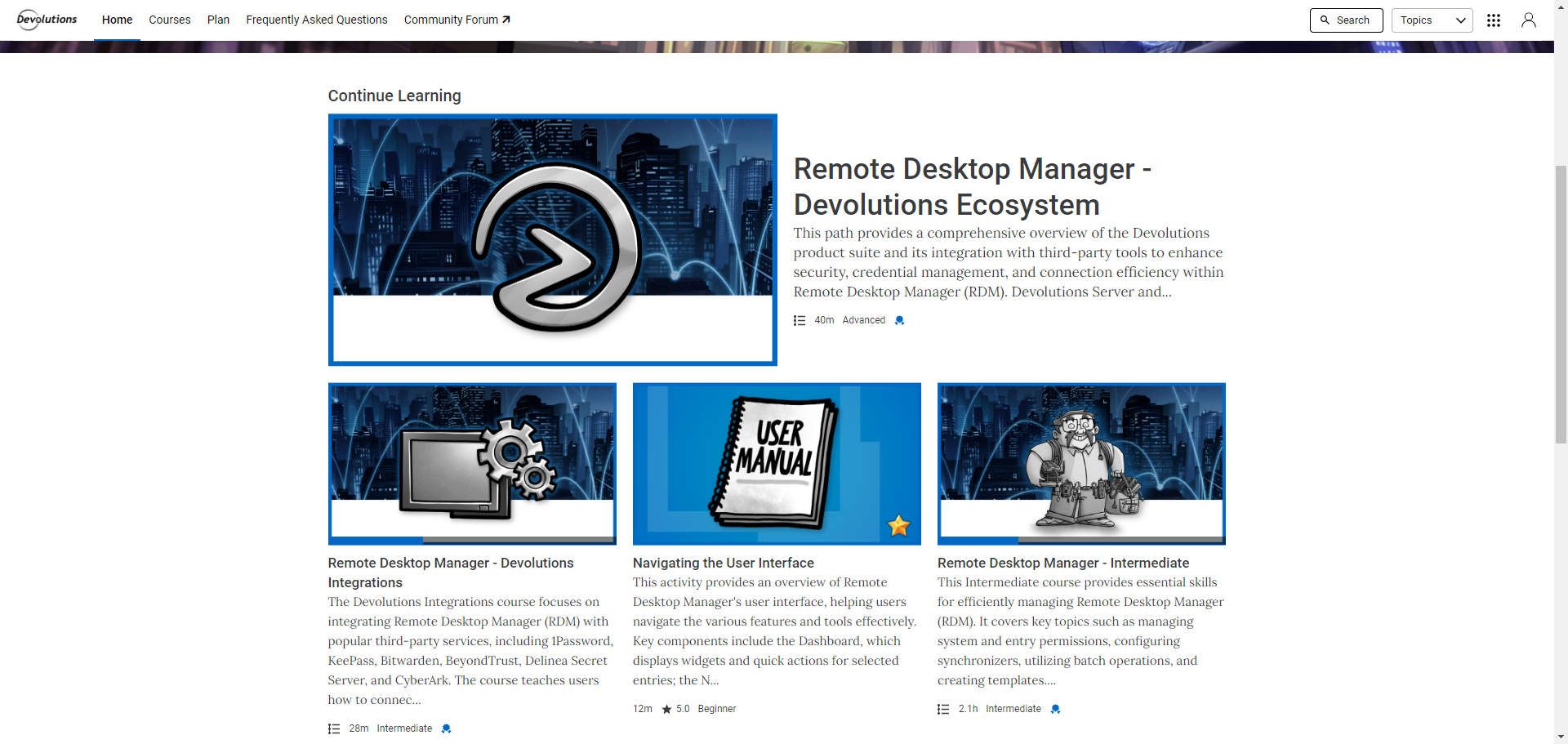
3) The community forum banner on top should have the little icon that tells you it will open a new tab on another site. Although it may be more convenient to embed it in the academy.
This is excellent feedback! We have just implemented an icon to indicate that the community forum link will open in a new tab. Let us know what you think!
4) In the view all section there should be filters to better find what you need even when you don't know what to search for, at the moment it's just an endless list with 3 pages (which will go up). Add filtering by difficulty, subject maybe even add a suggested "flow" for courses that go together in a specific order.
To help with navigating our content, we recommend following the structured courses. These courses are designed to group together related topics, activities, and difficulty levels. The "view all" section currently shows all activities tied to a specific topic. In the current phase, the one found under the "Remote Desktop Manager" section regroup every activities tied to this product. That being said, we recognize that better filtering options could improve your experience, especially as more content is added. We are actively exploring ways to make it easier for learners to filter content by difficulty, topic, and more, so you can quickly find what you need.
5) Videos should have better resolution, it's no sharp and because of it a bit unpleasant to watch.
We fully understand the importance of high-quality video resolution for an optimal learning experience. We are currently exploring solutions that would allow learners to choose the video quality that best suits their needs. One option we're considering is YouTube integration, but we want to ensure any solution we implement fits seamlessly into the platform and doesn't impact overall performance. Rest assured, we will keep you updated as we work towards a suitable resolution.
6) In each course add in the side bar the suggested related courses. For example "Managing Entry Permissions" should link to course about devolutions permissions sets.
While the platform has the capability to suggest related courses via a prompt after completing an activity, we've decided not to enable this feature for now. The "Next Activity" section within each course path already fulfills this need by guiding learners to the next relevant activity. Enabling additional prompts would duplicate this functionality and could create unnecessary redundancy, potentially confusing the learner or disrupting the structured flow we’ve designed for a seamless learning experience.
When following the learning path within a course, you will find the "Next Activity" section at the bottom of each completed activity, as shown in the screenshot below. This section guides you to the next relevant activity in the path, ensuring a seamless progression. You can use this link to view the course I referred to in my example.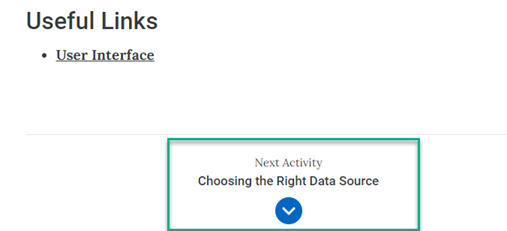
7) Add the ability to create a list of courses the user wants to do so they can choose them ahead and can find them without having to look through everything again.
We are happy to inform you that this feature already exists under the "Plan" section of the ribbon. This section allows you to create a custom learning plan with your preferred activities. As you add activities to your plan, additional filtering options will also become available to help you organize your learning journey.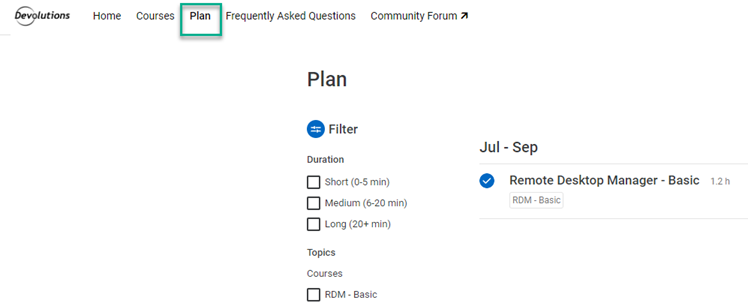
Best regards,
James Lafleur
26096037-ba0d-404a-8bfc-52854156bc3c.png
b6561540-0730-4757-a46e-a4049ae04dc3.png
a6192acc-b5a1-492f-9b2e-aadd3b68aa05.png
3a4362dc-1784-4d26-8fdc-0c66c79fc718.png
Hello Ron,
Thank you for taking the time to provide us with your valuable feedback, and we appreciate your participation as a beta tester for the new Devolutions Academy! We're glad to hear that you're enthusiastic about the Academy and the direction we're taking. Let me address each of your points below:
1) Good to see the Academy is in the same style as the rest of Devolutions products
We're thrilled to know that you appreciate the consistency in design across our products. It’s important for us to provide a unified experience across all Devolutions platforms.
2) Do not start with "Home" (landing page) as it shows courses in random order and level. Make the "Courses" page the landing page
We understand how starting with a page that feels more structured can be beneficial. The current "Home" page serves as a general overview, but we agree that the "Courses" page, which organizes content by difficulty level, might be a better starting point for users. We will continue to gather feedback on that matter and see what our learners prefer.
3) Remove the "Home" page or create a "Progress" page
That’s an insightful suggestion. A dedicated "Progress" page could be an excellent way for users to track their started and completed courses at a glance. We are already working on enhancing the user journey, and this idea aligns with some of the feedback we’ve received.
4) Resume button restarts video instead of resuming from the pause point
Thank you for bringing this to our attention. This behavior is definitely not intended. Could you confirm if you’ve encountered this issue with multiple activities or just one?
We’ve attempted to reproduce the issue on our end, and the videos appear to resume correctly from where we left off. Your feedback will help us investigate further.
5) Community Forum requires re-login
We understand that this may not be ideal, and we will look into what can be done to further streamline the login experience.
We’re delighted to hear that you find the idea of the Academy promising, and we look forward to hearing more of your thoughts as you explore the platform further. We’re continually evolving the Academy based on user feedback like yours, so please keep sharing your impressions!
Best regards,
James Lafleur
Hello Ben,
2) Side scrolling is always bad, most computer mice don't have that option, in my opinion 2 columns with normal scrolling should be more convenient.
We could opt for a tabloid view that prioritizes the most recent activity, along with a compact display of other activities. Would you prefer this layout, or do you have other specific suggestions?
3) The community forum banner on top should have the little icon that tells you it will open a new tab on another site. Although it may be more convenient to embed it in the academy.
This is excellent feedback! We have just implemented an icon to indicate that the community forum link will open in a new tab. Let us know what you think!
4) In the view all section there should be filters to better find what you need even when you don't know what to search for, at the moment it's just an endless list with 3 pages (which will go up). Add filtering by difficulty, subject maybe even add a suggested "flow" for courses that go together in a specific order.
To help with navigating our content, we recommend following the structured courses. These courses are designed to group together related topics, activities, and difficulty levels. The "view all" section currently shows all activities tied to a specific topic. In the current phase, the one found under the "Remote Desktop Manager" section regroup every activities tied to this product. That being said, we recognize that better filtering options could improve your experience, especially as more content is added. We are actively exploring ways to make it easier for learners to filter content by difficulty, topic, and more, so you can quickly find what you need.
5) Videos should have better resolution, it's no sharp and because of it a bit unpleasant to watch.
We fully understand the importance of high-quality video resolution for an optimal learning experience. We are currently exploring solutions that would allow learners to choose the video quality that best suits their needs. One option we're considering is YouTube integration, but we want to ensure any solution we implement fits seamlessly into the platform and doesn't impact overall performance. Rest assured, we will keep you updated as we work towards a suitable resolution.
6) In each course add in the side bar the suggested related courses. For example "Managing Entry Permissions" should link to course about devolutions permissions sets.
While the platform has the capability to suggest related courses via a prompt after completing an activity, we've decided not to enable this feature for now. The "Next Activity" section within each course path already fulfills this need by guiding learners to the next relevant activity. Enabling additional prompts would duplicate this functionality and could create unnecessary redundancy, potentially confusing the learner or disrupting the structured flow we’ve designed for a seamless learning experience.
When following the learning path within a course, you will find the "Next Activity" section at the bottom of each completed activity, as shown in the screenshot below. This section guides you to the next relevant activity in the path, ensuring a seamless progression. You can use this link to view the course I referred to in my example.
7) Add the ability to create a list of courses the user wants to do so they can choose them ahead and can find them without having to look through everything again.
We are happy to inform you that this feature already exists under the "Plan" section of the ribbon. This section allows you to create a custom learning plan with your preferred activities. As you add activities to your plan, additional filtering options will also become available to help you organize your learning journey.
Best regards,
2) This seems better.
3) Looks good!
4) The courses are pretty vague RDM - basic, intermidate and advanced doesn't say much until you click on and it scroll. Lets say I'm Implementing a whole RDM-DVLS-PAM solution and I currently want to set up the permissions, being able to find all those articles at once will be faster than going in each course to find it. I'm guessing it will be easier to think about the best way to set it up once there are courses for more products.
5) I will wait to see how it ends up.
6) Sometimes you don't want to go in a linear path, you want to learn about a specific subject like my previous example - permissions, so having it linked as related subject can make sense.
7) I tested the plan section, the minor issue by what I saw you can only add something to the plan from the page itself, you should add a button from the course list so a user could scroll and mark a few courses which he wants right now.
Edit:
I just thought on another thing, you should add comments or some way for users to respond on courses, I found some things that are incorrect in the permission course for example. Or maybe in some other courses I'll have useful tips or subjects that I think should be added. It should be easy to pass these things on to make the courses better for others.
Ben
Hello Ben,
Thank you for your quick reply!
You are absolutely right. As we continue to add new courses, the content will become more detailed and tailored to specific use cases. Regarding the plan feature, this is not currently available on the platform, but we will certainly explore possibilities for its implementation in the future.
As for your additional point, you can report any issues or suggestions under the "Training Request" section of our forum or leave a review directly on the activity itself. The training department will ensure a ticket is created to address and update the content as promptly as possible. We also aim to use the forum as a central discussion hub for everything related to the Academy, so feel free to engage with the community and share your thoughts there.
Let us know if we can do anything else to assist you!
Best regards,
James Lafleur
Hi James,
I have to withdraw my previous comment the videos do not resume where left off.
After double checking, they do indeed resume.
Kind regards,
Ron
Hello Ron,
Glad to hear it! Have a great weekend.
Best regards,
James Lafleur