Inherit host, Variable resolving and Workspace credential matching

Hi
This should perhaps have been split up in multiple threads, but since it's all connected, I start off with this one.
Data source: DVLS 2024.2.10
RDM: 2024.2.21
The configuration is as follows, shown from RDM point of view, as from there the connection works.
Folder structure: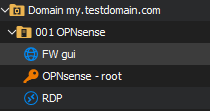
Domain folder configuration: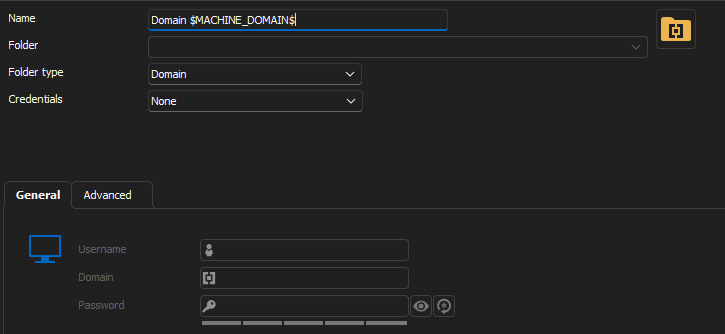
Server folder: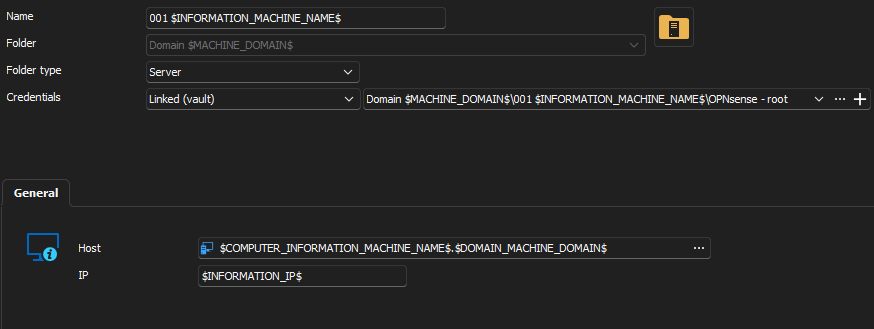
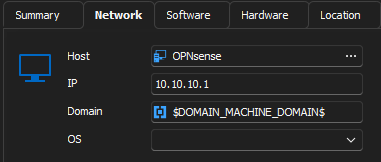
Website entry: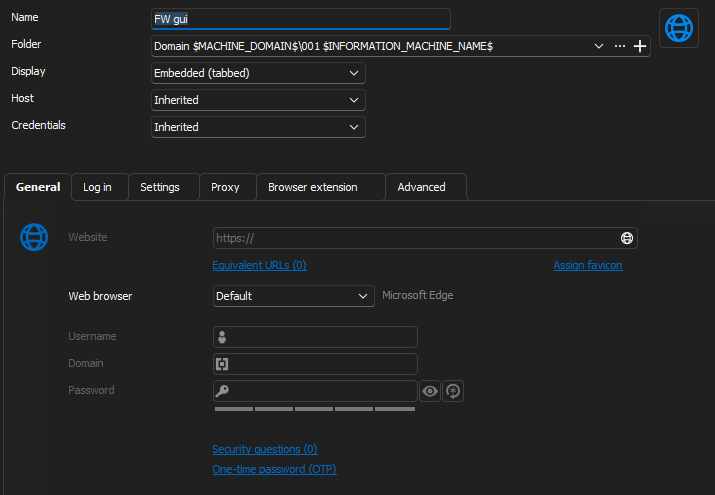
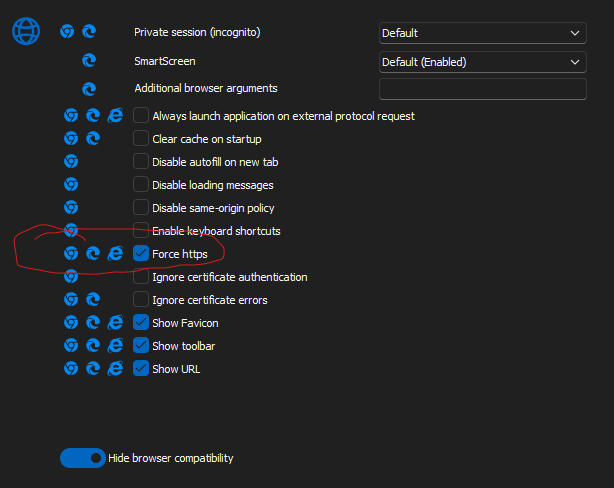
As I'm not entirely sure on how "workspace" works inside RDM, I have also filled out form, so that RDM can insert the username and password.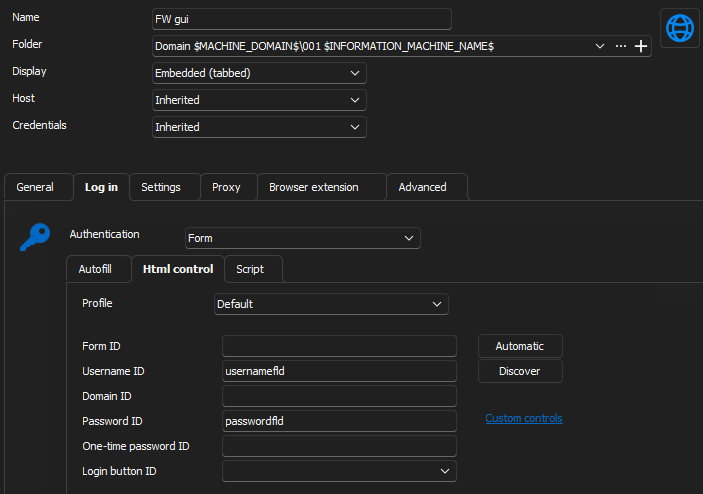
The issues, starting from the top level of my folder structure:
Domain folder:
Since the Domain folder type doesn't have it's own "domain" input field but uses the Credentials domain field I can't utilize the "$DOMAIN_DOMAIN$" variable as I don't have 1 set of credentials working for the whole "domain" since this is not a Active Directory domain but just kind of a name of the VLAN.
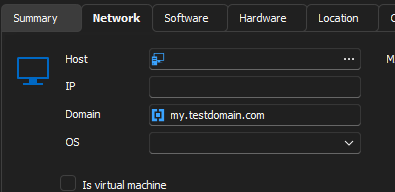
Instead I use the Asset -> network -> domain which isn't totally wrong, but I don't really have an asset with that domain since it is more of a logic naming, so for me, it could be perfect that I could define the domain on the General tab. Maybe leave the domain input field writable even though the credentials is set to NONE.
Server folder:
In RDM:
Everything seams dandy: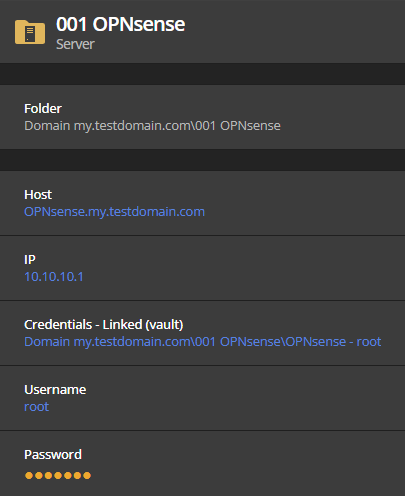
But if I click on the Host or IP or the 2 copy buttons next to them, I get: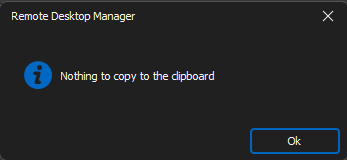
In DVLS Web: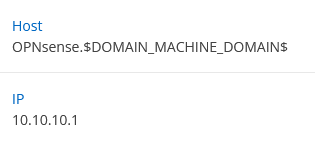
It can look up the $COMPUTER_INFORMATION_MACHINE_NAME$ but not the $DOMAIN_MACHINE_DOMAIN$.
Feature request, copy buttons to Host and IP also?
In Workspace for Windows: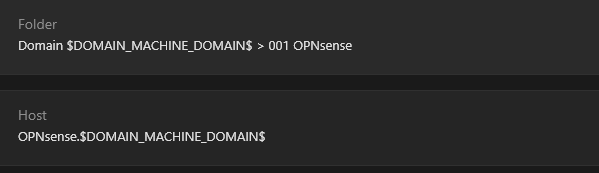
Same issue with variables, but the copy function works.
The Website entry itself:
From RDM: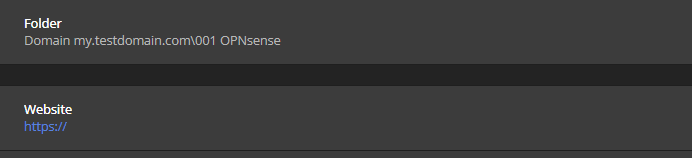
It seams that the "host" entry isn't inherited to the Website property. (Which is the same for all products, hence, in my setup, it's an DVLS issue, hence the reason to post it in this forum :)
From DVLS web: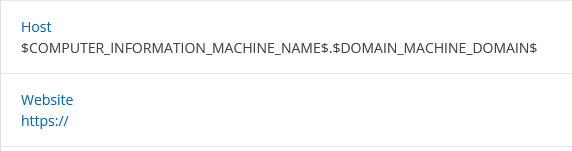
No variables are resolved, and the website is also empty.
From Workspace for Windows: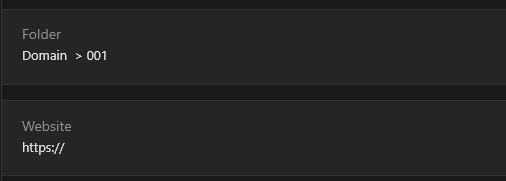
Variables is resolved, kind of, but to empty string it would seam. and still the missing website.
From Workspace from Firefox add-on:
Firstly the entry isn't found, probably going back to the missing website property.
Secondly, if I search to the entry: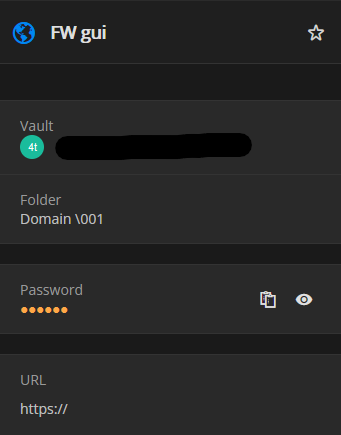
The folder's variables are also resolved, or dissolved into thin air. And of cause the URL.
It might only be a few bugs, and I don't know if I have made it look like 700 big issues, but it is just to be as informative as possible, to give you the best insight to resolving this :)
Regards Lars
Remote Desktop Manager connected with Devolutions Server running newest versions.
------------------------Signature------------------------
Sorry if any of above sounds harsh or provoking, it is NOT meant as such, but I have Asperger's and don't always know.
My intentions is always to be friendly.
-------------------------------------------------------------
1569a299-3f81-484b-ba98-9edc5f8e4b1e.png
58beb739-8bbb-4aca-a577-6479953b6ae9.png
ef6448bd-ecac-44f1-8c01-9d8292a4694a.png
2af7b157-ce42-4bc0-a1ec-65a547bce5be.png
28df000e-25b1-4b7b-92a2-40008df8d867.png
045e54f9-97b4-424c-93ed-a379e3593744.png
8ef6eb41-e142-4f23-b5ae-89fa634f1268.png
2a58e9d3-b1e0-4e44-ac3e-3a45f5bfaf9d.png
a1cdbdf9-7b89-464c-85b9-e237b0c60811.png
9ff313b7-4dc3-443c-ab93-0f89a55487fc.png
92eb1598-a08e-40a6-a031-7ea6b23acbd6.png
0705f4db-ea5d-4ba5-a160-13e8a32ac3cb.png
0483c8b3-55ff-4ec0-9183-0fa94ea5365e.png
7c5169f4-4d6e-4502-bac6-283863194b76.png
aab4900e-2fa3-4ea6-ae4d-5ae938db4612.png
791c7149-58b0-49b2-ba90-aef9bddb540b.png
All Comments (3)
"Edit"'ish of first post :)
Regarding the Domain folder, if I type something in the domain input field and switch back to no credential, still preserves the value in, at least, domain field.
So if it could just remain writable when credentials are flipped to none, no more needs done.
To sum it up a bit:
1: More a feature request: Keep domain writable when credentials is set to None:
2: In RDM copy of Host and IP isn't working from a Server type folder at least.
3: DVLS web and Workspace for Windows doesn't seam to be able to resolve "parent" variables.
3.b: Feature request, copy button for Host and IP.
4: My belief is, on a website entry when the host is set to inherit, the website property should be populated with http://<inherited host value> and if force https is set, populated with https://<inherited host value>
5: Same as 3 for DVLS web.
6: Workspace resolves folder variables to empty string.
Regarding the Website's website property, yes I know that I can switch to "host configured" I can set Website to https://$COMPUTER_HOST$ but I just feel like it shouldn't be necessary.
And an extra feature request with related question.
With inherit in mind, I think it would like to request the feature specifying a custom port, so you can use inherit but change the port.
For instance Webmin for Ubuntu runs on port 10000 I think it should be possible to still use inherit but tell that this service runs on port 10000.
That was the feature request, now to the question:
I though that the feature I just requested were already implemented, as I found "Custom host port" on the Advanced tab, but it doesn't seam to do that, at least with inherited on, so what is it for?
If you want an export of my test folder, I have attached it here, the username and password is random.
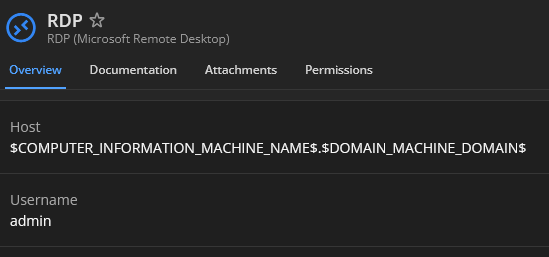
I added an RDP session as well, seams that the variable resolution is a general thing and not just for the website.
Regards Lars
Remote Desktop Manager connected with Devolutions Server running newest versions.
------------------------Signature------------------------
Sorry if any of above sounds harsh or provoking, it is NOT meant as such, but I have Asperger's and don't always know.
My intentions is always to be friendly.
-------------------------------------------------------------
Domain $MACHINE_DOMAIN$.json
Hello Lars,
Thank you for contacting the Devolutions support team.
1- If you configure the domain under the asset in the domain folder, RDM will return the correct value.
2- I have imported your .json and can copy the username and password from RDM.
With workspace - same result.
3- Open the web session. It works fine embedded in RDM, but it tries to open it externally in the workspace, probably because he can't reach the host.
4-The entry is not shown by the web browser's workspace extension. This is related to the variable that is not resolved in the URL.
We have an open ticket for this issue - (Variable in Web Browser entry URL)
5- the RDP session returns the good value - OPNsense.my.testdomain.com
6- I suggest posting your idea in the appropriate thread for any feature request.
Let me know what exactly you want to investigate first.
Best regards,
Patrick Ouimet
Hello Lars,
Thank you for contacting the Devolutions support team.
1- If you configure the domain under the asset in the domain folder, RDM will return the correct value.
- Yes, but I will create a feature request instead.
2- I have imported your .json and can copy the username and password from RDM.
With workspace - same result.
- Yes, it's the host and IP in RDM which make error when copying.
3- Open the web session. It works fine embedded in RDM, but it tries to open it externally in the workspace, probably because he can't reach the host.
- It hasn't anything with opening to do, it's what Web and Workspace is displaying the the Server folder is selected.
4-The entry is not shown by the web browser's workspace extension. This is related to the variable that is not resolved in the URL.
We have an open ticket for this issue - (Variable in Web Browser entry URL)
- Great, any ETA on this?
5- the RDP session returns the good value - OPNsense.my.testdomain.com
- Yes, I think I'm referring to if you look at the RDM session in web:
6- I suggest posting your idea in the appropriate thread for any feature request.
- I'll do.
Let me know what exactly you want to investigate first.
Best regards,
As to what I would like to be looked at first, then 4, but since this already is under investigation, then 2, and then that variables isn't resolving as expected when viewed.
Regards Lars
9805f8d4-6b98-432d-876f-078120046243.png