Gateway as VPN replacement
1 vote

Please make a solution so we can install the Gateway in the customer's network and no inbound port forwarding and no VPN is necessary. The Gateway should make a outgoing tunnel connection to our site (where the DVLS is).
Some customers to not allow to make port forwardings or a VPN.
All Comments (6)
Hello,
Thank you for your request. Devolutions Gateway can be installed in the customer's network and it is a current use case. Of course, if you want to access that Gateway with client outside that network, the Devolutions Gateway will have to be accessible (available in the cloud or your intranet). No VPN should be necessary to use the Devolutions Gateway if it is available in the cloud. Could you elaborate on your use case and how you would like to deploy it ?
Best regards,
François Dubois
Devolution Support told me that a port forwarding for port 7171 and 8181 is necessary. The red square is the customer site and we cannot make any changes on the firewall of the customer . 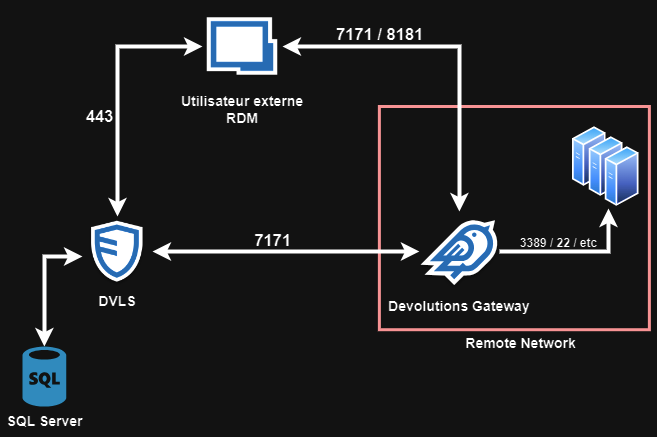
grafik.png
gateway.png
Hello,
By default, Devolutions Gateway will listen on port 7171 (HTTP) and 8181 (TCP), but those ports can be changed. If you expose Devolutions Gateway on the cloud, it is not rare to use the port 443 for HTTP and expose that port on internet. Of course, there are many possibilities to deploy it. Devolutions Gateway can listen directly on port 443, but you can also use a reverse proxy that will forward the trafic to Devolutions Gateway on a different port than 443. For example, you can use something like NGINX in front of Devolutions Gateway to forward your request to Devolutions Gateway. Of course, you have to open 2 ports, one for HTTP and one for TCP, but other than that, it should work.
Since you posted in Devolutions Server section in the Forum, I assume that you use Devolutions Server. Here is documentation on how configure Devolutions Gateway with Devolutions Server : https://docs.devolutions.net/dgw/server/server-configuration/ If you install the Gateway in your customer network, you don't install the Gateway on the same server as DVLS so you can jump here : https://docs.devolutions.net/dgw/server/server-configuration/#standalone-installation In the installation process, you will have to specify which ports Devolutions Gateway will listen. You can have a look to that, I hope it will help.
Let us know if you have more questions
Best regards,
François Dubois
I'm afraid you don't understand me. It would only work if the gateway does not listen to a port but actively establishes a connection to our server. A reverse proxy only works with port forwarding, but as already described, we cannot set up port forwardings on the customer firewall.
Installing the gateway in the cloud is useless because it cannot reach from there any destinations in the customer network without VPN and port forwarding.
Hello,
Sorry if I was not clear. I understand that you can't set up port forwarding on the customer firewall so those solutions are not possible for you. I wanted to let you know that there are many ways to install Devolutions Gateway. And when I said to install the gateway in the cloud, I meant that you can install Devolutions Gateway in your customer's network and expose that port on internet. So Devolutions Gateway's client (RDM/DVLS) will be able to reach it through the internet. I understand that installing Devolutions Gateway in Azure for example is not an option for you, but you can install it in your customer's network and open ports require to make it works (HTTP and TCP). Does it make sense ?
Best regards,
François Dubois
Hi,
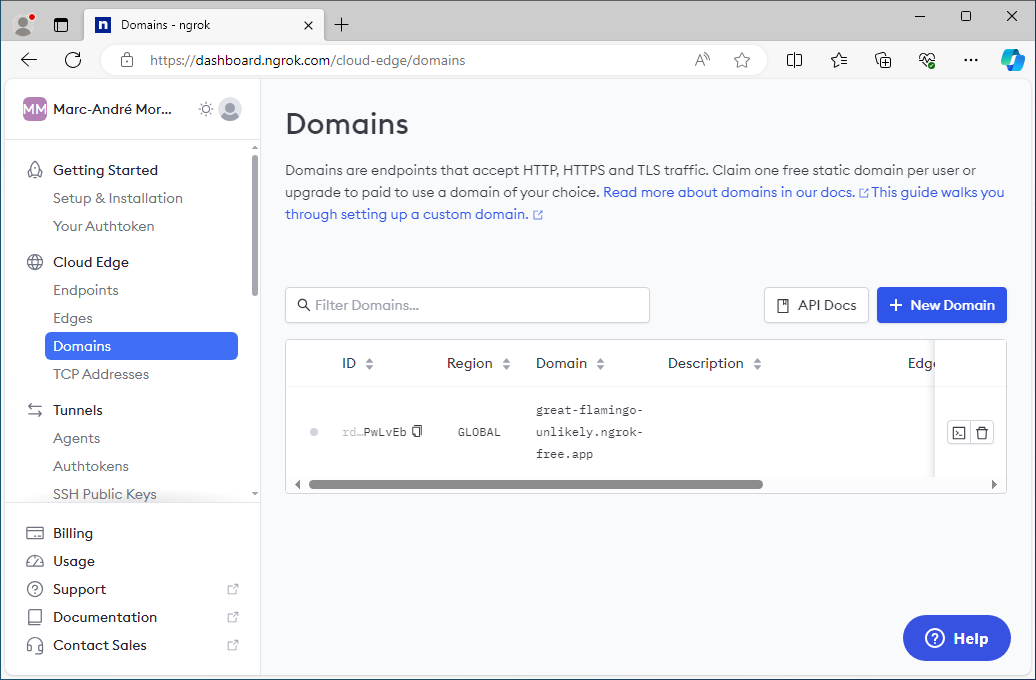
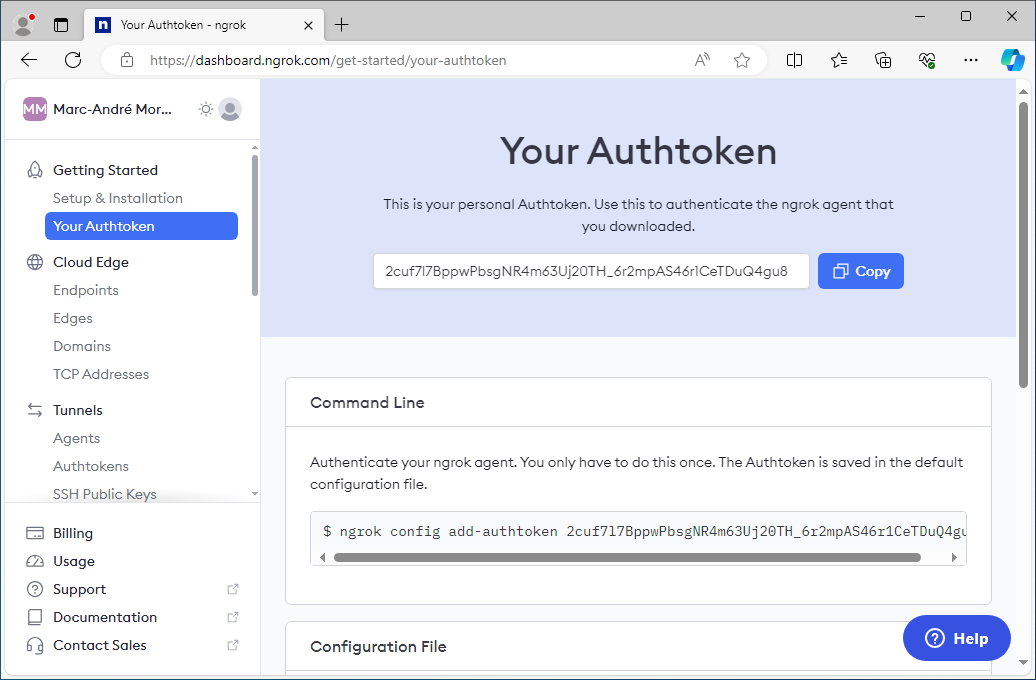
My understanding is that exposing Devolutions Gateway on a public IP and port from your customer's network is not really an option. One good option in your case would be the Devolutions Gateway built-in support for ngrok, which can create an HTTPS and a TCP public listener from your customer's network without requiring inbound traffic. Here are a few screenshots I took to show how to set it up with the ngrok free tier, but in your case, you would need to upgrade to a paid tier to enable native client access with the ngrok TCP listener.
Simply put, you can create an account with ngrok, setup your HTTPS and TCP tunnels, and configure them directly in Devolutions Gateway for the listeners. Devolutions Gateway uses the ngrok SDK to connect to their service to use the public listeners without requiring a sidecar executable or something on the side to act as a reverse proxy. I think this would be the best option in your case.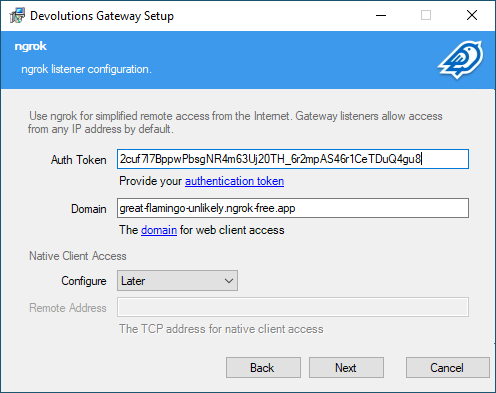
Marc-André Moreau
DGW_NgrokDomain.png
DGW_NgrokAuthToken.png
DGW_InstallerNgrok.png