Multiple URLs for same website entry
0 vote

The feature request is to be able to add "secondary" URLs to an entry, so that the browser extension will be able to find it. Here's why it would be interesting.
For some website entries, we must access a site that redirects to a login. After logged in, the site redirect to the "original URL". For example, we use HP wireless.
We must access the site https://common.cloud.hpe.com/. This site redirects (if we're not already logged in) to https://auth.hpe.com/
The browser extension doesn't detect the site, because the entry is for https://common.cloud.hpe.com/ and not https://auth.hpe.com/
If I change the entry for https://auth.hpe.com/, it's found by the browser extension, but if I use the "fill" option, I receive an authentication error. If I copy the username, paste it and copy the password and paste it, I'm correctly log in. But I'm not directly bring to the management website (https://common.cloud.hpe.com/).
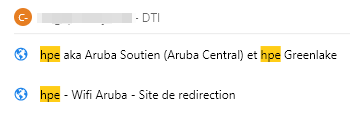
Yes, I know that I can go to the entry, put the "main" website https://common.cloud.hpe.com/ and click the 3 vertical dots and "add sub entry". From here, I've choose host type "host configured", credentials "inherited" and website, the secondary website (https://auth.hpe.com/).
But it seems more simpler to me if there was an option to just add directly the secondary website URLs. Furthermore, this way, it would not create 2 entries for the same "access" (see attached file).
Thanks for your time. Have a nice day,
Marc-Andre