Linked accounts

Running 2024.2.8.0 and using free version.
We are implementing secondary\elevated accounts at the organization. I went to use the Linked Account function but the add User button is disabled.
We currently have 10 users assigned to the DVLS server. I assume this is why is it is disabled.
Is there a way to create the elevated user and link it?
All Comments (7)
Hello,
With the free version, you are limited to 10 users. That's why the button is disabled.
The link accounts are for sharing the RDM or Launcher licenses.
If you want to have more than 10 accounts, you need the Teams license, which allows you to create up to 15 user accounts.
Best regards,
Érica Poirier
How would go about implementing:
https://blog.devolutions.net/2023/08/how-to-link-two-accounts-to-one-license-in-remote-desktop-manager/
with DVLS as the data source.
Hello Scott,
Thank you for your response!
Regarding the Link Account in DVLS, here's a helpful topic that I would suggest you follow.
https://docs.devolutions.net/server/kb/how-to-articles/link-account/
To use RDM with DVLS connected as a Data Source through the linked account, you must have an RDM License assigned. If the license is not assigned, RDM will prompt you with a message indicating that a license is required. You will need a license per user (10); there's no need to obtain a separate license for both accounts since they will be linked.
From our system, we can see that you have no RDM license, and as said above, to be able to use DVLS Free through RDM, you will need RDM License.
If you have any other questions, feel free to let us know.
Best regards,
Maxim Robert
I use my personal account on the forum and not my business account. We have 10 RDM Enterprise licenses backed by DVLS Free.
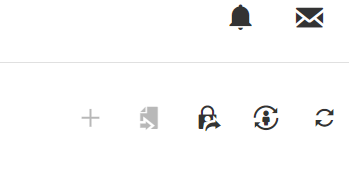
The Add User option is not available. I am unable to add the new <userid>a@domain to link the license.
8937a605-6464-4f92-a305-0a5255343c94.png
Hello Scott,
Thank you for your response!
With the free version, you are limited to 10 users, so the button is disabled. If you remove a user, the button should be available again. 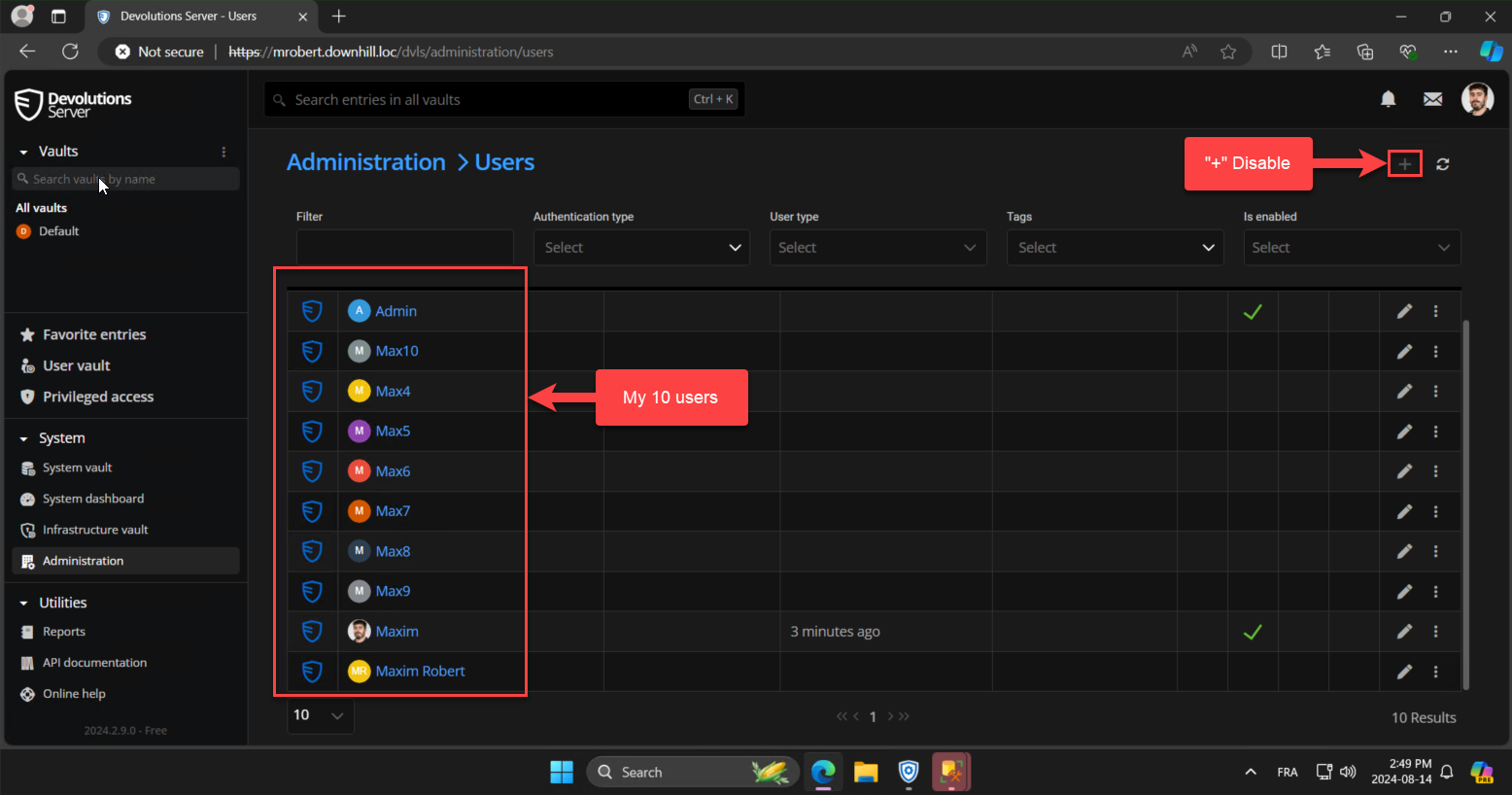
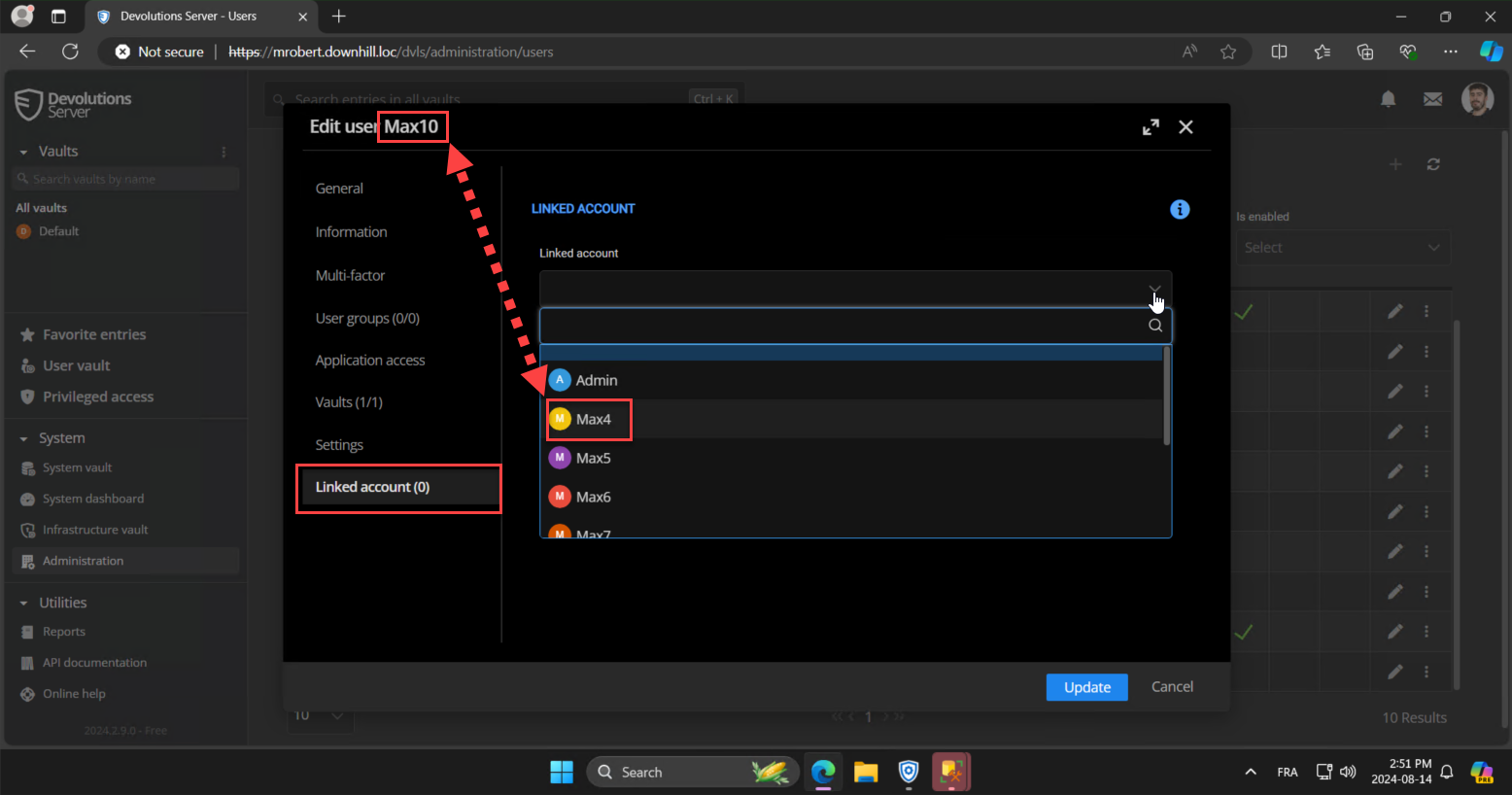
- If you want to add more than 10 users, you will need a Team License of DVLS. To link two users that will be assigned the license, click on "Edit Pen" like in the screenshot below.

- Then, in the settings of the user, click on "Linked Account" and select the other account that will be linked to this one.
- Then, you will be able to use the "+" (Add User Button), but you need to link at least two accounts first.
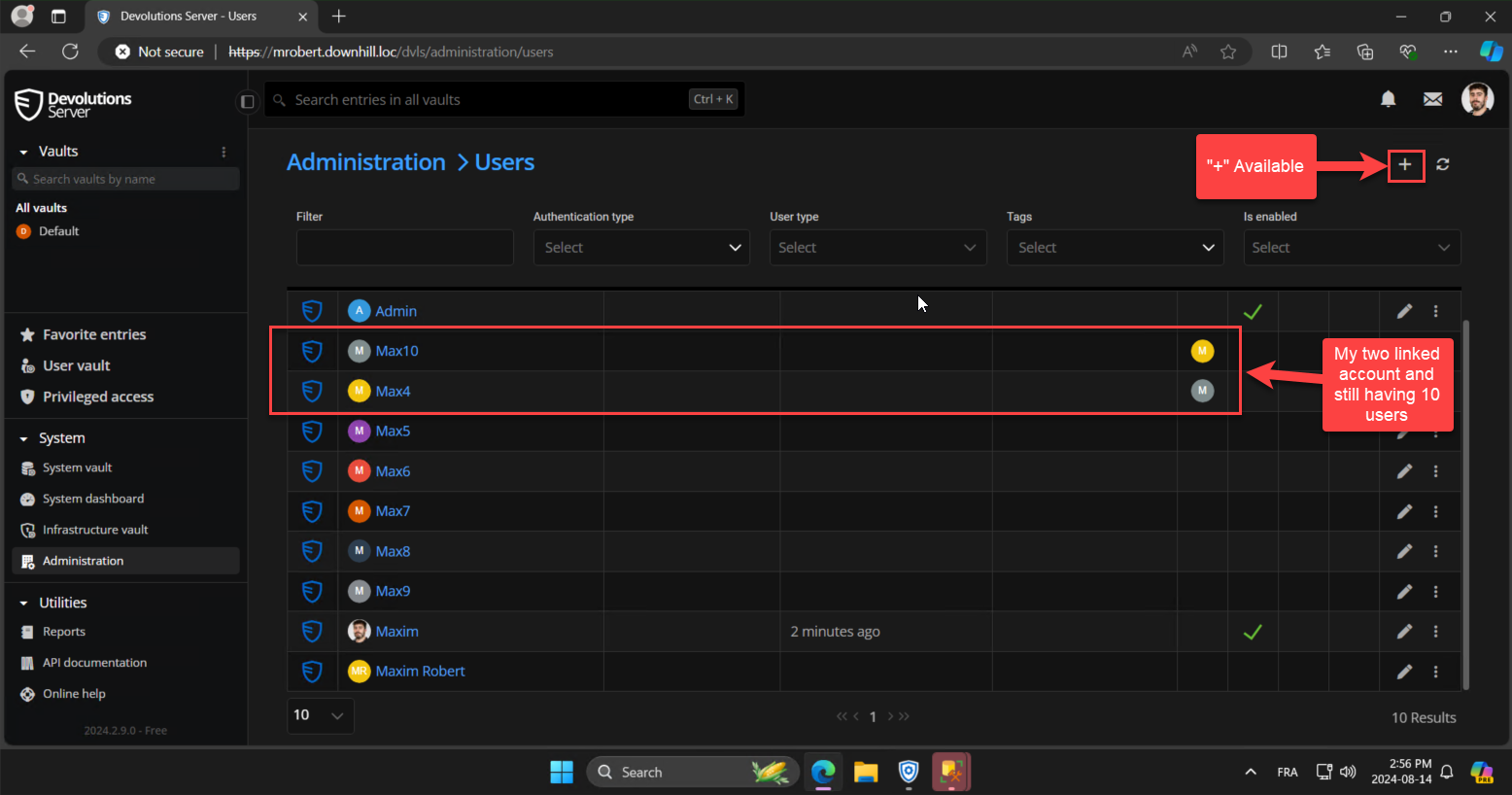
Please let me know if the steps above are not working on your side. If you have any other questions, feel free to let us know.
Best regards,
Maxim Robert
2024-08-14_14-56-56.png
2024-08-14_14-49-55.png
2024-08-14_14-51-39.png
2024-08-14_14-52-27.png
That trick worked. Thank you.