Get existing password templates

Hi!
How can I get the password templates?Get-RDMTemplate only retrieves the entry templates.
I want to get random passwords from templates. The template name is derived from the entry name. If the template does not exist a default template shall choosen.
ATM I try to get a password with the derived name and if this fails retrieving a password with the default name.
Is there a better way?
CU,
Timo
All Comments (4)
Hello Timo,
You can create a new password using the password template using:New-RDMRandomPassword -TemplateName "<your template name>"
You can also change your entry directly by using this script:
# Get the entry for which you want to generate a new the password, based on its name
$session = Get-RDMSession -Name 'sessions name here'
# Generate a new password
$password = New-RDMRandomPassword -TemplateName "<your template name>"
# Set the new password and save the modification
Set-RDMSessionPassword $session -Password (ConvertTo-SecureString -AsPlainText $password) -SetSession
# If you want to know the new password you can simply print it
$p
Let me know if this works.
Best regards,
Patrick Ouimet
Hi!
I know how to set the password. My problem is the "<your template name>" part, because I don't know if a template with that name exists.
At the moment I have this working solution, but I wonder if there is a method to get the existing password templates
function New-RandomPasswordFromTemplate {

    param (
            [Parameter(Mandatory,HelpMessage="Passwordtemplate")]
            [string] $templateName
        )
    $password = "default"
    try {
        $password = New-RDMRandomPassword -TemplateName $templateName
    }
    catch {
        $password = New-RDMRandomPassword -TemplateName "default"
    }
    return $password
}
CU,
Timo
Hello Timo,
The list should appear if you are already connected to your database.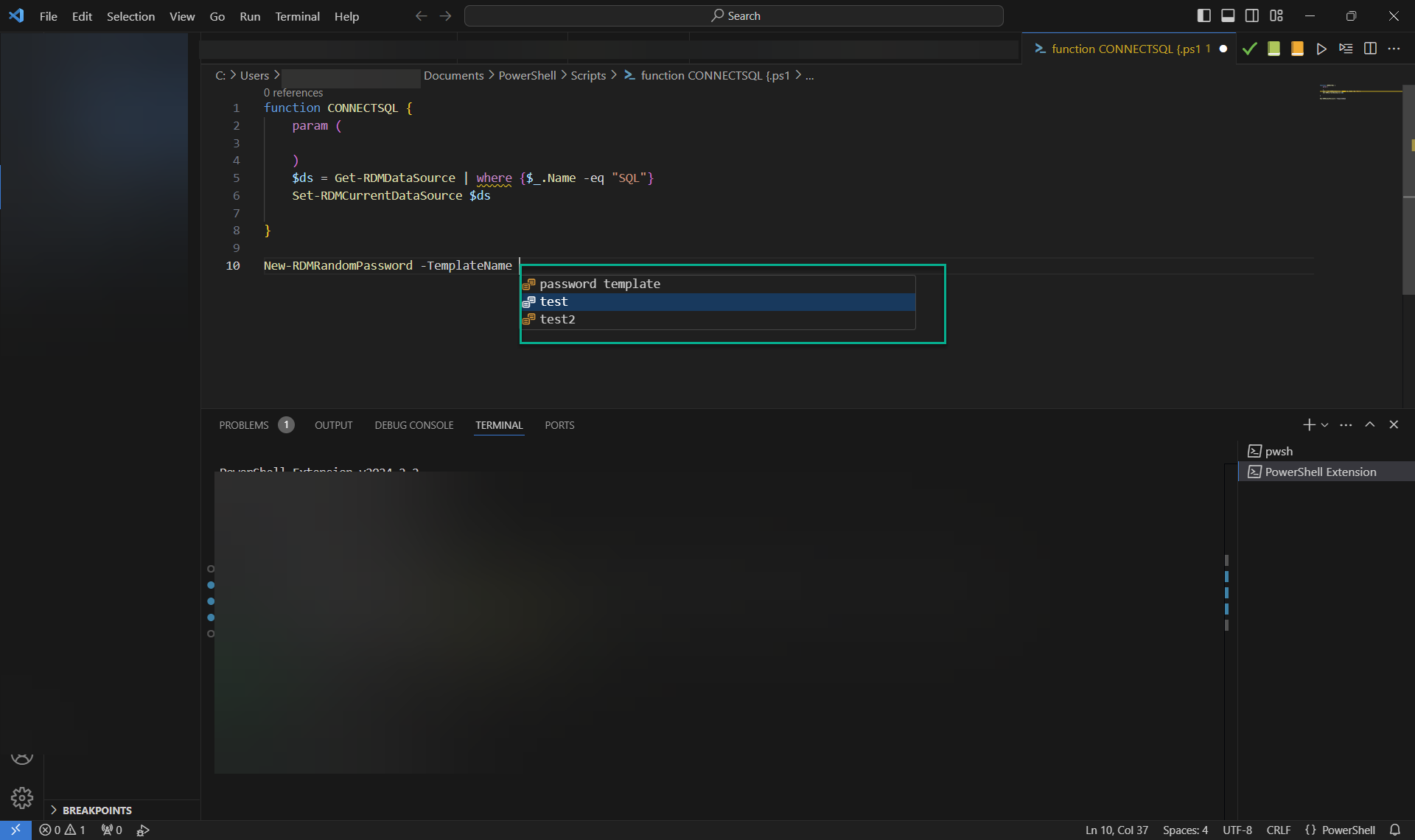
Best regards,
Patrick Ouimet
templatename.png
This might be helpfull if I ran an interactive powershell session, but not if I ran a script with parameters.
Never mind, I figured out a working solution.