Web client - resolution change
0 vote

Would be a nice option to change the screen resolution when connecting to RDP in the Web Client.
Right now it seems very legacy :-)
All Comments (15)
Hello,
Thank you for your request. I don't have an ETA for that feature, but I'm taking note of it and once we have an update, we will keep you posted.
Best regards,
François Dubois
Hello Dominic,
I just verified and the option to change the Resolution of an RDP connection in Devolution Server definitely exists, it's hidden under the "Display" section, here is a screenshot showing the customizations: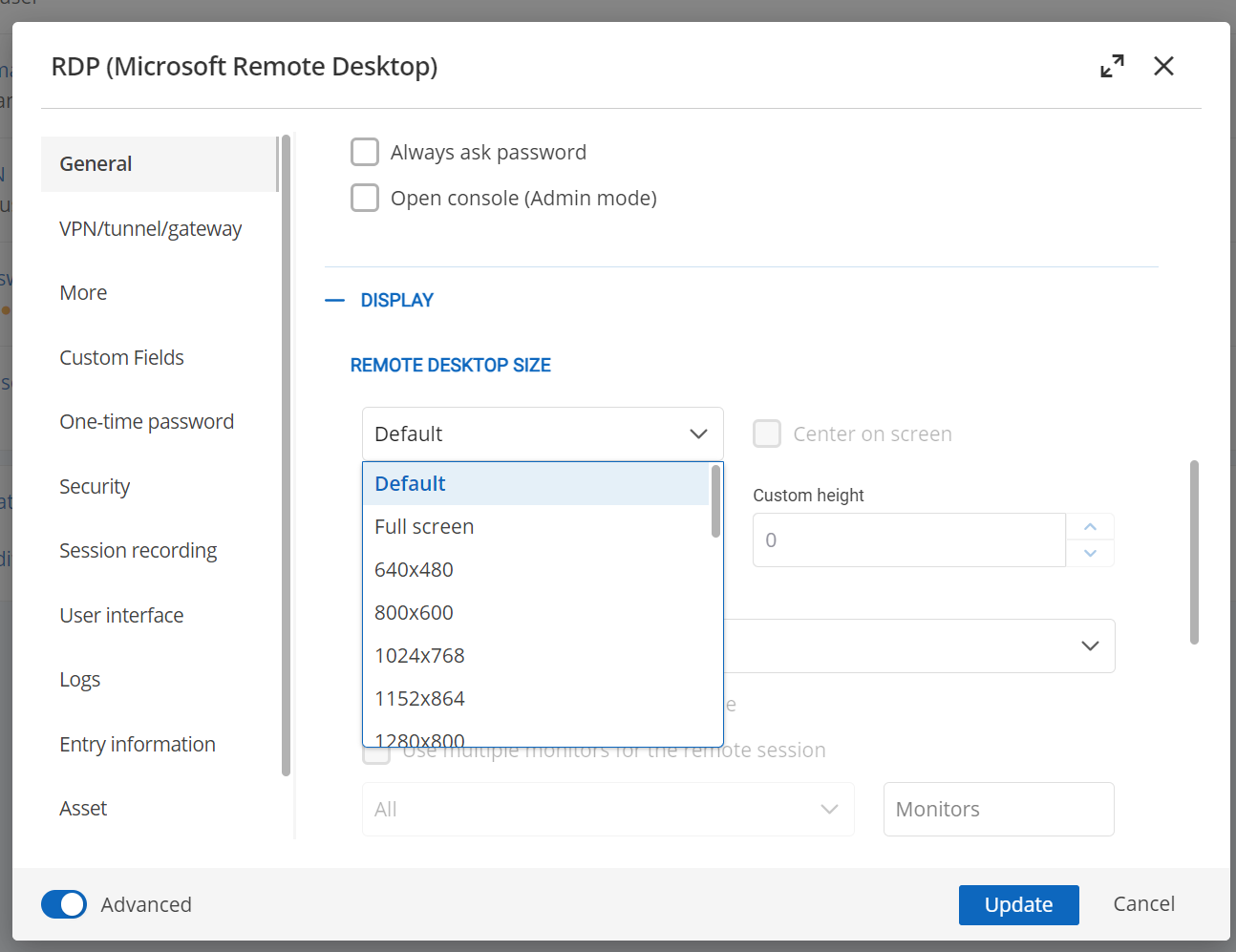
Hopefully this answers your question, or if I have misunderstood your question please let me know.
Thank you and have a great day!
Paul Dumais
0a06c522-1542-416f-8660-2959e6e78f8b.png
Hey there, that is correct - but if you do the connection with the web client, this resolution is ignored.
Hey there, that is correct - but if you do the connection with the web client, this resolution is ignored.
Hello Dominic,
I'm sorry to hear that the feature is not working properly for you. There must be some specific configuration in your environment causing this, can you give me more details on your configuration? What version of DVLS do you have, also what operating system version are you connecting to with RDP?
I just tested it with a small resolution 640x480 as well as large 3800x2400 and it works fine for me, I also tested with a very odd custom resolution like 1000x2000 and that works as well. If you could provide me with more details or a video that would be great, you can send it to me by DM as well.
Thanks again,
Paul Dumais
Hey Paul,
how are you connecting? - Are you using the connection through devolutions gateway and through the web browser?
In Launcher it is working fine.
BR
Dominic
Hey Paul,
how are you connecting? - Are you using the connection through devolutions gateway and through the web browser?
In Launcher it is working fine.
BR
Dominic
Hello Dominic,
I am creating the connection using Devolutions Server 2024.2 and I'm launching the connection using the RDP Web Client inside Devolutions Server through Gateway, entirely inside my web browser. I'm connecting with RDP to Windows 2019. I am not using Launcher or RDM.
Here are 2 screenshots of the connection information and the resultant connection: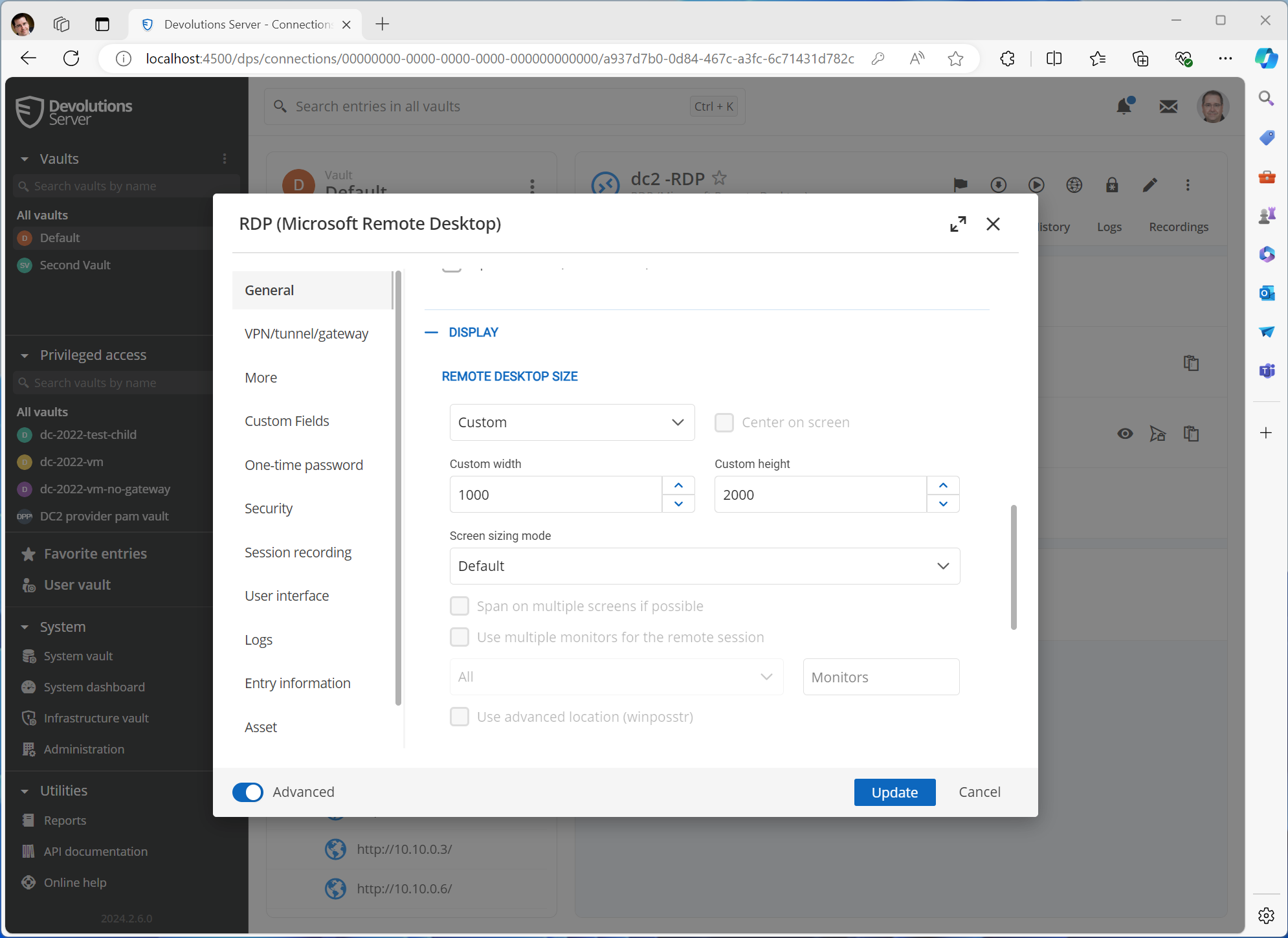
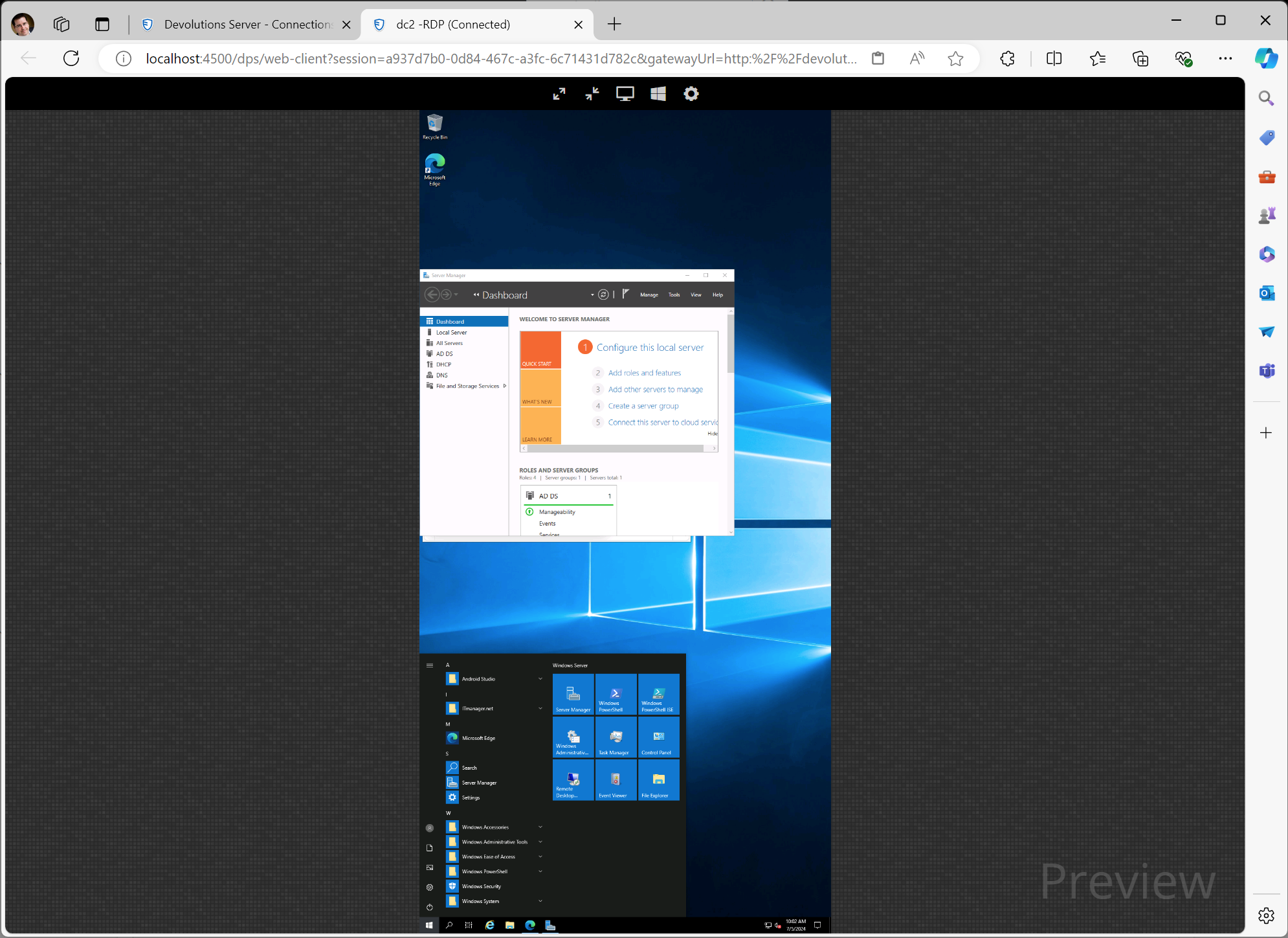
Best Regards,
Paul
13243db8-b449-4986-acf9-19f6bbe3a321.png
e45c28f0-2a66-4c09-a5da-98ffe10f12a0.png
Hi Dominic,
I did detect a few issues, you must select an explicit resolution for example 640x480 or 1024x768 or "Custom" for the resolution to work. It appears like "Default" and "Full Screen" or "Workarea" all default to 800x600 instead of the screen size of the window, I can create tickets for this issue and we can definitely fix it.
Paul
Hey Paul,
that describes exactly the issue :-)
Looking forward to a solution!
BR
Dominic
Hallo,
any news regarding this issue?
RDP resolution is extremly bad and configuration is ignored.
Thx
/Christian
Hallo,
any news regarding this issue?
RDP resolution is extremly bad and configuration is ignored.
Thx
/Christian
Hello Christian,
We are still working on fixing the "Default" resolution bug, but there is a temporary workaround, if you set the resolution to an explicit resolution it should work fine.
We are re-working how sessions are opened (embedded versus in external tabs) so we are changing the logic of what the default resolution will be. I will make sure the bug gets fixed in our next release.
Paul
Hallo,
any news regarding this issue?
RDP resolution is extremly bad and configuration is ignored.
Thx
/Christian
Hello Christian,
We are still working on fixing the "Default" resolution bug, but there is a temporary workaround, if you set the resolution to an explicit resolution it should work fine.
We are re-working how sessions are opened (embedded versus in external tabs) so we are changing the logic of what the default resolution will be. I will make sure the bug gets fixed in our next release.
Paul
Thanks Paul for this feedback.
Just to be sure we are talking about the same issue, I would like that the RDP resolution that the user can set in "User specifics Setting" really override the default resolution.
Our user do not have permission to see the "properties => general => Display => Remote Desktop size" menu and cannot change it..
He can see only "User specifics Setting"..
Each user should be able to configure different resolution setting..
Capture attached.
Overriding screen size from this configuration is ignored and does not work.
Thanks!£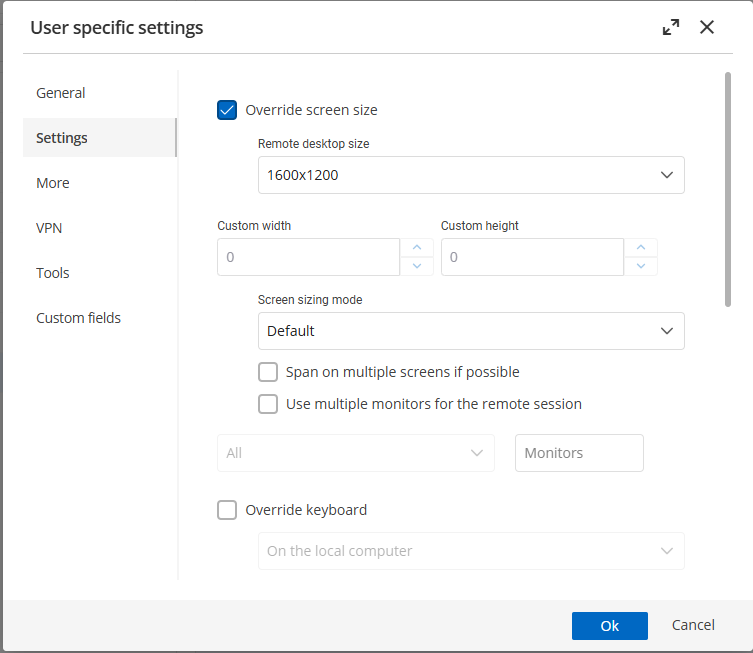
Rgds
Capture.PNG
Hello Christian,
Yes this is a separate different issue, but it is still related. I will add those details to the ticket so that we fix both issues at the same time. Thanks for the details.
Paul
I have recently come across this same issue and would like to see if there is an update on a fix outside of the workaround?
Hi Matt,
Sorry you’re having trouble with the display resolution. I confirmed that the user-specific display resolution setting is currently not applied at all, this is a bug, since it should override the entry setting.
I’ve created a ticket so our team can fix this in a future release.
Thanks for bringing this up, and sorry again for the inconvenience.
Krista
Hello,
Thank you for being so patient!
I am pleased to inform you that the issue has been resolved in the latest Devolutions server version (2025.3.4.0):
https://docs.devolutions.net/server/getting-started/installation/upgrade-server
We also recommend that you first perform the update in a staging/test environment:
https://docs.devolutions.net/server/kb/how-to-articles/create-server-staging-instance
We also offer free upgrade sessions, during which we will update your Devolutions Server instance together. If you are interested in this, please send an email to service@devolutions.net
Best regards,
Maxim Robert