Security Group renames

We're using Azure AD security groups for authentication (no cache) and we've found that renaming a group in Azure doesn't reflect in Devolutions.
How can we go about making sure that the name is synced correctly with the new name for the same group in Azure?
All Comments (15)
Hello,
DVLS uses the ObjectID of the group to bind it to the Azure AD group. Even if the name doesn't reflect what you have in Azure, it keeps the same group information.
Here is what I get on my DVLS after renaming the EP_Level3 group to EP_Level3_A
In DVLS User Groups: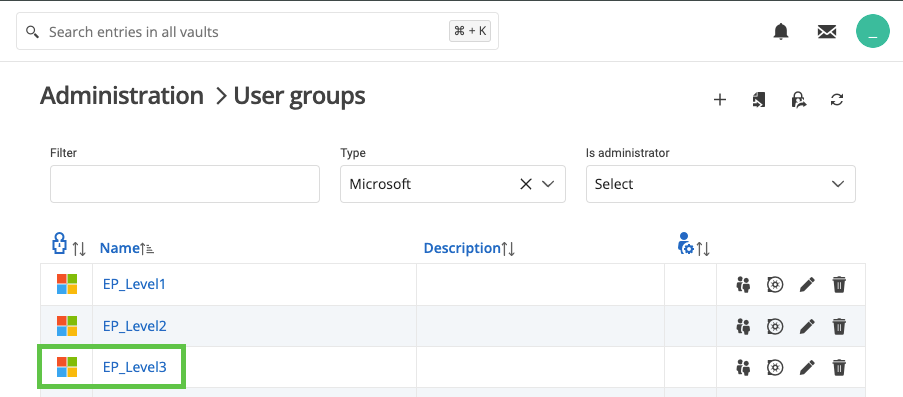
On Azure Groups: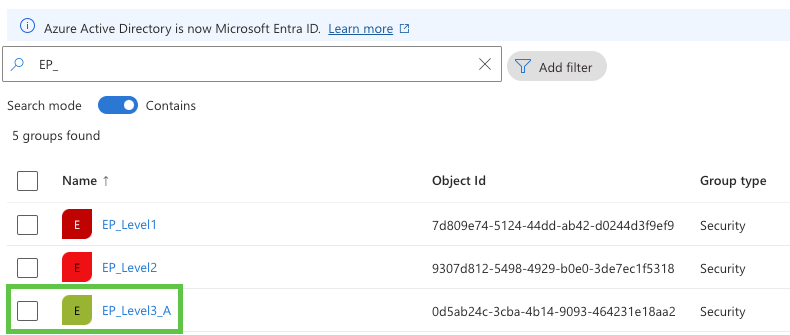
When I want to import the group: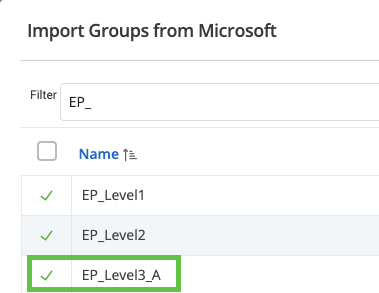
I will ask our developer team if they can do something about this scenario in DVLS.
Best regards,
Érica Poirier
89a1ed71-4bd4-41cb-8fd4-dd0b9eca455e.png
6c6366c0-aff4-4091-b1be-9914b12aeaf1.png
b47b8c8a-5266-4d26-b421-4e131ef86c68.png
Hello Stuart,
We already have an internal ticket opened to improve the Identity Provider synchronization process for the User Groups as we have for the Users. This is planned for version 2024.3 this fall.
Let us know if you have any more questions about this.
Best regards,
Érica Poirier
Coming back to this, I have noticed that this isn't the case for users themselves.
If a user's UPN is changed in Azure, this change doesn't occur in RDMS user list which means that there is a mismatch for Azure SSO and the login fails. There is no way to edit the username in the RDMS admin console so the only solution is to delete their RDMS account so that next time they try to login it creates a new account.
Hello,
An SQL query can be used to update the username or group name. I will send it to you in a private message.
Best regards,
Érica Poirier
Thanks - that SQL is very helpful - will use that.
Probably something that should be able to be automated as part of a nightly maintenance routine - similar to the log cleanups.
Hello,
Thank you for your feedback.
I'm glad that the query helped to fix the problem while we are waiting for the improvement to be implemented in version 2024.3.
Best regards,
Érica Poirier
Hello,
When updating a username in Azure, we strongly recommend using the Synchronize users from provider(s) button on the Users management page on the DVLS UI.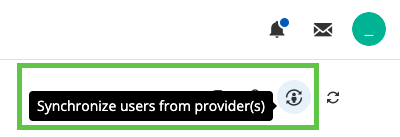
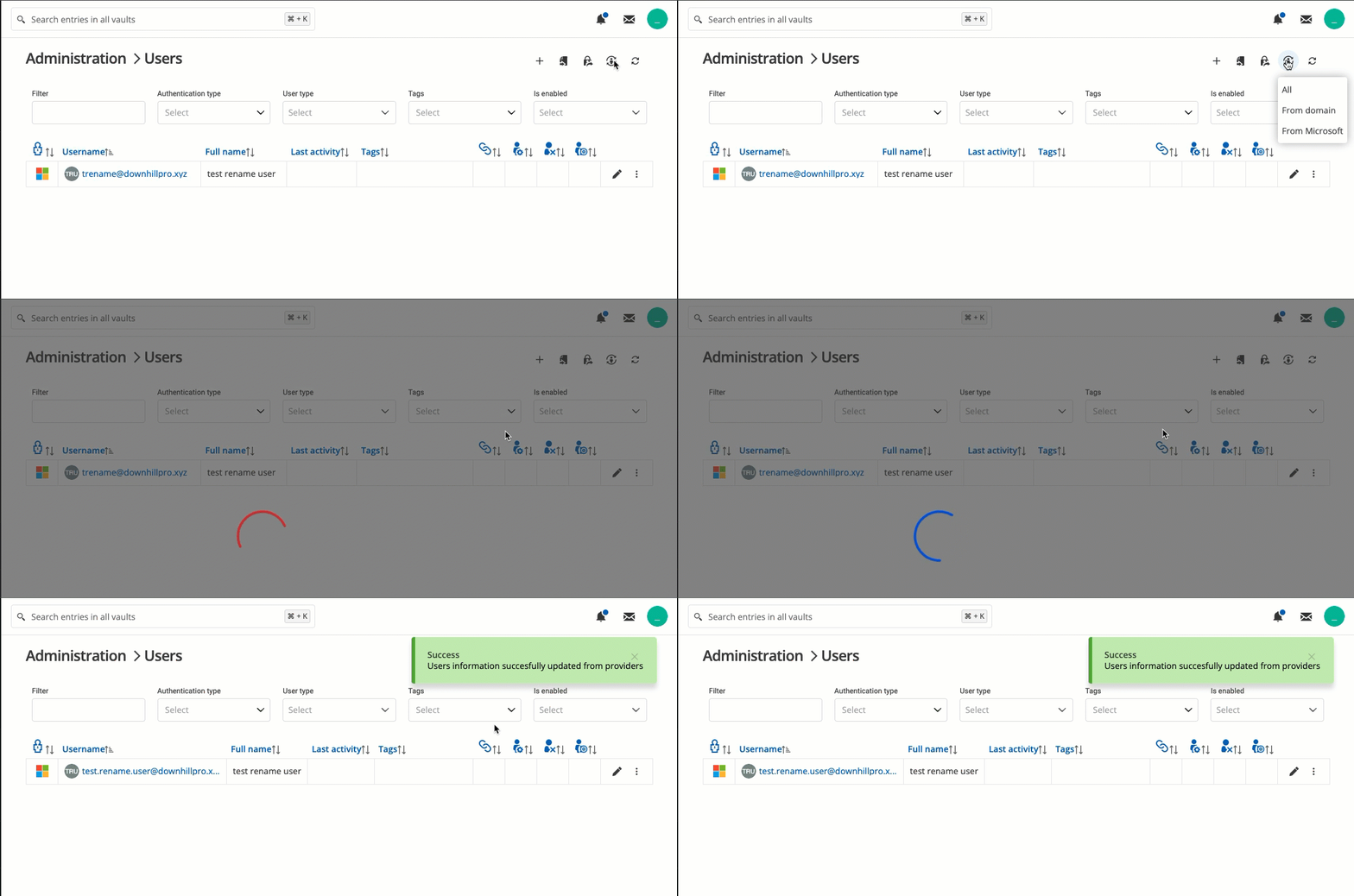
With this feature, the UPN will be updated automatically without having you run SQL queries on the database.
Best regards,
Érica Poirier
b3fcdc04-3d89-40ac-83d7-6159f10cc998.png
2024-08-26_14-41-42.gif
2024-08-26_14-36-01.gif
Thanks Erica, great enhancement.
Would be good if we could schedule this to run automatically - say every 6 hours or something.
It would also be good if users who were marked as deleted in Azure were removed from RDMS as part of this sync.
Hello,
The developer team plans to introduce a synchronization schedule feature for users and user groups in version 2024.3. If a user is deleted from the authentication provider, it will be disabled in DVLS and won't use any license. We cannot provide a date when this will be available, but it's on their improvement list.
Thank you for your collaboration.
Best regards,
Érica Poirier
Hi there,
We are experiencing the same issue where an Active Directory group was renamed, but Devolutions Server is not reflecting the name change. Could you send me the SQL query to fix this? We are running 2024.3.
Thank you,
Kara
Hello,
There is no longer a need to run the query on the SQL database. You can use the Group synchronization tool in Administration - Groups to update the group names.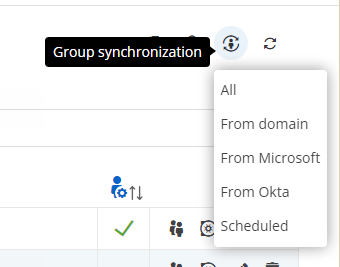
Let us know if that helps.
Best regards,
Érica Poirier
370faa84-18f7-4d8d-8160-aab41dcd92ed.png
Thanks Erica, great news.
We've had issues in the past where we rename a group in Azure and it breaks all the permissions so I guess it was using the group name rather than the group ID. Does this process fix that?
When I run the manual sync from Microsoft on groups, it comes up with four groups to delete, and three of those groups definitely exist and have members in them.
Also, getting NaN and can't set time, then when I save it gives errors about invalid time which I can't screenshot quick enough.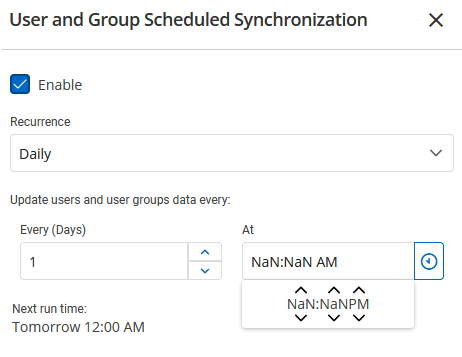
The sync scheduler also needs an option to set what to do with accounts that don't match. If I run it manually I get this option, but not for the scheduler.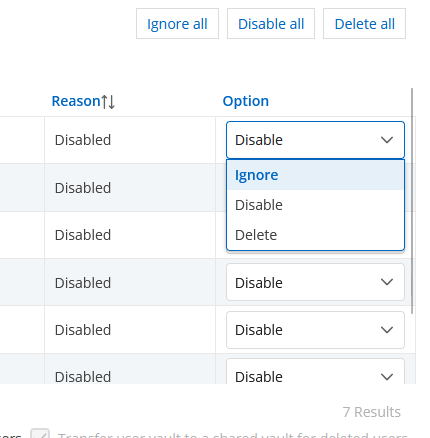
a3623d89-859e-47ff-b042-ff3d1cb14ec5.png
3b55ddf8-ee68-4854-9088-e4d7558a8bf8.png
Hello Stuart,
The permissions now use the IDs of the groups and users, so renaming a group or even a user will not affect the permissions.
Do the 3 groups that the feature identifies as being deleted have the same OID in the DVLS database and in Azure? You can get that information with the following query on the DVLS SQL database. The ObjectID is in the ExternalID column.
SELECT [Name]
      ,[UserType]
      ,[AuthenticationType]
      ,[ExternalId]
  FROM [dbo].[UserSecurity]
  WHERE UserType = 1 and AuthenticationType = 8
I cannot replicate this problem on my side for the scheduled sync. What browser are you using? Does it work in an incognito browser session?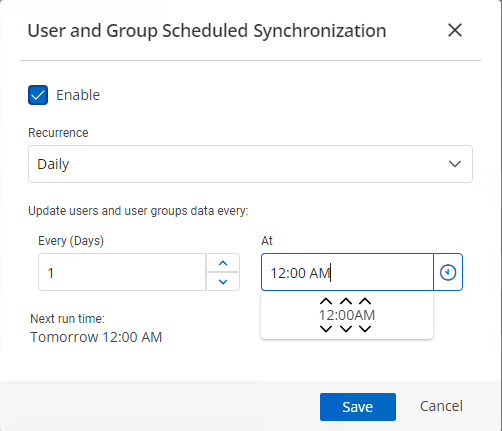
Finally, for your other question, as I cannot split your reply to create a post in the Feature request section, would you be kind enough to do it?
Best regards,
Érica Poirier
cbc77470-b964-47e2-9d65-35edca673c3b.png
Nope, the object ID is different for all those groups.
I'm using Firefox - same issue in private tab.
Yep, will post in feature request.
Hello,
Thank you for your feedback.
We use the ObjectID to identify it on the Identity Provider, which is why you get the prompt to delete three of them. Do you know if those groups were recently recreated in Azure?
Best regards,
Érica Poirier