Powershell script for batch editing multiple passwords in credential entries
Powershell script for batch editing multiple passwords in credential entries

I want to create an powershell script that automatically selects all credential entries in a certain folder and batch edits all the password to a password i give with Read-host.
I want to use this script for automation.
Is there someone who can help me with that?
All Comments (5)
Hello r_scholman,
$sessions = Get-RDMSession | Where-Object {$_.Group -eq "<Your Folder Name>"}

$read = Read-Host "Please enter the new password:" -AsSecureString

foreach ($session in $sessions) {
    Set-RDMSessionPassword -Session $session.ID -Password $read
	Set-RDMSession $session
}
Make sure to replace "<Your Folder Name>" with the actual name of the folder containing the credentials you want to edit. This script will prompt you for the new password and apply it to all sessions in the specified folder.
Please test this script in a controlled environment before using it in production to ensure it behaves as expected. If you have any other questions or need further assistance, feel free to ask.
Best regards,
Patrick Ouimet
Thanks for the script!
It does seem to do something but when i try it with an folder in my User Vault it says: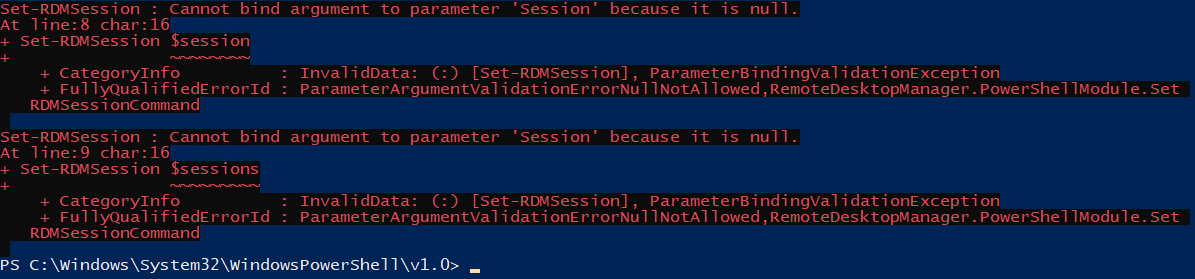
Is there something that needs to change in the script for that to work?
55738d3d-4b2e-40cc-b6a3-088dad37cfe3.png
Hello r_scholman,
Depending on your version of RDM, you will need a specific PowerShell module.
Note that if you are over 2022.3, a PowerShell Core 7.2 minimum is required.
https://docs.devolutions.net/rdm/powershell-scripting/powershell-module/
Best regards,
Patrick Ouimet
Yeah my RDM is version 2024. 1.23.0
I also tried it with powershell 7.4.1 but it does say the same.
Cannot bind argument to parameter 'Session' because it is null.
Cannot bind argument to parameter 'Sessions' because it is null.
This is my user vault: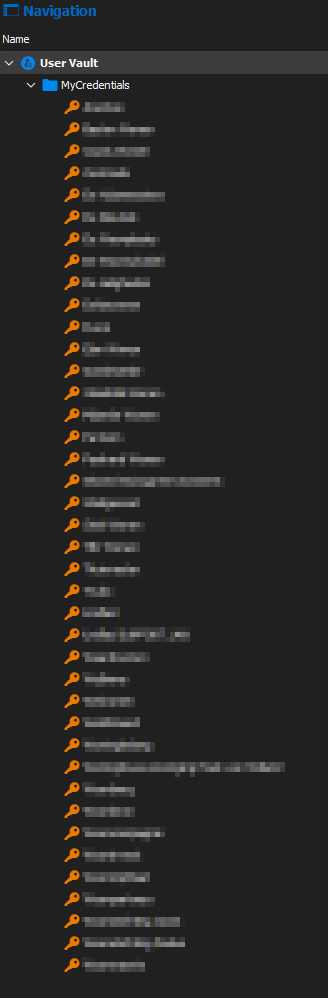
User vault RDM.png
Hello r_scholman,
I'm sorry; I think I focused more on the screenshot you sent than the message.
Since this is related to your user-vault, this is the one that should work:
$sessions = Get-RDMPrivateSession | Where-Object {$_.Group -eq "MyCredentails"}
$read = Read-Host "Please enter the new password:" -AsSecureString


foreach ($session in $Sessions){
    Set-RDMPrivateSessionPassword -Session $session -Password $read
    Set-RDMPrivateSession $session
}
Best regards,
Patrick Ouimet