RDM on Fedora 40 KDE with Wayland failing to start with GException - format of picture file unknown
RDM on Fedora 40 KDE with Wayland failing to start with GException - format of picture file unknown

HI there,
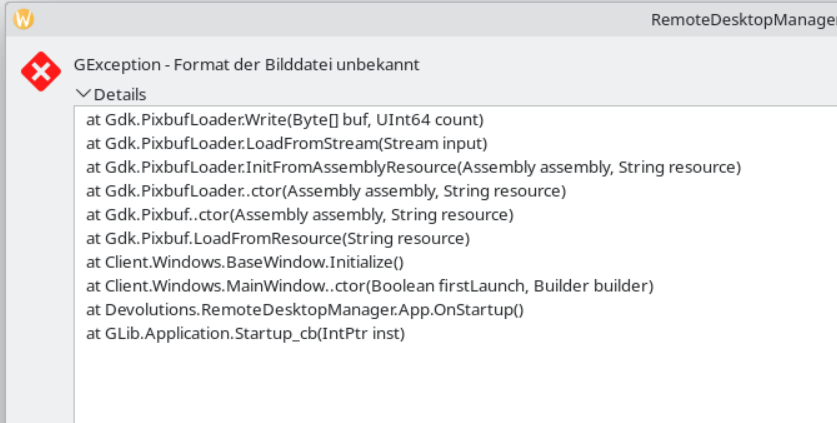
i'm unable to start RDM on Fedora 40 with KDE and Wayland with the error from the topic.
follwoing text is in the extended box:
at Gdk.PixbufLoader.Write(Byte[] buf, UInt64 count)
at Gdk.PixbufLoader.LoadFromStream(Stream input)
at Gdk.PixbufLoader.InitFromAssemblyResource(Assembly assembly, String resource)
at Gdk.PixbufLoader..ctor(Assembly assembly, String resource)
at Gdk.Pixbuf..ctor(Assembly assembly, String resource)
at Gdk.Pixbuf.LoadFromResource(String resource)
at Client.Windows.BaseWindow.Initialize()
at Client.Windows.MainWindow..ctor(Boolean firstLaunch, Builder builder)
at Devolutions.RemoteDesktopManager.App.OnStartup()
at GLib.Application.Startup_cb(IntPtr inst)
c37539c3-d984-4170-aaa6-b7180128ff5e.png
All Comments (26)
Same issue here on Fedora 40 with Gnome. It initially worked on two computers, but stopped working on one now. Reinstall (flathub) didn't solve the problem.
Hello,
Thanks for sharing your issue. Currently, I will need to set up a virtual machine to test and replicate the problem you're encountering. Meanwhile, can you please try renaming the .rdm file in your home folder and check if the issue persists?
This could provide further insight into whether the problem is tied to specific configurations or files.
Best regards,
Carl Marien
Exact same issue on Linux Mint 21.3. Started today.
This Happens to ah fresh install! No Profile exists!
It has Something To-Do with GTK... I do See Missing Picture Icons in the lower left Corner where the tab Buttons are...
Hello,
Is everyone experiencing this issue using the Flatpak version of RDM on Wayland?
Regards,
Gabriel Dubois
Flatpak version on KDE Plasma X11
Hello,
Is everyone experiencing this issue using the Flatpak version of RDM on Wayland?
Regards,
Its Not only flatpak... It's also with the rpm Version, i testes both..
Um, whiskey-tango-foxtrot, houston, over... RDM started working on its own today.
Thank you? ;)
Can confirm. I applied all available system wide updates and it works now. Must have been unrelated to RDM specifically
Hello,
I'm pleased to hear that updates resolved the issue. It appears that the root cause involved a breaking change in GNOME which eliminated default compatibility for specific image formats which are required by several applications, including RDM. Luckily, it was reverted due to the disruption it caused.
Best regards,
Carl Marien
Good day,
i can confirm the problem exists with .rpm on a fresh installed OpenSuse Tumbleweed (yesterday)
Greets
Fabian
Hello Fabian.
As mentioned in the previous post, this problem is linked to a breaking change in GNOME. This change has been reversed, but some distros can still use this version of GNOME. You can try updating, but if that still doesn't work, I recommend you try installing RDM via flatpak until a newer version of GNOME is available for your distro.
Best regards,
Simon Duguay Létourneau
i still have this issue, even though i tried to install flatpak version now...
Just restarted my laptop and this started happening to me too. Zorin 17. Tried reverting to some older flatpak version with no avail. Tried updating the system, no go. Even with a fresh RDM and Fedora 40 install on a VM, still fails to work.
Hello,
We are actively working on resolving this issue. An update to the GNOME runtime in flatpak has caused an issue to our image loading process.
I'll keep you all informed once a fix is implemented.
Best regards,
Simon Duguay Létourneau
Hello,
We've made a new flatpak build, version 2024.1.2.3-2, aimed at resolving this issue. It may take some time before the update is accessible on Flathub.
Regarding non-flatpak installations, we're currently exploring the best approach for fixing the issue.
Best regards,
Simon Duguay Létourneau
I will check for availability of the update the next days...
One thing I noticed while installing and removing the RDM flatpak, each time ah Gnome component update installed together with the RDM flatpak.
I will check for availability of the update the next days...
One thing I noticed while installing and removing the RDM flatpak, each time ah Gnome component update installed together with the RDM flatpak.
I think the Gnome component should only be installed if it has been removed or need to be updated. Could you please provide a screenshot of the output, where it shows which components will be installed, after removing RDM and executing flatpak install net.devolutions.RDM?
Simon Duguay Létourneau
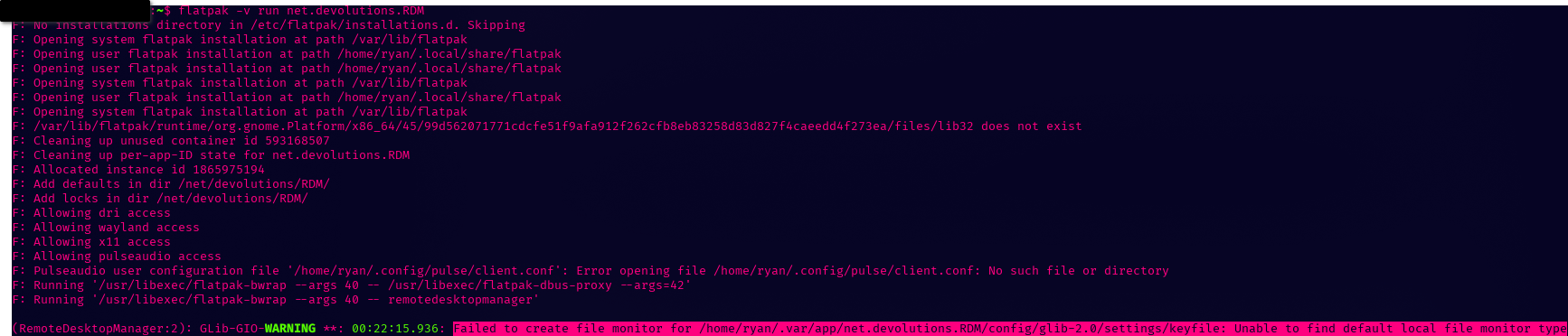
Encountered this issue the other day, found this thread and waited for a patch. Now, after uninstalling and reinstalling the new version RDM no longer starts. Running a flatpak install net.devolutions.RDM gives me this. Not sure if it doesn't matter or not that the locale is partial, but nothing I do is getting this to run.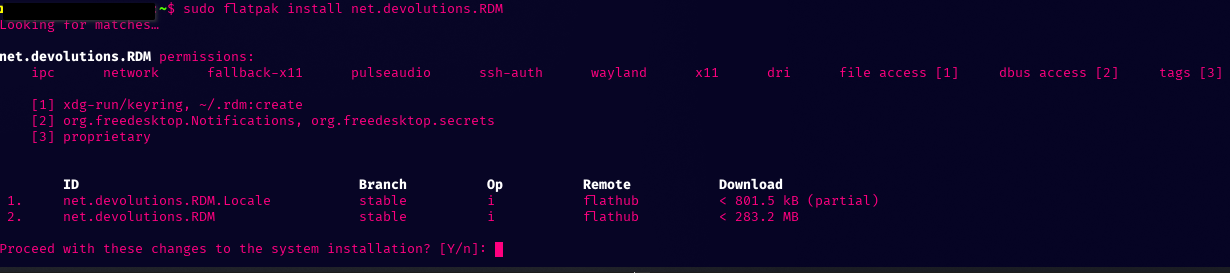
f464ee5e-3fd7-483e-99d8-47d9d0284d6a.png
1c6efc96-084a-46d0-8827-61a059e2a87d.png
same for me.. doesn't start anymore... even after ah "clean" install...
Same for me. Tested in Zorin 17, and on a fresh Mint and Fedora (latest version for both) intall. All installs were done via flatpak.
Hi ! thank you all for making us aware of the issue.
We are currently working on a fix and will keep you updated !
Cheers,
David Ringuet
Seems like the problem is now fixed on my main distro (Zorin 17) with the latest update. Thanks for the support!
Hello VGDevOps,
Happy to hear it works for you.
Can I have a follow-up from the other client affected by this issue?
Best regards,
Carl Marien
Hello VGDevOps,
Happy to hear it works for you.
Can I have a follow-up from the other client affected by this issue?
Best regards,
This is now working for me as well. Thanks guys!
Hello,
Perfect. In this case, I will consider this thread resolved.
Best regards,
Carl Marien