Proxy functionality broken?

Hi there,
can you please explain how well proxy functionality is implemented in RDM for Linux? Because as of now, there seems to be a lot of problems.
We are testing latest RDM release with clean install of Ubuntu 22.04.
After configuring proxy server in Ubuntu's network settings, this is the behavior:
- If we start RDM from terminal using command "remotedesktopmanager", RDM gets proxy configuration from system (or http_proxy/https_proxy variables) correctly and uses it.
- If we start RDM from GUI, it completely ignores proxy configuration and tries to connect directly (which is not allowed for us).
Either way, exceptions from proxy (no_proxy and NO_PROXY variables) are completely ignored, even if we start it from terminal.
Is this standard behavior? Or are we doing something wrong?
Thanks for the help.
BR,
Martin
All Comments (22)
Hello martindvorsky,
I have created a ticket, and we will investigate this issue. We will keep you updated.
Regards,
Gabriel Dubois
Hi,
any news? Can you at least tell us if you are aware of these problems and if you can replicate them, or is it some problem on our side?
Thanks.
Martin
Hello Martin,
Currently, I’m unable to test with a working proxy, so I tried to reproduce the issue by configuring an invalid proxy.
(On Ubuntu 22.04: Settings < Network < Manual --> I set an invalid HTTP & HTTPS proxy and added some specific websites in the "Ignore Hosts" field)
I started RDM from the terminal using the command "remotedesktopmanager" and opened a Website entry. As expected, all websites were not working due to the invalid proxy, except for the websites I put in the "Ignore Hosts" field, they were working. The same behavior occurred when starting RDM from the GUI.
It seems to be working on my end, but it’s possible the results may differ with a working proxy, or perhaps I didn’t reproduce it correctly.
I am currently waiting for a working proxy to test further.
Regards,
Gabriel Dubois
Hi,
sorry, there must have been something wrong with my configuration. I tried it now and seems to be working.
I will let you know if we experience any problems with proxy again.
Thanks for the help.
BR,
Martin
Hello Martin,
I'm glad to hear that the issue is resolved! If you encounter any further problems, feel free to contact us.
Regards,
Gabriel Dubois
Hi,
I think I found a problem with proxy functionality, after all.
When opening website entry, RDM opens connection to the proxy server configured in network settings (as it should), but it also opens direct connection to the destination website. If this direct connection is not allowed/successful, RDM completely crashes.
These are the steps to reproduce the issue:
- Configure working proxy server in network settings in Ubuntu.
- Make sure this Ubuntu doesn't have direct access to the internet (only via proxy server)
- Install clean RDM
- Create any website entry
- Open website entry
- RDM crashes/hangs
You can see there is a direct connection happening using tcpdump, netstat or anything similar.
Can you please try and replicate this issue?
Thanks.
BR,
Martin
Hello Martin,
I opened a new ticket for this issue and we will investigate it as soon as possible.
Regards,
Gabriel Dubois
Hi Gabriel,
any news? Can you reproduce the issue?
BR,
Martin
Hello Martin,
We have just received a functional proxy. I tried to connect to a website entry using the steps you provided, and I did not manage to reproduce the crash. However, any website I try to reach returns a blank page with the message: "WebKit encountered an internal error." There is definitely an issue on my side as well, and they may be related. We will continue the investigation and let you know as soon as we have any updates.
Regards,
Gabriel Dubois
Ok, please keep us updated. Thanks.
Martin
Hello Martin,
After investigating, I've discovered that the issue on my side originates from the version of libsoup (3.0.7) provided by Ubuntu 22.04. It is outdated and contains a known bug, which has been fixed in newer versions of libsoup.
Since you are using the same version of Ubuntu, I believe your issue is also caused by this library.
As we cannot address this issue directly within our code, there are two solutions:
- Install RDM via Flathub: https://flathub.org/apps/net.devolutions.RDM
- Install our .deb package on Ubuntu 24.04, which includes the newest version of libsoup.
Please let me know if these solutions work for you.
Regards,
Gabriel Dubois
Hi Gabriel,
thanks for the suggestion.
I installed brand new clean Ubuntu 24.04, configured proxy settings, installed latest RDM using .deb, created simple website entry (for example https://devolutions.net), but the problem remains. The website loads and after maybe 2 seconds, RDM hangs. And sometimes it doesn't even load the website and immediately hangs.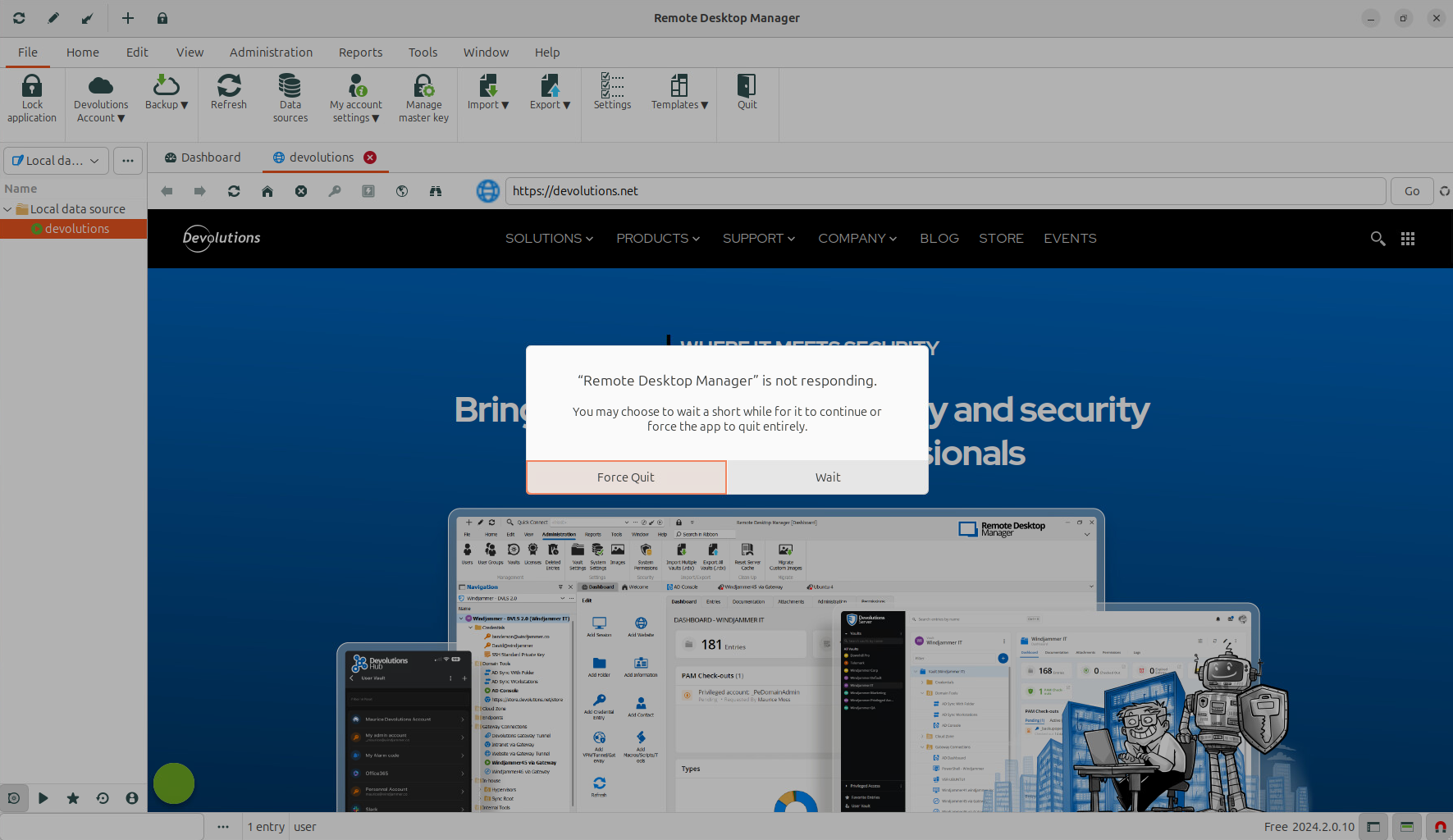
I also noticed that after maybe 2 minutes RDM starts to respond (probably some timeout), but after trying to navigate somewhere on the website it hangs again.
And I can still see using tcpdump that RDM tries to connect to the website via configured proxy, but also directly, which is not successful. Can you check if this happens for you too?
Thanks for the help.
Martin
bb054624-e199-4714-ac27-f33177a0ffc3.png
Hi Martin,
If you run RDM via the terminal with the command: remotedesktopmanager, is there any output when the application hangs?
To get more logs, can you please follow these steps:
- Open a terminal.
- Run this command:
export WEBKIT_DEBUG=all - Open RDM with this command:
remotedesktopmanager - Just before opening your website entry, open another terminal.
- In the new terminal, run this command:
journalctl -f WEBKIT_SUBSYSTEM=WebKitGTK - Open your website entry and wait for ~2 minutes for it to unfreeze.
- Send me the output of the second terminal via a private message in the forum.
In the meantime, I will investigate further with tcpdump to see what is happening on my side.
Regards,
Gabriel Dubois
Hi,
big discovery there. When we launch RDM via the terminal, it works perfectly. No issues with proxy or website entries, and according to tcpdump it doesn't try to connect directly anymore. And we don't see any errors regarding Webkit in terminal either. And it works even with Ubuntu 22.04.
Should I still send you the debug output of Webkit, or do you think the problem exists somewhere else?
Thanks.
BR,
Martin
Hello Martin,
This is odd. On my side, I can't get it to work with the terminal either on Ubuntu 22.04. However, if it works on your side, we'll take it! In the meantime, is this a good workaround for you?
If it only fails when opening RDM via the application desktop shortcut, there's another way to get these logs:
- Open a terminal.
- Type this command (or use the text editor of your choice):
nano ~/.profile - At the end of the file, add this new line:
export WEBKIT_DEBUG=all - Save and exit (Ctrl+S then Ctrl+X if using nano).
- Restart the computer.
- Open RDM with the app shortcut.
- Just before opening your website entry, open a terminal
- In the terminal, run this command:
journalctl -f WEBKIT_SUBSYSTEM=WebKitGTK- If the output is really big and exceeds the terminal limits, you can redirect the output like this:
journalctl -f WEBKIT_SUBSYSTEM=WebKitGTK >> your_path/textfile.txt
- If the output is really big and exceeds the terminal limits, you can redirect the output like this:
- Open your website entry and wait for ~2 minutes for it to unfreeze.
- Send me the output of the terminal via a private message in the forum.
After doing this, you can remove the line you added at step 3.
Regards,
Gabriel Dubois
Hi,
I guess we can run RDM from the terminal as a workaround for now, but it would be nice to have some long term solution soon.
I also sent you logs from journalctl via DM.
Thanks for the help.
BR,
Martin
Hi Martin,
I just want to confirm that I have received your journalctl output. We will investigate it as soon as we can.
Regards,
Gabriel Dubois
Hi Gabriel,
anything new about this proxy issue?
BR,
Martin
Hello Martin,
Unfortunately, we do not have any updates on this issue yet. Due to other priorities, we haven't been able to investigate it yet, but it remains on our high-priority list.
Best regards,
Gabriel Dubois
Hello,
I've encountered and resolved several issues related to using a proxy with RDM. Additionally, proxy settings can now be configured under Settings -> Proxy -> Proxy Settings.
Regarding the issue where the http_proxy and https_proxy variables were not set when launching RDM from the GUI, this has been fixed for GNOME users. However, users of other desktop environments, such as KDE, should either use the proxy settings mentioned above or run RDM via the terminal.
I’ll keep you updated on our next release.
Best regards,
Simon Duguay Létourneau
Hello Martin,
I wanted to let you know that the new version 2024.3.1.1 of RDM is now available. This update might address some of the issues you've been experiencing with proxy functionality. Please give it a try and let us know if it resolves the problem.
Best regards,
Simon Duguay Létourneau
Hi Simon,
we've tried the latest version and proxy functionality seems to be working correctly so far. We will test it thoroughly later and let you know if there any problems, but for now we don't see any issues from the past.
Thank you very much for the fix!
BR,
Martin