PAM Moduel - Reset Password won't work

Hey there,
we integrated the PAM License in our dvls server, added the source domain and a scan config.
A password reset, with my imported users won't work.
It does not work, within in the user context menu, neither when importing.
It just shows an 500 Error.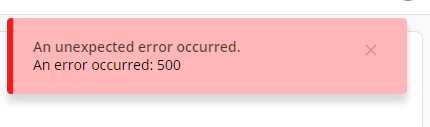
The logs show the following:
In the logs, there are two other errors: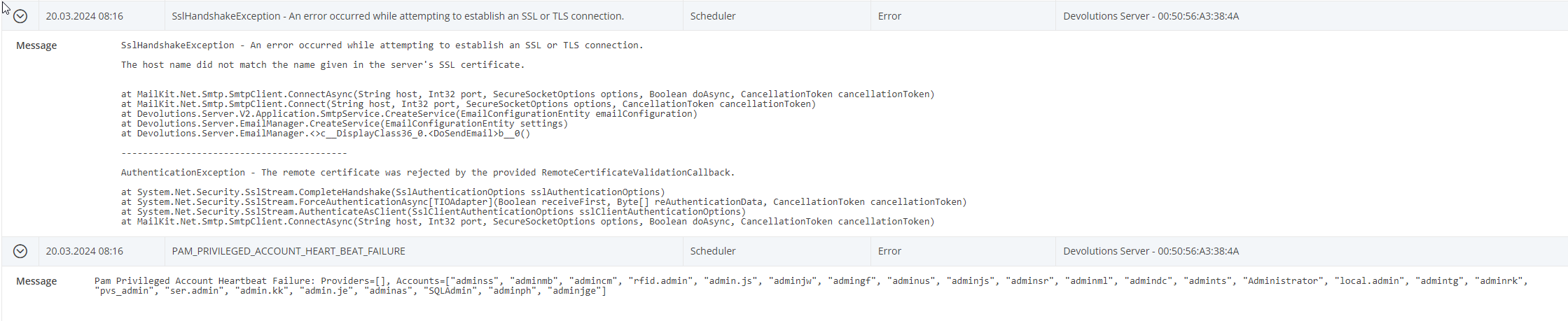
Any help would be appreciated.
Kind regards,
Julian
2024-03-20 10_34_48-Devolutions Server - Data Source Logs.png
2024-03-20 10_33_52-Devolutions Server - Data Source Logs.png
2024-03-20 10_32_35-Devolutions Server - Privileged Access.png
All Comments (3)
Hello Julian,
I believe this error is occurring because the default password complexity of the PAM doesn't match what you have set in your Active Directory.
From the web interface of the Devolutions Server, navigate to Administration - Password Templates - + (top right) Create a password template with a matching complexity.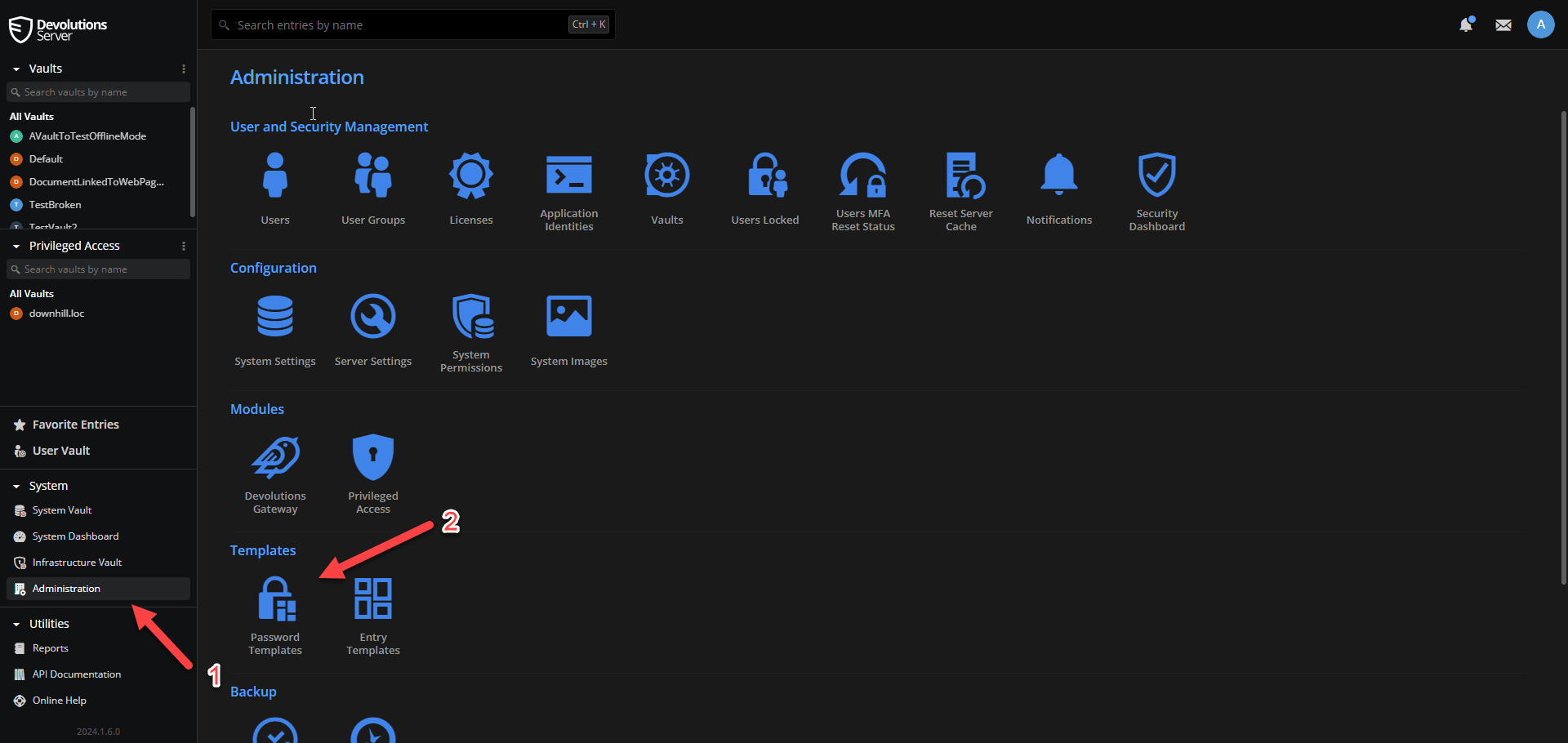
You can then go to Administration - Privileged Access - Providers - Edit your provider - Settings - Password template used on generation - select your new template.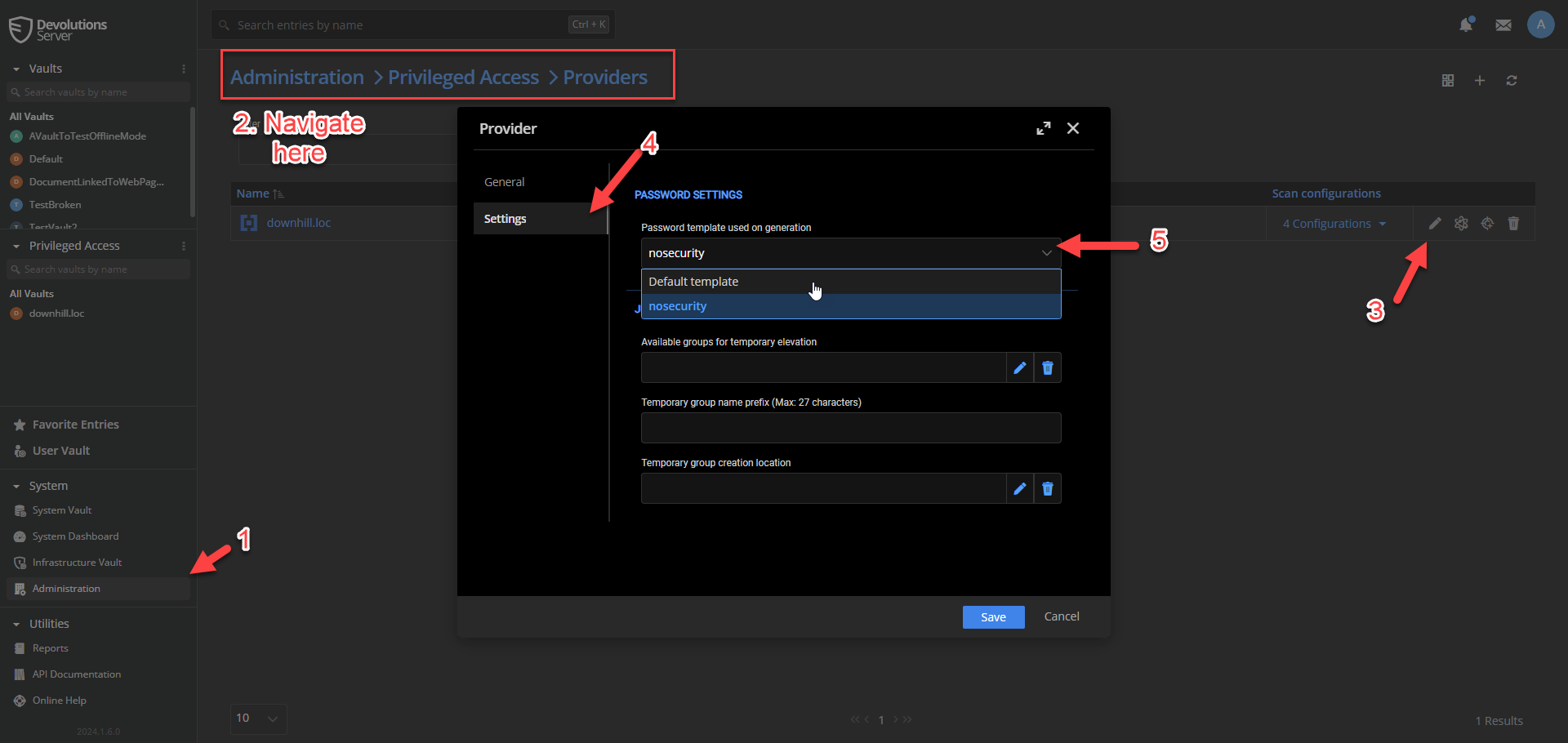
Once this is done, try resetting the password on one of the PAM accounts you've imported or import a new one.
Let me know if this fixes your issue!
Best regards,
Marc-Antoine Dubois
Marc-Antoine Dubois
36c17933-74e0-495a-a5ab-3d727aa18452.png
e43e19e9-f03d-498d-b4c8-5946c743f6b2.png
Hey Marc-Antaine,
thanks for the quick reply. I configured it as you suggested and now it works.
Thank you for your support.
Best regards,
Julian
Hello Julian,
I'm glad to hear it.
I opened a discussion internally. We're going to look into making this error a bit more clear. Thanks for reporting this.
By the way, your second error "SSLHandShakeException.." is a certificate issue preventing the SMTP integration from working.
Since it mentions that the hostname doesn't match inside the certificate, I'd start by taking a look at your SMTP Server's certificate CN value.
You can try to trigger this behaviour by sending test emails in Administration - Server Settings - Email.
The third log "PAM_PRIVILEGED_ACCOUNT_HEART_BEAT_FAILURE" is related to password complexity, if you reset the passwords of the accounts in trouble, it shouldn't come back.
Don't hesitate if you have questions regarding this!
Best regards,
Marc-Antoine Dubois
Marc-Antoine Dubois