Version 2024.1.4.0 (March 5, 2024)

If you are using a client (RDM, PowerShell, etc.), version 2024.1 is required for this DVLS version
NEW FEATURES
- Core - Active Directory web console is now supported
- Core - Added PingOne identity provider as authentication
- Core - Added support for sending passwords through in-app messaging or Devolutions Send
- Core - Administrators can now configure which notifications they want to receive by email
- Core - Domain authentication can now use Devolutions Gateway
- Core - DVLS can now be used without a license (Free version up to 10 users)
- Core - Improved our LDAP stack for Active Directory authentication
- PAM - Accounts used to access Devolutions Server Database are now saved in an internal vault
- PAM - Provider's password can now be managed and rotated
- Rest API - 3 endpoints are now available to get secret/credential value. API documentation is also available from the UI
- Scheduler - Support high availability
BREAKING CHANGES
- BREAKING CHANGE Core - Upgraded application from .NET 6 to .NET 8
- BREAKING CHANGE PAM - Migrate PAM account to be able to support documentation and attachments
IMPROVEMENTS
- SECURITY FIX Core - Authentication with Azure/Okta can be configured to validate the token on a regular basis. Client changes required
- Core - Added a way to know if a user has a user vault or not and warn the user when it is deleted
- Core - Added vaults and user groups columns in user report
- Core - Added vaults and user groups in user reports
- Core - Password list can now shows more passwords in the page
- Core - Prevent users to remove all MFA supported if MFA is required to login
- Gateway - Support multiple domains to reach the right KDC server
- PAM - Documentations and attachments are now possible on PAM account
- PAM - Support favorite vault with PAM vaults
- Web - Improved the web interface and show all vaults in the side menu
- Web - Support for hardware-accelerated cursors and Kerberos with RDP web client
FIXES
- SECURITY FIX Core - Fixed an issue where notifications could be accessed without permission
- SECURITY FIX PAM - Fixed an issue where PAM Azure account is not removed from groups after JIT elevation
- Core - Fixed an issue where log cleanup could fail with SQL timeout if too much data had to be deleted
- Core - Fixed an issue where a serialization error was raised during vault import from .rdx file
- Core - Fixed an issue where the user was logged in automatically after a forced logout by the application
- Core - Fixed SSO login with Workspace Browser Extension
- PAM - Fixed an issue where PAM account attributes could not be updated if the provider was unreachable
- Web - Several UI fixes
## CONSOLE RELEASE NOTES ##
NEW FEATURES
- Recovery kit stored in Azure Key Vault can now be directly installed
BREAKING CHANGES
- BREAKING CHANGE Upgraded application from .NET framework 4.8 to .NET 8
IMPROVEMENTS
- Improved SQLExpress installation
- Path where to save recording session can now be configured
- Scheduler service is now mandatory, it is always installed (high availability is now supported by Devolutions Server)
FIXES
- Added security warning message to help users know if advisories DEVO-2024-0002 is applied to them
- DPS_Main log file is always created, permission is added to the user running the process
Érica Poirier
All Comments (13)
After creating a DVLS standby instance to test the upgrade from 2023.3.14.0 to 2024.1.4.0, the upgrade goes horribly wrong.
After the upgrade completing, authenticating to the website, errors are automatically generated.
I can reproduce this 100% of the time
Rolling back to previous version
resetting the domain cache seems to have resolved he errors. Wil continue to test
Hello,
Thank you for your feedback, and glad that resetting the domain cache seems to have solved the issue.
Let us know if there is any other issue with your DVLS 2024.1 staging instance.
Best regards,
Érica Poirier
upgrading standby instance was successful after a couple of small errors.
Attempting to upgrade production instance ends in error.
System.UnauthorizedAccessException: Access to the path 'C:\inetpub\wwwroot\dvls\Devolutions.dll' is denied.
at System.IO.__Error.WinIOError(Int32 errorCode, String maybeFullPath)
at System.IO.File.InternalDelete(String path, Boolean checkHost)
at System.IO.File.Delete(String path)
at Devolutions.Utils.FileUtils.DeleteDirectory(String path, Boolean deleteStartingDirectory, Boolean recursive, Boolean deleteSubDirectories, Boolean throwError, String[] excludingFiles, String[] includingFiles, String[] excludeDirectories)
at DPS.Console.Common.Business.Action.Server.Upgrade.Steps.DeployContent.Run()
Upgrade automatically roles back to previous version
Hello Sonny,
I opened a ticket on your behalf and sent you an email.
Keep an eye out.
Best regards,
Marc-Antoine Dubois
Marc-Antoine Dubois
Hello,
after the update if I access the servers I get these errors:
The following error
was received by admin at 03/10/2024 15:49:26
Error:
NullReferenceException
- Object reference not set to an instance of an object. at
Devolutions.Server.ConnectionLogManager.LogUserRoleAssignmentChange(ISessionContext
context, Nullable`1 contextId, UserEntity beforeUser, UserEntity afterRole)
at Devolutions.Server.UserManager.SaveUser(ISessionContext context,
UserEntity userToSave, SaveUserElement savedElement, LicenseUserService
userLicenseService, Boolean clearLinkedAccount) at
Devolutions.Server.RoleManager.UpdateRoleUsers(ISessionContext context, Guid
roleId, RoleAssignment[] assignments) at
Devolutions.Server.Controllers.APIControllers.V2.SecurityController.UpdateRoleAssignments(Guid
roleId, RoleAssignment[] assignments) at lambda_method2633(Closure, Object,
Object[]) at Microsoft.AspNetCore.Mvc.Infrastructure.ControllerActionInvoker.InvokeActionMethodAsync()
at
Microsoft.AspNetCore.Mvc.Infrastructure.ControllerActionInvoker.Next(State&
next, Scope& scope, Object& state, Boolean& isCompleted) at
Microsoft.AspNetCore.Mvc.Infrastructure.ControllerActionInvoker.InvokeNextActionFilterAsync()
--- End of stack trace from previous location --- at
Microsoft.AspNetCore.Mvc.Infrastructure.ControllerActionInvoker.Rethrow(ActionExecutedContextSealed
context) at Microsoft.AspNetCore.Mvc.Infrastructure.ControllerActionInvoker.Next(State&
next, Scope& scope, Object& state, Boolean& isCompleted) at
Microsoft.AspNetCore.Mvc.Infrastructure.ControllerActionInvoker.InvokeInnerFilterAsync()
--- End of stack trace from previous location --- at Microsoft.AspNetCore.Mvc.Infrastructure.ResourceInvoker.<InvokeNextExceptionFilterAsync>g__Awaited|26_0(ResourceInvoker
invoker, Task lastTask, State next, Scope scope, Object state, Boolean
isCompleted) --- Default
Source:
Devolutions.Server.Common
Hello,
What authentication type are you using in DVLS?
If it's Domain or Microsoft, is the Enable Cache feature option enabled?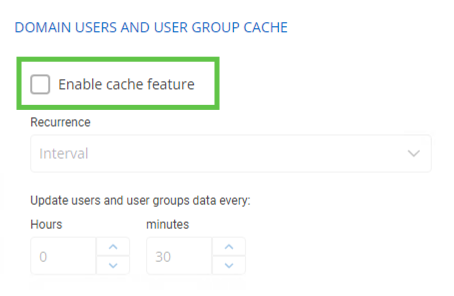
If so, please try to disable it and reset the DVLS cache in Administration - Reset Server Cache on the DVLS web UI.
Best regards,
Érica Poirier
e40a22d6-fa9a-4b20-bb65-435906569108.png
8645eca9-6981-4923-89f1-941bff87197c.png
Hello.
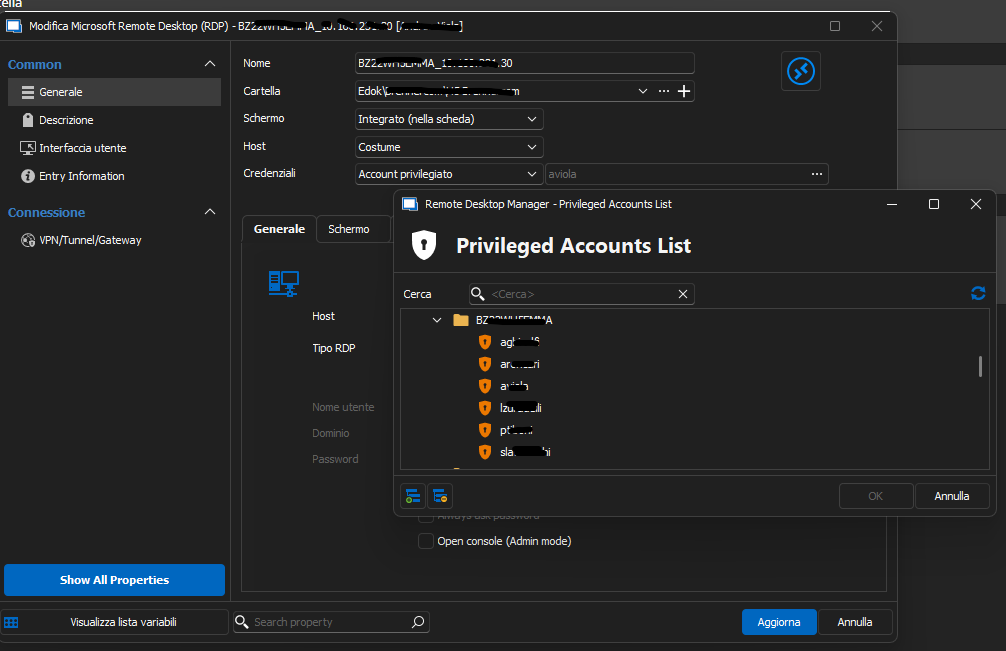
before the update I saw only privileged accesses associated with me.
After the update I see all accounts. Not having the rights generates errors. 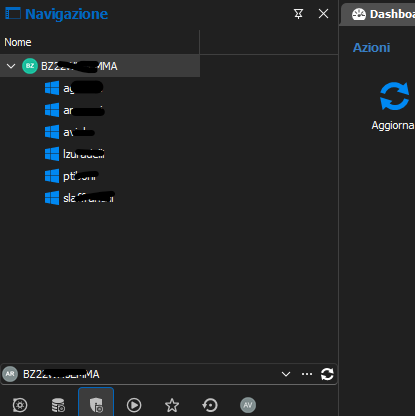
fae69631-774b-49b8-b11f-52059ba9ba11.png
2c3a106e-fe90-4c11-80cd-7485026e9421.png
Hello,
Thank you for reporting this behavior.
We will investigate and keep you updated.
Best regards,
Érica Poirier
Hello,
What permissions are set on the PAM accounts you should not see?
Is it possible that you get Reader permissions on the Vault's root record and that the PAM accounts have Reader permission set to Inherited?
If so, then set the Reader permission to Custom without setting any account or group like this. 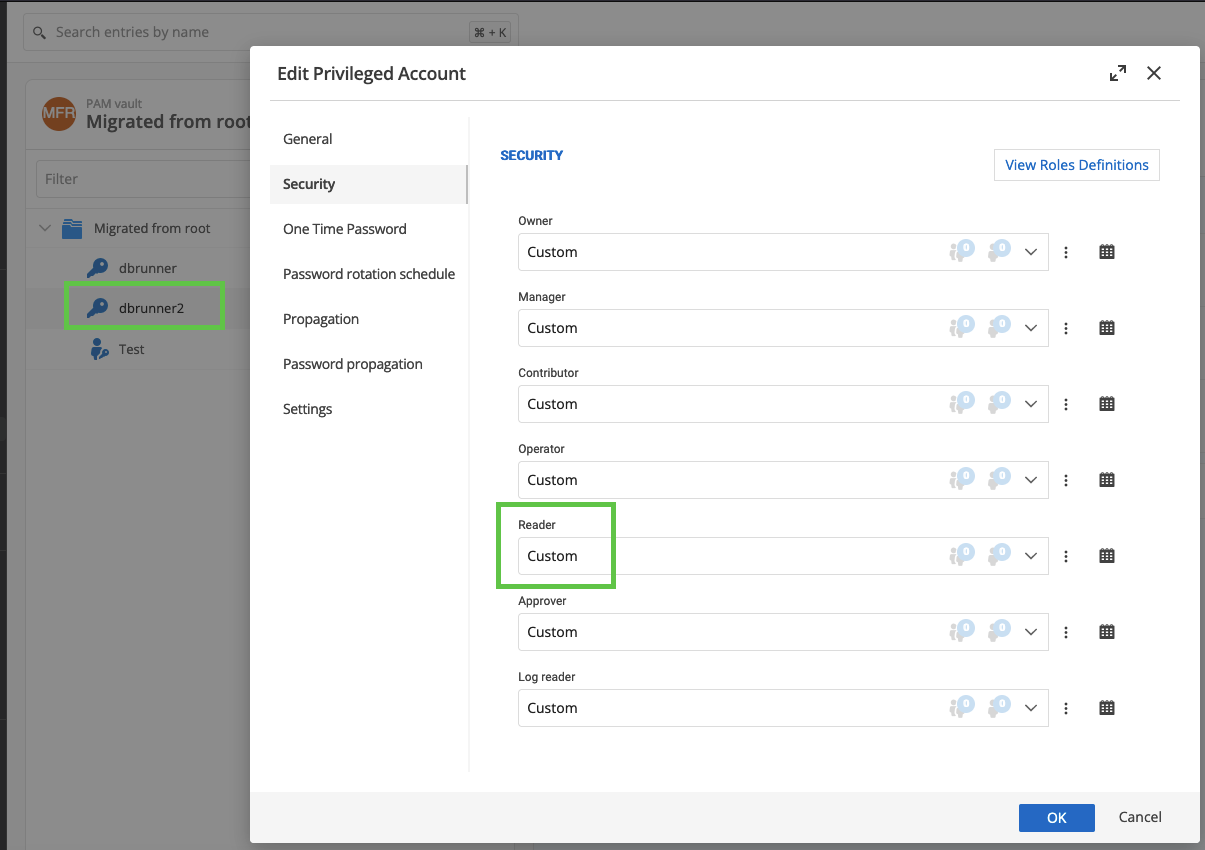
Let me know if that helps.
Best regards,
Érica Poirier
07020343-3790-4b44-89b3-7a3d900ba9c9.png
Hello Erica,
thanks for your interest. I did several tests, and I tried again as you recommended. On the Vault's root record I only set custom.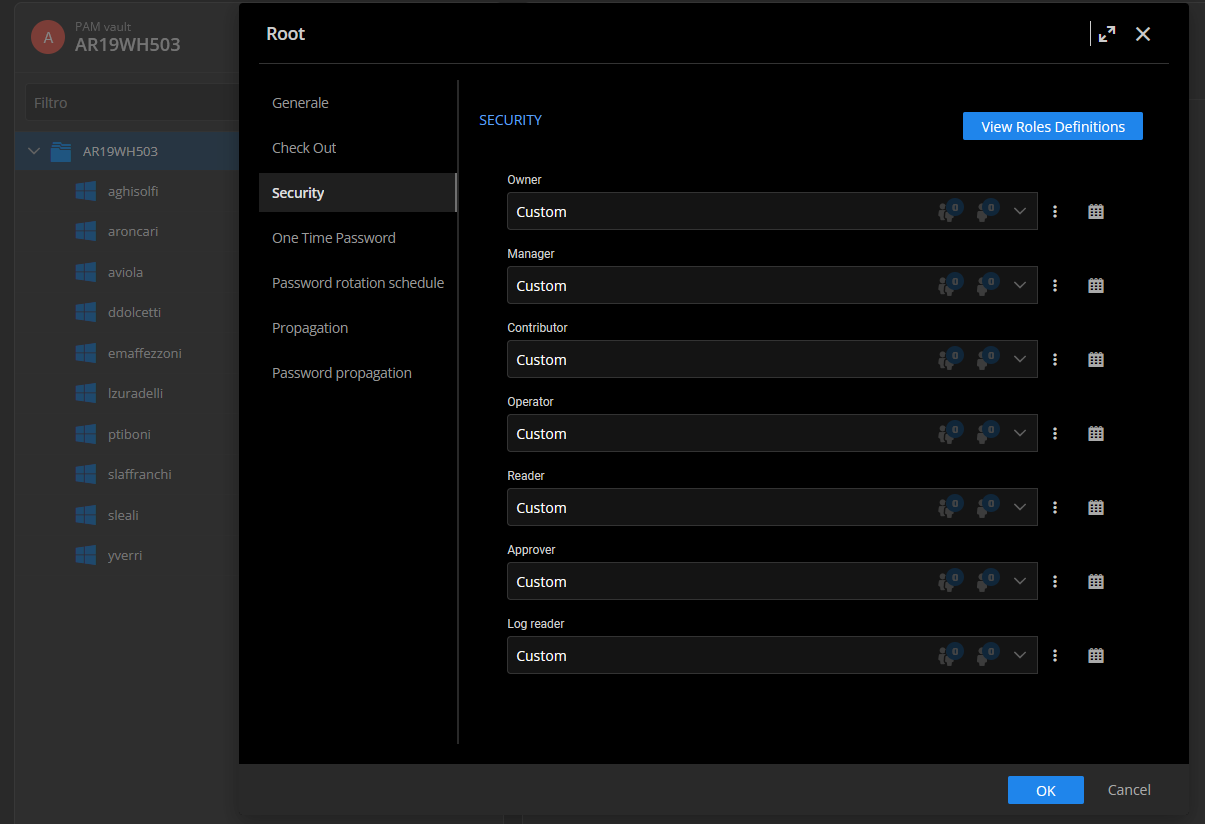
the accounts are all set up custom without setting any account or group like this, with the exception of Contributor, only the user who must use it is configured.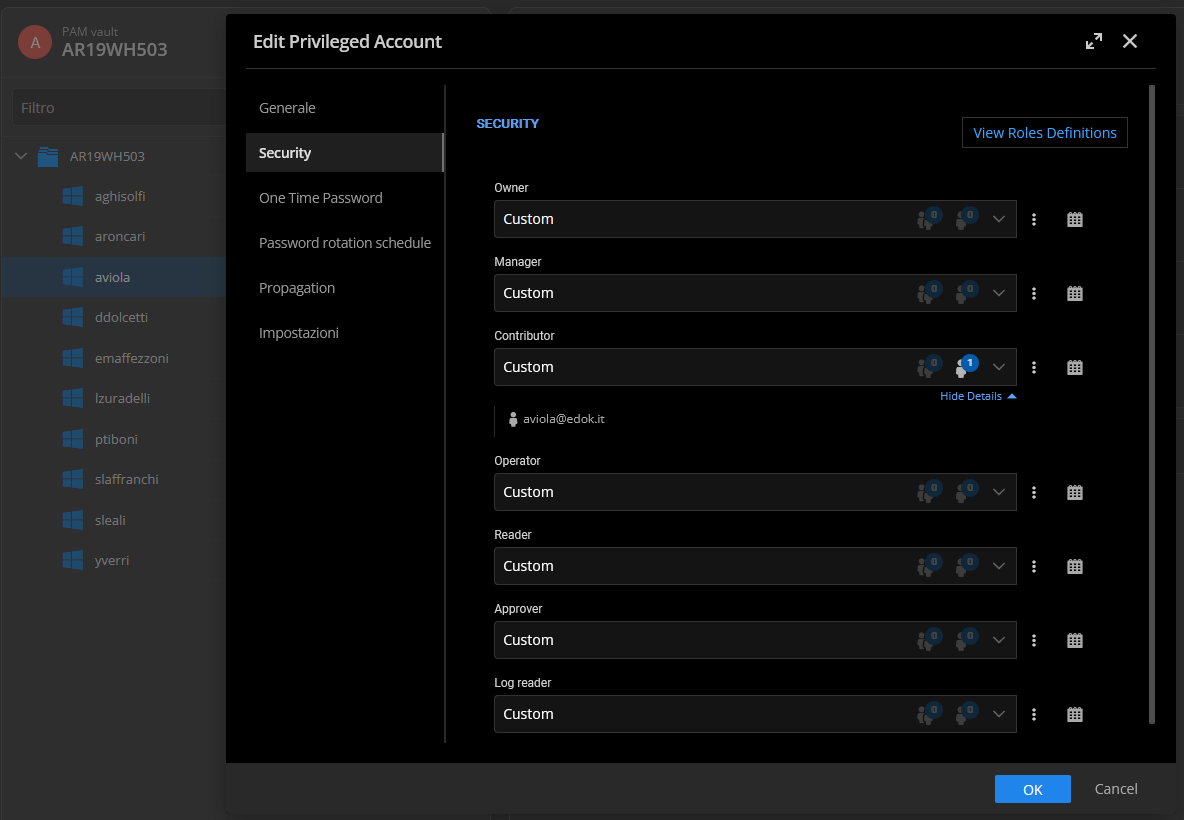
when I go to select the account to use I see them all. If I select my account where I have rights, when I start rdp I get this error.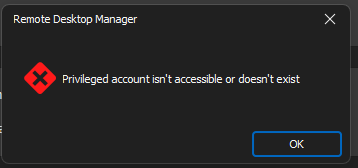
this is after the update. To get around the problem I have to make all users administrators. They cannot work with this privilege: today I restore the previous version.
If it helps, this was the configuration before the update, on the Vault's root record: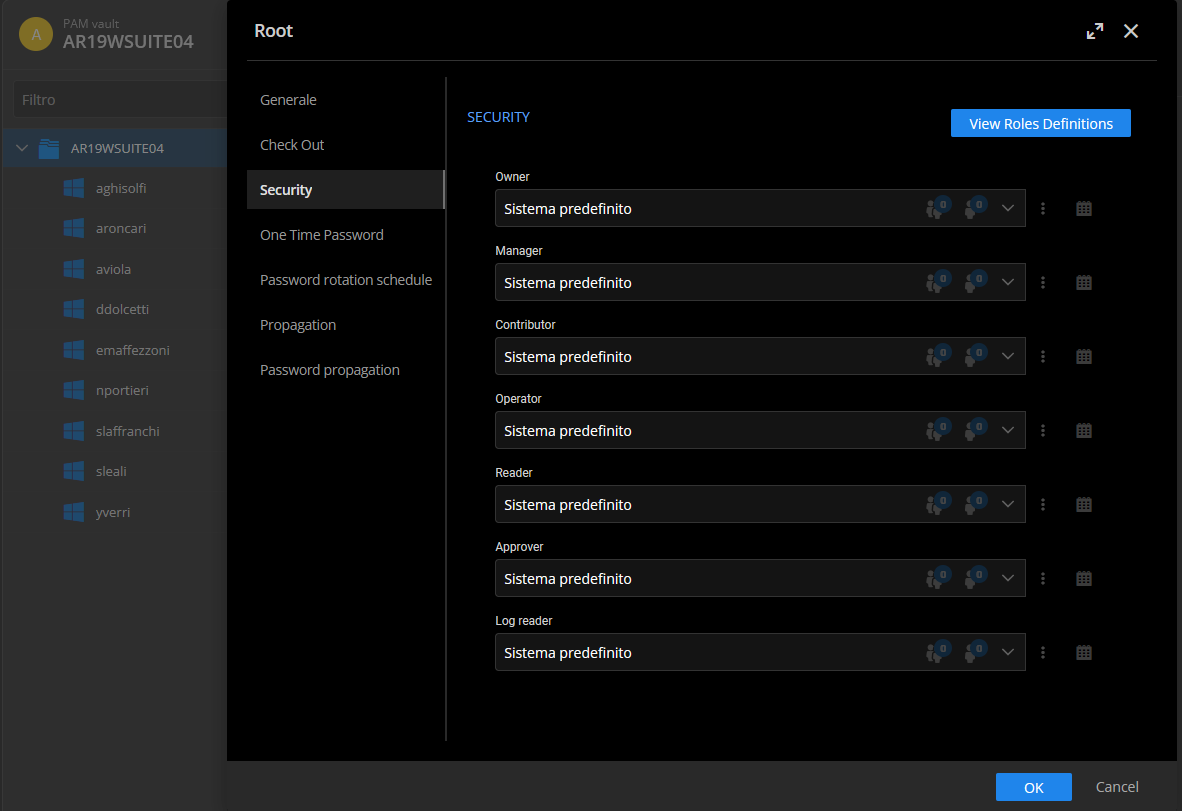
Every single user had this setting: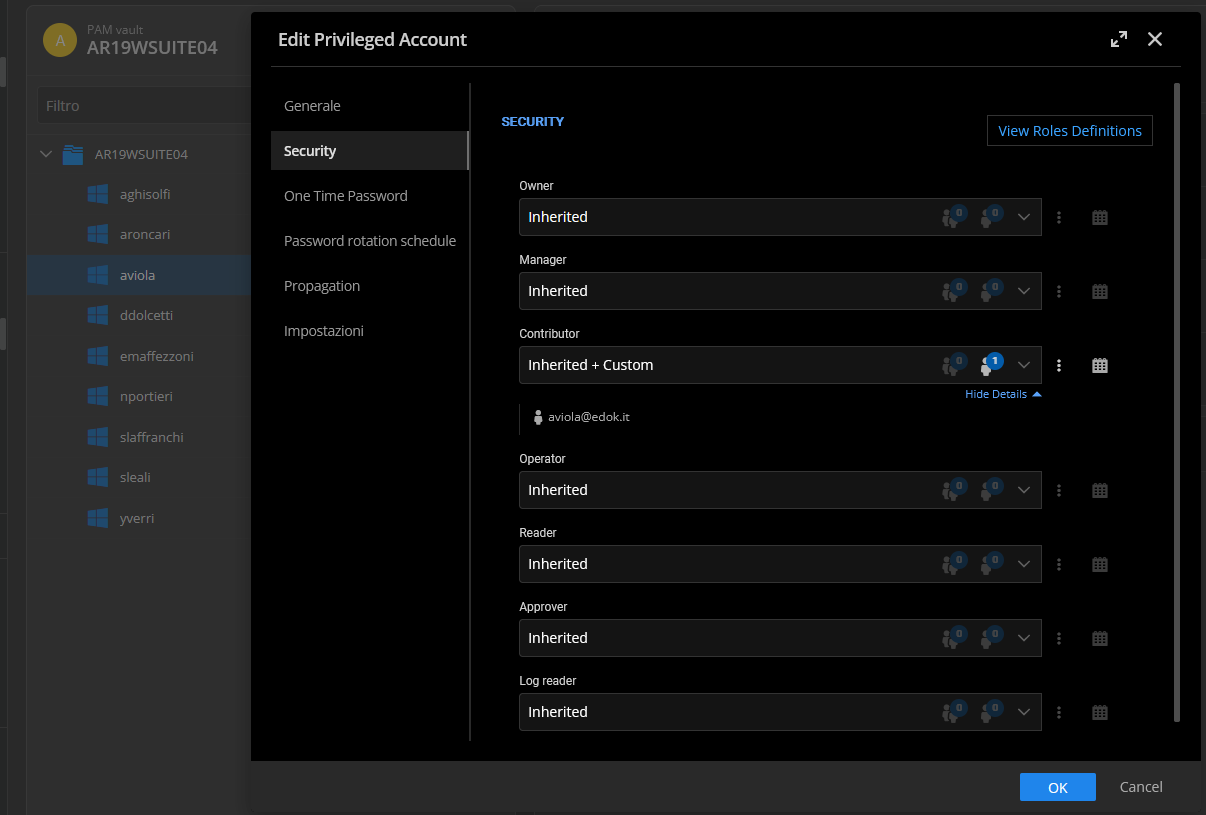
If I connect I get the same error, and I see all the accounts entered.
thanks, see you soon.
4d7cc3c4-c375-48d1-b411-21782a2244af.png
6c2488d4-9376-4e16-bcec-90d099332427.png
0cbb9d25-2ec2-43a1-88cb-26b04cb0ce69.png
cf27b828-10a8-4aed-b59c-da8269923ff4.png
038d4f2e-b556-403a-aafb-08beeacd78d6.png
Hello,
Thank you for your feedback.
We were able to reproduce this issue. A ticket has been submitted to our developer's team.
Once an update will be available, we will let you know.
Thank you so much for being so patient.
Best regards,
Érica Poirier
Hello,
@Aviola, we have released DVLS 2024.1.8 an hour ago. This version contains the fix for the PAM Permissions issue.
Let us know if that works as expected.
Best regards,
Érica Poirier