Where is Devolution Gataway in RDM?

I feel daft asking this...
Build a POC for RDM Server and RD Gateway. Got them up and running (I think!). So want to test a session.
Following this guide: https://docs.devolutions.net/server/dgw/rdm-configuration/
However, falling over the first step as I do not have the option in RDM to select Gateway?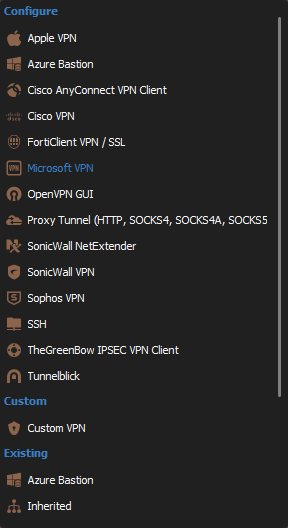
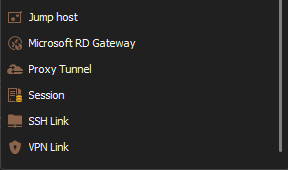
Check addons to see if I needed to add in first but its not listed?
What am I missing here?
Running 2023.3.39.0 64 bit Teams addtion.
Thanks
Iain
Version 2026.2.13.0 64-bit
Data Source SQL
a4aa9e31-ff5b-4d36-8e71-350a24525ab2.png
97bc639e-7292-4747-b417-ffb36b70b050.png
All Comments (12)
Hello,
To have the Gateway available in RDM, it needs to first be installed. Please see the following online documentation.
https://docs.devolutions.net/server/dgw/server-configuration/
Let us know if that helps.
Best regards,
Érica Poirier
Hi Erica,
I've followed that article the GW is installed on RDM Server in our POC. How do I add the GW to our RDM client to test?
Thanks
Iain
Version 2026.2.13.0 64-bit
Data Source SQL
187f17d7-2f00-4d6c-95bb-3331b2a5834a.png
To be clear this is the step I am failing at
https://docs.devolutions.net/server/dgw/rdm-configuration/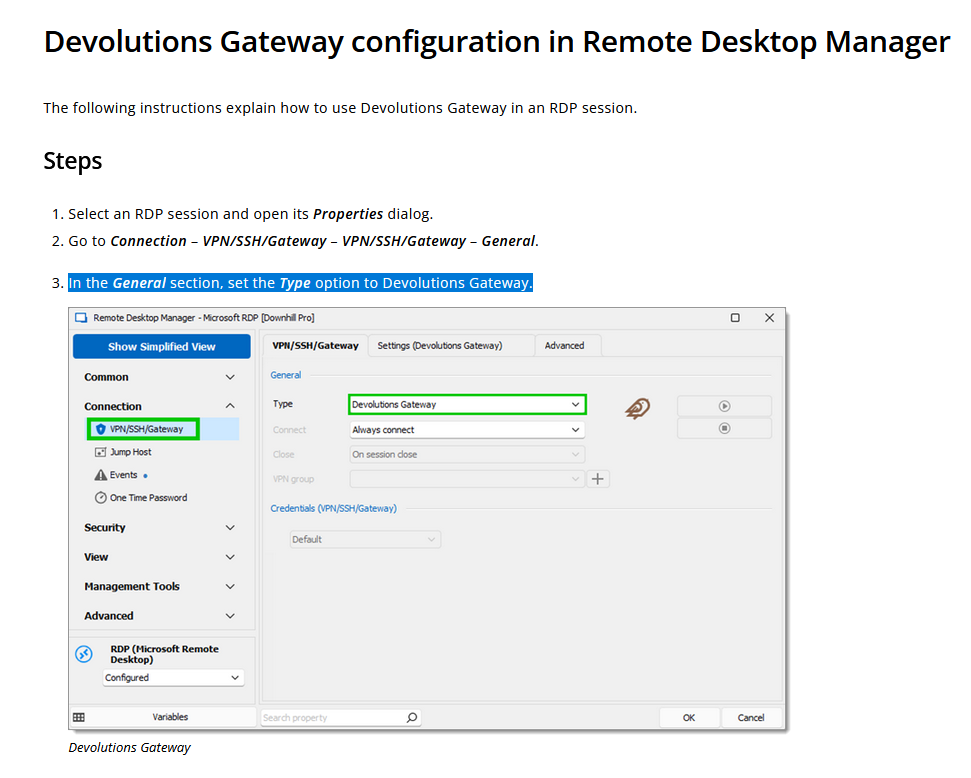
Thanks
Iain
Version 2026.2.13.0 64-bit
Data Source SQL
c6a02edf-b01c-4ca9-86ba-67f20f703456.png
Hello,
What message do you get when you move the mouse over the yellow warning icon of the Gateway?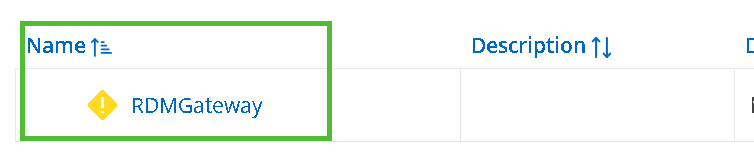
Is your RDM connected to the DVLS data source properly?
https://docs.devolutions.net/kb/devolutions-server/how-to-articles/configure-client-data-source/
Best regards,
Érica Poirier
0d1ddaec-09d5-47ad-aea1-066b7532cb6c.png
Hi Erica,
Ah I see. I need to add Server as the datasource. I was thinking I intergrate into my existing SQL datasource!
I have attempted to add the Devolutions server as a datasource but now appear to have hit a license issue but I am unsure why.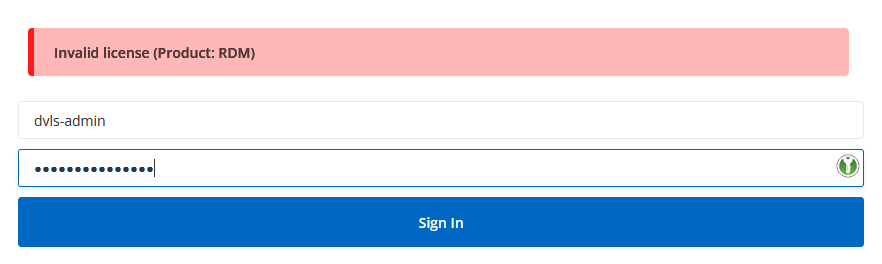
I have a GW and server trial licsense both of which have been installed on the RDM server.
My RDM client has just recently had its licesnse renewed and is a valid enterpise licenese for the 3 years.
So I am unsure why it is now complaining?
Also the previous alert on the GW is due to https not being congfigured. However, this is simply for testing, if rolled out that would be resolved.
Regards
Iain
Thanks
Iain
Version 2026.2.13.0 64-bit
Data Source SQL
33887deb-0946-49f3-93a4-d1a46b589718.png
Hello Lain,
Usually this issue happens because the user you're connecting with through RDM doesn't have a license manually assigned.
It's possible to auto-assign licenses or manually assign them. Please have a look at my screenshots below.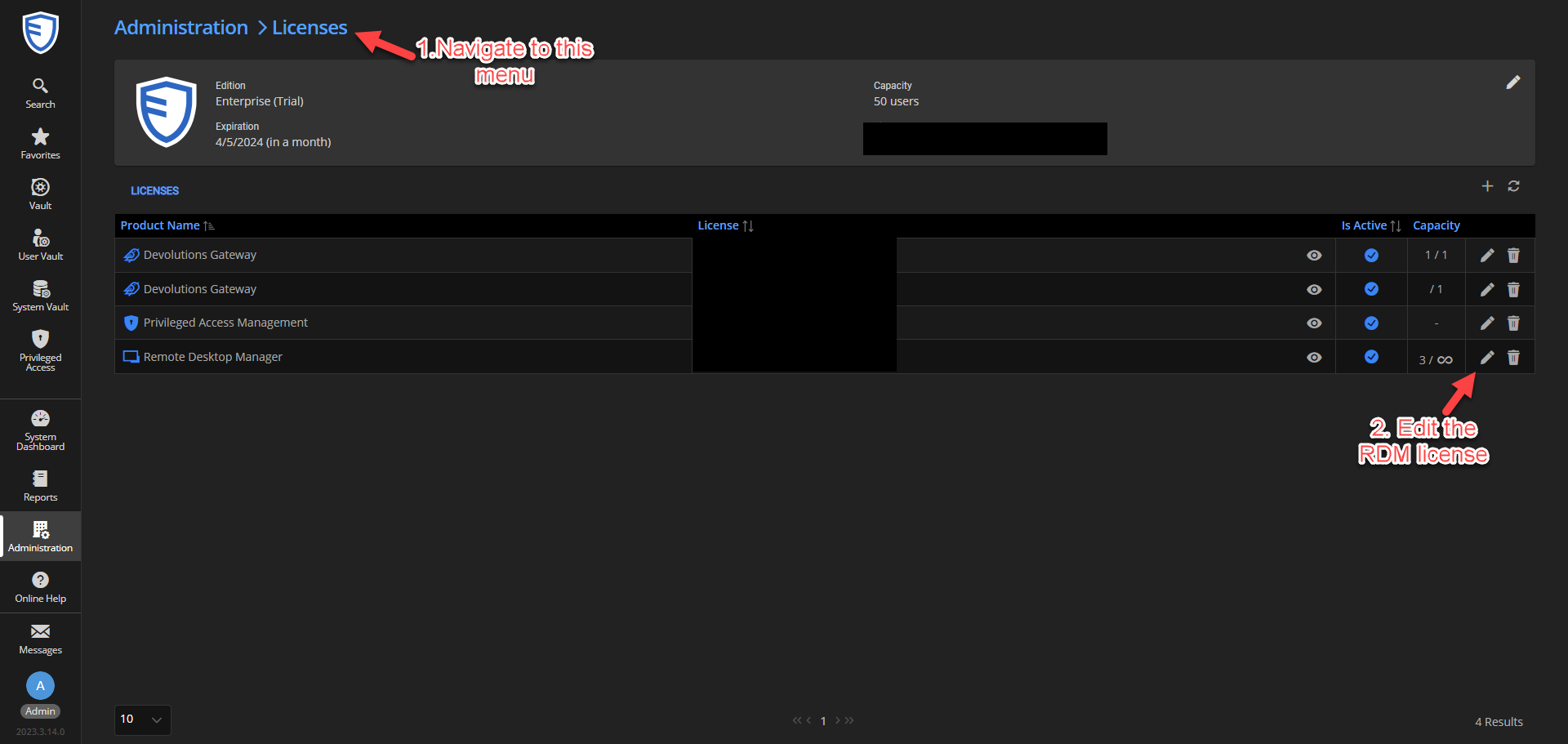
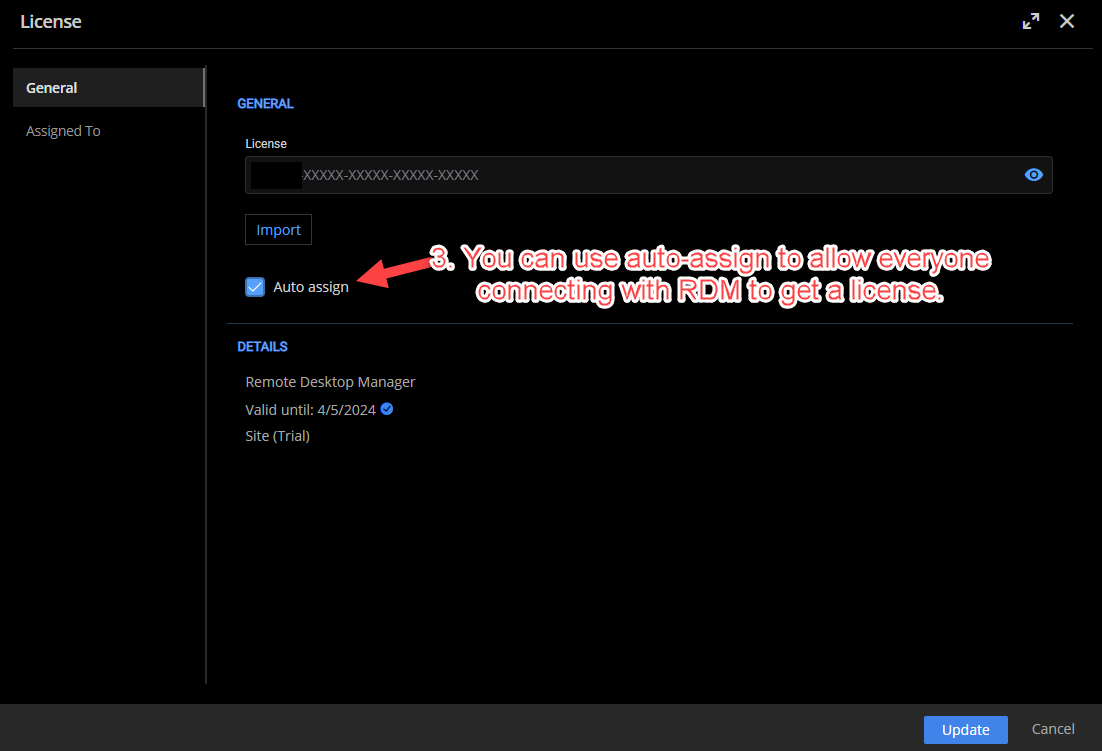
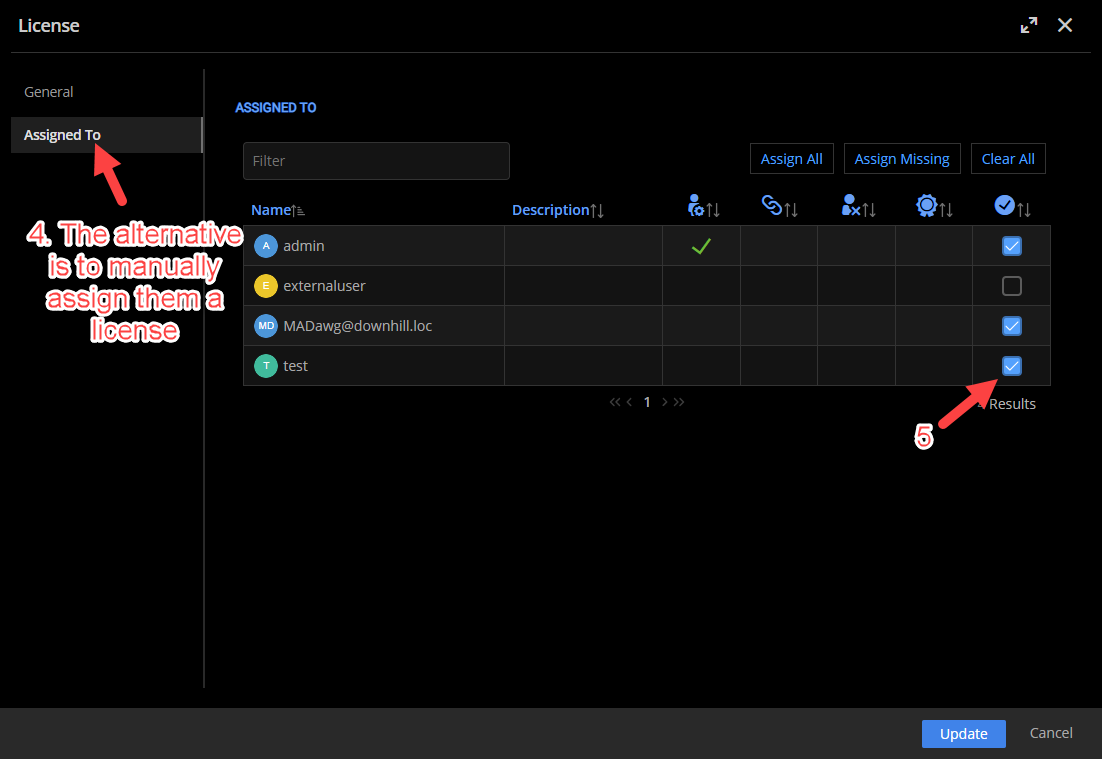
Let me know if this answers your question!
Best regards,
Marc-Antoine Dubois
Marc-Antoine Dubois
9ee61730-feaf-4d0a-a607-ee6a2dbffe95.png
4400e094-7569-4d32-b920-807033add727.png
a670c83b-5d3a-4e03-93fb-50f9b327af3b.png
Marc,
Thank you, looks like I am up running.
I have now managed to add RDMserver to RDM as a datasource. I can see the entry I created in it.
I have also configured that session to use the Gateway:
I can sign in so happy its working.
However, refreshing the page showing the GW does not show any active sessions?
So I am unsure if its actually is using the GW..
Thanks
Iain
Version 2026.2.13.0 64-bit
Data Source SQL
c5c6ce6d-aa02-4684-abb9-00615244abd7.png
d7806858-2d03-45f9-a725-82ae97568b79.png
Checked logs and seems to be connected.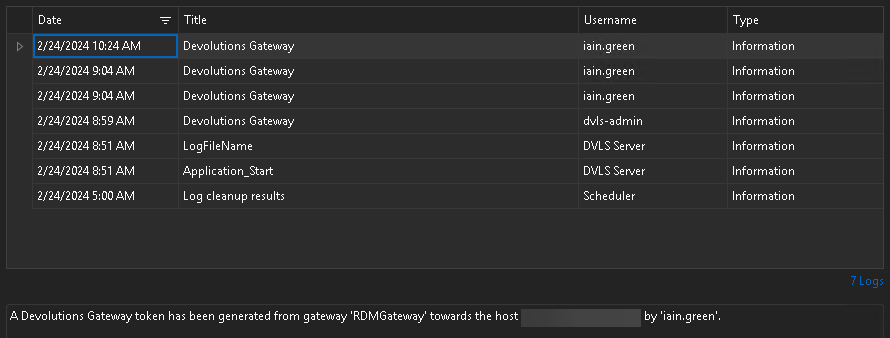
Thanks
Iain
Version 2026.2.13.0 64-bit
Data Source SQL
9e616f05-33c5-4821-9ea8-987a2f974c33.png
d872a0d5-047f-4255-b6ac-d0f2e4dc7680.png
Hello,
Thank you for your feedback.
Do you see the session in Sessions from the Gateway in the advanced menu in Administration - Gateways?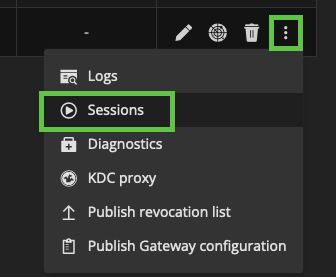
Best regards,
Érica Poirier
1f7e8348-2081-44c7-a3bc-18a28b09747f.png
Hi Erica,
yes ut did eventually appear int he session view.
Thanks
Iain
Thanks
Iain
Version 2026.2.13.0 64-bit
Data Source SQL
Hello,
Just to add more information, the active sessions in the gateway list is not updated often. It is updated when we send the gateway heartbeat. You can adjust that value in the web interface. If you want the real time value, getting the opened sessions is the best way like my colleague Erica suggested you.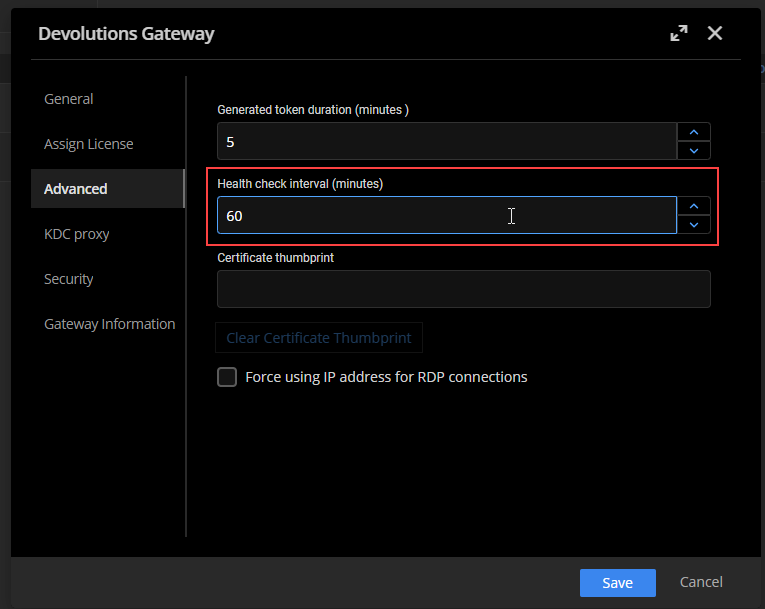
Best regards,
François Dubois
859ef47c-52a6-4ee2-9fe1-5d031ce8e663.png
Good to know, thanks for passing that on.
Thanks
Iain
Version 2026.2.13.0 64-bit
Data Source SQL