Remote Desktop Manager Client --> Certificate Checking

Hello Community,
we have in our on-premises environment a new installation of DPS Server (version: 2023.3.13.0) (on Windows Server 2022 virtual machine).
Everything is fine but if we start the Remote Desktop Client (version: 2023.3.35.0) we get the following message: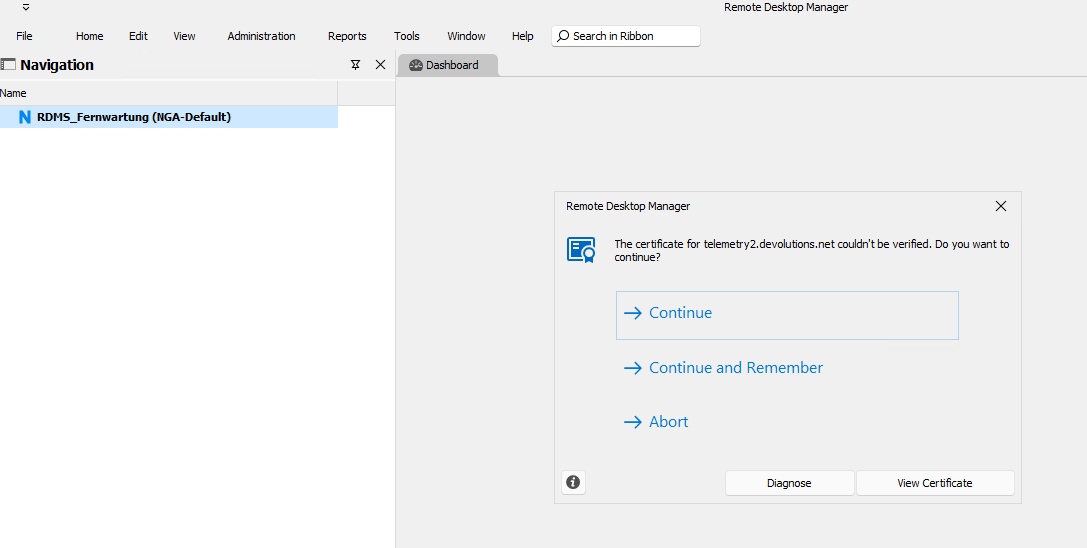
We accepted the suggested URL in our on-prem firewall and don't know why this verification request to telemetry2.devolutions.net is not working.
The message is not good because we depoly RDM to our clients via software deployment sofware (Baramundi) and after deployment we wanted to add the RDM config file after deployment. This is failing because of the popup message which has to be confirmed by the user.
Best regards
Benedict Poppe
bc2c5c5b-b657-4fe1-be9e-d6ce7fccb61e.png
All Comments (5)
Hi Benedict,
I verified and the certificate for telemetry2.devolutions.net is valid. The error might be caused by your firewall, for example if you are doing TLS interception.
You can disable telemetry by adding the following option in RemoteDesktopManager.cfg.<DisableSendingAnalytics>true</DisableSendingAnalytics>
Sébastien
Sébastien Duquette
Hello Sébastien,
we created an exception in our firewall:
^https?:\/\/([A-Za-z0-9.-]*)\.devolutions\.net
Unfortunately, the message comes anyway and we are therefore unable to create
an automated integration of the devolution data source (via our software distribution system Baramundi).
Best regards
Benedict Poppe
Hi Benedict, could you share screenshots of what is displayed when clicking the Diagnose and View Certificate buttons.
Also, would having a setting to disable analytics via a GPO be a viable option for you?
https://docs.devolutions.net/kb/remote-desktop-manager/how-to-articles/group-policies/
Sébastien Duquette
Hello Sébastian,
one of my colleagues inserted the following line: <DisableSendingAnalytics>true</DisableSendingAnalytics> in the RemotedesktopManager.cfg - File.
This file is deployed via our Software Deployment Software (Baramundi).
After adding this line and restarted deploying of RDM, the datasource which is pre-configured is not added. Only a local datasource will be added.
Are the data sources not stored in the remotedesktopmanager.cfg file?
Best regards
Benedict Poppe
Hi Benedict,
RemoteDesktopManager.cfg is an xml file, make sure to add the line inside the <Option> section. You are likely getting the default configuration if RDM fails to parse the configuration file.
Sébastien Duquette
257f60c8-0522-4591-a9df-adbd3ccb2ba5.png