Can't read or copy password from 2023.3.0.5

Hello,
from the version 2023.3.0.5 when i click on "the eye" to reveal the password i can only see [#XX#] and even if i copy the password i have the same result.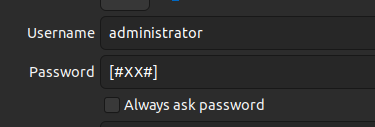
It's a problem on my client or server? or is a bug?
Thank You
Andrea
2023-11-16_16-58.png
All Comments (18)
Hello Andrea,
Please confirm if you are using Devolutions Server (DVLS) as your data source.
The [#XX#] value is a new password-resolving feature recently implemented for DVLS. There may be some instances where the resolution is not done correctly, resulting in the issue you reported. Our developers are currently investigating and working on resolving it.
Best regards,
Richard Boisvert
Yes, i can confirm that i'm using DVLS as data source.
Hello,
Thank you for confirming.
In order to replicate the issue, can you share what type of entry it is (username/password ?) And what permissions do you have on that entry?
Best regards,
Richard Boisvert
all the entries have the same behaviour ssh web rdp (pincipally) i've all the permissions on the server (read/write)
Thank you
Andrea
Hello,
This was fixed internally, the fix will be available in the next RDM version: 2023.3.1.
Best regards,
Richard Boisvert
Hello AndreaB,
In the meantime, if you force refresh RDM by pressing Ctrl + Click on the refresh button it should temporally fix the issue. Please let us know if this workaround works for you.
Regards,
Gabriel Dubois
Today with the new version i can copy the password but this is my connections tree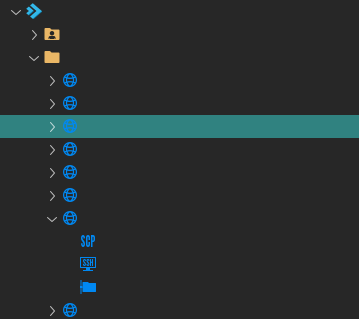
2023-12-20_10-10.png
Hi Andrea !
could you tell me what columns are currently selected in the treeview and their order, please?
(you can right click on the header of a column and select the column chooser to see what columns are currently selected)
Best regards,
David Ringuet
Hello again!
I believe I might have identified the issue you are having, could you tell me what language you are using RDM in?
Regards,
David Ringuet
I'm using english and the connections tree is empy, i've installed the today update and this is the result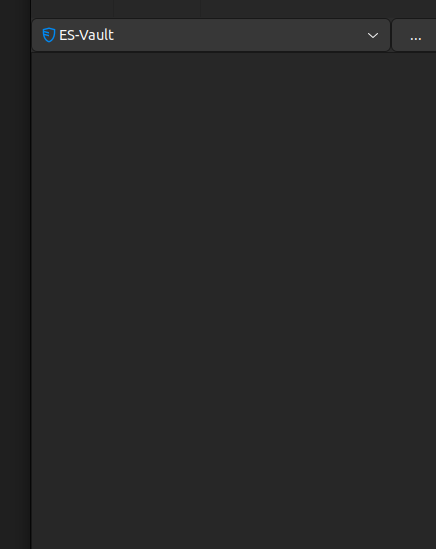
ea11702a-d173-40ef-a787-9c4e943af4a9.png
Hello AndreaB,
After investigation, this is an issue that will occur when updating to 2023.3.1.3 then to 2023.3.1.4. To fix it, right click on the connections tree > Column Chooser > and select "Name". You can disable the new column feature by going to Preferences > User Interface > Tree View > then uncheck "Show tree view header". Please let me know if that helps.
Regards,
Gabriel Dubois
it works
Thank you
The original password problem is still present. :(
Hi AndreaB,
Can you please go look at your entry in the DVLS web interface then reveal the password in the overview. If in that case the password shows [#XX#] it most likely was overwritten by the RDM client. In that case please go in the "History" tab and revert the entry to a previous date before it was overwritten, it should then restore to the real password..png)
After this you should be able to see the good password in RDM Linux. Please let me know if that helps.
Best regards,
Gabriel Dubois
image (2).png
Hello,
Same probleme, i thought i had lost the password to a new server installed two days ago. Ii almost had a heart attack. Fortunately, the revert allowed me to retrieve the password.
I upgrade to last version now.
Hello,
If you have access to a Windows machine, I recommend you use the password usage report and look for the [#XX#] string to ensure it was not saved anywhere else. Unfortunately, it is only possible to search in one vault at a time, so you will need to run the report for each vault manually. This report is not available from Devolutions Server or with RDM Linux at this time.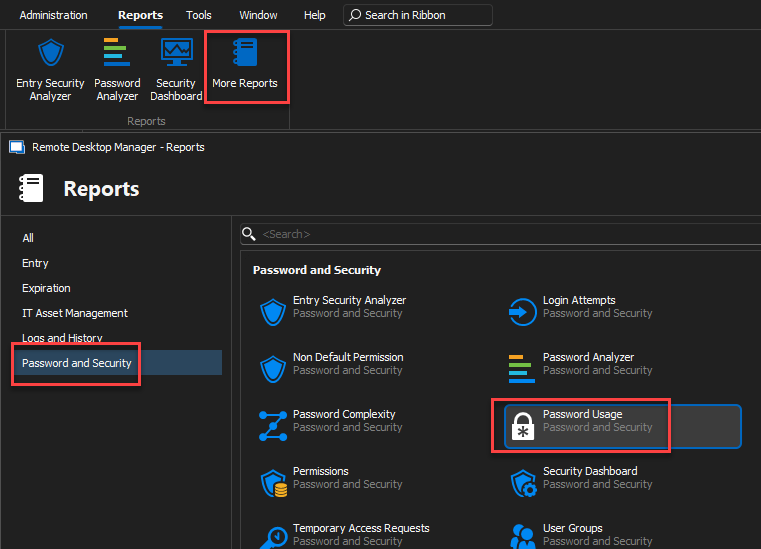
Best regards,
Richard Boisvert
2b2b6dac-2d49-4fc4-beb7-75d83b5f1a3e.png
i don''t know if it help but i can say this, when i 've installed 2023.3.1.3 i didn't see the connections tree BUT i can reveal the password correctly, after the installation of 2023.3.1.4 i can't see password again. the passwords in the rdm web interface are correct, th password isn't rewrited.
Andrea
Hi AndreaB,
Can you please go look at your entry in the DVLS web interface then reveal the password in the overview. If in that case the password shows [#XX#] it most likely was overwritten by the RDM client. In that case please go in the "History" tab and revert the entry to a previous date before it was overwritten, it should then restore to the real password.
After this you should be able to see the good password in RDM Linux. Please let me know if that helps.
Best regards,
Hmm, this is odd because there is no change between .3 and .4 that could have change something about that specific bug. If you downgrade again to 2023.3.1.3, can you still see the password like before? (In case, you can re-download this version here: https://cdn.devolutions.net/download/Linux/RDM/2023.3.1.3/RemoteDesktopManager_2023.3.1.3_amd64.deb)
In any case, is your DVLS version up to date (2023.3.13.0)? If not can you try the 2023.3.1.4 version while DVLS is up to date?
Would you please send us a copy of your RDM diagnostic by going to Help > Diagnostic then click "Copy to Clipboard".
Another test that could help us, only if you have acces to a windows computer, can you try connecting to your DVLS using RDM Windows (lastest version) and then tell us if you can resolve correctly your passwords?
Regards,
Gabriel Dubois