DVLS won't start after reboot

Everytime I reboot the server, DVLS Service is unavailable.
On the Windows Event Log, I see an Event 7023
The DevolutionsSchedulerService (DVLS) service terminated with the following error:
An exception occurred in the service when handling the control request.
The only way I found to fix the issue until the next reboot, is to force an update from the DVLS Console.
Is there any way to fix this?
All Comments (7)
Hello,
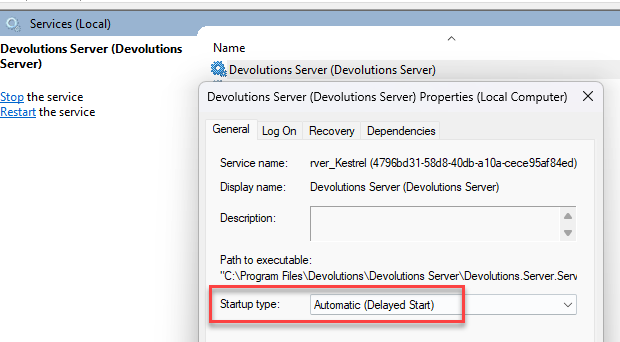
It's possible that the SQL Server where your Devolutions Server is located may not be up and running by the time the Devolutions Server instance starts. As a result, the Scheduler Service is unable to connect to the database and is returning an error message. To try and resolve this issue, you can configure the service to start "Automatic (Delayed Start)" in the services.msc settings. This may help to ensure that the connection is established successfully.
Best regards,
Richard Boisvert
Thank you for the idea. The "Devolutions Server" service was already at "Delayed Start", but pushing forward, I put the "WWW Publishing Service" at "Delayed Start" which fix the issue I had accessing the Web interface after a reboot.
Still, the Devolutions service won't start after a reboot. Is it possible for you to make it "Depends" on "WWW" service, or "SQL" services?