Templates sometimes go missing in cache

Dear Team,
we are facing an issue with the caching of templates. This issue has been ongoing for a while now, not related to any recent update.
Version information:
Devolutions Server: 2023.2.9.0
RDM: 2023.2.32.0
Scenario:
- Start session
- Error: Template not found (Not the exact message)
- Manually delete cache
- Start session
- Everything works as expected
It seems random as to when it happens.
Before clearing cache: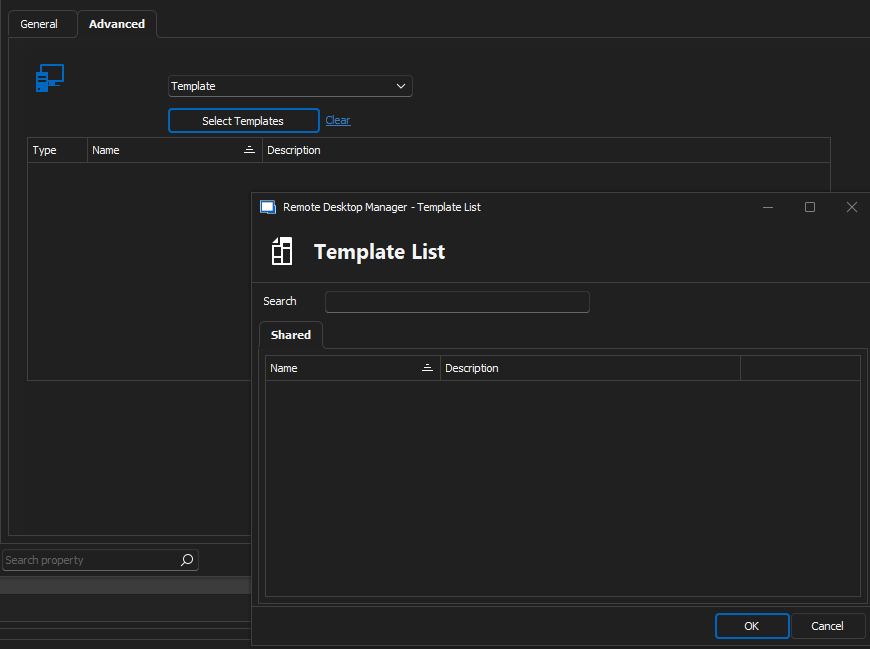
After clearing cache: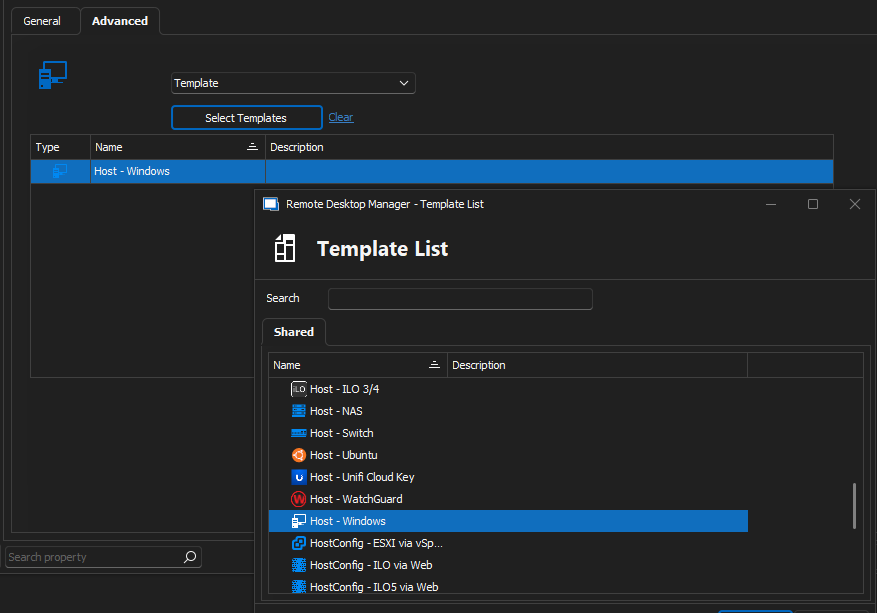
Any recommendations on which settings to change would be much appreciated.
This issue is not client/user related, it is happening to everyone once / few times per week.
Best Regards,
mg
df0c6ce7-1153-4e2a-89ac-af525036a17f.png
75c102f3-292c-4109-93e2-9d99ba1821c4.png
All Comments (10)
Hello,
What are your offline settings in RDM? You can get them in File - My Data Source Information.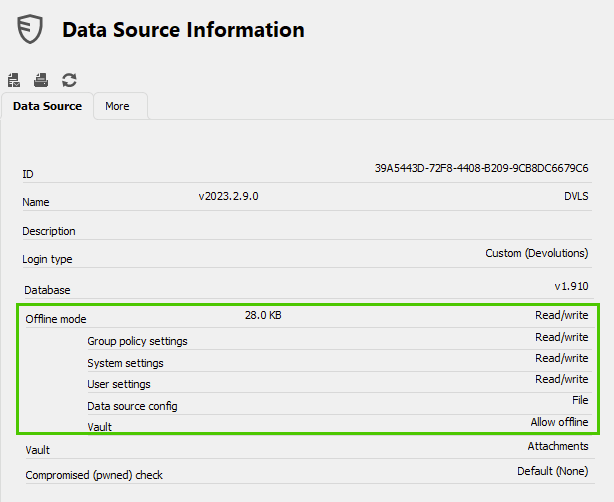
What options are set in File - Data Sources - Advanced?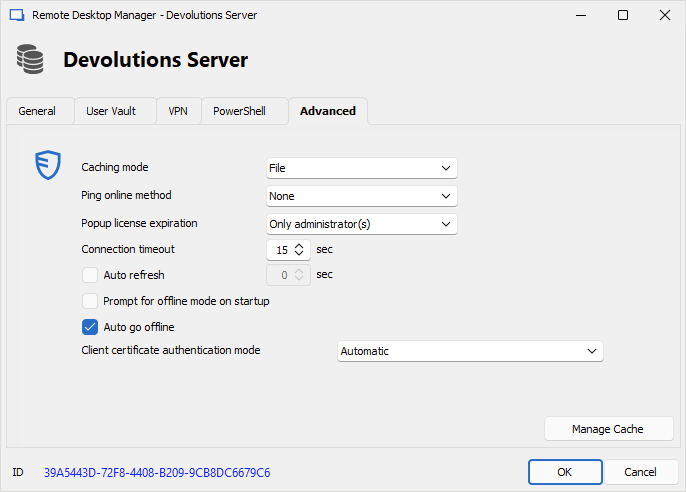
Do you get the same behavior if you run RDM as a Portable installation (up to step 6 on the documentation page)?
Best regards,
Érica Poirier
80db5b63-8a10-4a8e-8b34-616469b8081d.png
df92113e-92df-46c5-a8a6-1deaee500b27.png
Hello,
my settings are as follow: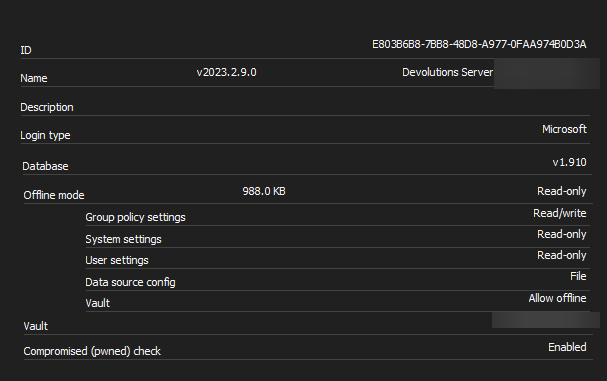
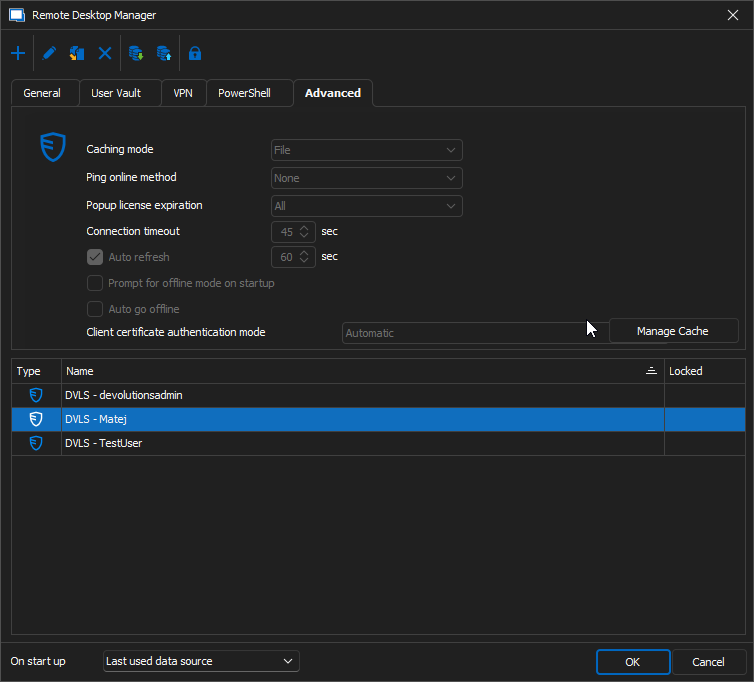
For context - I almost exclusively use the "DVS - Matej" datasource.
In an attempt to improve the Template-issues, I had adjusted the connection timeout & auto refresh away from the default.
As the issue is not reproducable "on the fly", should I go ahead and use the portable version for a week or two?
Also, just to repeat incase it matter - The issue is affecting every agent, most did not touch a single setting in RDM.
Best Regards,
mg
68952bd4-9e59-42a4-a852-50988b9a98d6.png
54d77652-2e0d-4df1-8bcc-4ac2f2f7dbf9.png
Hello,
Thank you for your feedback.
How many templates do you have in your data source?
Does increasing the Connection timeout helped?
As it's an intermittent issue, I'm not sure if the portable test will help us identifying the problem.
When this issue occurs, can you reproduce it on every subsequent session opening?
If so, then open the Performance Profiling dialog in Help - Profiler and see if you get anything specific in the profiler dialog.
Best regards,
Érica Poirier
Hello,
we have ~35 Templates, 3 of those are Template Groups.
Adjusting the timeout did not seem to help.
The issue keeps occuring until cache is cleared. Sometimes CTRL+F5 works, but usually we have to clear cache manually.
So yes, it is reproducable on every session onwards, until cache is cleared.
I will check the profiling dialog the next time I encounter this.
Best Regards,
mg
Hello,
the issue happened again, and after checking the Profiler, I was not able to find anything "special".
I have also sent the trace to support, including the link to this topic, via the button.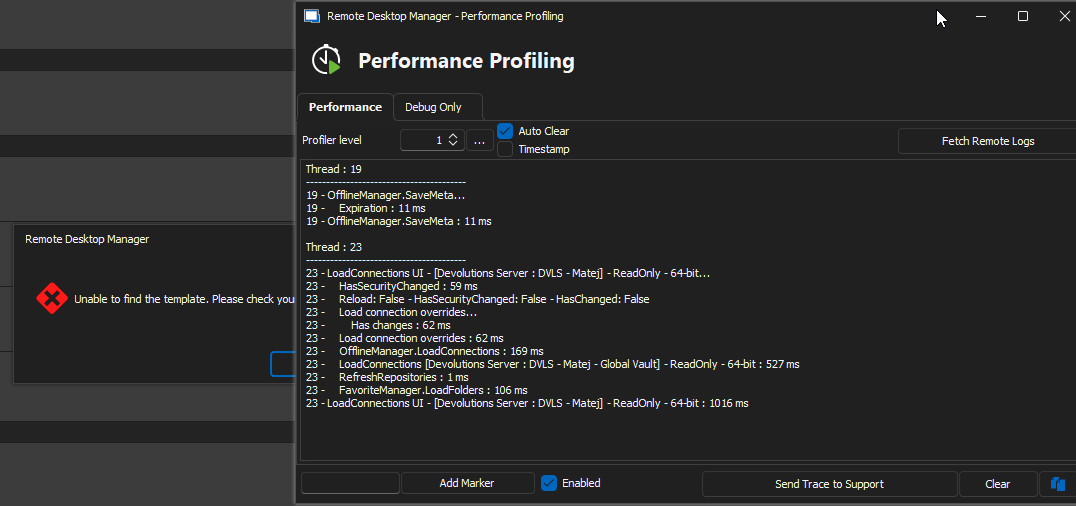
Best Regards,
mg
78e76935-44fd-4016-836b-4c7ad65073f9.png
Hello,
Thank you for your feedback.
Are there any relevant error messages in Help - Application Logs in RDM or in the DVLS Logs?
Could you please set the Profiler level to 2357 and with the Auto Clear option disabled when the issue is ongoing?
From the report you have sent, there is one Virtual Folder. Could you please identify that virtual folder in Help - Diagnostic - Data Source - Data Source Diagnostic? Then, edit the folder's description and save it. This will convert the virtual folder into an existing folder entry in the database.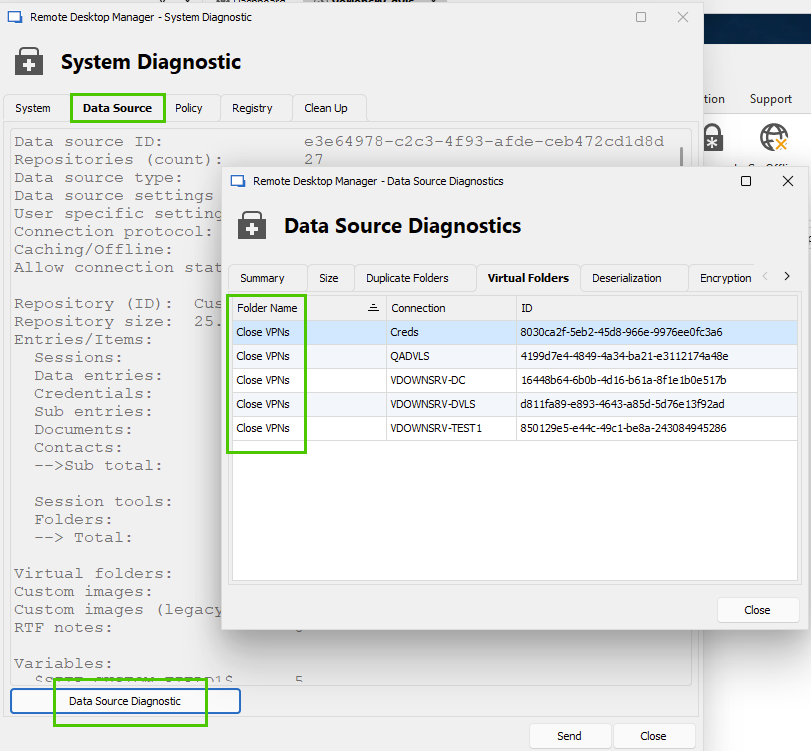
Best regards,
Érica Poirier
65830615-fbb7-4668-920e-236de7c51c03.png
Hello,
unfortunately, nothing that would match the timeframe / sound relevant in the application logs.
I will check the profiler with the specified parameters once the issue occurs on my device again.
Topic virtual folders - this seems very odd: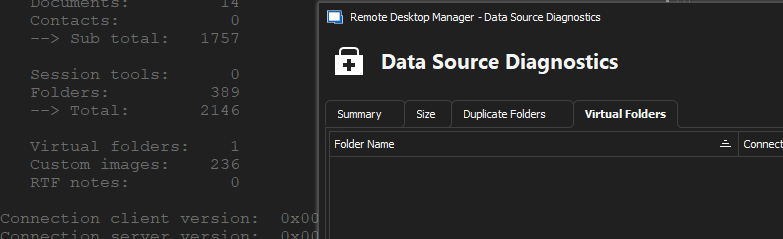
It says 1 virtual folder in System Diag. but does not show any in the popup, so I can't find out which of the folders is the virtual one.
Best regards,
mg
74730a8a-d21e-4432-9878-f6b54428092f.png
Hello,
For the virtual folder, is it possible that it's located in another vault than the one you have access to?
The following PowerShell script can find and convert virtual folders. Ensure to do a full database backup before run this script.
https://github.com/Devolutions/RDMSamples-ps/blob/main/module/entries/MassEdits/ConvertVirtualFolders.ps1
Best regards,
Érica Poirier
Hello,
after running the script, nothing has changed.
Script was run as "devolutionsadmin" (Our GA-Account).
We only have one public vault.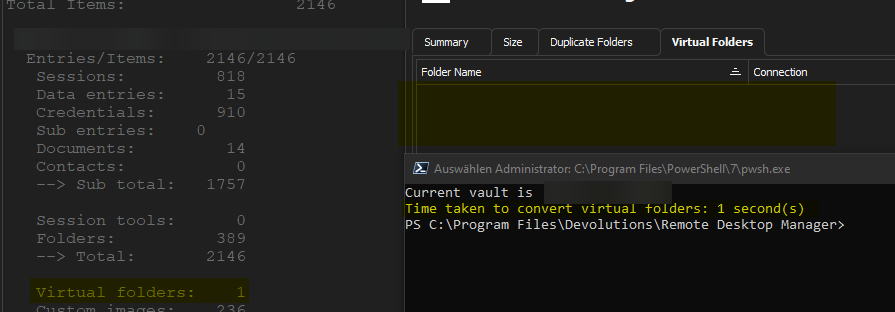
Any further suggestions would be very welcome.
Best regards,
mg
fa6d18f5-cabb-49e4-9a2d-cdba0da42b6a.png
Hello,
Thank you for your feedback.
The virtual folder seems to be located somewhere else.
However, we are facing the impossibility of reproducing this template problem in our environment to find a reliable fix for the moment.
When this problem occurs, doing a CTRL+Refresh on the template window should bring them back.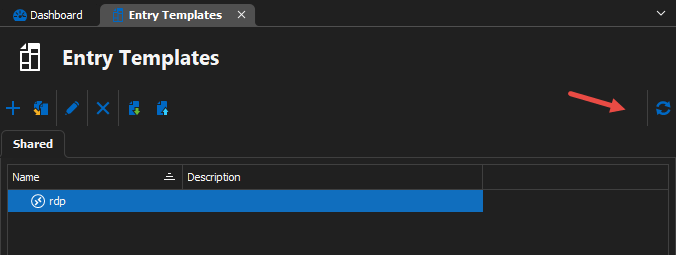
Let us know if that workaround helps.
Best regards,
Érica Poirier