Missing Value from Desktop Application Vs Web Application

Hey there,
We noticed what probably seems like a bug, when creating a Custom Control under Website/CustomControl there is a filed called "Input type" on the web version which seems to be missing in the desktop version. This results to bad data when trying to import the specific control.
Below you can see the two applications
Web App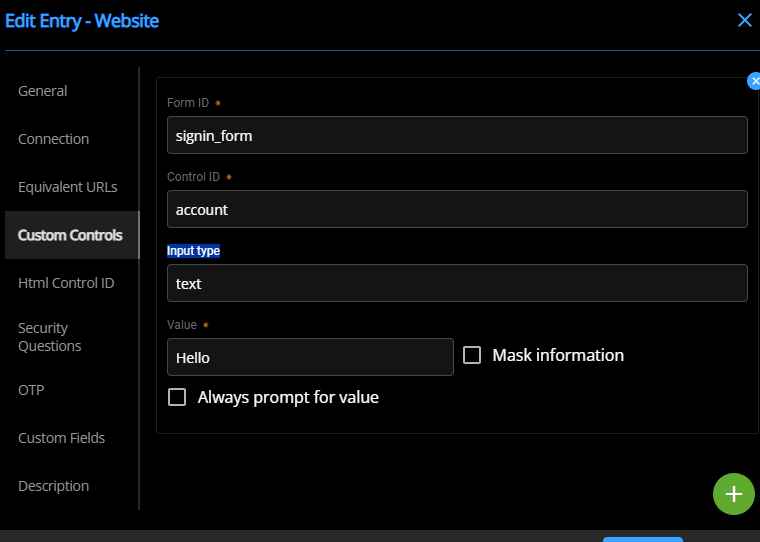
Desktop Application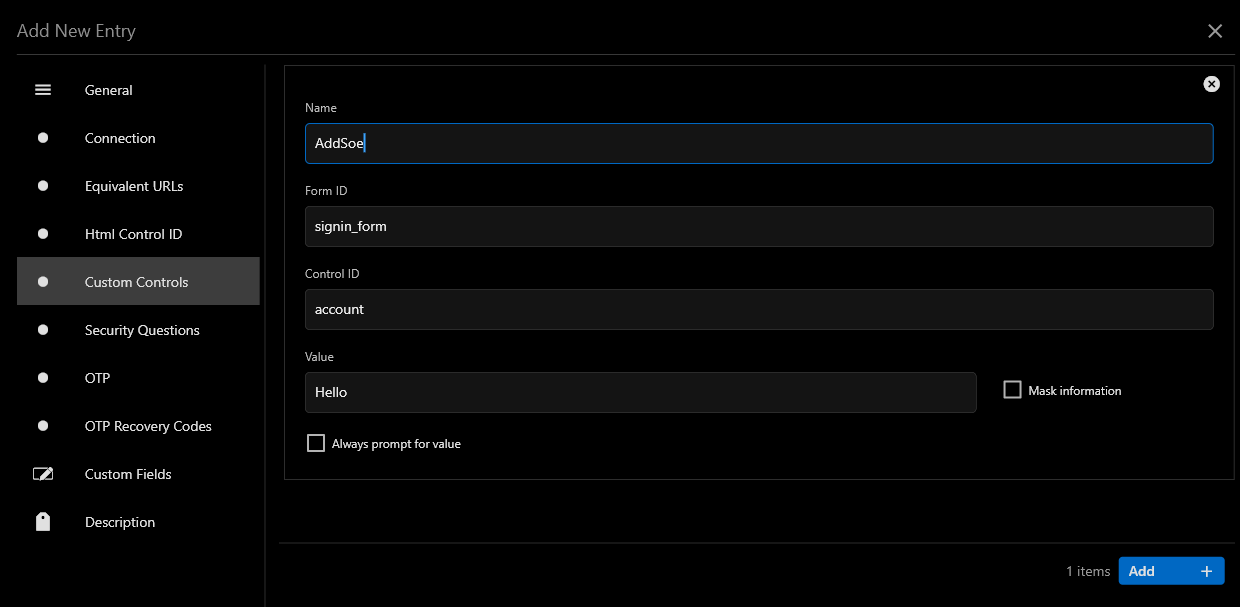
The result of this is that the Value of the control is never imported and a random string is then added to the field name as seen below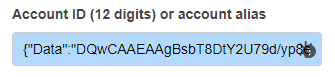
After some investigation we have checked the Raw Data of the Website option and found that the value is picked up from the below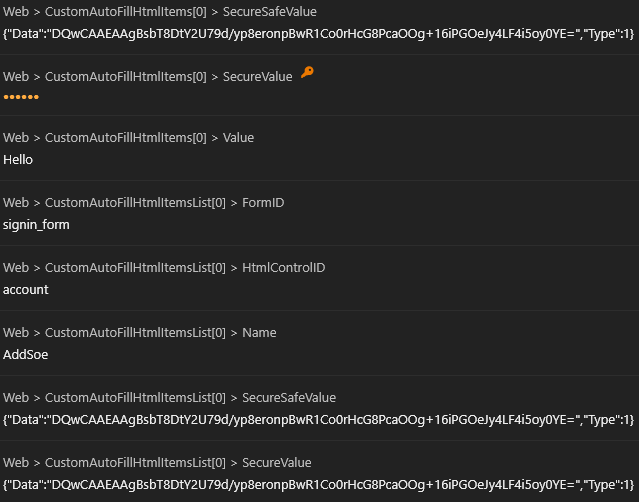
As a workouround we use the webapp to create such controls but everytime it is edited through the desktop application the issue reappears.
Thanks.
ac4bd659-0d8d-44ef-88be-ddada2cd0fd4.png
27560d84-8e50-4bd6-a88d-8fdbe1acd1fd.png
5239492e-131a-46ff-8ce0-a3c2003627f2.png
2dc49200-4589-4763-a1c0-c0247e4bfef1.png
All Comments (2)
Hello, thanks for reporting this issue. I created a task and this will be fixed in the next minor version.
Best regards,
Sébastien Aubin
Product manager - Password Management
Hi, there is a new version of Workspace Desktop (2023.2.6) that should be fixing this issue.
Best regards,
Sébastien Aubin
Product manager - Password Management