Backup retention problem

Hi, I'm experiencing some problems with DVLS backup manager causing my backup volume to filling up.
I'm using DVLS Scheduler service and Backup manager where I scheduled backups everyday with a 7 days retention period, so I'm expecting that every backup older than this retention will be deleted; instead of this they keep going without delete any old backup which causing my volume to fill up space.
I checked DVLS logs to find any clue but I found no errors except for the obvious "There is not enough space on the disk" error when there's no space left on the backup volume.
To avoid any permission errors I gave the Everyone user full control on the directories I'm using for backups.
I'm using DVLS version 2023.2.5.0 on Windows Server 2022 Standard and MS SQL 2022 Express.
Is there anything I can do to fix this problem or to debug it?
Thanks
All Comments (6)
Hello,
Thank you for reporting this behaviour.
Is the Scheduler configured with a service account? If so, could you please try to grant permissions to that account on the folder and all existing files. Then the restart the Scheduler service?
Let us know if that helps.
Best regards,
Érica Poirier
Hi,
In the Backup Manager section in Administration, there is a setting for the number of backups to keep. Is it a 1 on your side?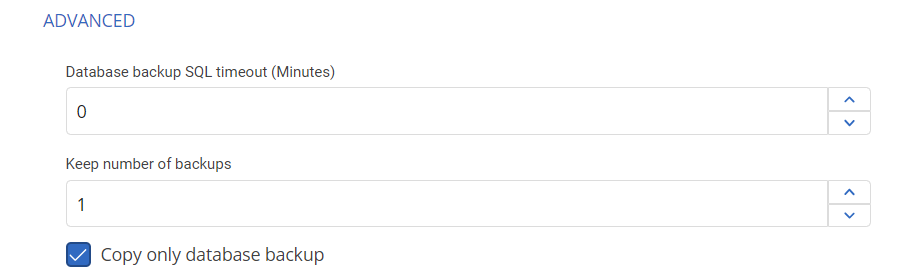
Best regards
Marc-Andre Bouchard
1d895be0-4776-48b2-84f6-fca9300e228a.png
Hello,
Thank you for reporting this behaviour.
Is the Scheduler configured with a service account? If so, could you please try to grant permissions to that account on the folder and all existing files. Then the restart the Scheduler service?
First of all thanks for the support :)
The Scheduler is configured as default to run as Local Service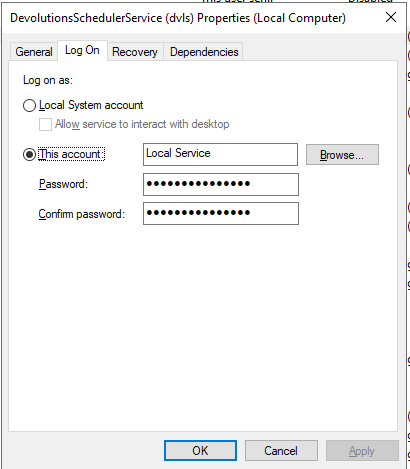
I checked again the directory where I'm saving backups (E:\backupdvls\db and E:\backupdvls\web) and I gave explicit permissions (Full Control) in Local Service user.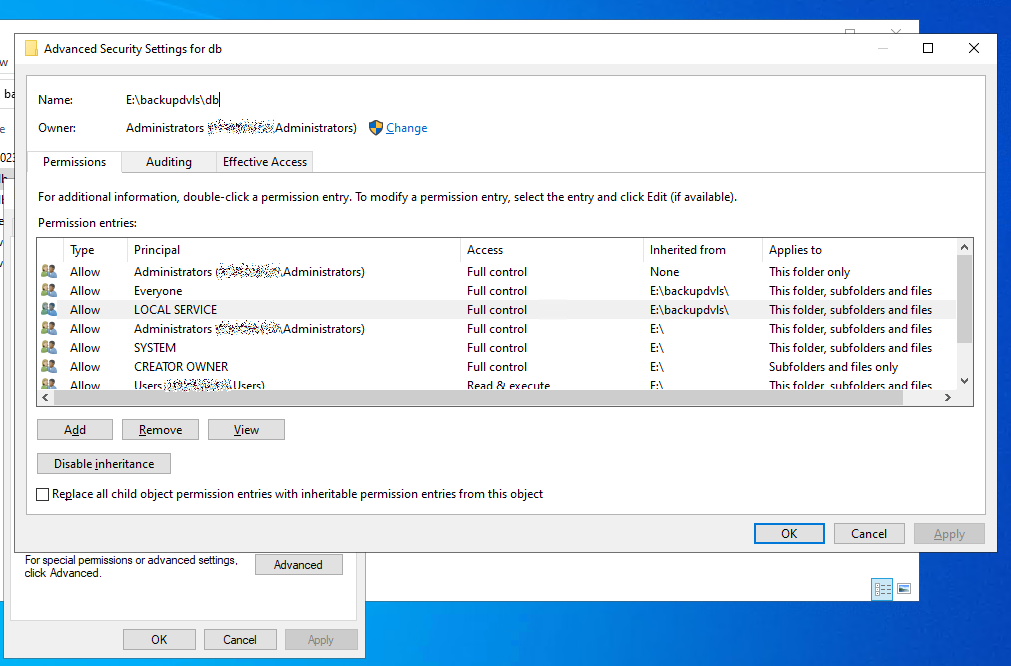
Using the "Effective Access" tab I checked which permissions results for the Local Service user and seems it has everything, including delete permissions on files or directories inside those paths.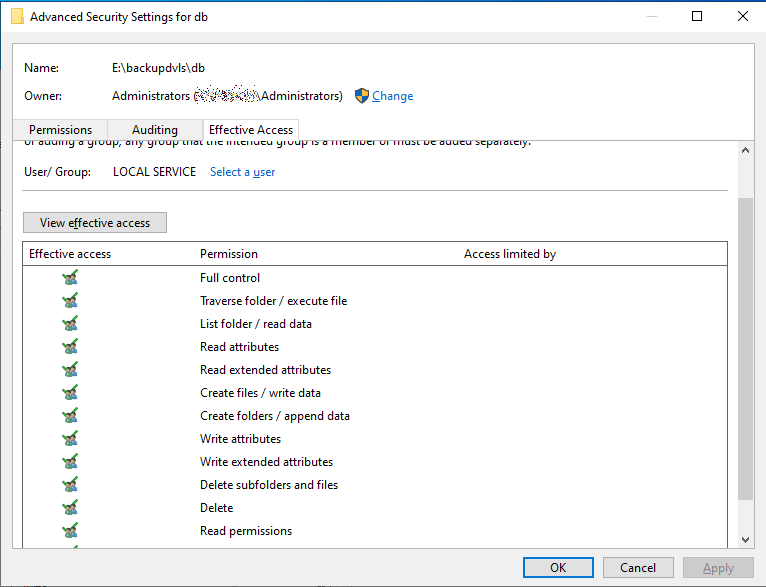
After that I made a new backup using the Scheduler, the backup was perfectly written on the destination directories, but none of the old backups was deleted.
Hi,
In the Backup Manager section in Administration, there is a setting for the number of backups to keep. Is it a 1 on your side?
Best regards
No, I set the retention on 7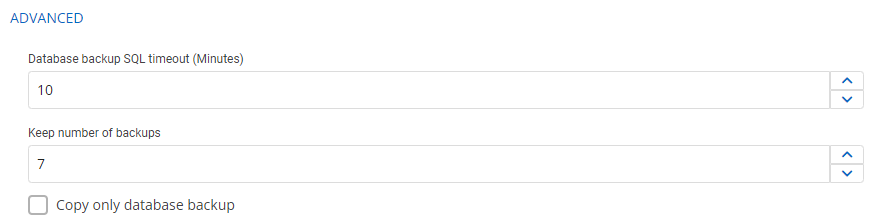
ceb6fd68-95f8-4a64-b7eb-c17a4e5284e7.png
7df2b0a0-6cf8-4bba-91ba-02bfa6b44825.png
ff45a48b-7377-4cdb-81bf-2aeac71ca302.png
74fd3e01-9db2-4f5a-b5a5-7d9473c9e827.png
Hello,
Thank you for your feedback.
Could you please try with Local System instead and restart the Scheduler?
Best regards,
Érica Poirier
Hi Erica, I changed the Devolutions Scheduled service owner from Local Service to Local System and restarted the service.
Now the Scheduler deletes old backups, thank you very much! :)
Hello,
Thank you for your feedback and I am glad the solution has solved your issue.
Best regards,
Érica Poirier